

Essential Points
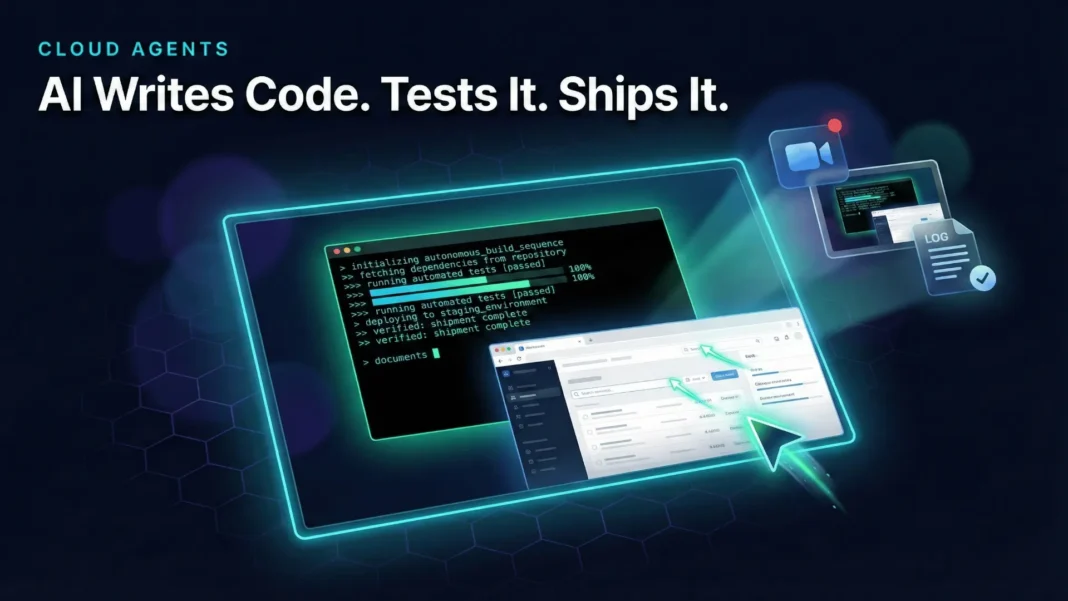
- Cursor cloud agents run inside isolated VMs and ship merge-ready PRs with video, screenshot, and log artifacts
- More than 30% of PRs merged at Cursor are now created autonomously by cloud agents
- Agents onboard themselves onto your codebase and handle rebasing, merge conflicts, and commit squashing
- Available from web, mobile, desktop, Slack, Linear, and GitHub with no laptop connection required
Cursor just crossed a threshold that most AI coding tools have only promised. Its cloud agents no longer just generate code; they spin up their own virtual machines, run the software they build, capture video evidence, and submit pull requests that are ready to merge. For developers who have been waiting for AI to take real ownership of a task, Cursor’s own engineering team is already shipping production work this way.
Why Local Agents Hit a Ceiling
Local agents make it easy to start generating code, but they quickly run into conflicts and compete with each other and with you for your computer’s resources. Cloud agents remove this constraint entirely by giving each agent an isolated VM, so you can run many in parallel without your machine slowing down or your workflow breaking.
Cloud agents also build and interact with software directly inside their own sandbox, allowing them to iterate until they have validated their output rather than handing off a first attempt. The agent can navigate web pages in a browser, manipulate tools like spreadsheets, interpret data, make decisions, and resolve issues in complex UI environments, all without touching your local setup.
 Perplexity Computer Is the General-Purpose AI Worker That Handles Entire Projects, Not Just Prompts
What “Computer Use” Looks Like in Practice
Cursor has been running cloud agents internally for over a month before the public launch. The team used agents across four distinct categories of real engineering work, and each one reveals a different dimension of the capability.
Building new features: Cursor used a cloud agent to build source-code links for Marketplace plugin pages. The agent implemented the feature, then recorded itself navigating to the imported Prisma plugin and clicking each component to verify the GitHub links worked. It temporarily bypassed a feature flag for local testing, reverted before pushing, rebased onto main, resolved merge conflicts, and squashed to a single commit.
Reproducing vulnerabilities: A cloud agent was triggered from Slack with a clipboard exfiltration vulnerability description. It built an HTML exploit demo page, started a local backend server, loaded the page in Cursor’s in-app browser, copied a test UUID to the system clipboard, and executed the full attack flow. The video artifact showed the successful clipboard theft, and the agent committed the demo HTML file to the repo.
Handling quick fixes: An agent replaced a static “Read lints” label with a dynamic one driven by lint results, implementing “No linter errors” for zero diagnostics and “Found N errors” for N diagnostics with matching CSS styling. The agent tested two cases in the Cursor desktop app and recorded video proof of both.
Testing UI: A cloud agent spent 45 minutes doing a full walkthrough of cursor.com/docs, testing the sidebar, top navigation, search, copy page button, share feedback dialog, table of contents, and theme switching before delivering a complete summary.
How Teams Can Use Cloud Agents Daily
The Cloud Agents workflow unlocks three practical patterns for engineering teams beyond one-off feature work.
Bug fixes on the fly: It is now often faster to kick off a cloud agent from Slack or Cursor than to add an issue to a tracker like Linear. Teams can run multiple models against the same bug simultaneously and pick the best result, which Cursor’s team finds significantly improves output on harder bugs requiring several precise changes.
Quick to-dos in the background: Smaller todos can be handed to cloud agents during morning planning or before lunch. Some Cursor engineers use cursor.com/agents on their commute to put agents to work before they arrive at the office.
Complex features with plan mode: For bigger features, Cursor’s plan mode lets you iterate with a model locally to create a detailed implementation plan, then hand off execution to a cloud agent while you move on to the next task. Cursor has also revamped the GPT-5 Codex agent harness specifically to perform better for long time horizons in the cloud.
How Cursor Cloud Agents Fit the Broader Agent Landscape
Cursor’s cloud agent system occupies a distinct position: deep IDE integration with genuine autonomous execution and video-verified artifact output. The approach differs from tools that operate as standalone agents disconnected from your development environment, because Cursor agents live inside the same workflow developers already use, triggered from Slack, Linear, GitHub, or the editor itself.
The product roadmap signals where this is heading. Cursor is building toward self-driving codebases where agents merge PRs, manage rollouts, and monitor production. The near-term focus is on coordinating work across many agents and building models that learn from past runs and become more effective as they accumulate experience.
What This Shift Means for Developers
The role of the developer is already changing at Cursor. The team reports that now agents handle most of the implementation, the developer’s role is more about setting direction and deciding what ships. This is not replacement. It is role compression. Engineers who can delegate task structure precisely and review artifact outputs critically become the highest-leverage contributors.
For product teams in the US and India working on shipping velocity, the practical implication is direct: bug fixes, quick todos, and well-scoped feature tasks can now run in the background while developers focus on architecture and judgment.
Limitations and Considerations
Cloud agents perform best when the developer provides architectural direction and a clear scope. For tasks with opaque legacy dependencies or ambiguous business logic, agents can produce technically correct code that misses intent. The artifact review step, checking video, screenshots, and logs before merging, remains a required human judgment call. Teams benefit most when they treat agents as parallel execution capacity, not as unsupervised decision-makers.

Frequently Asked Questions (FAQs)
What is Cursor’s cloud agent computer use feature?
Cursor’s cloud agents run inside dedicated virtual machines with full development environments. They build software, navigate browsers, interact with complex UI environments, and test their changes. Each agent produces video, screenshot, and log artifacts so developers can validate results before approving a merge.
How does a Cursor cloud agent submit a pull request?
After completing implementation, the agent rebases onto main, resolves any merge conflicts, squashes commits, and pushes a merge-ready PR. The PR includes artifacts such as videos and screenshots demonstrating the agent tested the changes before submitting.
Where can I access and manage Cursor cloud agents?
Cursor cloud agents are accessible from the Cursor desktop editor, the web at cursor.com/agents, the mobile app, Slack, Linear, and GitHub. No laptop connection is required to keep agents running once assigned.
How is Cursor using cloud agents internally?
Cursor’s team uses cloud agents for four main tasks: building new features, reproducing and triaging security vulnerabilities, handling quick code fixes, and running full UI walkthroughs of production sites. More than 30% of PRs merged at Cursor are now created by these agents operating autonomously.
Can Cursor cloud agents handle security research?
Yes. Cursor’s team triggered a cloud agent from Slack with a vulnerability description. The agent built a full exploit demo, executed the attack flow against a test UUID, recorded video proof of successful clipboard exfiltration, and committed the demo to the repository.
What is the GPT-5 Codex agent harness in Cursor?
Cursor has revamped the GPT-5 Codex agent harness to work better for long time horizons in the cloud. This improves agent performance on complex, multi-step features where tasks run over extended periods without developer intervention.
What happens when multiple agents tackle the same bug?
Cursor’s team regularly runs multiple models against the same bug simultaneously and selects the best result. This approach significantly improves output quality, particularly on harder bugs that require several precise changes to fully resolve.
What is Cursor’s roadmap for cloud agents?
Cursor is building toward self-driving codebases where agents merge PRs, manage rollouts, and monitor production. Near-term priorities include coordinating work across many simultaneous agents and developing models that learn from past runs to become more effective over time.

