

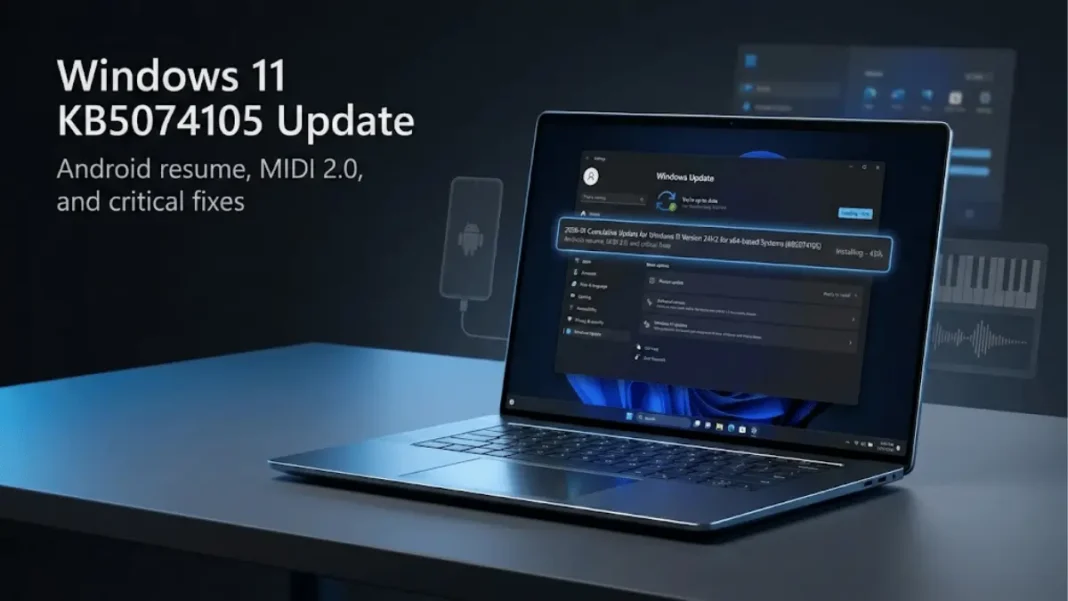
Quick Brief
- KB5074105 expands Cross-Device Resume for Android phone integration with Windows 11 PCs
- Smart App Control now toggles without clean Windows reinstallation required
- Update fixes Explorer.exe taskbar disappearance and black screen bugs from KB5074109
- Windows MIDI Services gains MIDI 2.0 support and multi-client device sharing
Microsoft released KB5074105 on January 29, 2026, as a preview update that targets both feature expansion and damage control. This optional non-security update for Windows 11 versions 24H2 and 25H2 addresses critical bugs introduced by the problematic KB5074109 patch while simultaneously rolling out Android connectivity features. The update pushes systems to build 26200.7705 and 26100.7705.
Cross-Device Resume: Android Meets Windows Desktop
Microsoft expanded its Cross-Device Resume functionality beyond the May 2025 preview. Windows 11 users can now continue activities started on Android phones directly through the PC taskbar. The feature supports Spotify playback resumption, Microsoft Office document continuation in Word, Excel, and PowerPoint, and browser session transfers.
The integration operates through your Microsoft account synchronization. When you pick up your phone and start playing music or editing a document, the taskbar on your signed-in Windows PC displays a notification card allowing immediate continuation. This eliminates the manual process of searching for recently accessed content across devices.
How does Cross-Device Resume work between Android and Windows?
Cross-Device Resume synchronizes activities from your Android phone to Windows 11 via Microsoft account integration. When you use supported apps like Spotify or Office, Windows detects the activity and surfaces a taskbar notification. Click the notification to resume the exact activity on your PC.
Smart App Control Finally Gets Flexibility
Users can now enable or disable Smart App Control (SAC) without performing a clean Windows installation. Previously, toggling SAC required a complete system reinstall, which created a barrier for users wanting to test the security feature.
Navigate to Settings > Privacy & Security > Windows Security > App & Browser Control to adjust SAC settings. This change gives organizations and power users the flexibility to adapt security postures based on workflow requirements without disrupting productivity.
Windows MIDI Services Receives Professional-Grade Upgrade
KB5074105 introduces substantial improvements to Windows MIDI Services, targeting music producers and DAW users. The update delivers MIDI 2.0 protocol support alongside backward compatibility with MIDI 1.0 devices.
Multi-client support allows multiple applications to access the same MIDI device simultaneously without conflicts. Microsoft implemented automatic translation between MIDI 1.0 and MIDI 2.0 protocols, eliminating compatibility issues when connecting legacy hardware to modern music production software. The system also improves speed, reliability, and transfer mechanisms for MIDI data.
Critical Bug Fixes After KB5074109 Problems
Explorer.exe and Taskbar Stability
Microsoft addressed the Explorer.exe hang issue that prevented the taskbar from appearing during login. This bug specifically affected systems with certain apps configured as startup applications. Users reported complete taskbar absence, forcing manual Task Manager interventions to restart Explorer.exe.
Black Screen and BSOD Resolution
The update fixes a black screen issue occurring after sign-in on select systems. Microsoft also resolved a Blue Screen of Death (BSOD) error related to dxgmms2.sys, a component in the graphics driver stack. These crashes frequently occurred during high-load graphics operations or when waking from sleep mode.
Lock Screen Responsiveness
KB5074105 includes underlying changes to prevent lock screen unresponsiveness. Previous builds experienced frozen lock screens that prevented credential input, requiring hard reboots.
Windows Hello Enhanced Sign-in Security Expansion
Windows Hello Enhanced Sign-in Security (ESS) now supports peripheral fingerprint sensors, extending beyond devices with built-in biometric hardware. Desktop users and systems without integrated fingerprint readers can now leverage ESS by connecting compatible USB or Bluetooth fingerprint sensors.
To configure external sensors, plug in a supported ESS fingerprint reader, navigate to Settings > Accounts > Sign-in options, and complete the enrollment prompts. This update makes Windows Hello’s secure authentication available to a broader range of Copilot+ PCs and standard Windows 11 devices.
User Interface and Accessibility Improvements
New Settings Device Card
The Settings Home page displays a new “Device” card when you sign in with your Microsoft account. This card surfaces basic hardware specifications and usage information directly on the main Settings page, eliminating navigation to System > About for quick hardware checks.
Microsoft paused this feature rollout during August 2025 and resumed deployment with KB5074105.
Narrator Control Enhancements
Narrator provides granular control over on-screen control announcements. Users can select which interface element details are spoken and adjust announcement order to match navigation patterns. These settings apply system-wide, reducing redundant speech output and improving screen reader usability.
Voice Recognition Adjustments
Voice Access gains a new speech rate setting that adapts to different speaking patterns. The adjustment improves recognition accuracy whether users speak slowly or quickly. Voice Typing also received unspecified tweaks in KB5074105.
File Explorer Network Performance
Microsoft implemented underlying changes to improve File Explorer responsiveness when browsing network locations. Users navigating shared drives, NAS systems, or cloud-mapped network folders should experience reduced lag when opening large directories.
Taskbar Autohide Animation and WebP Backgrounds
The taskbar autohide feature received a new animation that provides smoother transitions when the taskbar appears and disappears. Windows 11 now supports WebP image format for desktop backgrounds. This allows users to set WebP files as wallpapers directly without format conversion, taking advantage of WebP’s superior compression and quality balance.
AI Component Updates
KB5074105 updates four AI components to version 1.2601.1268.0:
| AI Component | Version |
|---|---|
| Image Search | 1.2601.1268.0 |
| Content Extraction | 1.2601.1268.0 |
| Semantic Analysis | 1.2601.1268.0 |
| Settings Model | 1.2601.1268.0 |
These AI components power Windows 11’s machine learning features, including search improvements and content indexing.
Installation Method and Opt-In Nature
KB5074105 is an optional preview update that requires manual installation. Navigate to Settings > Windows Update and locate the update in the “Optional updates available” section. Click “Download and install” to apply KB5074105.
Users who enabled “Get the latest updates as soon as they’re available” in Windows Update settings will receive KB5074105 automatically. The update combines a servicing stack update (SSU) KB5074104 with the cumulative update.
What’s the difference between KB5074109 and KB5074105?
KB5074109 is a mandatory security update released January 13, 2026, while KB5074105 is an optional preview update from January 29, 2026. KB5074105 adds new features like Cross-Device Resume and fixes bugs introduced by KB5074109, including taskbar and black screen issues.
Gradual Rollout vs Normal Rollout
Microsoft delivers KB5074105 through two phases. The gradual rollout distributes features to devices progressively, meaning availability varies by system configuration and Microsoft’s internal metrics. The normal rollout represents broad release to all eligible devices simultaneously when reaching general availability.
Cross-Device Resume, Windows Hello ESS peripheral support, and the Settings Device card deploy via gradual rollout. Bug fixes and stability improvements apply to all systems immediately through normal rollout.
Should You Install KB5074105?
Users experiencing taskbar disappearance, black screens after login, or Explorer.exe hangs should install KB5074105 immediately. The update specifically targets these critical issues affecting daily usability.
Music producers using MIDI hardware benefit from the MIDI 2.0 support and multi-client device sharing. Android users who frequently switch between phone and PC for work continuity will find Cross-Device Resume valuable.
Conservative users may wait for the February 2026 Patch Tuesday mandatory update, which will incorporate KB5074105’s fixes without the preview update risk. Preview updates occasionally introduce new bugs despite their testing focus.
Known Limitations
Microsoft currently reports no known issues with KB5074105. However, as a preview update, edge cases may emerge as more users install the build across diverse hardware configurations.
The Cross-Device Resume feature requires a Microsoft account signed in on both Android and Windows devices. It only works with supported apps third-party applications not integrated with Microsoft’s cloud services won’t resume activities.

Frequently Asked Questions (FAQs)
Is KB5074105 a security update?
No, KB5074105 is a non-security preview update focusing on features and bug fixes. Security patches release on Patch Tuesday, while KB5074105 is an optional preview typically releasing in the fourth week of each month.
Can I uninstall KB5074105 after installation?
Yes, use DISM /Remove-Package command with the LCU package name. You cannot remove the servicing stack update (SSU) component after installation. Uninstalling via wusa.exe with /uninstall switch won’t work for combined SSU and LCU packages.
Does KB5074105 apply to Windows 10?
No, KB5074105 targets Windows 11 versions 24H2 and 25H2 exclusively. Windows 10 receives separate update packages with different KB numbers.
Will KB5074105 download automatically?
Only if you enabled “Get the latest updates as soon as they’re available” in Windows Update settings. Otherwise, it appears in “Optional updates available” and requires manual selection.
What is Enhanced Sign-in Security for Windows Hello?
Enhanced Sign-in Security (ESS) uses specialized hardware and software isolation to protect biometric authentication data. KB5074105 extends ESS support to external USB and Bluetooth fingerprint readers, not just built-in laptop sensors.
How large is the KB5074105 download?
Download size varies by system configuration and currently installed updates. Expect 300-500 MB for most users performing a direct installation from KB5074109.
Does Cross-Device Resume work with iPhone?
No, Cross-Device Resume in KB5074105 specifically targets Android devices. Apple’s ecosystem restrictions prevent similar deep integration with Windows 11.

