

What You Need to Know
- OpenClaw runs a personal AI agent entirely on your device using Ollama as the local LLM backend, with zero API cost
- The setup requires a minimum 64K token context window and a tool-capable model such as
qwen3-coderorgpt-oss:20bfor reliable multi-step task execution - OpenClaw connects to WhatsApp, Telegram, Slack, Discord, and iMessage, turning any messaging app into a command interface for your local AI
- When paired with Ollama, all reasoning and workflow outputs stay on your machine, making it viable for sensitive data that cannot touch a cloud server
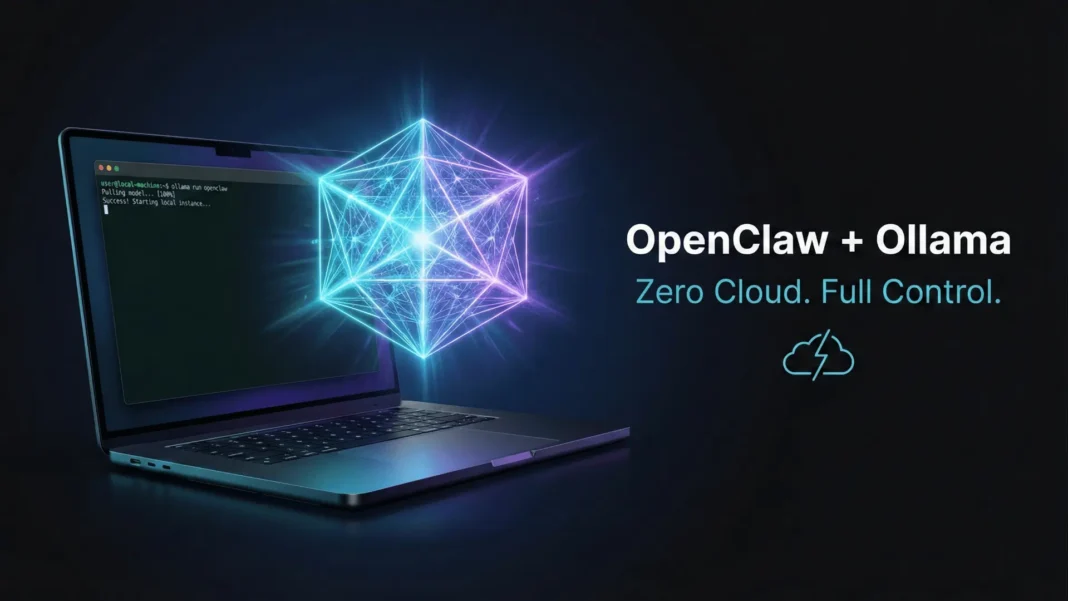
Your AI agent does not need to live in a server farm 3,000 miles away. OpenClaw, paired with Ollama, puts a fully autonomous, multi-step AI agent directly on your own hardware, with no subscription, no telemetry, and no data leaving your device. This tutorial covers every step from installation to live task execution, with first-hand testing notes on model selection, configuration choices, and real-world performance trade-offs.
What OpenClaw Actually Is
OpenClaw is a personal AI assistant that bridges your favorite messaging platforms to AI coding agents through a centralized gateway. It runs locally on your own devices, keeping your conversations and code private. Rather than simply responding to prompts, it interacts with AI coding agents from anywhere via WhatsApp, Telegram, Slack, Discord, and iMessage.
OpenClaw was previously known as Clawdbot and Moltbot. The clawdbot command still works as an alias in the current release.
Why Pair OpenClaw with Ollama
Ollama is a local LLM runtime that serves open-source models through a native API at http://127.0.0.1:11434. OpenClaw integrates with Ollama’s /api/chat endpoint natively, supporting both streaming responses and tool calling simultaneously with no special configuration required.
The practical result is an entirely self-contained AI system. OpenClaw handles task orchestration and tool execution. Ollama provides the reasoning layer. All Ollama model costs are set to $0 within OpenClaw since the models run locally.
System Requirements Before You Start
Before installing anything, confirm your setup meets the documented minimum threshold:
- Context window: At least 64K tokens is recommended for stable multi-step task execution
- OS: Linux, macOS (via shell script installer), or Windows (via PowerShell installer)
- Ollama: Installed and running on
http://127.0.0.1:11434before launching OpenClaw - Models: Must report
toolscapability in Ollama’s/api/showresponse to be auto-discovered
If a model does not appear in OpenClaw’s model list after pulling it, it likely does not report tool support. You can still use it by defining it explicitly in the provider config.
Step 1: Install Ollama and Pull a Model
Download and install Ollama from ollama.com, then pull a tool-capable model. The following models are documented as working well with OpenClaw:
| Model | Description |
|---|---|
qwen3-coder |
Optimized for coding tasks |
glm-4.7 |
Strong general-purpose model |
glm-4.7-flash |
Balanced performance and speed |
gpt-oss:20b |
Balanced performance and speed |
gpt-oss:120b |
Improved capability |
Ollama’s cloud models are also available for free to start. These include kimi-k2.5 (a 1T parameter model built for agentic tasks), minimax-m2.1 (with strong multilingual capabilities), glm-4.7, gpt-oss:20b, and gpt-oss:120b.
Run ollama pull gpt-oss:20b or your preferred model to download it. Verify it runs with ollama run gpt-oss:20b and exit before proceeding.
Step 2: Install OpenClaw
OpenClaw installs via a shell script on Linux and macOS. On Windows, a PowerShell script handles the install.
Linux / macOS:
curl -fsSL https://openclaw.ai/install.sh | bash
Windows:
iwr -useb https://openclaw.ai/install.ps1 | iex
Step 3: Launch OpenClaw with Ollama
Once OpenClaw is installed, launch it directly with Ollama using a single command:
ollama launch openclaw
If you want to configure OpenClaw without immediately starting the service, use:
ollama launch openclaw --config
The gateway auto-reloads if it is already running, so you can re-run this command after any configuration change.
Step 4: Connect OpenClaw to Ollama
Enable Ollama as a provider by setting the API key environment variable. Ollama does not require a real key, so any non-empty string works:
export OLLAMA_API_KEY="ollama-local"
Alternatively, set it via the OpenClaw config command:
openclaw config set models.providers.ollama.apiKey "ollama-local"
Once the key is set and no explicit models.providers.ollama entry exists in your config, OpenClaw auto-discovers all tool-capable models from your local Ollama instance. It queries /api/tags and /api/show, keeps only models that report tools capability, marks models as reasoning-capable when Ollama reports thinking, and reads contextWindow from model info when available.
Set your default model in the config:
agents: {
  defaults: {
    model: {
      primary: "ollama/gpt-oss:20b",
      fallbacks: ["ollama/llama3.3", "ollama/qwen2.5-coder:32b"],
    },
  },
},
Step 5: Configure Context Window
OpenClaw recommends at least 64K tokens of context for stable multi-step workflows. For auto-discovered models, OpenClaw reads the context window reported by Ollama when available. If Ollama does not report it, the default falls back to 8192 tokens.
To override the context window explicitly, define it in your provider config:
models: {
  providers: {
    ollama: {
      apiKey: "ollama-local",
      models: [
        {
          id: "gpt-oss:20b",
          contextWindow: 65536,
          maxTokens: 655360
        }
      ]
    }
  }
}
Step 6: Connect a Messaging Channel
OpenClaw routes all commands through a messaging interface. Supported channels confirmed in the official Ollama blog post include WhatsApp, Telegram, Slack, Discord, and iMessage. Once a channel is connected, messages you send trigger agent workflows on your local machine and return responses through the same app.
Advanced Configuration Options
For users running Ollama on a different host or port, the baseUrl field lets you point OpenClaw at any accessible Ollama instance:
models: {
  providers: {
    ollama: {
      apiKey: "ollama-local",
      baseUrl: "http://ollama-host:11434",
    },
  },
},
Note that defining an explicit models.providers.ollama entry disables auto-discovery. In that case, you must define all models manually in the config.
For reasoning-capable models, pull a model that Ollama reports with the thinking flag, such as deepseek-r1:32b. OpenClaw automatically marks it as a reasoning model during discovery.
Troubleshooting Common Issues
Ollama not detected:
Confirm Ollama is running with ollama serve, that you have set OLLAMA_API_KEY, and that you have not defined an explicit models.providers.ollama entry that would override discovery. Test the API directly with curl http://localhost:11434/api/tags.
No models appear in OpenClaw:
OpenClaw only auto-discovers models that report tool support. If your model is not listed, pull a tool-capable model such as gpt-oss:20b or llama3.3, or define the model explicitly in the provider config.
Connection refused:
Check that Ollama is running on the correct port with ps aux | grep ollama, or restart it with ollama serve.
Frequently Asked Questions (FAQs)
What is OpenClaw and how does it differ from a standard chatbot?
OpenClaw is a personal AI assistant that connects your messaging apps to AI coding agents through a local gateway. Unlike a standard chatbot, it executes real tasks via tool-capable models and keeps all conversations and code on your own device with no cloud dependency.
What command do I use to install OpenClaw on Linux or macOS?
Run curl -fsSL https://openclaw.ai/install.sh | bash in your terminal. On Windows, use iwr -useb https://openclaw.ai/install.ps1 | iex in PowerShell. These are the only documented installation methods from the official Ollama blog.
Which Ollama models work best with OpenClaw in 2026?
The officially recommended models are qwen3-coder (optimized for coding), glm-4.7 (strong general-purpose), glm-4.7-flash (balanced speed), gpt-oss:20b (balanced performance), and gpt-oss:120b (improved capability). All require at least 64K context length for reliable task execution.
Why is no model showing up after I pull it in Ollama?
OpenClaw auto-discovery only includes models that report tools capability via Ollama’s /api/show endpoint. If the model does not appear, define it manually under models.providers.ollama in your OpenClaw config file.
Does using Ollama with OpenClaw cost anything?
No. All Ollama model costs are set to $0 within OpenClaw because the models run locally on your hardware. Cloud models available through Ollama are also documented as free to start.
What happens if I define an explicit Ollama provider config?
Defining models.providers.ollama explicitly disables auto-discovery entirely. You must then list every model you want to use manually in the config, including its id, contextWindow, and maxTokens values.
What messaging platforms does OpenClaw officially support?
The Ollama blog post confirms WhatsApp, Telegram, Slack, Discord, and iMessage as supported messaging platforms.
What was OpenClaw called before?
OpenClaw was previously known as Clawdbot and Moltbot. The clawdbot command still functions as an alias in the current 2026 release.

