

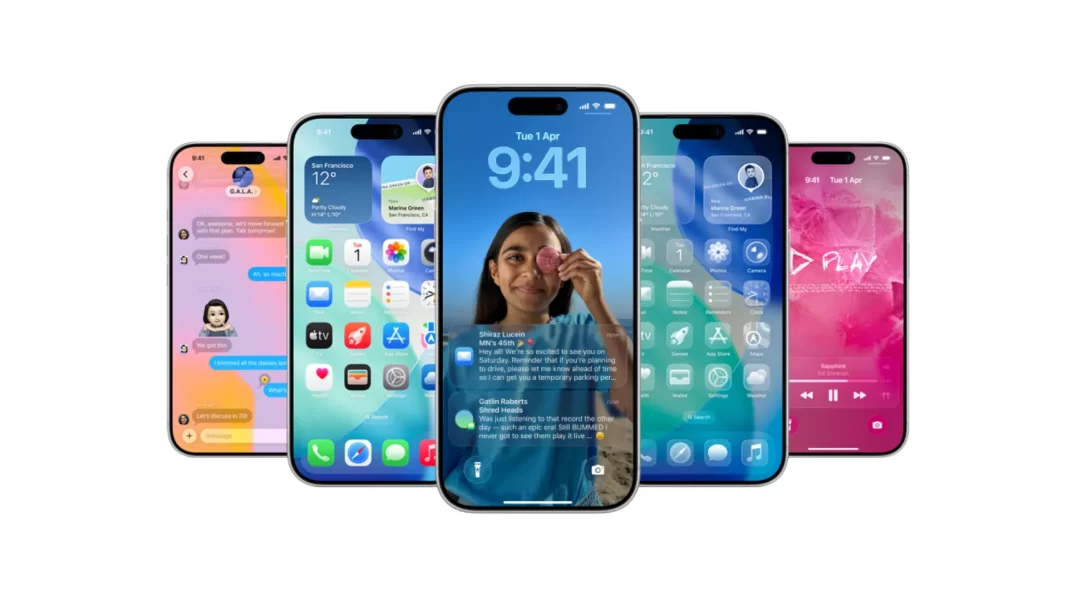
Apple’s iOS 26.1 developer beta is out. It broadens Apple Intelligence language support, adds more languages to AirPods Live Translation, and sprinkles small UI tweaks across Phone, Photos, Safari, and Music. There are also code hints that Image Playground may support more third-party AI providers soon.
Table of Contents
What’s new in iOS 26.1 developer beta
Apple Intelligence adds more languages
The beta enables Apple Intelligence features in additional languages. Reports list Danish, Dutch, Norwegian, Portuguese (Portugal), Swedish, Turkish, Vietnamese, and Traditional Chinese. This brings Apple closer to truly global coverage.
AirPods Live Translation expands language support
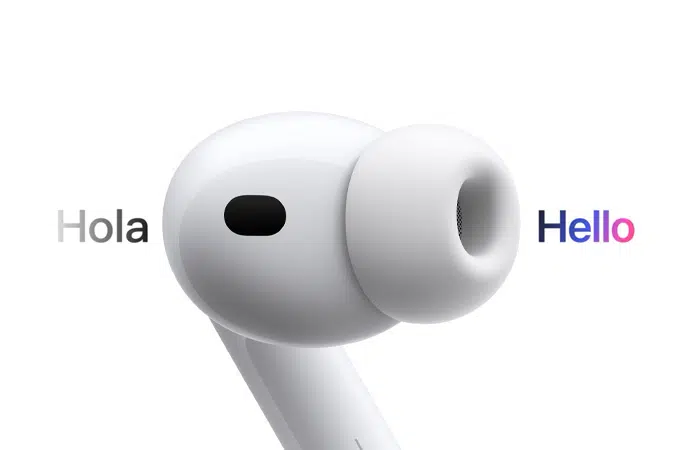
Live Translation on AirPods picks up Japanese, Korean, Italian, and Chinese in both Simplified and Traditional Mandarin, on top of the earlier English, French, German, Portuguese (Brazil), and Spanish. If you travel or work across regions, this matters.
Real-world example: say you’re at Narita Airport asking for platform directions in Japanese. Press and hold your AirPods stem to enter translation mode and get a quick, natural-sounding translation without pulling out your phone. Tom’s Guide also outlines how to use Live Translation end-to-end.
Small UI refinements in Phone, Photos, Safari
You’ll notice subtle polish rather than big redesigns. The Phone keypad adopts Apple’s new Liquid Glass aesthetic introduced with iOS 26. Photos gets a more useful video scrubber. Safari’s tab bar spacing is tweaked for a roomier feel. These are little things, but they add up in daily use.
Apple Music MiniPlayer gets swipe controls
A handy touch: you can now swipe left or right on the MiniPlayer to jump to the previous or next track. It’s a small gesture, yet it speeds up one-handed playback control.
Hints of third-party AI in Image Playground
Code references in today’s betas suggest Apple is preparing Image Playground to accept more providers beyond ChatGPT, with identifiers and latency fields showing up in the framework. That could open the door to options like Google’s Gemini 2.5 Flash Image, nicknamed “nano-banana,” which Google introduced in late August. Apple hasn’t announced this formally, but the groundwork appears to be there.

Supported iPhones
Apple says iOS 26 supports iPhone 11 and newer, including iPhone SE (2nd generation and later). If you bought one of the 2025 models, you’re covered. Apple also dropped XS, XS Max, and XR support this cycle. Check Apple’s official compatibility page for the full list.
How to install iOS 26.1 developer beta
Before you start
- Back up to iCloud or a Mac.
- Expect bugs, app quirks, and battery drain. Consider installing on a secondary device. Apple’s own beta guidance points this out.
Step-by-step on your iPhone
- Sign in with a free developer account in the Apple Developer app or on the web.
- On iPhone, go to Settings > General > Software Update > Beta Updates.
- Choose “iOS 26 Developer Beta” and install. Apple’s developer support doc describes the flow.
Should you install the beta on your primary phone?
If you rely on your iPhone for work or travel, you may want to wait for the public beta or 26.1 stable. Early betas can affect battery life, app stability, and accessories. Apple and multiple outlets recommend caution for daily-driver devices.
Early hands-on notes and practical examples
- The Phone keypad’s Liquid Glass look is clean and easier to hit quickly.
- In Photos, the refined video scrubber helps when trimming a clip for social.
- In Safari, the wider tab bar spacing feels slightly calmer on large phones.
- MiniPlayer swipes are the sort of micro-interaction that becomes second nature in a day.
Troubleshooting and common questions
- Not seeing the beta toggle? Make sure your Apple ID is signed in to the Developer app, then check Settings again.
- Worried about language availability? New Apple Intelligence and AirPods Live Translation languages are in the developer beta. Final rollout could shift.
- Can I roll back to the stable version? Yes, with a Mac and a backup made before installing the beta. Apple’s beta pages explain restore options.
Comparison iOS 26 vs iOS 26.1 developer beta
| Feature | iOS 26 | iOS 26.1 developer beta |
|---|---|---|
| Apple Intelligence languages | Existing set | + Danish, Dutch, Norwegian, Portuguese (Portugal), Swedish, Turkish, Vietnamese, Traditional Chinese |
| AirPods Live Translation | English, French, German, Portuguese (Brazil), Spanish | + Japanese, Korean, Italian, Chinese (Mandarin Simplified/Traditional) |
| Phone app | Liquid Glass in parts | Liquid Glass keypad |
| Photos | Standard scrubber | Upgraded video scrubber |
| Safari | Prior spacing | Wider tab bar with reduced edge padding |
| Music MiniPlayer | Tap controls | Swipe left/right to skip |
| Image Playground | ChatGPT provider | Code points to more third-party providers coming |
FAQ Section
Does iOS 26.1 expand Apple Intelligence to more languages?
Yes. The beta enables Apple Intelligence features in eight more languages, including Danish, Dutch, Norwegian, Portuguese (Portugal), Swedish, Turkish, Vietnamese, and Traditional Chinese.
Which new AirPods Live Translation languages are added?
Japanese, Korean, Italian, and Chinese in both Simplified and Traditional Mandarin are now included, alongside existing languages like English, French, German, Portuguese (Brazil), and Spanish.
Are there UI changes I’ll notice daily?
Yes. The Phone keypad gets Liquid Glass styling, Photos gains a better video scrubber, and Safari adjusts tab bar spacing.
What’s changing in Apple Music?
You can swipe left or right on the MiniPlayer to skip tracks, which speeds up one-handed control.
Is Apple adding more third-party AI models?
Code in the beta references multiple providers and latency metrics, hinting at broader Image Playground support. Google’s Gemini 2.5 Flash Image (“nano-banana”) is a likely candidate, though Apple hasn’t confirmed it.
How risky is this beta?
Early betas can cause app glitches and battery drain. If you depend on your iPhone, consider waiting for the public beta or stable release.

Featured Answer Boxes
What’s new in iOS 26.1 developer beta?
New languages for Apple Intelligence and AirPods Live Translation, plus small UI tweaks to Phone, Photos, and Safari. Apple Music’s MiniPlayer adds swipe-to-skip. Code in the beta suggests Image Playground could integrate more third-party AI models beyond ChatGPT in the future.
How to install iOS 26.1 developer beta
Create a free developer account, open Settings > General > Software Update > Beta Updates, choose “iOS 26 Developer Beta,” and install. Back up first and avoid installing on your primary device due to potential bugs and battery impact.
Which iPhones support iOS 26.1?
iOS 26 supports iPhone 11 and newer, plus iPhone SE (2nd gen and later). Apple dropped support for iPhone XS, XS Max, and XR this year. Check Apple’s compatibility list to confirm your model.
Source: Apple Support

