

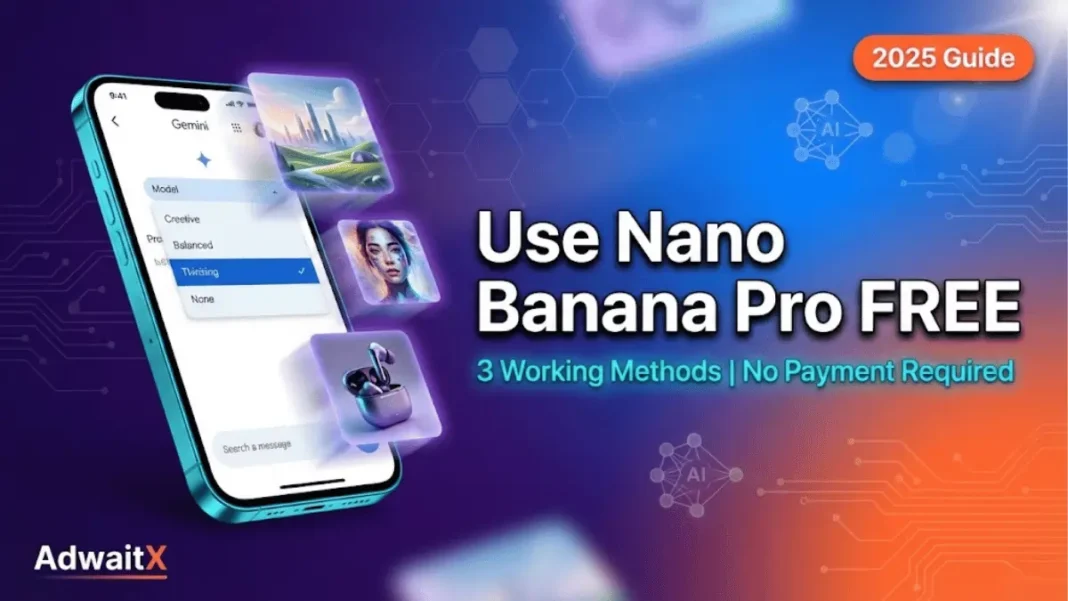
Summary: ano Banana Pro (Gemini 3 Pro Image) offers free access through four methods: 2-3 daily images via Gemini app’s “Thinking” model, developer access through Google AI Studio with API keys, a one-month trial (1,000 credits) in Flow Labs, and unlimited generations through third-party platforms like Higgsfield. Free users get 1K resolution while paid tiers unlock 2K-4K output. The model excels at text rendering (94% accuracy), multi-image blending (up to 14 inputs), and generates images 10x faster than Midjourney.
Google’s Nano Banana Pro (Gemini 3 Pro Image) delivers studio-quality AI image generation with unprecedented text accuracy, multi-image blending, and 4K output capabilities. While premium tiers offer expanded quotas, you can access this powerful tool completely free through multiple official and partner channels. This guide reveals four tested methods to generate professional-grade images without spending a rupee.
What is Nano Banana Pro (Gemini 3 Pro Image)
Nano Banana Pro represents Google DeepMind’s state-of-the-art image generation model built on Gemini 3 Pro’s reasoning architecture. Launched in November 2025, the model transforms text prompts, sketches, and reference images into photorealistic visuals, infographics, and product mockups with studio-level creative controls.
Key Features and Capabilities
Text Rendering Excellence: Nano Banana Pro achieves 94% text accuracy across 100+ languages, outperforming Midjourney V7 (71%) and DALL-E 3 (78%) in rendering legible typography directly into images. This makes it ideal for poster design, product labels, and infographics requiring precise text placement.
Multi-Image Blending: The model processes up to 14 reference images simultaneously while maintaining facial consistency for up to 5 people. Designers can combine product photos, style references, and background elements into cohesive compositions without manual editing.
Resolution Flexibility: Free users generate 1K images, while paid subscribers access 2K and 4K resolutions across multiple aspect ratios (1:1, 16:9, 9:16, 4:3). The model also supports advanced editing including inpainting, outpainting, lighting adjustments, and focal point control.
Real-Time Knowledge Integration: Powered by Gemini 3 Pro’s reasoning, Nano Banana Pro connects to Google Search to visualize current weather data, sports scores, and real-world information in generated graphics.
Nano Banana vs Nano Banana Pro Differences
| Feature | Nano Banana (Original) | Nano Banana Pro |
|---|---|---|
| Generation Speed | 3 seconds | 8-12 seconds |
| Max Resolution | 1024×1024 | Up to 4K |
| Text Accuracy | ~85% | 94% |
| Multi-Image Support | 1-2 images | Up to 14 images |
| Character Consistency | Limited | Up to 5 people |
| Advanced Editing | Basic | Studio controls |
The original Nano Banana prioritizes speed for casual edits, while Nano Banana Pro targets professional workflows requiring precision and high-fidelity output.
Method 1: Free Daily Quota in Gemini App
The Gemini mobile and web app provides the simplest path to Nano Banana Pro access through Google’s “Thinking” model selector.
Step 1: Access Gemini and Select “Thinking” Model
Open the Gemini app on Android/iOS or visit gemini.google.com in your browser. Sign in with your Google account to activate your free generation quota. At the top of the chat interface, locate the model selector dropdown and switch from “Fast” to “Thinking”. This activates the Nano Banana Pro engine (Gemini 3 Pro Image).
✓ Pro Tip: The mobile app often reports higher or reset quotas compared to desktop. Switch devices if you exhaust your daily limit.
Step 2: Write Effective Prompts
Type clear, specific requests that include:
- Desired subject and style (e.g., “photorealistic product photo”)
- Text elements with exact wording (e.g., “add text ‘AdwaitX Tech Review'”)
- Technical specs (e.g., “16:9 aspect ratio, 2K resolution”)
- Lighting and composition details (e.g., “soft natural lighting, centered composition”)
Example Prompt: “Create a professional YouTube thumbnail with bold text ‘Nano Banana Pro Tutorial’ in white and orange gradients, tech background with circuit patterns, 16:9 aspect ratio, high contrast lighting”
You can also upload 1-14 reference images to guide style, subject consistency, or composition.
Step 3: Understanding Free Quota Limits
Free-tier Gemini accounts receive 2-3 Nano Banana Pro generations daily at 1K resolution. When exhausted, the system automatically falls back to the original Nano Banana model. Recent user reports indicate the quota resets approximately 8 hours after first use, not at a fixed midnight UTC time.
Quota Reset Schedule and Tips
Daily Limits by Tier:
- Free: 2-3 images/day at 1K
- Google AI Pro: ~35-100 images/day at up to 4K
- Google AI UltrUp to 1,000 images/day at 4K+
Maximizing Free Access:
- Generate during off-peak hours (early morning IST) when server load is lower
- Combine multiple variations into a single prompt request
- Be specific to avoid wasting quota on iterations
- Use mobile and desktop apps separately—each may track quotas independently
Method 2: Google AI Studio Developer Access
Google AI Studio offers API-based access for developers and technical users who want programmatic control over Nano Banana Pro.
Setting Up API Keys
Navigate to ai.google.dev and sign in with your Google account. Click “Get API Key” in the dashboard to open Google Cloud Console. Create a new project (e.g., “NanoBananaPro-Testing”) and generate an API key linked to that project.
⚠️ Important: You must activate a billing account in Google Cloud Console, but the service includes free tier credits. Initial users report receiving 50-100 free Pro generations before throttling to paid rates.
Activating Billing Account
In Cloud Console, navigate to Billing → Enable Billing Account. Add payment information to unlock API access. Google provides free monthly credits that cover casual testing without charges for low-volume usage.
Generating Images Through AI Studio Interface
Return to Google AI Studio and click “Try Nano Banana Pro”. Link your API key in the project settings. The interface offers:
- System instruction fields for consistent style rules
- Aspect ratio selectors (1:1, 16:9, 4:3, 9:16)
- Temperature controls for generation randomness
- Token consumption tracking in real-time
Each generation consumes API tokens based on resolution and complexity. Monitor your usage dashboard to stay within free tier limits.
Method 3: Flow Labs Free Trial
Google Flow Labs (Google’s AI filmmaking tool) offers the most generous single-trial access with 1,000 credits for one month.
Creating Your Flow Project
Visit Flow by Google and sign in with your Google account. Click “Create with Flow” to enter the workspace. Select “Image Creation” mode to open the prompt interface.
Activating the Free Month Trial
Type your initial prompt (e.g., “cinematic wide shot of rainy Tokyo street”) and click the settings icon next to “Generate”. In the model selector, choose “Nano Banana Pro” from the dropdown. Flow prompts you to upgrade—click “Start Free Trial”.
Add payment information to activate the trial (no charges for 30 days). The system immediately grants 1,000 AI credits valid for one month.
Managing Your 1,000 Credit Allocation
Each Nano Banana Pro generation consumes 5-15 credits depending on:
- Resolution selected (2K vs 4K)
- Number of reference images (1-14)
- Editing operations (inpainting, style transfer)
With smart prompt engineering, 1,000 credits yield 70-200 high-quality images. Track your balance in the Flow dashboard and prioritize final outputs over test iterations.
✓ Cancellation Note: Disable auto-renewal in your Google account settings before the 30-day trial ends to avoid paid subscription.
Method 4: Third-Party Platform Integration
Several creative platforms bundle Nano Banana Pro into their subscription plans with unlimited daily generations.
Higgsfield Unlimited Access
Higgsfield (SOUL platform) includes Nano Banana Pro in its paid tier with no daily image caps. The platform specializes in AI filmmaking and produces crisp 2K visuals even on free preview mode.
n8n Automation Workflow
Advanced users automate Nano Banana Pro through n8n workflows by connecting Google AI Studio API keys. This method enables batch processing, scheduled generation, and integration with content management systems. A ready-to-use n8n template is available for both image creation and editing operations.
LovArt Platform Integration
LovArt offers daily free credits for 4K-level Nano Banana Pro access. The platform recently ran a promotion with 50% off and one year of unlimited zero-credit access to Nano Banana Pro.
Nano Banana Pro Specifications
Resolution and Aspect Ratio Options
Available Resolutions:
- Free tier: 1K (1024×1024 equivalent)
- Paid tiers: 2K and 4K
Supported Aspect Ratios:
- Square: 1:1 (social media posts)
- Landscape: 16:9 (presentations, YouTube thumbnails)
- Portrait: 9:16 (mobile stories, reels)
- Standard: 4:3 (traditional print formats)
The model automatically adjusts composition and framing when you specify aspect ratio in prompts.
Multi-Image Blending Capabilities
Nano Banana Pro accepts up to 14 input images in a single workflow while maintaining:
- Facial consistency for up to 5 people
- Style coherence across blended elements
- Object placement accuracy from reference photos
- Background integration from separate uploads
Use Case Example: Upload product shots (3 images) + lifestyle backgrounds (4 images) + style references (2 images) + brand assets (5 images) = cohesive marketing visual maintaining all elements.
Text Rendering Accuracy
Independent benchmark testing shows Nano Banana Pro achieves 94% text legibility across:
- 100+ languages with native script support
- Multiple font styles (serif, sans-serif, calligraphy)
- Complex layouts (posters, infographics, product labels)
- Embedded text with textures and effects
This outperforms Midjourney V7 (71%) and DALL-E 3 (78%) by significant margins.
How Nano Banana Pro Compares to Competitors
Speed Benchmarks
| Model | Average Generation Time |
|---|---|
| Nano Banana (Original) | 3 seconds |
| Nano Banana Pro | 8-12 seconds |
| DALL-E 3 | 15-25 seconds |
| Midjourney V7 | 20-30 seconds |
Nano Banana Pro generates images 10x faster than Midjourney while maintaining superior quality. The speed advantage becomes transformative when iterating on concepts or producing batch variations.
Text Accuracy Comparison
Real-World Testing Results:
- Nano Banana Pro: 94% accurate text rendering
- DALL-E 3: 78% accurate
- Midjourney V7: 71% accurate
For projects requiring legible signage, product labels, or infographic text, Nano Banana Pro eliminates the need for post-generation text overlays in Photoshop.
Pricing Analysis
Nano Banana Pro:
- Free: 2-3 images/day
- Google AI Pro (₹1,950/month): ~100 images/day
- Google AI Ultra (₹3,900/month): 1,000 images/day
Midjourney V7:
- Basic: $10/month (~200 images/month)
- Standard: $30/month (~900 images/month)
- Pro: $60/month (unlimited relaxed mode)
DALL-E 3:
- ChatGPT Plus: $20/month (~40-50 images/3-hour window)
- API: $0.04-0.08 per image (volume pricing)
For casual users, Nano Banana Pro’s free tier provides better daily access than paid DALL-E 3. Heavy users find Midjourney’s unlimited option more economical than Ultra tier.
Advanced Tips and Best Practices
Writing High-Quality Prompts
Structure effective prompts with these elements:
- Subject specification: “Product photo of wireless earbuds”
- Style direction: “Minimalist Apple-style photography”
- Text requirements: “Add text ‘AdwaitX Recommends’ in San Francisco font”
- Technical specs: “16:9 aspect ratio, 4K resolution, sharp focus”
- Lighting notes: “Soft studio lighting, white background, subtle shadows”
✓ Do:
- Be specific about desired text placement and exact wording
- Reference visual styles by artist, brand, or movement
- Specify camera angles and composition
- Request aspect ratios to match your platform
✗ Avoid:
- Vague descriptions like “make it cool” or “professional looking”
- Contradictory instructions (e.g., “dark moody lighting” + “bright cheerful atmosphere”)
- Overly complex multi-sentence prompts exceeding 200 words
Maximizing Your Free Quota
Strategic approaches to stretch daily limits:
- Batch similar requests: Generate 3-4 variations in a single prompt rather than separate generations
- Use lower resolutions for tests: Preview concepts at 1K before committing to 4K finals
- Upload reference images: Guide the model with examples rather than lengthy text descriptions
- Time your resets: Track when your quota refreshes (typically 8 hours post-use)
- Leverage multiple methods: Combine Gemini app quota + Flow trial + third-party platforms
Common Troubleshooting Issues
Issue: “Quota exceeded” message appears after 1-2 generations
Fix: Wait 8 hours for reset or switch to mobile app (separate quota tracking)
Issue: Generated text appears blurry or misspelled
Fix: Specify exact text in quotes and request “sharp, legible typography”
Issue: Character consistency fails across multi-image blend
Fix: Ensure all reference photos show subjects from similar angles and lighting
Issue: Output reverts to original Nano Banana quality
Fix: Confirm “Thinking” model selected in Gemini app, not “Fast” model
Daily Quota Comparison Across Tiers
| Plan Tier | Daily Image Limit | Resolution | Cost (INR/month) |
|---|---|---|---|
| Free (Gemini) | 2-3 images | 1K | ₹0 |
| Google AI Pro | ~35-100 images | Up to 4K | ₹1,950 |
| Google AI Ultra | Up to 1,000 images | 4K+ | ₹3,900 |
| Flow Labs Trial | 1,000 credits (1 month) | 2K-4K | ₹0 (trial) |
Nano Banana Pro vs Competitors
| Feature | Nano Banana Pro | Midjourney V7 | DALL-E 3 |
|---|---|---|---|
| Generation Speed | 8-12 sec | 20-30 sec | 15-25 sec |
| Text Accuracy | 94% | 71% | 78% |
| Max Resolution | 4K | 2K | 1792px |
| Multi-Image Blend | 14 images | Limited | 1-2 images |
| Character Consistency | 5 people | Session-based | Manual prompting |
| Free Daily Quota | 2-3 images | None | None |
Access Methods Comparison
| Method | Setup Difficulty | Daily Limit | Trial Period | Best For |
|---|---|---|---|---|
| Gemini App | Easy | 2-3 images | None | Quick testing |
| Google AI Studio | Moderate | 50-100 free | None | Developers |
| Flow Labs | Easy | 1,000 credits | 30 days | Bulk projects |
| Higgsfield | Easy | Unlimited | Varies | Video creators |
Frequently Asked Questions
How many free Nano Banana Pro images can I generate daily?
Free Gemini accounts receive 2-3 Nano Banana Pro generations per day at 1K resolution. The quota resets approximately 8 hours after first use. Paid tiers increase limits to 100-1,000 images daily.
What’s the difference between “Thinking” and “Fast” models in Gemini?
The “Thinking” model uses Nano Banana Pro (Gemini 3 Pro Image) with advanced text rendering and studio controls. The “Fast” model uses the original Nano Banana for quicker but less sophisticated generation.
Can I use Nano Banana Pro commercially without copyright issues?
All Nano Banana Pro images include SynthID watermarking for transparency. Google AI Ultra subscribers and AI Studio users receive outputs without visible watermarks for professional use. Review Google’s Terms of Service for specific commercial licensing.
Does Nano Banana Pro work offline or require internet connection?
Nano Banana Pro requires active internet connection as it processes through Google’s cloud infrastructure. The model cannot run locally on consumer hardware.
How do I check my remaining Nano Banana Pro quota?
In Gemini app, navigate to Profile → Usage & Limits to view remaining daily generations. Google AI Studio shows token consumption in real-time during generation.
Can I edit Nano Banana Pro images after generation?
Yes. Use follow-up prompts like “remove the background” or “change lighting to nighttime” to edit existing outputs. The model supports inpainting, outpainting, style transfer, and focal adjustments.
Which platforms offer unlimited Nano Banana Pro access?
Higgsfield, InVideo, and ImagineArt include unlimited Nano Banana Pro in their paid subscriptions. Flow Labs provides 1,000 credits (70-200 images) during the free one-month trial.
How does Nano Banana Pro handle multiple languages in text?
The model renders legible text in 100+ languages with native script support. You can request translations directly in prompts (e.g., “translate English text to Hindi while keeping layout identical”).
Featured Snippet Boxes
How to Access Nano Banana Pro Free
Nano Banana Pro offers free access through three methods: 2-3 daily images via Gemini app’s “Thinking” model, a one-month trial (1,000 credits) in Flow Labs requiring card details, and developer access through Google AI Studio with free tier API credits.
Nano Banana Pro Free Quota Limits
Free Gemini accounts generate 2-3 Nano Banana Pro images daily at 1K resolution. Quotas reset approximately 8 hours after first use. Upgrading to Google AI Pro increases limits to 100 images/day, while Ultra tier allows 1,000 daily generations.
Nano Banana Pro vs Midjourney
Nano Banana Pro generates images 10x faster (8-12 seconds vs 20-30 seconds) and achieves 94% text accuracy compared to Midjourney’s 71%. Midjourney excels in artistic creativity while Nano Banana Pro leads in technical precision and output resolution.
Best Way to Use Nano Banana Pro Free
Start with Gemini app’s “Thinking” model for daily 2-3 free images. Activate Flow Labs’ one-month trial for 1,000 credits (70-200 images). Use specific prompts including exact text wording, aspect ratios, and style references to maximize quota efficiency.
Nano Banana Pro Resolution Options
Free users generate 1K resolution images while paid Google AI Pro and Ultra subscribers access 2K and native 4K output. The model supports aspect ratios including 1:1, 16:9, 9:16, and 4:3 for platform-specific formatting.
Nano Banana Pro Text Rendering Quality
Nano Banana Pro achieves 94% text accuracy across 100+ languages, outperforming DALL-E 3 (78%) and Midjourney V7 (71%). It renders legible typography in multiple fonts, calligraphy styles, and complex layouts without post-generation editing.

