

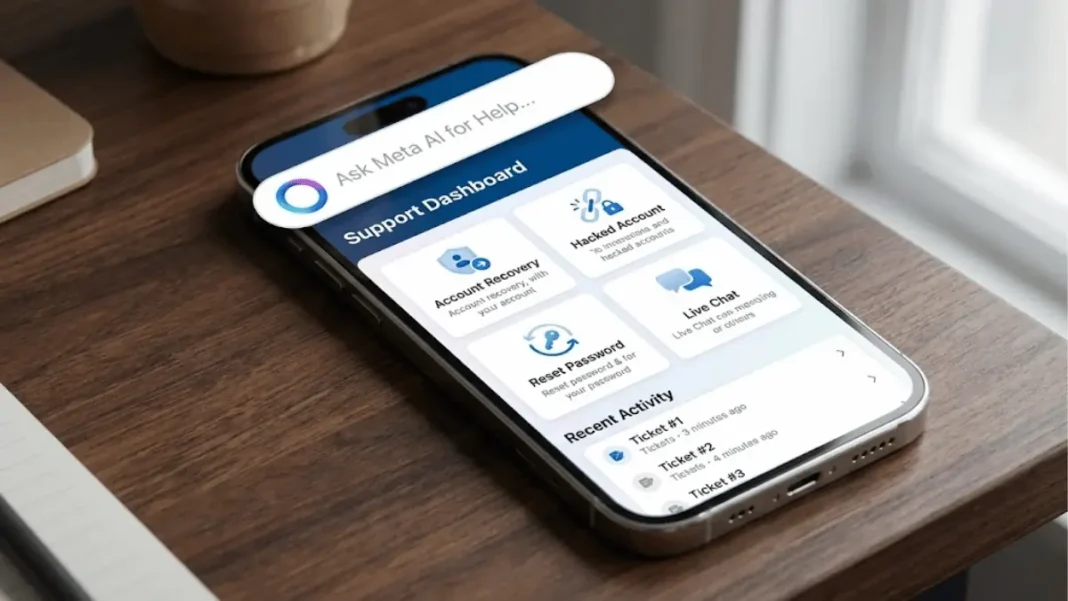
Summary: Meta rolled out a centralized support hub on Facebook and Instagram globally, featuring AI-powered search, an AI support assistant (in beta on Facebook), and improved account recovery with selfie video verification. The updates reduced account hacks by over 30% globally and boosted recovery success rates by 30% in the US and Canada. Users can now access all support tools in one place, with faster, smarter recovery flows that recognize trusted devices and adapt to individual situations.
Meta introduced a centralized support hub for Facebook and Instagram on December 3, 2025, bringing account recovery tools, AI-powered search, and a new AI support assistant into one unified location. The rollout addresses years of user frustration with scattered help resources and aims to reduce account recovery time while improving security.
What’s New in the Support Hub
Centralized Help Center
The new support hub consolidates previously fragmented tools account reporting, recovery options, security settings, and troubleshooting into a single interface accessible from both Facebook and Instagram. This replaces the older system where users had to navigate multiple menus and help pages to find specific recovery options.
AI-Powered Search
Meta AI now powers the search function inside the support hub, helping users find answers to common issues faster by understanding natural language queries. Instead of scrolling through generic help articles, users can ask questions like “Why can’t I log in?” or “How do I remove a hacked device?” and receive contextual, instant responses.
AI Support Assistant (Beta)
Meta is testing an AI support assistant on Facebook globally that provides personalized, real-time help with account recovery, settings updates, and profile management. The assistant uses conversational AI to guide users through multi-step processes, such as regaining access after a hack or enabling two-factor authentication. Meta plans to expand this assistant to Instagram and other apps in 2026.
What is the new Meta support hub?
The Meta support hub is a centralized help center on Facebook and Instagram that brings account recovery, AI-powered search, and a new AI assistant into one place. It’s rolling out globally on iOS and Android starting December 2025.
How AI Is Improving Account Security
30% Reduction in Account Hacks
Meta’s AI security systems reduced new account hacks by more than 30% globally over the past year on both Facebook and Instagram. These systems analyze real-time signals, login patterns, device information, IP addresses, and behavioral anomalies to distinguish legitimate users from attackers before harm occurs.
The AI blocks suspicious login attempts automatically and flags compromised accounts for immediate review, preventing unauthorized access without requiring user intervention in most cases.
Fewer False Disables
Meta’s AI advancements also reduced false account disables, meaning fewer legitimate users are locked out by mistake. When errors do happen, the appeals process now includes AI assistance for eligible cases, cutting down review time from days to hours in many instances.
How much did Meta reduce Facebook account hacks?
Meta reduced new account hacks by more than 30% globally in the past year on Facebook and Instagram using AI-powered security systems.

Enhanced Account Recovery Features
Trusted Device Recognition
The recovery system now better recognizes devices you regularly use, as well as familiar locations, to streamline verification when you’re logging in from a known phone or computer. This reduces friction for legitimate users while maintaining security barriers against attackers trying to access your account from unfamiliar locations.
Selfie Video Verification
Meta added an optional selfie video verification method to the recovery flow. If traditional recovery methods (email codes, SMS, trusted contacts) fail, you can record a short video of your face to verify your identity. This biometric option is particularly useful when hackers change your email and phone number, cutting off standard recovery paths.
The selfie video is compared against your profile photos and previous verification data using facial recognition AI, but Meta states the video is not stored permanently and is used only for identity confirmation.
Adaptive Recovery Flows
Recovery flows now adapt to your specific situation with clearer guidance, simpler verification steps, and contextual prompts. For example, if you’re locked out due to a forgotten password, the system offers different options than if your account was hacked and the email was changed.
Meta also improved SMS and email alerts about risky activity, sending notifications faster and with more actionable next steps.
What is selfie video verification on Facebook?
Selfie video verification is an optional identity check where you record a short video of your face during account recovery. Meta’s AI compares it to your profile photos to confirm your identity.
Where to Access the New Support Hub
Facebook Access Path
On Facebook mobile app (iOS/Android):
- Tap your profile picture (bottom right on iOS, top right on Android)
- Tap Settings & privacy → Help & support
- Select Support Hub (new option as of December 2025)
On Facebook desktop:
- Click your profile icon (top right)
- Select Help & support from the dropdown
- Click Support Hub
Instagram Access Path
On Instagram mobile app:
- Go to your profile (bottom right)
- Tap the three-line menu (top right)
- Tap Help → Support Hub
The hub is rolling out globally starting December 3, 2025, so it may take a few days to appear for all users.
Security Tools You Should Enable Now
Security Checkup
Meta redesigned the Security Checkup tool on both Facebook and Instagram to identify potential security risks. It scans for:
- Unrecognized devices logged into your account
- Outdated contact information (email, phone)
- Weak passwords
- Missing two-factor authentication
Run Security Checkup monthly to catch threats early.
Two-Factor Authentication
Enable 2FA on Facebook and Instagram to require a password plus a verification code from your phone or an authenticator app (like Google Authenticator or Authy). This prevents hackers from logging in even if they steal your password.
How to enable 2FA:
- Facebook: Settings → Security and login → Two-factor authentication
- Instagram: Settings → Security → Two-factor authentication
Passkeys
Meta rolled out passkeys earlier in 2025 for Facebook and Messenger, allowing you to sign in using your fingerprint, face, or device PIN instead of a password. Passkeys are more secure than passwords because they can’t be phished or reused across sites.
To set up passkeys, go to Settings → Password and security → Passkeys on Facebook.
| Security Feature | Protection Level | Setup Time | Best For |
|---|---|---|---|
| Two-Factor Authentication | High | 2 minutes | Everyone |
| Passkeys | Very High | 3 minutes | Tech-savvy users |
| Security Checkup | Medium | 5 minutes | Monthly maintenance |
| Selfie Video Verification | High | As needed | Account recovery |
Real-World Impact: Recovery Success Rates
Meta reports a 30% increase in hacked account recovery success rates in the US and Canada in 2025 due to the new AI-powered recovery flows. Users are regaining access faster, with fewer steps, and with less manual intervention required.
The improvements are especially significant for users who lost access to their original email or phone number, scenarios that previously required weeks of back-and-forth with support or Meta Verified subscriptions to reach live agents.
Meta also notes that false account disables dropped significantly, meaning users are less likely to be mistakenly locked out by automated content moderation systems.
How much faster is Facebook account recovery now?
Meta increased hacked account recovery success rates by 30% in the US and Canada in 2025 using AI-powered adaptive recovery flows
Technical Specifications
| Feature | Details |
|---|---|
| Availability | Global rollout starting December 3, 2025 |
| Platforms | iOS, Android (Facebook & Instagram apps) |
| AI Assistant | Beta on Facebook; planned expansion to Instagram in 2026 |
| Recovery Methods | Email code, SMS code, trusted contacts, selfie video |
| Security Tools | Security Checkup, 2FA, Passkeys |
| AI Model | Meta Llama 3 (powers Meta AI assistant) |
| Biometric Data | Selfie videos not permanently stored (per Meta) |
| Live Chat Access | Available in 30 countries via Meta Verified subscription |

Frequently Asked Questions (FAQs)
Where is the new support hub on Facebook?
The support hub is located under Settings & Privacy → Help & Support → Support Hub on the Facebook mobile app and desktop. It’s rolling out globally starting December 3, 2025.
Does the AI assistant work on Instagram?
Not yet. The AI support assistant is currently in beta on Facebook only. Meta plans to bring it to Instagram and other apps in 2026.
Is selfie video verification required for account recovery?
No, selfie video verification is optional. You can still use email codes, SMS codes, or trusted contacts to recover your account.
How do I access live chat support on Facebook?
Live chat is available in 30 countries, primarily through a Meta Verified subscription ($11.99/month). Free users may see limited live chat options in the new support hub.
Does Meta store my selfie video permanently?
Meta states that selfie videos are used only for identity verification during recovery and are not stored permanently. However, Meta’s broader data policy applies.
What is Meta AI assistant powered by?
The AI assistant is powered by Meta Llama 3, Meta’s latest large language model announced in April 2024.
Can I use the support hub to report hacked accounts?
Yes, the support hub includes tools to report account issues, including hacks. You can also visit facebook.com/hacked for dedicated recovery.
How do I enable two-factor authentication?
Go to Settings → Security and login → Two-factor authentication on Facebook, or Settings → Security → Two-factor authentication on Instagram.

