

Essential Points
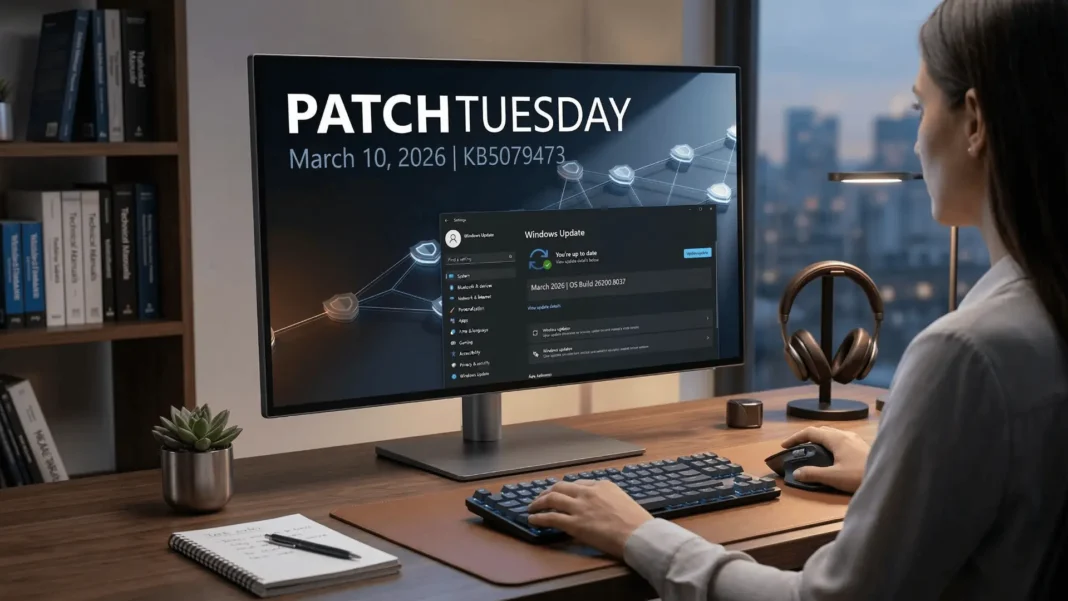
- KB5079473 advances Windows 11 25H2 and 24H2 to OS builds 26200.8037 and 26100.8037, released March 10, 2026
- Secure Boot certificate rollout expands to more eligible devices through phased, signal-based targeting
- Windows Defender Application Control COM object allowlisting now works as intended after a policy evaluation fix
- Four AI components, including Image Search and Semantic Analysis, update to version 1.2602.1451.0
Microsoft released KB5079473 on March 10, 2026, a cumulative security update for Windows 11 versions 25H2 and 24H2. It carries four documented improvements including one that directly addresses a looming Secure Boot deadline that affects most Windows PCs still running decade-old boot certificates. This is not a routine patch; it sets the groundwork for one of the most significant boot security changes Microsoft has made in years.
The Secure Boot Certificate Issue Every Windows User Needs to Understand
Windows Secure Boot certificates embedded in PCs since the early 2010s are approaching expiration. These certificates are the cryptographic layer your PC checks during startup to confirm it is loading trusted software. When they expire, the chain of trust at boot level breaks, leaving the system unable to receive future Secure Boot database updates or driver revocations.
KB5079473 addresses this by including additional high-confidence device targeting data, which expands the pool of PCs eligible to automatically receive new Secure Boot certificates through Windows Update. Devices receive the new certificates only after demonstrating sufficient successful update signals, keeping the rollout controlled and phased to minimize disruption.
This is not a one-click fix applied universally. Microsoft is deliberately sequencing the rollout to avoid widespread boot failures on devices that have not yet proven update reliability. Staying current with cumulative updates is the single most effective action you can take to ensure your device qualifies for the certificate replacement.
File Explorer Gets a Targeted Search Reliability Fix
KB5079473 improves File Explorer search reliability when searching across multiple drives or the “This PC” view. Users who experienced stalled, incomplete, or inconsistent results when running cross-drive searches will see more dependable behavior after this update.
This is a focused quality fix, not a broad File Explorer overhaul. It resolves a specific search regression that affected users managing large multi-drive setups or running searches from the top-level “This PC” location, where results aggregation across drives was prone to failure.
WDAC COM Object Fix Has Direct Impact on Enterprise Endpoints
Windows Defender Application Control (WDAC) users running endpoint security policies encountered a blocking issue where COM objects were denied even when explicitly listed in the allowlist policy. The root cause was a policy evaluation order conflict: the endpoint security policy was taking precedence over the COM object allowlisting policy, overriding the administrator’s intended permissions.
KB5079473 corrects this behavior so that COM objects are allowed as the policy author expects. For IT administrators managing corporate endpoints through Configuration Manager, Intune, or manual WDAC policy deployment, this fix restores intended application control behavior without requiring a policy rebuild or a workaround.
Windows System Image Manager Adds a Trusted Catalog File Warning
Windows System Image Manager (WSIM) receives a reliability improvement in this update. A new warning dialog now appears when you select a catalog file, prompting confirmation that the file comes from a trusted source before it is loaded into the image builder environment.
This change reduces the risk of inadvertently loading a tampered or unverified catalog file during Windows image creation workflows. IT professionals and system administrators who build and deploy Windows images for enterprise environments benefit most directly from this addition, as it adds a human-verification checkpoint to a step that previously had no such prompt.
AI Components Update to Build 1.2602.1451.0
KB5079473 advances four AI components to version 1.2602.1451.0. The updated components are Image Search, Content Extraction, Semantic Analysis, and Settings Model.
| AI Component | Previous Build | Updated Version |
|---|---|---|
| Image Search | Pre-1.2602 | 1.2602.1451.0 |
| Content Extraction | Pre-1.2602 | 1.2602.1451.0 |
| Semantic Analysis | Pre-1.2602 | 1.2602.1451.0 |
| Settings Model | Pre-1.2602 | 1.2602.1451.0 |
The version string “1.2602” aligns with the February 2026 development cycle, indicating Microsoft ships AI model refinements on the same monthly cadence as OS security updates. These components underpin Windows Intelligence features including AI-powered file search and context-aware Settings suggestions on eligible devices.
How to Install KB5079473
For most users, this update delivers automatically through Windows Update. Open Settings > Windows Update and select “Check for updates” to confirm your build reads 26200.8037 for Windows 11 25H2 or 26100.8037 for Windows 11 24H2.
This update includes a combined Servicing Stack Update (SSU KB5083532, build 26100.8035) packaged alongside the cumulative update. Microsoft combines SSUs and LCUs into a single package, so no separate SSU installation step is required. Note that you cannot uninstall the SSU component after installation, even using the Windows Update Standalone Installer with the /uninstall switch, because the combined package does not support separating the two components post-install.
Considerations Before Installing
KB5079473 contains fixes and quality improvements from KB5077181, released February 10, 2026. Organizations that deferred the February cumulative update will receive those bundled improvements alongside this March security update. Enterprise IT teams with strict application compatibility testing cycles should validate WDAC policy behavior in a pilot environment before broad deployment, particularly where COM object allowlisting policies are actively enforced.
Microsoft reports no known issues with this update at the time of publication.
Frequently Asked Questions (FAQs)
What is KB5079473 and which Windows 11 versions does it apply to?
KB5079473 is the March 10, 2026 cumulative security update for Windows 11 versions 25H2 and 24H2. It advances OS builds to 26200.8037 and 26100.8037 respectively. It includes security fixes, four documented quality improvements, and updates to four AI components.
What does KB5079473 do about Secure Boot certificates?
This update adds high-confidence device targeting data to expand which PCs qualify for automatic Secure Boot certificate replacement through Windows Update. Devices receive the new certificates only after demonstrating sufficient successful update signals, ensuring the rollout remains controlled and phased.
What does the WDAC fix in KB5079473 specifically resolve?
COM objects were blocked even when explicitly permitted in a WDAC allowlisting policy because the endpoint security policy was evaluated at a higher priority level. KB5079473 corrects the evaluation order so COM objects are allowed as the administrator’s policy intends.
What changed in Windows System Image Manager with this update?
WSIM now displays a warning dialog when you select a catalog file, asking you to confirm the file comes from a trusted source before loading it. This reduces risk during Windows image creation workflows by adding a verification checkpoint that did not previously exist.
What AI components does KB5079473 update?
The update advances Image Search, Content Extraction, Semantic Analysis, and Settings Model to version 1.2602.1451.0. These components support Windows Intelligence features including AI-powered local file search and context-aware Settings suggestions on capable devices.
How do I verify KB5079473 installed correctly?
Press Windows + R, type winver, and press Enter. Your OS build should read 26200.8037 for Windows 11 25H2 or 26100.8037 for Windows 11 24H2. Alternatively, go to Settings > System > About and check the OS build number displayed there.
Can I uninstall KB5079473 if I encounter problems?
You can remove the cumulative update (LCU) component using the DISM /Remove-Package command with the LCU package name as the argument, found by running DISM /online /get-packages. However, the bundled Servicing Stack Update (SSU KB5083532) cannot be removed from the system after installation.

