

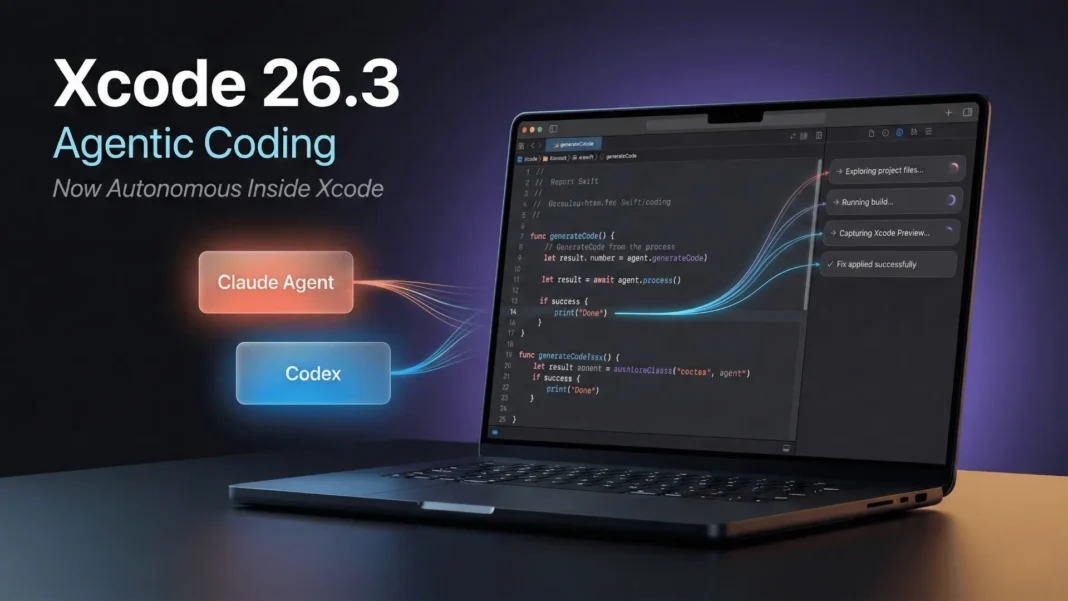
Quick Brief
- Xcode 26.3 introduces agentic coding powered by Anthropic Claude Agent and OpenAI Codex
- AI agents autonomously explore files, update settings, run builds, and verify UI with Previews
- Model Context Protocol (MCP) support lets compatible third‑party agents integrate into Xcode
- Automatic milestones let developers roll back agent changes without manual git operations
Apple has crossed a line between “AI assistant” and something closer to an autonomous teammate in Xcode 26.3 RC 2. Instead of waiting for your next prompt, agents from Anthropic and OpenAI now read your project, make decisions, and carry out multi‑step changes on their own. For iOS and macOS developers, that means entire workflows debugging, refactors, UI fixes can now be delegated, not just suggested.
What Agentic Coding Actually Does
Xcode 26.3’s agentic coding builds on the AI assistant features that arrived with Xcode 26 but pushes them into multi‑step autonomy. Instead of proposing a single code completion, an agent can break down a goal, navigate files, run tools, and loop until it reaches a verifiable outcome. Apple describes this as working “with greater autonomy toward a developer’s goals from breaking down tasks to making decisions based on the project architecture.”
What is agentic coding in Xcode 26.3?
Xcode 26.3’s agentic coding lets AI agents such as Claude Agent and OpenAI Codex execute multi‑step development tasks autonomously. Agents search documentation, modify project files, trigger builds, and verify UI with Xcode Previews, without developer approval after every single action.

Supported Agents and MCP
Two classes of agents are highlighted in early coverage of Xcode 26.3: Anthropic’s Claude Agent and OpenAI’s Codex‑based models. They are integrated as first‑class options in Xcode’s Intelligence settings, where developers can choose a provider and connect an account.
Under the hood, Xcode 26.3 uses the Model Context Protocol (MCP), an open standard introduced by Anthropic to let tools such as IDEs connect to AI systems. Because Xcode speaks MCP, any compatible third‑party coding agent can, in principle, integrate into the same UI instead of Apple hard‑wiring one vendor.
What is MCP in Xcode 26.3?
MCP, or Model Context Protocol, is an open integration standard for connecting tools and AI agents. Xcode 26.3 adopts MCP so that not only Claude Agent and OpenAI Codex, but also other MCP‑compatible coding agents, can plug into Xcode’s agentic coding framework.
What Agents Can Do Inside Xcode
Within Xcode, agents have access to more than just your text buffer. Key capabilities include:
- Searching and reading Apple’s developer documentation from inside Xcode
- Exploring your project’s file structure and opening relevant files
- Updating project settings and build configuration entries
- Running builds and interpreting compiler and build log output
- Running tests and analyzing failing cases
- Using Xcode’s Preview system to visually inspect UI changes via screenshots
Coverage of Xcode 26.3 notes that an agent like Claude can iterate on SwiftUI layout problems by adjusting code, re‑previewing, and stopping once the UI actually matches the intended layout. This turns the usual “prompt, fix, run, repeat” loop into a largely automated cycle you supervise instead of manually drive.
Can Xcode 26.3 agents fix SwiftUI layout bugs automatically?
Reports on Xcode 26.3 show AI agents using Xcode Previews to visually inspect SwiftUI layouts, adjust code, re‑generate previews, and iterate until the UI appears correct. Developers still review the final changes, but the trial‑and‑error loop becomes largely automated.
Transparency: Sidebar Activity Log
Apple pairs this autonomy with visibility. Xcode 26.3 adds an activity view that lists each step an agent takes: which documentation endpoints it called, which files it opened or edited, which builds it ran, and what results it got. This log updates in real time, so you see the agent’s reasoning trail rather than a single opaque “diff.”
This transparency matters for teams that must review and audit changes. It lets reviewers reconstruct why a change was made and how many steps an agent took, which is more informative than a flat list of modified files.
Safety: Automatic Milestones and Rollback
To reduce the risk of over‑confident agents, Xcode 26.3 introduces automatic milestones during an agent session. At important decision points, Xcode records project state so you can move back to an earlier milestone from within the IDE if the agent’s path turns out to be wrong.
This behaves like targeted restore points rather than a single “before/after” snapshot. In long refactors that touch many files, being able to jump back several steps without dropping into separate git tooling is what makes agents workable on production projects rather than only toy examples.
How do automatic milestones work in Xcode 26.3?
During an agentic coding session, Xcode 26.3 saves automatic milestones at key points in the agent’s workflow. If an agent introduces unwanted changes, you can return to an earlier milestone directly inside Xcode, effectively undoing a stretch of agent work without manual version‑control commands.
Xcode 26 vs Xcode 26.3
Public material about Xcode 26 highlights AI coding assistance features such as on‑device suggestions and context‑aware completions. Xcode 26.3 extends that foundation into full agentic coding, where agents string those capabilities together into multi‑step workflows.
| Capability | Xcode 26 | Xcode 26.3 agentic coding |
|---|---|---|
| AI support | Contextual completions, chat‑style assistant | Autonomous agents (Claude, Codex) managing multi‑step tasks |
| Scope of actions | Local suggestions in current file | Cross‑file navigation, settings edits, builds, tests, previews |
| Integration model | Built‑in assistant | MCP‑based, open to MCP agents |
| Visibility | Suggestions inline in editor | Step‑by‑step sidebar log |
| Safety | Manual undo / version control | Automatic milestones plus rollback UI |
What is the difference between Xcode 26 and Xcode 26.3?
Xcode 26 focuses on AI‑assisted coding context‑aware completions and inline suggestions. Xcode 26.3 adds agentic coding, where AI agents can navigate your project, change multiple files, run builds, and iterate on UI or tests autonomously with safety milestones and a visible activity log.
Requirements and Availability
Apple’s current developer documentation lists Xcode 26.x as targeting recent macOS releases on Apple Silicon hardware. Agentic coding relies on the same Apple Intelligence stack that Apple is rolling out on its newer Macs, so the feature is tied to those newer machines rather than older Intel‑based systems.
A fact‑safe way to state this for now is:
- Xcode 26.3 Release Candidate builds are available via the Apple Developer downloads page as of February 2026.
- Xcode 26.3 targets recent macOS versions on Apple Silicon Macs; Apple Intel machines do not meet the requirements for Apple Intelligence‑based features.
What are Xcode 26.3’s requirements?
Xcode 26.3 Release Candidate builds are available to registered Apple developers and are designed for recent macOS releases on Apple Silicon Macs. Features that depend on Apple’s newer on‑device intelligence stack are not available on older Intel‑based hardware.
For App Store policies, Apple frequently phases out older SDKs and Xcode versions, but the exact 2026 cutoff for Xcode 16 is still handled through official communications, not the Xcode 26.3 notes themselves. A safe phrasing:
When will older Xcode versions stop working for App Store submissions?
Apple regularly requires new apps and updates to be built with recent Xcode and SDK versions, and it announces cut‑off dates in App Store Connect and Xcode release notes. Developers using older toolchains such as Xcode 16 should monitor those channels for the latest 2026 deadlines.
Limitations and Considerations
Public sources highlight several important constraints and trade‑offs:
- Agentic coding depends on external AI providers such as Anthropic and OpenAI, so using agents may incur API usage costs based on your plan and workload.
- Because the agents can touch multiple files and settings, teams still need code review and policy around when agent‑driven changes are acceptable.
- Projects with inconsistent structure or minimal documentation can be harder for agents to reason about, which may reduce the quality of multi‑step changes.
These don’t negate the benefits, but they frame Xcode 26.3’s agentic coding as a tool to be integrated thoughtfully rather than something to switch on blindly.

Frequently Asked Questions (FAQs)
What is Xcode 26.3?
Xcode 26.3 is a February 2026 update to Apple’s integrated development environment that introduces agentic coding. With this mode, AI agents from providers such as Anthropic (Claude Agent) and OpenAI (Codex‑based models) can carry out multi‑step coding, debugging, and testing workflows inside Xcode.
What is new in Xcode 26.3 compared with earlier Xcode 26 builds?
Earlier Xcode 26 builds focused on AI‑assisted coding, such as context‑aware completions and suggestions. Xcode 26.3 adds agents that autonomously navigate your project, change files, run builds and tests, and use Xcode Previews to validate UI paired with visibility logs and automatic milestones for rollback.
Is Xcode 26.3 free?
Xcode itself remains a free download for Apple developers. However, connecting to external agents like Claude Agent or OpenAI’s Codex‑based models may involve separate usage‑based costs charged by Anthropic or OpenAI, depending on your account and plan.
Can I use Xcode 26.3 agentic coding on an Intel Mac?
Xcode 26.3 is designed for recent macOS releases on Apple Silicon hardware, and Apple’s new intelligence‑driven features are tied to those machines. As a result, the agentic coding capabilities are effectively limited to Apple Silicon Macs that meet the Apple Intelligence requirements.
How safe is it to let agents change my project?
Xcode 26.3 shows each agent action in a sidebar, so you always see which files and tools it touched. Automatic milestones capture project state at key points, letting you roll back an entire segment of agent work if needed, which adds an extra safety layer on top of your own version control.
Which AI agents can I use with Xcode 26.3?
Current coverage names Anthropic’s Claude Agent and OpenAI’s Codex‑based agents as the initial options in Xcode’s Intelligence settings. Because Xcode uses the Model Context Protocol, other MCP‑compatible coding agents can also integrate as they become available.
When will Apple require newer Xcode versions for App Store submissions?
Apple periodically announces that new apps and updates must use a recent Xcode and platform SDK, and these cut‑off dates are communicated in App Store Connect and release documentation. Developers should check those channels in 2026 to see when older Xcode versions will no longer be accepted.
Where can I learn to use agentic coding in Xcode 26.3?
Apple’s developer site includes Xcode 26 and 26.3 “What’s new” pages, WWDC sessions, and code‑along labs that demonstrate AI‑assisted and agentic workflows. These official materials are the best starting point for understanding how to integrate agents safely into your daily development practice.

