

Essential Points
- KB5085516 fixes Microsoft account sign-in failure introduced by the March 10, 2026 update KB5079473
- Affected users saw a false “no Internet” error blocking access to Teams Free, OneDrive, Edge, Excel, Word, and Copilot
- Update targets Windows 11 versions 24H2 (build 26100.8039) and 25H2 (build 26200.8039)
- Microsoft Entra ID business account sign-ins are not affected by this bug
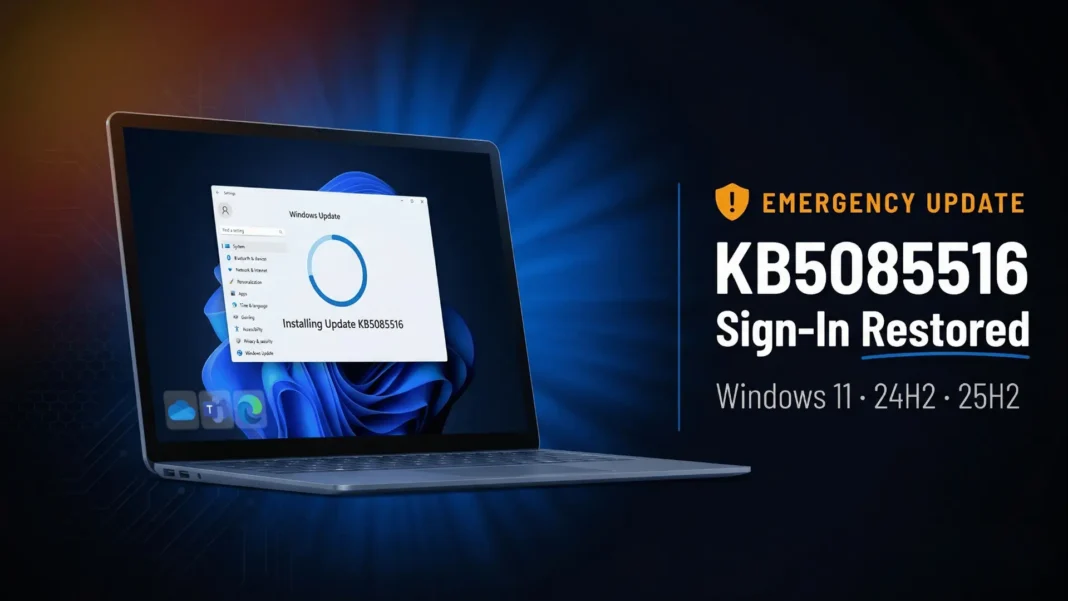
A bug introduced by the March 10, 2026 Windows 11 cumulative update broke Microsoft account sign-in for users across versions 24H2 and 25H2, and Microsoft responded with a dedicated out-of-band fix on March 21, 2026 . KB5085516 directly addresses the false “no Internet” error that blocked access to Microsoft Teams Free, OneDrive, Edge, Copilot, Excel, and Word. If you have installed KB5079473 and found yourself locked out of Microsoft apps despite a working connection, this patch is the fix you need.
What KB5085516 Fixes
The defect originated in KB5079473, the cumulative update released March 10, 2026 . After installing that update, some users could not sign into apps authenticated via personal Microsoft accounts. Even with a fully functional Internet connection, the sign-in screen displayed a “no Internet” error and blocked access .
Confirmed affected apps and services include Microsoft Teams Free, OneDrive, Microsoft Edge, Microsoft Copilot, Excel, and Word. Businesses using Microsoft Entra ID for app authentication did not experience this issue and continued operating normally .
 KB5075941: Microsoft’s February 2026 Update Addresses 58 Security Vulnerabilities in Windows 11
Which Windows 11 Versions Receive This Update
KB5085516 applies exclusively to two active Windows 11 release tracks :
- Windows 11 version 25H2 receives build 26200.8039
- Windows 11 version 24H2 receives build 26100.8039
This is the third out-of-band update Microsoft has shipped for Windows 11 25H2 and 24H2 in March 2026 alone. The earlier two were KB5084597 for a critical network vulnerability and KB5084897 to fix broken Bluetooth connectivity.
What “Out-of-Band” Means Here
An out-of-band (OOB) release falls outside Microsoft’s regular monthly Patch Tuesday schedule, signaling that the fix is urgent enough not to wait for the next cycle . KB5085516 is cumulative, meaning it includes all quality improvements from KB5079473 plus the new sign-in fix. Users do not need to install both patches separately .
KB5085516 is also bundled with a servicing stack update, KB5083532 (build 26100.8035 for 24H2), which improves the Windows Update installation component itself .
AI Components Updated in This Release
Beyond the sign-in fix, KB5085516 updates three Windows AI components to version 1.2602.1451.0 :
- Image Search
- Content Extraction
- Semantic Analysis
These updates are applied automatically alongside the main cumulative patch and require no separate action from users .
How to Install KB5085516
Microsoft provides three supported installation paths :
- Windows Update (recommended): Go to Settings, then Windows Update. If you have “Get the latest updates as soon as they’re available” turned on, the patch downloads automatically. If not, select “Download and install” manually.
- Microsoft Update Catalog (manual): Search for KB5085516 on the Microsoft Update Catalog and download the MSU file for your device architecture.
- Microsoft Intune or Windows Autopatch (enterprise): IT administrators must follow Microsoft’s expedited update guidance through Intune or the Windows Autopatch portal, as standard ring policies may delay automatic delivery .
The update is offered to devices that have already installed KB5079473 .
Known Issues
Microsoft states it is not currently aware of any issues with KB5085516 .
Frequently Asked Questions (FAQs)
What is KB5085516 and why was it released?
KB5085516 is an out-of-band cumulative update released March 21, 2026, for Windows 11 versions 24H2 and 25H2. Microsoft released it outside the regular Patch Tuesday schedule to fix a Microsoft account sign-in failure introduced by the March 10, 2026 update KB5079473.
Which apps were affected by the bug this update fixes?
The bug blocked sign-in for apps using personal Microsoft accounts. Confirmed affected apps include Microsoft Teams Free, OneDrive, Microsoft Edge, Microsoft Copilot, Excel, and Word. Businesses using Microsoft Entra ID for authentication were not affected.
How do I know if I need KB5085516?
If you installed KB5079473 (released March 10, 2026) and then experienced a “no Internet” error when signing into Microsoft apps despite having a working Internet connection, you need this update. Open Settings and go to Windows Update to check.
Does KB5085516 require a restart?
KB5085516 is a cumulative update that includes a servicing stack update. Save all open work before initiating the installation, as a restart is required to complete the process.
Can I install KB5085516 on Windows 10?
No. KB5085516 applies exclusively to Windows 11 versions 24H2 and 25H2. Windows 10 uses a separate update track and does not receive this patch.
What build number does my PC show after installing KB5085516?
After a successful installation, Windows 11 version 24H2 shows build 26100.8039, and Windows 11 version 25H2 shows build 26200.8039. Verify by pressing Win+R, typing winver, and pressing Enter.
Can I uninstall KB5085516 if needed?
The update is bundled with a servicing stack update (KB5083532). You can remove the cumulative update (LCU) portion using the DISM /Remove-Package command, but the servicing stack component cannot be removed after installation. Microsoft advises against uninstalling security and quality updates.
Is it safe to skip this update?
The update is recommended for all eligible Windows 11 24H2 and 25H2 users. It is cumulative and includes all quality improvements from KB5079473, plus the Microsoft account sign-in fix and AI component updates.

