

Quick Brief
- visionOS 26.3.1 (build 23N630) released February 25, 2026 for M2 and M5 Vision Pro models
- The update fixes flickering that occurred when watching live sports via MultiView in the Apple TV app
- No new features are included; this is a targeted stability release
- Install via Settings, then General, then Software Update; remove the headset before installation begins
Apple Vision Pro’s MultiView feature just received a critical fix, and if you watch live sports in spatial computing, this update directly improves your experience. visionOS 26.3.1 (build 23N630) addresses one specific but disruptive bug that had been degrading a flagship use case for the headset. Here is exactly what changed, what came before it, and what you can expect from the visionOS 26 platform.
What visionOS 26.3.1 Actually Fixes
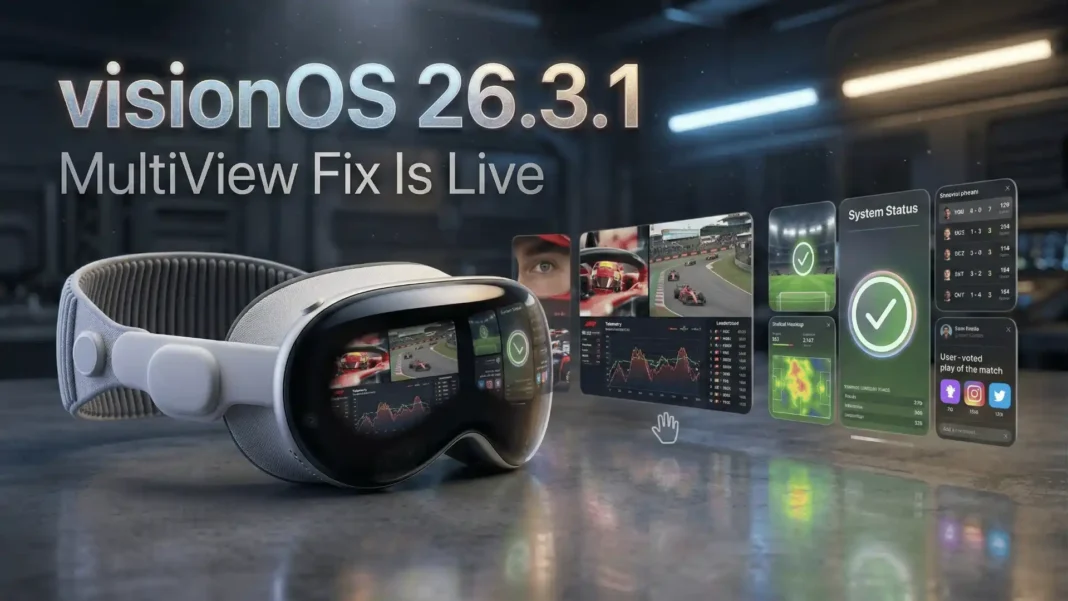
The sole documented fix in visionOS 26.3.1 targets screen flickering that occurred when watching live sports content through MultiView inside the Apple TV app. MultiView lets Vision Pro users watch multiple sports streams simultaneously, including a main broadcast alongside onboard driver cameras and live data feeds. The flicker disrupted that immersive, split-screen experience and made extended viewing uncomfortable.
Apple confirmed the fix in its official release notes with build number 23N630. No other feature changes or additions are documented in this release, and Apple confirmed there are no published CVE security entries for visionOS 26.3.1.

What visionOS 26.3 Delivered Two Weeks Earlier
visionOS 26.3 released on February 11, 2026 as a maintenance update to the platform. Apple’s release notes described it as delivering bug fixes and security improvements, following the company’s standard minimal disclosure approach for point releases. No new platform features were introduced in that update.
Industry observers noted that visionOS 26.3 was likely the final point release before visionOS 26.4, which is expected to bring the next significant Apple Intelligence enhancement to Vision Pro. That context positions 26.3.1 as a cleanup patch rather than a feature milestone.
visionOS 26.3 vs. 26.3.1: What Changed
| Feature | visionOS 26.3 | visionOS 26.3.1 |
|---|---|---|
| Release Date | February 11, 2026 | February 25, 2026 |
| New Features | None | None |
| Bug Fixes | General fixes | MultiView sports flicker fix |
| Security Updates | Yes | No published CVEs |
| Compatible Models | M2 and M5 Vision Pro | M2 and M5 Vision Pro |
| Build Number | 23N620 | 23N630 |
The visionOS 26 Platform: What Launched Before These Updates
Understanding the broader platform helps put these point updates in context. visionOS 26 introduced a substantial set of spatial computing capabilities across widgets, media, developer tools, and enterprise access.
Key additions in visionOS 26 include:
- Spatial widgets that snap to walls and tables, persist after device restarts, and adopt depth and dimension automatically
- Improved Personas for FaceTime with enhanced detail in hair, eyelashes, complexion, and more natural expressivity
- New Volumetric APIs in SwiftUI enabling richer 3D layouts, UI presentations inside volumes, and Dynamic Bounds Restrictions
- Environment Occlusion in RealityKit so virtual objects are occluded by real-world static objects
- Expanded Travel Mode covering cars and buses, not just airplane cabins
- Enterprise APIs granting access to main camera feeds, stabilized video of selected regions, screenshot and screen recording protection, and locally shared experiences using private infrastructure
- Apple Intelligence support extended to Simplified Chinese, French, German, Italian, Japanese, Korean, and Spanish
- Hand tracking upgraded to 90Hz for fast-movement apps and games
- Sony PlayStation VR2 Sense controller and Logitech Muse spatial accessory support
- Spatial web features in Safari including the HTML <model> element for inline 3D content and Apple Immersive Video playback
- SharePlay shared experiences for people in the same physical room, with ARKit shared world anchors
These features establish the platform foundation that point updates like 26.3 and 26.3.1 are built on top of.
How to Install visionOS 26.3.1
The installation process on Vision Pro differs from a standard iPhone update in one key step:
- Open Settings on your Vision Pro
- Tap General, then Software Update
- Download and initiate the installation
- Remove the headset before installation completes; the device cannot install the update while being worn
- Monitor installation progress on the exterior EyeSight display, which shows a status indicator
Apple recommends the device have at least 50% battery or be connected to power before starting.
Limitations and Considerations
visionOS 26.3.1 is a single-bug patch and does not address broader platform questions. Users expecting performance improvements or new features will need to wait for visionOS 26.4. Apple has not disclosed a release date for that update, though it is expected to carry the next Apple Intelligence advancement for Vision Pro.
 Perplexity Computer Is the General-Purpose AI Worker That Handles Entire Projects, Not Just Prompts
Frequently Asked Questions (FAQs)
What does visionOS 26.3.1 fix?
visionOS 26.3.1 fixes a flickering issue that occurred when watching live sports through the MultiView feature in the Apple TV app on Apple Vision Pro. The fix applies to M2 and M5 Vision Pro models and was confirmed in Apple’s official release notes with build number 23N630.
What is the build number for visionOS 26.3.1?
The build number for visionOS 26.3.1 is 23N630. You can verify your installed build by going to Settings, then General, then About on your Vision Pro. The previous visionOS 26.3 release carried build number 23N620.
Is visionOS 26.3.1 available for all Vision Pro models?
visionOS 26.3.1 is available for M2 and M5 Apple Vision Pro models. Apple released the update on February 25, 2026. The update appears in Settings under General and Software Update on compatible devices.
When did visionOS 26.3 release before this update?
visionOS 26.3 released on February 11, 2026, approximately two weeks before visionOS 26.3.1. That update included bug fixes and security improvements but introduced no new platform features.
Does visionOS 26.3.1 include security patches?
No. Apple confirmed there are no published CVE entries for visionOS 26.3.1. The update is exclusively a bug fix release targeting the MultiView sports flickering issue in the Apple TV app.
What is MultiView in the Apple TV app on Vision Pro?
MultiView is an Apple TV app feature exclusive to Vision Pro that lets users watch multiple live sports streams simultaneously in spatial computing, including a main broadcast feed alongside camera angles and live data. It is one of the primary real-world use cases highlighted for the headset’s immersive display.
How do I install a visionOS update?
Open Settings on your Vision Pro, go to General, and select Software Update. You must remove the headset before installation completes. The EyeSight exterior display shows a progress indicator during the update. Apple recommends at least 50% battery or a power connection before starting.
What new features did visionOS 26 introduce?
visionOS 26 introduced persistent spatial widgets, improved FaceTime Personas, new Volumetric APIs in SwiftUI, Environment Occlusion in RealityKit, expanded Travel Mode for cars and buses, Enterprise APIs including camera feed access and screenshot protection, Apple Intelligence in 7 new languages, 90Hz hand tracking, spatial accessories support, and spatial web features in Safari.

