

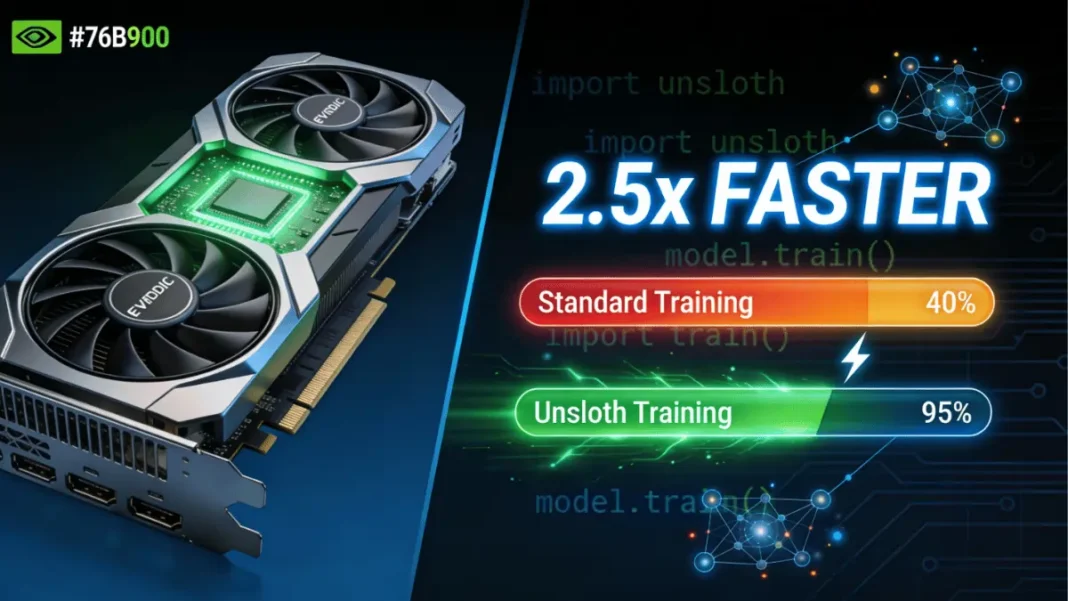
Summary: Unsloth is an open-source framework that accelerates LLM fine-tuning by 2.5x on NVIDIA GPUs while reducing VRAM usage by up to 70%. It supports everything from GeForce RTX laptops to DGX Spark supercomputers, making advanced AI customization accessible to developers without cloud dependency.
Fine-tuning large language models (LLMs) no longer requires expensive cloud clusters or weeks of waiting. Unsloth, one of the world’s most popular open-source fine-tuning frameworks, now delivers 2.5x faster training on NVIDIA GPUs from affordable GeForce RTX desktops to the compact DGX Spark AI supercomputer. Whether you’re building a specialized chatbot, coding assistant, or domain-specific AI agent, Unsloth makes memory-intensive training workflows efficient and accessible.
What Is Unsloth and Why It Matters for LLM Fine-Tuning
Unsloth optimizes the Hugging Face transformers library by rewriting compute-heavy operations into custom GPU kernels specifically designed for NVIDIA hardware. This architectural approach delivers two critical benefits: 2x faster training throughput and 70% reduction in VRAM consumption all without sacrificing model accuracy.
The framework supports every NVIDIA GPU from 2018 onward, including the latest RTX 50-series Blackwell architecture, RTX PRO workstations, and DGX Spark. Unlike generic training libraries, Unsloth’s GPU-specific optimizations translate mathematical operations directly into efficient parallel workloads, making it ideal for the billions of matrix multiplications required during fine-tuning.
The Performance Advantage Explained
Traditional fine-tuning relies on Flash Attention 2, but Unsloth delivers 10x faster speeds on single GPUs and up to 30x acceleration on multi-GPU setups by manually deriving compute steps and handwriting optimized kernels. For developers working with models like Llama 3, Mistral, or the new NVIDIA Nemotron 3 family, this means training a 7B parameter model in hours instead of days.
GPU Compatibility Across NVIDIA’s Lineup
Unsloth runs on GeForce RTX (from GTX 1000-series onward), RTX PRO workstations, Tesla T4, A100, H100, and the Grace Blackwell B200/GB100 architectures. Portability extends to AMD and Intel GPUs, though NVIDIA’s CUDA stack offers the deepest optimization.
Three Core Fine-Tuning Methods You Should Know
Choosing the right fine-tuning technique depends on your dataset size, hardware, and specific use case.
Parameter-Efficient Fine-Tuning (LoRA/QLoRA)
LoRA (Low-Rank Adaptation) updates only a small subset of model parameters, making it faster and cheaper than full fine-tuning. It’s ideal for adding domain knowledge, improving coding accuracy, or adapting tone without drastically altering the base model.
Requirements: 100-1,000 prompt-sample pairs, 8GB+ VRAM
Use cases: Product support chatbots, legal document analysis, scientific research assistants
Full Fine-Tuning for Advanced Use Cases
This method updates all model parameters and is essential when teaching an AI to follow strict formatting rules or stay within specific behavioral guardrails. Enterprise applications requiring precise compliance like healthcare bots or financial advisors benefit most from full fine-tuning.
Requirements: 1,000+ prompt-sample pairs, 24GB+ VRAM
Use cases: Agentic AI systems, enterprise chatbots with strict policies
Reinforcement Learning for Autonomous Agents
Reinforcement learning adjusts model behavior using feedback signals, allowing the AI to improve through environmental interaction. This advanced technique combines training and inference, often layered with LoRA or full fine-tuning for optimal results.
Requirements: Action model, reward model, training environment
Use cases: Medical diagnosis systems, autonomous coding agents, legal research tools
VRAM Requirements Breakdown by Method
Memory consumption varies significantly based on model size and technique:
- 7B models (QLoRA): 8–12GB VRAM
- 13B models (QLoRA): 16–20GB VRAM
- 30B models (QLoRA): 24GB+ VRAM
- 30B+ full fine-tuning: 60GB+ VRAM
DGX Spark’s 128GB unified memory eliminates VRAM bottlenecks entirely, allowing 40B+ parameter models to train locally.
Memory Optimization Techniques
Unsloth achieves 70% VRAM savings through 4-bit quantization, gradient checkpointing, and optimized attention mechanisms. For Mixture-of-Experts (MoE) models like Nemotron 3 Nano, disabling router layer training preserves reasoning capabilities while reducing memory overhead.
Getting Started With Unsloth on NVIDIA Hardware
Installation Steps for GeForce RTX Systems
For RTX 30/40/50 series GPUs with CUDA 12.0+:
- Install Python 3.10–3.12
- Run:
pip install unsloth - Verify with:
python -c "import unsloth; print(unsloth.__version__)"
Alternatively, use Docker for pre-configured environments supporting Blackwell architecture.
Setting Up DGX Spark for Enterprise Workflows
DGX Spark ships with Ubuntu and CUDA pre-installed. Install Unsloth via Docker or pip, then leverage its 128GB unified memory for multi-model training pipelines without swapping to disk.
Configuration Best Practices
- Use batch size = 2–4 with gradient accumulation = 4 for 7B models
- Set rank = 32 for LoRA adapters on all linear layers
- Enable mixed-precision training with FP8 on Blackwell GPUs for 12x longer context windows
NVIDIA Nemotron 3 Nano: The Efficient Fine-Tuning Model
Released December 2024, Nemotron 3 Nano is a 30B-parameter model with a hybrid latent Mixture-of-Experts architecture. It delivers 60% fewer reasoning tokens than traditional models and supports a 1 million-token context window perfect for long-form document analysis and multi-step agent tasks.
Architecture and Performance Benefits
Nemotron 3 Nano’s MoE design activates only 3B parameters per inference call (30B total), dramatically reducing compute costs while maintaining accuracy. Fine-tuning requires 60GB VRAM with 16-bit LoRA, making it accessible on A100 or DGX Spark systems.
When to Choose Nemotron Over Llama or Mistral
Use Nemotron 3 Nano for software debugging, content summarization, and retrieval-augmented generation where inference cost matters more than raw speed. Llama 3 remains stronger for general chat, while Mistral excels at code generation.
DGX Spark vs Consumer GPUs for Fine-Tuning
| Feature | GeForce RTX 5090 | DGX Spark |
|---|---|---|
| VRAM/Memory | 32GB | 128GB unified |
| Max Model Size (QLoRA) | 20B parameters | 40B+ parameters |
| FP4 Performance | Not supported | 1 petaflop |
| Full Fine-Tuning | Limited to 7B models | 30B+ models |
| Price Range | $1,999 | $15,000+ |
Performance Benchmarks Comparison
On a Llama 3 8B fine-tuning task, DGX Spark processes 11 steps/hour with batch size 8, while an RTX 5090 manages 8 steps/hour at batch size 2. DGX Spark’s unified memory eliminates swap overhead, providing consistent throughput even with 100K+ token contexts.
Cost-Benefit Analysis
For hobbyists and indie developers, an RTX 4090 or 5090 offers excellent value for 7–13B models. Researchers and startups training 30B+ models daily save significantly with DGX Spark compared to hourly cloud GPU rentals.
Common Troubleshooting Issues and Fixes
Out-of-memory errors: Reduce batch size to 1, enable gradient checkpointing, or switch to 4-bit quantization.
Slow training speed: Verify CUDA 12.0+ installation and update Unsloth to the latest version supporting Blackwell optimizations.
Model quality degradation: For MoE models, maintain 75% reasoning examples in your dataset to preserve chain-of-thought capabilities.
Fine-Tuning Methods Comparison
| Method | VRAM (7B Model) | Dataset Size | Training Time | Best For |
|---|---|---|---|---|
| QLoRA | 8–12GB | 100–1K samples | 2–4 hours | Domain adaptation, chatbots |
| Full Fine-Tuning | 24GB+ | 1K+ samples | 8–12 hours | Enterprise compliance, agents |
| Reinforcement Learning | 16GB+ | Continuous feedback | Days–weeks | Autonomous systems, medical AI |
GPU Hardware Comparison for Fine-Tuning
| GPU Model | VRAM | FP4 Support | Max Model (QLoRA) | Price Range | Best Use Case |
|---|---|---|---|---|---|
| RTX 4090 | 24GB | No | 13B | $1,600 | Hobbyists, indie devs |
| RTX 5090 | 32GB | Yes | 20B | $2,000 | Serious developers |
| RTX PRO 6000 | 48GB | No | 30B | $6,500 | Small teams |
| DGX Spark | 128GB | Yes | 40B+ | $15,000+ | Researchers, enterprises |
PROS & CONS
- 2.5x faster training than standard Hugging Face transformers
- 70% VRAM reduction enables larger models on consumer GPUs
- Zero accuracy loss compared to traditional QLoRA methods
- Supports every NVIDIA GPU from 2018+ with automatic optimization
- Free and open-source with extensive documentation and Colab notebooks
- Seamless integration with TRL trainers for reinforcement learning
- Limited to NVIDIA GPUs; AMD/Intel support is experimental
- Requires CUDA 12.0+ for Blackwell architecture support
- MoE models like Nemotron 3 need careful dataset balancing to retain reasoning
- Full fine-tuning still demands significant VRAM (60GB+) for 30B+ models
- Windows setup can be more complex than Linux/Docker
Technical Specs Section
System Requirements
- Minimum GPU: NVIDIA GTX 1080 Ti (11GB VRAM)
- Recommended GPU: RTX 4090/5090 (24GB+) or DGX Spark
- Python Version: 3.10–3.12
- CUDA Version: 11.8+ (12.0+ for Blackwell)
- RAM: 16GB system RAM (32GB recommended for 30B+ models)
- Storage: 50GB free for model weights and checkpoints
Supported Models
- Llama 3/3.1/3.2/3.3
- Mistral 7B/22B, Mixtral 8x7B/8x22B
- Qwen 2/2.5, gpt-oss, DeepSeek-R1
- NVIDIA Nemotron 3 Nano/Super/Ultra
- Gemma 2/3
Key Features
- Custom Triton GPU kernels for 10–30x speedup
- FP4/FP8/INT4/INT8 quantization support
- Gradient checkpointing for memory efficiency
- Multi-GPU distributed training
- Export to GGUF, Ollama, vLLM formats
Frequently Asked Questions (FAQs)
How fast is Unsloth compared to standard fine-tuning?
Unsloth delivers 2.5x faster fine-tuning than Hugging Face transformers on single GPUs and up to 30x speedup on multi-GPU systems compared to Flash Attention 2. On an RTX 5090, a Llama 3 8B model fine-tunes in 2–3 hours versus 6–8 hours with standard methods.
Can I fine-tune a 30B model on a consumer GPU?
Yes, but with limitations. An RTX 4090 (24GB) can handle 30B models only with aggressive 4-bit quantization and small batch sizes, risking out-of-memory errors. DGX Spark’s 128GB unified memory is recommended for comfortable 30B+ training.
Does Unsloth work with Llama 3 and Mistral?
Unsloth fully supports Llama 3, Llama 3.1, Mistral 7B/22B, Mixtral MoE models, and the new NVIDIA Nemotron 3 family. It also supports Qwen, Gemma, DeepSeek, and OpenAI’s gpt-oss models.
What’s the difference between DGX Spark and a gaming GPU for AI?
DGX Spark provides 128GB unified CPU-GPU memory versus 24–32GB VRAM on gaming GPUs, enabling 40B+ parameter models and full fine-tuning workflows. It delivers 1 petaflop FP4 performance and runs reinforcement learning tasks significantly faster than consumer hardware.
Do I need to know CUDA programming to use Unsloth?
No. Unsloth abstracts GPU optimizations behind a simple API identical to Hugging Face’s SFTTrainer. You write standard Python code Unsloth automatically applies custom kernels and memory optimizations without manual CUDA programming.
Can I export fine-tuned models to run on Ollama?
Yes. Unsloth supports direct export to GGUF format for Ollama, vLLM for production inference, and standard Hugging Face model formats. The export process takes 2–3 minutes and maintains all fine-tuning improvements.
How much does it cost to fine-tune an LLM locally vs cloud?
Local fine-tuning on an RTX 5090 costs zero after the $2,000 GPU purchase. Cloud H100 rentals cost $2–4/hour, totaling $50–100 for a typical fine-tuning job. DGX Spark ($15,000+) breaks even after 150–200 fine-tuning sessions compared to cloud costs.
What’s the NVIDIA Nemotron 3 Nano and should I use it?
Nemotron 3 Nano is a 30B-parameter MoE model with 3B active parameters per inference, delivering 60% fewer reasoning tokens and a 1 million-token context window. Choose it for content summarization, code debugging, and RAG applications where inference cost matters more than raw speed.
Featured Snippet Boxes
What is Unsloth?
Unsloth is an open-source framework that accelerates LLM fine-tuning by 2.5x on NVIDIA GPUs through custom GPU kernels and optimized memory management. It reduces VRAM usage by 70% while maintaining full accuracy, supporting models from Llama 3 to NVIDIA Nemotron 3.
How much VRAM do I need to fine-tune an LLM?
QLoRA fine-tuning requires 8–12GB VRAM for 7B models, 16–20GB for 13B models, and 24GB+ for 30B models. Full fine-tuning of 30B+ models needs 60GB+ VRAM, making DGX Spark’s 128GB unified memory ideal for large-scale local training.
What’s the difference between LoRA and full fine-tuning?
LoRA updates only a small subset of model parameters using 100–1,000 training samples, making it faster and cheaper. Full fine-tuning updates all parameters with 1,000+ samples, providing deeper customization for enterprise chatbots and agentic AI requiring strict behavioral guardrails.
Can I fine-tune LLMs on a gaming GPU?
Yes, Unsloth supports NVIDIA GPUs from 2018+ including GeForce RTX 30/40/50 series. An RTX 4090 with 24GB VRAM can fine-tune 13B models with QLoRA, while the RTX 5090’s 32GB handles 20B parameter models.

