

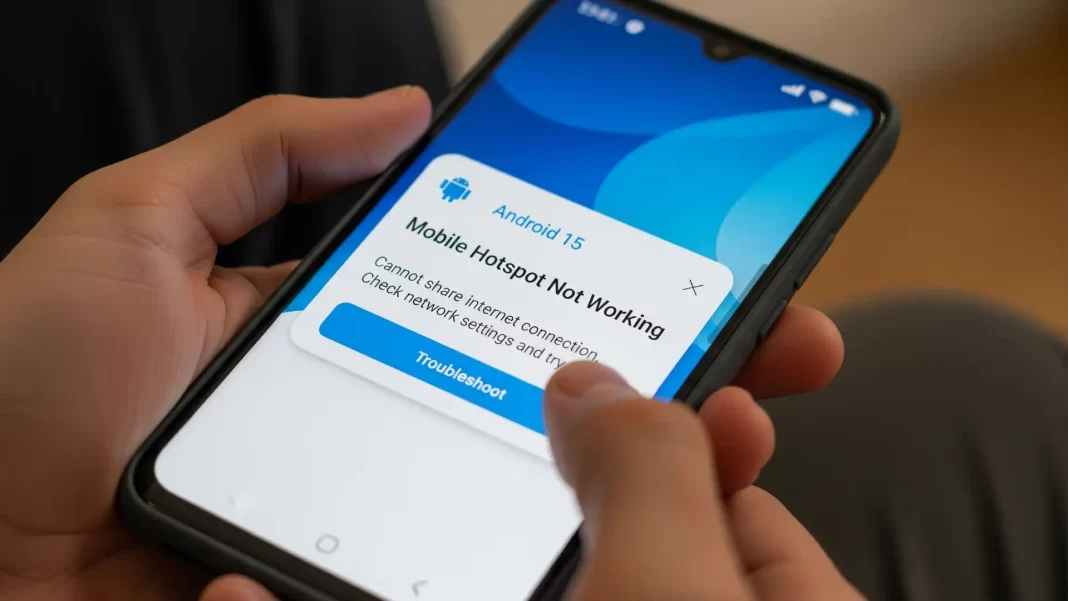
Your phone says “hotspot on,” but your laptop won’t load a page. Or it connects and shows “no internet.” On Android 15 this can happen for simple reasons: the wrong band, a plan restriction, or a setting that quietly turns hotspot off. The good news: you can usually fix it in minutes. I’ll walk you through quick checks, India-carrier gotchas, and OEM-specific steps for Pixel, Samsung, Xiaomi, and OnePlus.
Quick Answer: Turn hotspot off/on. Toggle Airplane mode. Restart both devices. Check your plan (Airtel Unlimited 5G often doesn’t allow hotspot sharing; Jio is generally more permissive). Switch hotspot to 2.4 GHz, turn off any VPN/Data Saver/Battery Saver, and try again.
Why hotspot breaks on Android 15
Hotspot and Wi-Fi can’t always run together. On some Android models, turning on hotspot forces Wi-Fi to turn off. That’s by design, not a bug. If you expected to share your phone’s Wi-Fi out to other devices using hotspot, your phone may not support that.
Idle timeout is a thing. If no device connects for a while, Android will shut the hotspot down automatically (often around 10 minutes). If you’re testing from a laptop, connect quickly or increase activity to keep it alive.
Your data plan may block it. In India, Airtel’s Unlimited 5G terms say that sharing unlimited 5G data via hotspot isn’t allowed. It will work on base data balances, but not on the “unlimited 5G” portion. Jio’s terms mention no device-count restriction for personal hotspot, though your plan’s data/FUP still applies. Result: Airtel users often see hotspot “work” but not actually pass unlimited data; Jio users usually don’t hit that specific wall.
Soft AP knobs matter: Android’s hotspot (Soft AP) can run on 2.4/5/6 GHz, has security options (WPA2/WPA3), and respects max client limits set by hardware or the carrier. Old laptops or TVs may fail on WPA3 or 5/6 GHz; switching to 2.4 GHz + WPA2 often fixes “can’t connect” or “connected, no internet.” If you’ve connected many devices, the next one may be silently refused.
New cross-device behavior can be confusing. Android’s Instant Hotspot automatically offers your phone’s hotspot to your other signed-in devices. On Samsung Galaxy S25 and newer, this is now supported beyond Samsung-only “Auto Hotspot,” and it changes how the toggle behaves. If you’re seeing surprise prompts or auto-toggling, that’s expected.
Fixes on your phone (the host)
Work top-down. After each step, try connecting again.
1) Do the quick resets
- Turn Hotspot off/on.
- Toggle Airplane mode on, wait 10 seconds, off.
- Restart your phone.
- Turn VPN off, and disable Data Saver/Battery Saver temporarily. These can throttle or block tethering.
2) Check your plan (India)
- Airtel: Unlimited 5G data can’t be shared via hotspot as per T&C. You’ll need base data or an add-on; otherwise you’ll hit weird slowdowns or blocks.
- Jio: States no device-count restriction for personal hotspot. Plan FUP still applies, and roaming/family plans have their own rules.
If you’re on Airtel Unlimited 5G and nothing else here helps, test with USB tethering or try a small paid add-on; if that works, it’s a plan policy, not your phone.
3) Change hotspot band & security
- Go to Hotspot settings and change AP band to 2.4 GHz. This is more compatible and has longer range; 5/6 GHz is faster but fussier with older clients.
- If your client is old, try WPA2 instead of WPA3.
- Keep the SSID simple (letters/numbers) and set a new password.
4) Adjust limits & timeouts
- Keep connected devices under the phone’s max client limit; if you hit it, new devices can’t join.
- Remember the idle auto-off: connect a device within a few minutes after enabling the hotspot, or it may shut down.
5) OEM menu paths (Android 15)
Pixel (Android 15)
Settings → Network & internet → Hotspot & tethering → Wi-Fi hotspot → Configure band/security; note that Wi-Fi may turn off when hotspot is on, and idle timer turns it off later.
Samsung Galaxy (One UI)
Settings → Connections → Mobile Hotspot and Tethering → Mobile Hotspot → Configure band/security; also check for software update if hotspot misbehaves.
Xiaomi (HyperOS)
Settings → Portable hotspot → Configure Wi-Fi hotspot; for wired fallback, USB tethering: Settings → Portable hotspot → USB tethering (connect to PC first).
OnePlus (OxygenOS)
Settings → Wi-Fi & Network → Hotspot & Tethering → Wi-Fi Hotspot. If it drops after Android 15 updates, do a network reset and check for patches; multiple users reported stability fixes in later builds.
6) Reset network settings (last resort before factory reset)
This clears saved Wi-Fi, paired Bluetooth, VPN/APN tweaks not your photos or apps. On most phones: Settings → System → Reset options → Reset Wi-Fi, mobile & Bluetooth. (Then re-enter Wi-Fi passwords.) Link our detailed guide for specifics.

Fixes on your laptop/tablet (the client)
If the phone looks fine, fix the device that’s trying to connect.
Windows/macOS/ChromeOS basics
- Forget the hotspot network, reconnect.
- Update Wi-Fi drivers/OS.
- Turn VPN off.
- On Windows, flush DNS and reset network adapter if needed.
- Try USB tethering or Bluetooth tethering to isolate Wi-Fi issues.
“Connected, no internet”
This usually means the phone’s mobile data is blocked by a plan, a VPN is interfering, or band/security mismatch. First, load a site on the phone over mobile data. If that fails, fix the phone/plan. If phone works but the laptop doesn’t, change hotspot band to 2.4 GHz, turn off VPN on both ends, and try a different device.
Special cases you asked about
- Hotspot and Wi-Fi together: Some models can’t do both at once; Wi-Fi will switch off when hotspot is enabled. That’s normal.
- Hotspot keeps turning off: Idle timeout (often ~10 minutes). Connect promptly or keep an active device on.
- Instant Hotspot on Samsung S25: It’s a new, broader Android feature now supported on S25+, separate from Samsung’s older Auto Hotspot. Expect different prompts/behavior across devices signed into the same Google account.
- Unlimited 5G on Airtel vs Jio: Airtel’s Unlimited 5G add-on doesn’t allow hotspot sharing; Jio states no device-count restriction for tethering (plan rules still apply).
USB vs Wi-Fi vs Bluetooth tethering (which to use)
| Method | Speed | Stability | Battery impact | When to use |
|---|---|---|---|---|
| USB | High | Very stable | Lower (charging) | Best for laptops; bypass Wi-Fi issues |
| Wi-Fi (2.4 GHz) | Moderate | Good range | Medium | Most compatible for older devices |
| Wi-Fi (5/6 GHz) | High | Shorter range | Medium | Newer laptops/phones; faster rooms-away |
| Bluetooth | Low | OK for chat/mail | Low | Ultra-low power needs |
(Why it helps: different radios, bands, and driver stacks. If Wi-Fi fails, USB usually works.)
Mini case studies (composite)
Case A: Pixel + Airtel Unlimited 5G
Symptoms: Laptop connects, no internet. Fix: USB tethering works; changing band didn’t help. Root cause: Airtel’s Unlimited 5G data cannot be shared via hotspot; solution was using base data/add-on.
Case B: Galaxy S24 + Windows 11
Symptoms: “Connected, no internet” on Windows. Fix: Set hotspot to 2.4 GHz, disabled VPN on both ends, re-connected; stable afterwards.
Case C: OnePlus 12 after Android 15 update
Symptoms: Hotspot drops after a few minutes. Fix: Reset network settings and installed latest OxygenOS update; issue resolved. (Matches community reports during early OOS15 builds.)
Practical checklist (save this)
- Phone: Hotspot off/on → Airplane mode → restart → VPN/Data Saver/Battery Saver off.
- Plan: Check hotspot eligibility (Airtel Unlimited 5G sharing blocked; Jio generally allows, plan permitting).
- Hotspot settings: Band 2.4 GHz, WPA2, fresh SSID/password, under max clients.
- Client device: Forget network → drivers/OS update → DNS flush → try USB tethering.
- Still broken: Reset network settings on phone; consider factory reset after full backup.
FAQ
Why is my hotspot not working on Android 15?
Common causes: plan restriction (Airtel Unlimited 5G), Wi-Fi+hotspot concurrency limit, band/security mismatch, or VPN/Data Saver. Start with band 2.4 GHz and check your plan.
Why does my hotspot turn off by itself?
Android turns hotspot off after a period of inactivity; some phones also can’t run Wi-Fi and hotspot together. Connect quickly or keep a device active.
Hotspot connected but no internet what now?
Confirm mobile data works on the phone. Then switch hotspot to 2.4 GHz, disable VPN, and test another device or USB tethering.
How do I change hotspot band on Android?
Open Hotspot settings and select 2.4 or 5/6 GHz (wording varies by OEM). Use 2.4 GHz for range/compatibility.
How many devices can connect to my Android hotspot?
Android supports multiple clients; Google notes up to 10 devices is common. Your device or carrier may lower that.
Is hotspot allowed on Airtel Unlimited 5G?
Airtel’s T&C say sharing Unlimited 5G via hotspot isn’t allowed. You’ll need regular data or add-ons.
Does Jio limit hotspot device count?
Jio’s T&C say no device-count restriction for personal hotspot, but your plan’s FUP applies.
What’s Instant Hotspot on Android 15 devices?
It lets your other signed-in devices auto-connect to your phone’s hotspot. On Samsung, S25+ newly supports Google’s implementation.

Featured Snippet (Q → A)
Q: How do I fix a hotspot that’s not working on Android 15?
A: Toggle hotspot and Airplane mode, then restart both devices. Check your plan (Airtel Unlimited 5G usually blocks hotspot sharing). Set hotspot to 2.4 GHz and turn off VPN/Data Saver/Battery Saver. If it still fails, try USB tethering or reset network settings.
Q: Why does my Android hotspot keep turning off?
A: Android disables hotspot after inactivity (often about 10 minutes). Some models also can’t run Wi-Fi and hotspot at the same time, so Wi-Fi turns off when hotspot turns on. Connect promptly or keep a device active.
Q: Hotspot shows “connected, no internet” what’s wrong?
A: Verify mobile data on the phone first. Then switch hotspot to 2.4 GHz, disable VPN, forget/re-add the network on your laptop, or try USB tethering to bypass Wi-Fi issues.

