

Summary: Microsoft introduced Agent Mode for Excel and Word, plus Office Agent inside Copilot chat. Agent Mode handles multi-step work inside the apps; Office Agent creates decks/docs from chat. Early access is through the Frontier program; web first, desktop “coming soon.”
Table of Contents
What is Microsoft Agent Mode?
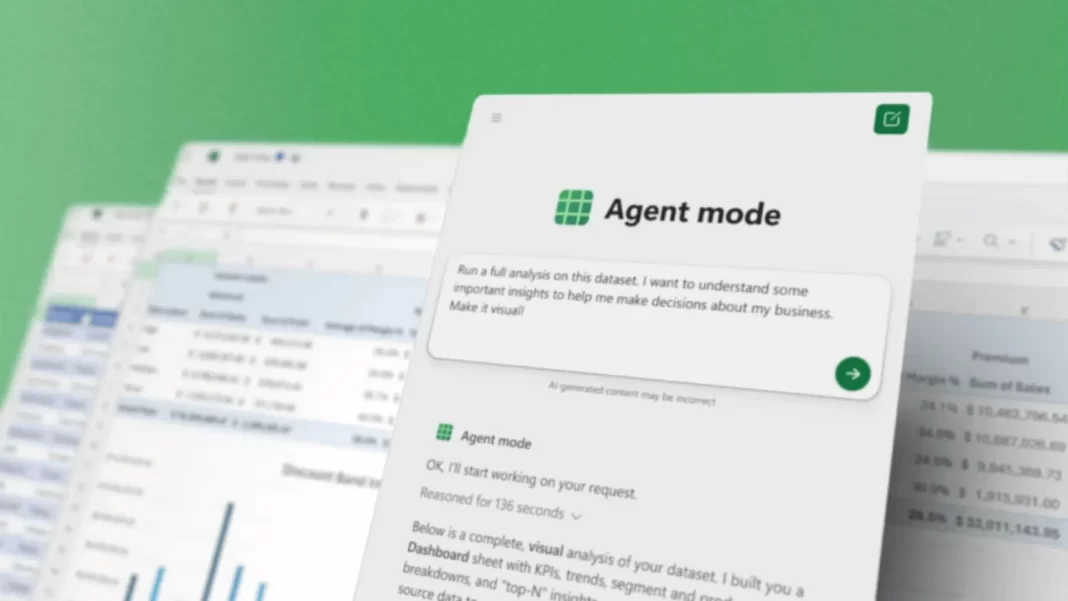
Think of Agent Mode as Copilot with a longer attention span. You describe the outcome, and it plans steps, executes them, checks results, and iterates. Microsoft is calling this “vibe working.” In practice, you steer; the agent handles the grunt work.
How it works in Excel
Excel’s Agent Mode “speaks Excel.” It can build a loan calculator, assemble monthly close reports, or explore sales data creating sheets, formulas, and charts. Microsoft cites 57.2% accuracy on the SpreadsheetBench test set. That trails skilled humans but is strong for routine analysis.
Concrete example: “Analyze this Q2 sales CSV, highlight top 5 products by margin, add a pivot by region, then chart YOY growth.” The agent builds the pivots, formats output, and adds charts then shows what it checked.
How it works in Word
In Word, Agent Mode turns drafting into a back-and-forth. “Update this monthly report with the latest dataset and bold key findings.” It pulls structure from your doc, applies styles, suggests edits, and asks clarifying questions. You focus on intent while it shapes the document.

Office Agent vs. Agent Mode: What’s the difference?
Office Agent lives in Copilot chat and is powered by Anthropic models. It’s best for “start-from-chat” tasks like creating a PowerPoint or a research-backed Word brief. Agent Mode sits inside Excel/Word for in-app, artifact-aware work.
| Task | Use Agent Mode (in-app) | Use Office Agent (chat) |
|---|---|---|
| Build/clean spreadsheets, pivots, charts | ✔️ Excel | ➖ Can hand off after chat |
| Update a Word report with existing files/styles | ✔️ Word | ➖ |
| Create a new slide deck from a prompt + web research | ➖ | ✔️ PowerPoint/Word |
| Ask clarifying questions, iterate from chat | Some | ✔️ |
Availability and requirements
- Agent Mode (Excel, Word): Available now via the Frontier program for Microsoft 365 Copilot customers and Microsoft 365 Personal/Family subscribers. Web first; desktop coming soon.
- Office Agent: Available in Frontier for Personal/Family subscribers in the U.S., via Copilot on the web (English).
If you’re on Excel web, you’ll likely use the Excel Labs add-in to access Agent Mode. Rollout is staged, so your tenant may get it later.
Accuracy & limitations
On SpreadsheetBench, Excel’s Agent Mode scored 57.2% overall, vs humans at ~71%. That’s promising but not hands-free. Treat outputs like work from a junior analyst: review formulas, assumptions, and charts, especially for finance or compliance. The good news: it can self-check and retry, which reduces obvious mistakes.
Real-world use cases (mini case studies)
- SMB finance: A bike shop owner asks Excel to create a monthly close with product-line breakdowns and YOY charts. Output arrives pre-formatted, leaving the owner to tweak labels and double-check outliers.
- Ops reporting: A project manager tells Word’s Agent Mode to update a status report from the “Sept Data Pull” email and highlight risk deltas vs August. Draft lands with bolded findings and a clean next-steps list.
- Sales deck: Marketing asks Office Agent to build an 8-slide pitch on athleisure trends. It researches, drafts, and lays out slides, then the team edits visuals before export.
Getting started
- Ensure you’re in the Frontier program (tenant or subscription).
- Excel web: install Excel Labs, enable Agent Mode.
- Start with a clear prompt (“Analyze Q2 sales… create pivot by region… add YOY chart…”).
- Review the “what I did”/validation notes; adjust and iterate.
- For PowerPoint/Word from chat, try Office Agent in Copilot web (U.S. Personal/Family for now).
The Bottom Line and Checklist
- Use Agent Mode for in-app spreadsheets/docs.
- Use Office Agent in chat for slide decks and research-heavy drafts.
- Start on the web, watch for desktop rollout.
- Review outputs; treat 57.2% accuracy as “assistive,” not autonomous.
Frequently Asked Question
Do I need Copilot Pro? Access is tied to Frontier availability and your Microsoft 365 subscription; check your tenant/subscriber status.
Does Office Agent use Anthropic? Yes Office Agent in Copilot chat is powered by Anthropic models.
Is PowerPoint supported in Agent Mode? PowerPoint is coming soon to Agent Mode; Office Agent already creates presentations from chat.
Can I use it on desktop apps? Web now; desktop coming soon for Excel and Word.
What benchmark is Microsoft quoting? SpreadsheetBench a real-world spreadsheet benchmark with 912 tasks.
Can Office Agent research the web? Yes Office Agent conducts web-based research and shows previews when building decks/docs.

Featured Answer Boxes
What is Microsoft Agent Mode?
Agent Mode is an in-app assistant for Excel and Word that plans, executes, and checks multi-step work like building models, charts, or reports while you steer. It turns prompts into spreadsheet or document updates and can retry to fix issues. Web first; desktop support is coming.
Office Agent vs. Agent Mode what’s the difference?
Agent Mode runs inside Excel/Word for artifact-aware work. Office Agent lives in Copilot chat, powered by Anthropic models, to create PowerPoint decks and Word docs from a chat workflow with web research. Use Agent Mode for in-app tasks; Office Agent for chat-first creation.
Where is it available?
Through Microsoft’s Frontier program for Microsoft 365 Copilot customers and for Microsoft 365 Personal/Family subscribers. Agent Mode works on the web today; desktop is coming. Office Agent starts in the U.S. for Personal/Family on the web (English).
How accurate is Excel’s Agent Mode?
On the SpreadsheetBench benchmark, Microsoft reports 57.2% accuracy for Agent Mode in Excel, compared to ~71% for humans. Treat it as assistive: review formulas, chart logic, and assumptions before sharing or publishing.
Source: Microsoft Blog

