

The AdwaitX Verdict
| Category | Details |
|---|---|
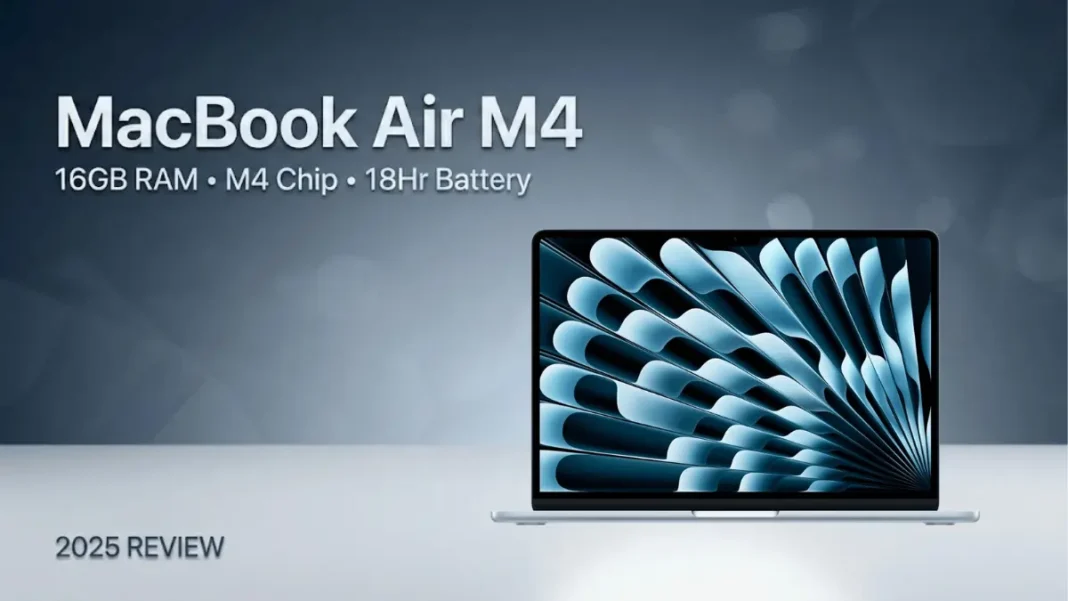
| The Bottom Line | BUY – The MacBook Air M4 delivers pro-level performance with 16GB RAM standard at ₹15,000 less than its M3 predecessor. |
| Best Feature | 16GB unified memory as standard – no more RAM compromises for multitasking. |
| Worst Feature | Base 256GB storage fills up fast; upgrading to 512GB adds ₹16,000 to the price. |
| Rating | 9.0/10 |
| Where to Buy | Amazon India – ₹90,990 (₹8,900 off MRP ₹99,900) |
Short Review
The 2025 MacBook Air M4 is Apple’s most significant ultraportable upgrade in years, doubling the base RAM to 16GB while cutting the price by ₹15,000 compared to the M3 model. Launched on March 4, 2025, this refresh brings Apple’s latest M4 chip with a 10-core CPU and 10-core GPU (base configuration), delivering substantial performance improvements for everyday computing and creative workloads.
Build quality remains exceptional with Apple’s aerospace-grade aluminum chassis available in four colors: the new Sky Blue, plus Starlight, Midnight, and Space Gray. The 13.6-inch Liquid Retina display delivers 500 nits brightness with P3 wide color gamut support, making it suitable for photo editing and content creation. The new 12MP Center Stage camera with Desk View support is a major upgrade over previous generations, automatically keeping you centered during video calls.
Battery life is rated at up to 18 hours of video playback, making this one of the longest-lasting ultraportables available. The fanless design ensures silent operation regardless of workload intensity. Port selection includes two Thunderbolt 4 USB-C ports (an upgrade from Thunderbolt 3 in the M3 model), MagSafe 3 charging, and a 3.5mm headphone jack. The Thunderbolt 4 ports now support two external displays simultaneously while keeping the laptop screen active.
At its current price of ₹90,990 on Amazon (down from the official ₹99,900 MRP), the MacBook Air M4 offers excellent value for students, professionals, and creative users who need reliable all-day computing. Note that prices have dropped as low as ₹78,990 during major sale events like Amazon’s Great Indian Festival.
Full Specification Table
| Feature | Specification | User Benefit (Why It Matters) |
|---|---|---|
| Processor | Apple M4 chip – 10-core CPU (4 performance + 6 efficiency cores), 10-core GPU, 16-core Neural Engine | Latest 3nm architecture delivers enhanced performance for multitasking and creative applications. |
| RAM | 16GB Unified Memory (LPDDR5X, shared between CPU/GPU) | Double the base RAM of M3 model; handles multiple apps and browser tabs smoothly. |
| Storage | 256GB SSD (configurable to 512GB/1TB/2TB) | Fast NVMe storage; 256GB is adequate for cloud-first users but tight for media professionals. |
| Display | 13.6″ Liquid Retina (2560×1664), 500 nits, P3 wide color, True Tone | Sharp text rendering and accurate colors for creative work. |
| Battery | Up to 18 hours video playback | All-day battery life for productivity and entertainment. |
| Operating System | macOS Sequoia | Latest macOS with Apple Intelligence features and seamless ecosystem integration. |
| Camera | 12MP Center Stage camera with Desk View | Automatically tracks movement during video calls; Desk View shows overhead workspace view. |
| Ports | 2× Thunderbolt 4/USB-C, 1× MagSafe 3, 3.5mm headphone jack | Thunderbolt 4 supports dual external displays while laptop screen stays active; MagSafe prevents accidental disconnections. |
| Weight & Dimensions | 1.24 kg, 11.97 mm thin | Highly portable design that fits easily in bags. |
| Audio | 4-speaker system with Spatial Audio and Dolby Atmos, 3-mic array | Immersive sound for entertainment; clear audio capture for calls. |
| Colors | Sky Blue (new), Starlight, Midnight, Space Gray | Sky Blue is the standout new color option for 2025. |
Pros & Cons
Pros
- 16GB RAM as standard – No longer need to pay extra for adequate memory.
- ₹15,000 price reduction – Cheaper than M3 model while offering better performance.
- 12MP Center Stage camera – Major upgrade with automatic tracking and Desk View feature.
- 18-hour battery life – Industry-leading endurance for all-day unplugged use.
- Dual display support – Thunderbolt 4 ports support two external monitors while laptop screen stays active.
- Silent operation – Fanless design maintains zero noise under all workloads.
Cons
- 256GB base storage – Upgrading to 512GB adds ₹16,000 to the cost.
- Limited port selection – Only 2 USB-C ports; HDMI/SD card users need dongles.
- 60Hz display – No high refresh rate option compared to some Windows competitors.
Competitor Comparison
vs. MacBook Air M3 (2024)
The M4 version costs ₹15,000 less (₹99,900 vs ₹1,14,900) while doubling base RAM to 16GB and offering improved performance making the M3 obsolete for new buyers.
vs. Windows Ultraportables (Dell XPS 13, HP Spectre x360)
The MacBook Air M4 offers significantly longer battery life (18 hours vs 8-10 hours typical for Windows laptops) and silent fanless operation, but Windows options provide more port variety and touchscreen/convertible form factors.
Final Buying Advice
Buy If:
- You need exceptional battery life for all-day unplugged productivity (students, professionals, travelers)
- You’re in the Apple ecosystem and want seamless integration with iPhone/iPad
- You value silent operation and lightweight portability (1.24 kg)
- You need a reliable laptop for multitasking, content creation, or development work
- You can work within 256GB storage or budget for the 512GB upgrade
Don’t Buy If:
- You need Windows-exclusive software for work
- You require extensive port selection (SD card readers, HDMI, multiple USB-A ports)
- You want a touchscreen or 2-in-1 convertible laptop
- You’re a heavy gamer the integrated GPU handles light gaming only
 Dell Vostro 3530 with Intel Core i3-1305U, 16GB RAM Review: Budget Business Laptop Analysis
Frequently Asked Questions (FAQs)
When was the MacBook Air M4 launched in India?
Apple announced the MacBook Air M4 on March 4, 2025, with availability starting March 12, 2025.
Is 256GB storage enough, or should I upgrade to 512GB?
For cloud-first users who store files in iCloud or Google Drive, 256GB works. Media professionals storing large photo/video libraries should budget ₹16,000 extra for the 512GB configuration.
Can the 16GB RAM be upgraded later?
No. Unified memory is soldered to the M4 chip and cannot be upgraded post-purchase. However, 16GB is sufficient for most professional workflows including multitasking, creative apps, and development.
What is the best price for MacBook Air M4 in India?
The official MRP is ₹99,900. Current Amazon pricing is around ₹90,990. During major sale events (Amazon Great Indian Festival, Flipkart Big Billion Days), prices have dropped to ₹78,990-₹79,990. Students and educators can get it for ₹89,900 with Apple Education pricing.
What are the key upgrades over MacBook Air M3?
The M4 version offers: 16GB RAM (vs 8GB base in M3), ₹15,000 lower price (₹99,900 vs ₹1,14,900), 12MP Center Stage camera (vs 1080p FaceTime), Thunderbolt 4 with dual display support (vs Thunderbolt 3), and improved M4 chip performance.

