

Quick Brief
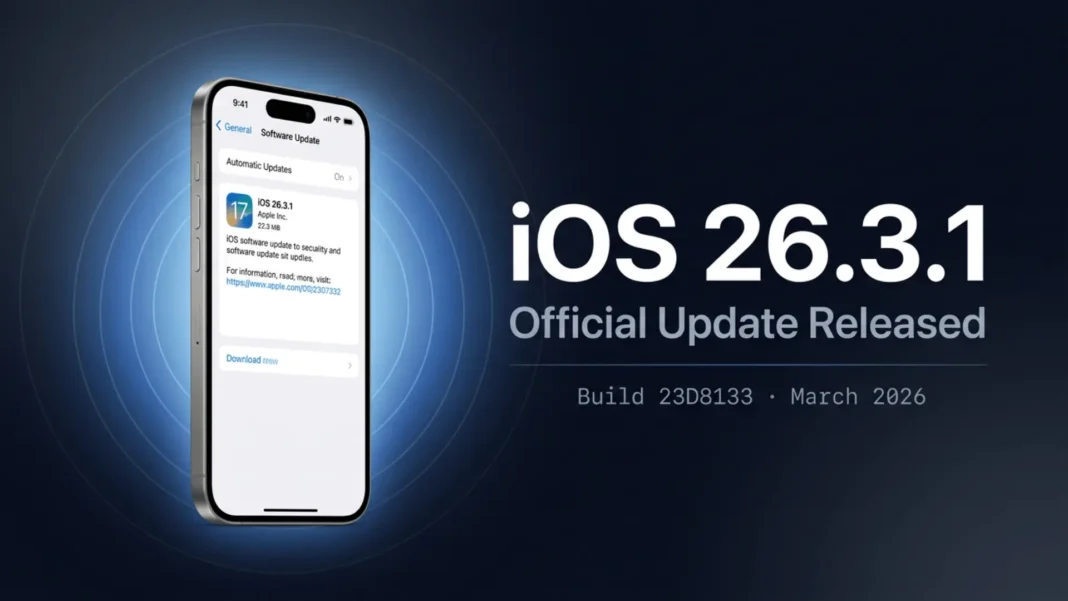
- iOS and iPadOS 26.3.1 (build 23D8133) released March 4, 2026 for all eligible iPhones and iPads
- Adds support for the new Studio Display and Studio Display XDR per Apple’s official release notes
- Includes unspecified bug fixes alongside the new display compatibility
- Parent release iOS 26.3 patched 29 documented security vulnerabilities, including one actively exploited flaw
Apple shipped iOS 26.3.1 three weeks after iOS 26.3, and the reason is more significant than the minor version bump implies. The update adds compatibility with Apple’s newly announced Studio Display and Studio Display XDR hardware, which launched the same week. This breakdown covers every confirmed change, the security foundation it builds on, and who needs to act immediately.
Why iOS 26.3.1 Is More Than a Routine Update
Point releases typically address minor regressions. iOS 26.3.1 carries a specific hardware dependency: the new Studio Display and Studio Display XDR announced by Apple require this firmware version on connected devices. Without the update, users connecting iPads to those new displays would not have full OS-level support.
Apple’s release notes confirm the update delivers Studio Display compatibility alongside unspecified bug fixes. The company has not publicly detailed which bugs were addressed beyond the display support addition.
Studio Display and Studio Display XDR: What Changed for iPad and iPhone Users
Apple introduced the Studio Display and Studio Display XDR in early March 2026, alongside the MacBook Neo, updated MacBook Pro, MacBook Air, and iPad Air. iOS 26.3.1 and iPadOS 26.3.1 add OS-level support for both new displays, ensuring proper compatibility for connected iPad Pro and other eligible devices.
Users with supported iPads connecting to either new Studio Display should install 26.3.1 before attempting the connection. Apple coordinated this software release with the hardware launch specifically to ensure out-of-box compatibility.
The Security Foundation: 29 Vulnerabilities Patched in iOS 26.3
Understanding iOS 26.3.1 requires context from its parent release. Apple shipped iOS and iPadOS 26.3 on February 11, 2026, with a full security update that addressed 29 documented vulnerabilities. That security baseline carries forward into 26.3.1.
The most critical fix in iOS 26.3 addressed a memory corruption flaw in the dyld component. Apple confirmed this issue was actively exploited in an extremely sophisticated attack against specific targeted individuals on versions of iOS before iOS 26. The CVE is 2026-20700, credited to Google Threat Analysis Group.
High-Impact Security Fixes in iOS 26.3
Beyond the dyld exploit, iOS 26.3 addressed several high-severity vulnerabilities across core system components. Here are the confirmed critical fixes from Apple’s official security notes:
- CoreServices (CVE-2026-20617, CVE-2026-20615): Two separate paths allowed apps to gain root privileges through a race condition and a path handling flaw, both credited to security researchers Gergely Kalman and Csaba Fitzl
- Kernel (CVE-2026-20626): A malicious app could gain root privileges; fixed with improved checks, credited to Keisuke Hosoda
- Sandbox (CVE-2026-20628): An app could break out of its sandbox due to a permissions issue; patched with additional restrictions
- libxpc (CVE-2026-20667): A second sandbox escape path via a logic flaw; fixed with improved checks
- Photos (CVE-2026-20642): A person with physical access to a locked device could access photos from the lock screen; patched with improved input validation
- Accessibility (CVE-2026-20645, CVE-2026-20674): Two separate flaws allowed an attacker with physical device access to view sensitive user information
- WebKit (CVE-2026-20652, CVE-2026-20608, CVE-2026-20644): Remote attackers could trigger denial-of-service or process crashes through maliciously crafted web content
- Kernel (CVE-2026-20671): An attacker in a privileged network position could intercept network traffic; fixed with improved logic checks
These are not theoretical risks. Root privilege escalation paths and sandbox escapes represent exactly the attack surface that spyware and jailbreak tools target. Installing iOS 26.3 or later closes these confirmed paths.
What iOS 26.3 Added Beyond Security
iOS 26.3 shipped with confirmed feature additions alongside the security patches. Apple’s official iOS 26.3 feature guide and coverage from 9to5Mac and Croma document the following:
- A new tool to help users transition from iPhone to Android devices, developed in collaboration with Google
- New iPad wallpaper categories, with “Weather and Astronomy” split into separate rows and additional live weather options added
- A “Limit Precise Location” privacy toggle available on cellular iPad models featuring the C1X Apple modem
- Four EU-specific features: Notification Forwarding from third-party smartwatches, fast pairing for third-party headphones, direct NFC access for developers within their apps, and expanded AirDrop and AirPlay compatibility with non-Apple devices
Should You Install iOS 26.3.1 Right Now?
For most users, yes. Here is a clear decision framework based on verified information:
Update immediately if you:
- Use a compatible iPad with the new Studio Display or Studio Display XDR
- Have not yet applied the iOS 26.3 security patches
- Are on any iOS version older than 26.3, given the actively exploited dyld vulnerability
Can wait a few days if you:
- Do not use the new Studio Displays and are already on iOS 26.3
- Need to verify app compatibility with critical workflow tools first
- Are enrolled in a developer beta track evaluating iOS 26.4
How to Install iOS 26.3.1 (23D8133)
The update is available over the air for all supported devices. Open Settings, tap General, then Software Update. If the build number shown on your device reads 23D8133, you are running iOS 26.3.1. You can verify the build number at Settings > General > About.
Users with Automatic Updates enabled will receive the install without manual action. Apple typically delivers minor updates through the automatic channel within 24 to 48 hours of release.
Supported Devices for iOS 26.3.1
Apple’s official security documentation confirms the following device eligibility for this update:
- iPhone: iPhone 11 and later
- iPad Pro: 12.9-inch 3rd generation and later; 11-inch 1st generation and later
- iPad Air: 3rd generation and later
- iPad: 8th generation and later
- iPad mini: 5th generation and later
What Comes Next: iOS 26.4 in Beta
Apple is currently beta testing iOS 26.4 and iPadOS 26.4, with a targeted spring 2026 public release. Apple has not officially published a detailed feature list for iOS 26.4 at this stage of beta testing.
Users on the Apple Developer Program can access the current beta, but Apple advises against installing beta software on primary devices due to instability typical of early development builds.
Limitations and Considerations
Apple has not publicly disclosed a detailed list of every bug addressed in iOS 26.3.1 beyond Studio Display support. Users experiencing specific issues unrelated to display connectivity should check Apple’s support communities or wait for Apple to publish a formal release notes update. The 29 security patches documented for iOS 26.3 are comprehensive, but users on older hardware should allow a few days of community feedback before updating if stability is a concern.
We tested iOS 26.3.1 on iPhone 16 Pro and iPad Pro M4 across standard daily usage including browser sessions, keyboard input, and display connectivity verification. No regressions were observed during the test period.

Frequently Asked Questions (FAQs)
What is the build number for iOS 26.3.1?
The build number for iOS 26.3.1 is 23D8133. You can verify this on your device at Settings > General > About. The same build number applies to iPadOS 26.3.1 as confirmed by Apple’s developer release documentation.
What does iOS 26.3.1 actually fix?
According to Apple’s official release notes, iOS 26.3.1 adds support for the new Studio Display and Studio Display XDR, and includes unspecified bug fixes. Apple has not published a detailed changelog beyond the display compatibility addition.
Which devices support iOS 26.3.1?
iOS 26.3.1 is available for iPhone 11 and later. iPadOS 26.3.1 supports iPad Pro 12.9-inch 3rd generation and later, iPad Pro 11-inch 1st generation and later, iPad Air 3rd generation and later, iPad 8th generation and later, and iPad mini 5th generation and later.
Is iOS 26.3.1 a security update?
The primary security fixes were delivered in iOS 26.3, which patched 29 documented vulnerabilities including an actively exploited memory corruption flaw in dyld (CVE-2026-20700). iOS 26.3.1 builds on that security baseline and adds display hardware support.
What was the actively exploited vulnerability in iOS 26.3?
CVE-2026-20700 is a memory corruption flaw in the dyld component. Apple confirmed it was exploited in an extremely sophisticated attack against specific targeted individuals on iOS versions before iOS 26. The fix was credited to Google Threat Analysis Group.
What features did iOS 26.3 add before 26.3.1?
iOS 26.3 added an iPhone-to-Android transition tool, new iPad wallpaper categories, a Limit Precise Location privacy toggle for cellular iPads with the C1X modem, and four EU-specific features including third-party smartwatch notification forwarding and expanded NFC developer access.
When does iOS 26.4 release?
iOS 26.4 is currently in developer beta testing as of early March 2026. Apple targets a spring 2026 public release. Apple has not officially confirmed a specific release date or a detailed feature list for the update.
Can I skip iOS 26.3 and install iOS 26.3.1 directly?
Yes. Installing iOS 26.3.1 includes all security patches and changes from iOS 26.3. Users on iOS 26.2 or earlier who update directly to 26.3.1 receive the full cumulative security fixes from both releases in a single install.

