

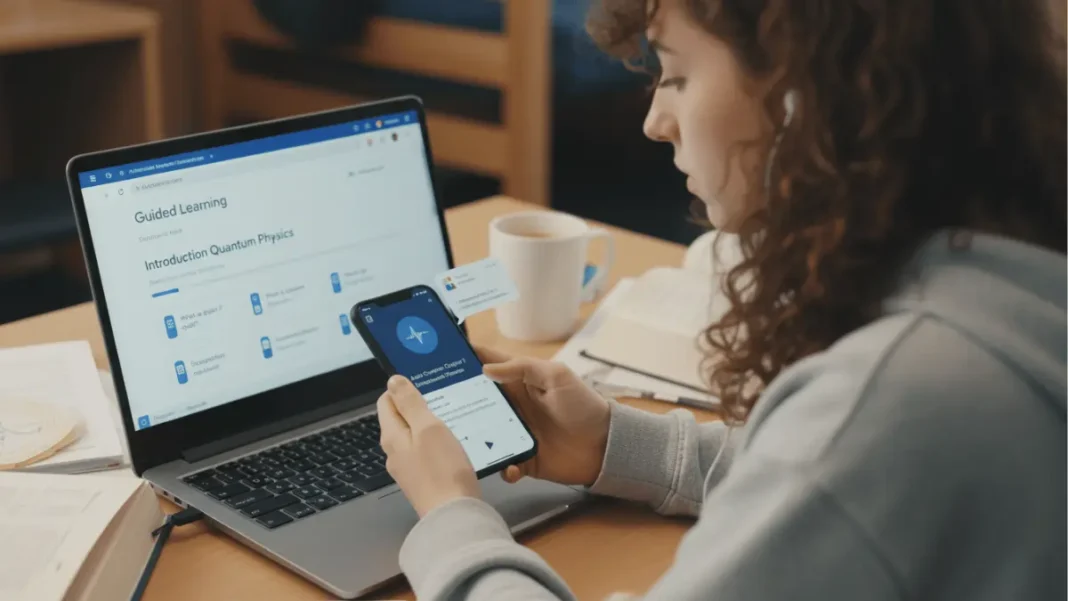
Google has transformed how students learn with nine AI-powered features across Gemini, NotebookLM, and Google Search that transform passive studying into active, personalized learning experiences. These tools leverage advanced AI while grounding methods in established learning science principles, focusing on discovery rather than simply providing immediate answers. With over 2 million Indian students already using these platforms, Google is pioneering an AI-first approach to education that makes studying more interactive, efficient, and concept-based.
Short Answer: Google’s AI learning tools include Gemini (with Guided Learning, flashcards, and voice tutoring), NotebookLM (audio overviews, mind maps, auto-generated quizzes), and enhanced Google Search (Lens AI Mode, Search Live). These free tools help students study smarter by breaking down complex topics, creating personalized study materials, and providing real-time multimodal assistance.
Table of Contents
What Are Google’s AI Learning Tools?
Google’s AI learning ecosystem consists of three interconnected platforms designed to enhance every aspect of the learning journey. Gemini serves as an interactive AI tutor that guides students through step-by-step problem-solving with adaptive explanations and multimodal responses. NotebookLM functions as an AI-powered research assistant that transforms uploaded materials into digestible study aids, including audio overviews, flashcards, and mind maps. Google Search has been enhanced with AI Mode and Search Live capabilities that allow students to ask complex questions about images and receive real-time, voice-activated assistance.
India has emerged as the global leader in adopting these tools, with the 18-24 age demographic representing Gemini’s largest user base worldwide. Google launched the AI Pro student offer earlier in 2025, providing over 2 million Indian students with free access to advanced AI learning capabilities for one year. This rapid adoption reflects the tools’ alignment with India’s competitive academic environment and the growing demand for personalized, self-paced learning solutions.
The platform’s philosophy emphasizes curiosity-driven learning grounded in best-in-class learning science. Rather than simply providing answers, these tools encourage students to engage in a process of discovery through open-ended questions, adaptive feedback, and multimodal content presentation.
Gemini AI Learning Features
Guided Learning: Interactive Step-by-Step Tutoring
Gemini’s Guided Learning mode transforms the AI into a patient digital tutor that breaks down complex problems into manageable steps. Instead of delivering immediate solutions, the feature poses probing, open-ended questions that prompt critical thinking and meaningful discussion about the subject matter. The tool uses images, videos, diagrams, and interactive quizzes to make difficult concepts clearer, particularly benefiting visual learners.
The feature works through an adaptive teaching methodology where Gemini presents multiple starting points for your chosen topic, allowing you to select which aspect matches your current knowledge level. As you progress, the AI checks your understanding with follow-up questions and adapts its teaching style based on your responses. Getting answers wrong isn’t penalized; instead, Gemini provides additional explanations and tries different approaches to help you grasp the concept.
Students have used Guided Learning for diverse applications beyond academics, including job interview preparation, learning to care for plants, and exam preparation. To activate this feature, open the Gemini app or website, click “Tools” in the chatbox, and select “Guided Learning” to begin your interactive session.
Smart Prep Tools: Instant Study Materials
Gemini can instantly transform class materials, text passages, or even photographs of handwritten notes into customizable flashcards, study guides, and interactive quizzes. This eliminates hours of manual study material preparation and ensures targeted practice resources aligned with your specific coursework. With Gemini Advanced, you can upload up to 10 documents at a time, including class syllabi or lecture notes, and ask Gemini to explain content or create custom study materials.
The tool’s 1 million token context window allows it to process large amounts of information simultaneously, enabling it to dive deep into your materials, break down key concepts, and provide practice questions based on your specific course content. Students can customize the topic, difficulty level, and length of generated study aids to match their preparation needs and learning pace.
The Learning Coach Gem, available to Gemini Advanced subscribers, acts as a custom AI expert that creates tailored learning plans complete with progress check-ins to keep students on track. For example, you can request “I want to prepare for my bio midterm. Can you help me review cells, genetics, ecology and ecosystems?” and receive a personalized learning plan covering key subtopics with essential concepts outlined and flexible adjustment options.
Gemini Live: Real-Time Voice Tutoring
Gemini Live enables real-time, back-and-forth conversations using only your voice and camera, creating a hands-free learning experience. Built with capabilities from Google’s Project Astra research prototype, this feature allows students to point their phone at challenging problems such as tricky math equations or science diagrams and receive immediate spoken guidance through natural dialogue.
This multimodal approach makes learning feel like a natural conversation rather than a traditional AI query-response interaction. Students stuck on a single step in geometry homework can point their camera at the problem and ask for a quick hint or deeper explanation directly within their search interface. The voice-activated functionality is particularly valuable for kinesthetic learners who benefit from speaking through problems and for students who need assistance while commuting or in situations where typing is impractical.
NotebookLM Study Features
Audio and Video Overviews: Research Transformed
NotebookLM instantly converts dense research documents into digestible audio overviews narrated in multiple Indian languages, making complex material accessible while multitasking. Recent upgrades include diverse audio overview formats that provide multiple perspectives on your uploaded resources, simulating a podcast-style discussion between two hosts who break down your study materials conversationally.
The platform has also enhanced video overviews with Gemini’s image generation model (popularly known as Nano Banana), offering more visual options for how content is presented. Students using the Google AI Pro plan receive 5x more video and audio overviews compared to the free tier, along with increased notebooks and sources per notebook capacity. This feature particularly benefits auditory learners and students who need to review content while commuting, exercising, or during other activities.
The audio overview feature has become NotebookLM’s standout capability, with users praising its ability to transform any document into an engaging, podcast-style learning experience. The conversational format helps students absorb complex information more naturally than traditional text reading.
Mind Maps: Visual Knowledge Organization
NotebookLM’s mind mapping feature helps students move beyond linear note-taking to organize thoughts visually and identify connections across different learning materials. This spatial organization method supports better retention and understanding of interconnected concepts, particularly valuable for subjects with complex relationships like history, literature analysis, or systems thinking in sciences.
The tool automatically generates visual representations of how concepts relate to each other across all uploaded sources, revealing patterns and relationships that might not be apparent in linear note formats. Students can use mind maps to prepare for comprehensive exams where understanding connections between topics is crucial, or for research projects where synthesizing information from multiple sources is required.
Auto-Generated Learning Aids: Full Syllabus Coverage
NotebookLM automatically generates flashcards and quizzes based on all uploaded notes and documents in your notebook, not just individual files. This comprehensive approach enables students to test knowledge across entire syllabi or research libraries without manual creation, saving significant preparation time. The mobile app now supports customizing these study tools by setting topic, difficulty level, and length, making exam preparation possible even while walking into a classroom.
The platform’s auto-generated study aids are fully grounded in the materials you upload, ensuring that quiz questions and flashcard content directly reflect your specific course materials and textbooks. This citation tracking is crucial for academic work where source attribution matters and where students need to ensure they’re studying precisely the content their exams will cover.
Recent mobile app updates have transformed NotebookLM from a passive viewing experience to a fully interactive study companion. The enhanced chat functionality includes a longer context window, meaning the AI can track more of your study session and offer continuity usually lacking in mobile AI tools.
Tailored Document Creation: Intelligent Summaries
NotebookLM instantly generates briefing docs and study guides from uploaded sources, with dynamic suggestions based on themes, topics, or industries mentioned in your materials. This feature helps students quickly extract essential information from lengthy resources, transforming 100-page textbook chapters into focused study documents highlighting key concepts and definitions.
The platform excels at cross-referencing multiple sources and creating comprehensive summaries that maintain source attribution throughout. Unlike general-purpose AI chatbots, NotebookLM’s outputs are exclusively based on uploaded document contents, eliminating the risk of introducing uncited information that could compromise academic work requiring strict adherence to course material.
Google Search AI Features for Learning
Lens in AI Mode: Visual Problem Solving
Google Search’s upgraded Lens feature, now available in multiple Indian languages, enables students to ask complex questions about images by simply taking a picture. This capability proves particularly valuable for decoding charts, graphs, diagrams, or any visual learning materials that are difficult to describe in text queries. Students struggling with geometry problems, molecular structures in chemistry, or historical maps can photograph the material and receive AI-powered explanations of what the visuals represent.
The multimodal understanding allows the AI to analyze both the visual content and your question simultaneously, providing contextually relevant answers that traditional text-based search cannot deliver. This feature works seamlessly across subjects, from interpreting statistical graphs in economics to understanding anatomical diagrams in biology.
Search Live: Real-Time Multimodal Assistance
Search Live, rolling out in English and Hindi, allows students to use their camera and voice directly within Google Search to get immediate, multimodal help for problems right in front of them. This feature combines the best aspects of visual search and voice interaction, creating a truly hands-free learning experience for those moments when you need quick information about something in your immediate environment.
Students stuck on a single step in geometry homework can point their camera at the problem and ask for a quick hint or a deeper explanation without switching between apps or interrupting their workflow. The real-time aspect means responses adapt as you move your camera or ask follow-up questions, creating a dynamic tutoring experience that responds to your specific context.
How to Use These Tools: Step-by-Step Tutorials
Setting Up Gemini Guided Learning
Step 1: Open the Gemini app (Android/iOS) or visit gemini.google.com in your web browser.
Step 2: Click the “Tools” icon in the chatbox this displays available feature options including Guided Learning.
Step 3: Select “Guided Learning” to activate interactive tutoring mode.
Step 4: Ask Gemini to teach you about any topic using natural language, such as “I want to learn about machine learning” or “Teach me about photosynthesis”.
Step 5: Review the multiple starting points Gemini presents and select which aspect matches your current knowledge level or interests.
Step 6: Engage actively by answering Gemini’s follow-up questions; these check your understanding and require processing the information rather than passive reading.
Step 7: If explanations don’t make sense, ask for clarification or request different approaches the feature adapts to your responses.
Step 8: Continue the dialogue until you’ve covered the entire topic outline, redirecting Gemini if the conversation goes off-track.
Creating Flashcards and Quizzes from Notes
For Gemini:
Step 1: Open Gemini and upload your study materials (photos of notes, PDFs, or text documents).
Step 2: Type a prompt like “Create flashcards from this material” or “Generate a quiz on [specific topic] from these notes”.
Step 3: Customize by specifying difficulty level, number of questions, or focus areas.
Step 4: Review and save the generated materials, making adjustments as needed.
For NotebookLM:
Step 1: Create a new notebook in NotebookLM and upload all relevant study materials (supports PDFs, documents, YouTube videos, websites).
Step 2: Click “Generate” and select “Flashcards” or “Quiz” from the options menu.
Step 3: NotebookLM automatically creates study aids based on all uploaded sources in that notebook.
Step 4: On mobile, customize the topic, difficulty, and length before generating.
Step 5: Use the interactive features to practice, with the AI tracking your performance across study sessions.
Generating NotebookLM Audio Overviews
Step 1: Upload your research documents, lecture notes, or textbook chapters to a NotebookLM notebook.
Step 2: Click the “Generate” button and select “Audio Overview”.
Step 3: Choose your preferred audio format; recent updates offer diverse formats with different conversational styles.
Step 4: For video overviews, select “Video Overview” and choose visual style preferences powered by Gemini’s image generation.
Step 5: Play the generated overview while commuting, exercising, or during other activities where reading isn’t practical.
Step 6: For multiple perspectives, generate additional audio overviews with different format selections.
Using Search Live for Homework Help
Step 1: Open Google Search on your mobile device (currently rolling out in English and Hindi).
Step 2: Activate Search Live mode (look for the camera icon with voice capabilities).
Step 3: Point your camera at the problem, diagram, or material you need help with.
Step 4: Ask your question verbally, such as “Can you explain this geometry problem?” or “What does this diagram show?”.
Step 5: Receive real-time, multimodal responses that adapt as you move your camera or ask follow-up questions.
Step 6: Request hints for gentle guidance or deeper explanations for comprehensive understanding.
Google AI Learning Tools vs ChatGPT Study Mode
| Feature | Google AI Tools (Gemini/NotebookLM) | ChatGPT Study Mode |
|---|---|---|
| Teaching Approach | Step-by-step guided discovery with Gemini; source-grounded with NotebookLM | Socratic questioning with adjustable difficulty; tutor-like feedback loops |
| Source Grounding | NotebookLM strictly uses only uploaded documents; Gemini can access broader knowledge | Draws from training data beyond uploaded files; risk of uncited information |
| Audio Capabilities | Podcast-style Audio Overviews with multiple voices; Video Overviews | Can read text aloud but lacks immersive audio discussion format |
| Visual Learning | Multimodal with images, videos, diagrams; Lens AI Mode; Search Live | Supports image analysis but fewer integrated visual learning tools |
| Study Material Generation | Auto-flashcards, quizzes from all notebook sources; customizable | Creates flashcards and mind maps on demand; good customization |
| Mobile Experience | Full feature parity on mobile apps; camera + voice integration | Strong mobile experience with voice and image support |
| Best For | Research-heavy studying; exam prep with specific course materials; auditory learners | Conceptual understanding; office hours-style tutoring; adaptive skill building |
| Citation Tracking | Excellent in NotebookLM; maintains source attribution throughout | Less emphasis on source citation; may introduce external information |
| Price | Free tier available; Google AI Pro for students (free for 1 year in India) | Free tier available; ChatGPT Plus required for Study Mode ($20/month) |
When to Use Google AI Tools: Choose Gemini and NotebookLM when you need strict adherence to specific course materials, want immersive audio learning experiences, require multi-source cross-referencing with citation tracking, or are preparing for exams based on defined syllabi.
When to Use ChatGPT Study Mode: Opt for ChatGPT when you need flexible conceptual exploration beyond specific sources, want adaptive difficulty adjustments, prefer Socratic questioning methodology, or are learning topics without predefined materials.
Best Practice: Use both tools together NotebookLM for organizing and synthesizing course-specific materials with proper citations, and ChatGPT Study Mode for developing deeper conceptual understanding and exploring related topics.
Best Practices for Students
Exam Preparation Strategies
Create a comprehensive notebook: Upload all lecture notes, textbook chapters, and supplementary materials to a single NotebookLM notebook at the beginning of your study period. This allows the AI to understand the full scope of your syllabus and generate comprehensive study aids that cover all topics.
Use progressive difficulty: Start with Gemini’s Guided Learning on foundational concepts before moving to NotebookLM’s auto-generated quizzes to test comprehensive knowledge. This scaffolded approach builds understanding systematically rather than jumping directly to practice tests.
Leverage audio overviews for review: Generate NotebookLM audio overviews of each major topic and listen during commutes or while exercising in the week before exams. The conversational podcast format helps reinforce concepts through auditory repetition without requiring focused reading time.
Active engagement over passive consumption: When using Guided Learning, always attempt to answer questions before asking for hints. This active recall strengthens memory formation more effectively than simply reading AI-generated explanations.
Research Workflow Optimization
Upload sources incrementally: As you find research materials, immediately upload them to NotebookLM rather than waiting until you have everything. The AI can begin identifying connections and generating insights as your source library grows.
Use mind maps for thesis development: Generate NotebookLM mind maps after uploading 5-10 sources to visualize how different researchers and perspectives connect. These visual representations often reveal thesis angles or arguments you might not notice through linear reading.
Create briefing docs for literature reviews: Use NotebookLM’s tailored document generation to create topic-specific briefing docs that synthesize multiple sources. This accelerates the literature review process and ensures you’ve captured key points from each source.
Maintain source attribution: Always verify that NotebookLM citations are accurate and complete before incorporating AI-generated summaries into your formal writing. The tool provides excellent citation tracking, but academic integrity requires human verification.
Combining Multiple Tools Effectively
Gemini for initial exploration + NotebookLM for deep study: Use Gemini’s broader knowledge to understand unfamiliar concepts and identify which sources to find, then upload those sources to NotebookLM for grounded, comprehensive study.
Search Live for immediate problem-solving: When stuck on a specific homework problem, use Search Live for quick hints without disrupting your workflow. Save deeper conceptual learning for dedicated Guided Learning sessions.
Flashcards across platforms: Generate flashcards in both Gemini (for quick topic-specific cards) and NotebookLM (for comprehensive syllabus coverage). Use Gemini’s flashcards for daily review and NotebookLM’s for comprehensive pre-exam testing.
Voice + visual for complex problems: Combine Gemini Live’s voice tutoring with camera capabilities when working through multi-step problems in STEM subjects. The multimodal interaction helps maintain context better than typing questions.
Pros and Cons of Google AI Learning Tools
Advantages
Completely free access with even more features through Google AI Pro student plan (free for 1 year for Indian students)
Grounded in learning science with focus on discovery and critical thinking rather than just providing answers
Multimodal learning through text, images, videos, diagrams, audio, and interactive quizzes accommodates diverse learning styles
Source-grounded in NotebookLM ensures academic integrity with strict adherence to uploaded materials and citation tracking
Mobile-optimized with full feature parity on apps, including camera + voice integration for learning anywhere
Indian language support with features available in Hindi and other regional languages, expanding accessibility
Real-time assistance through Gemini Live and Search Live provides immediate help when stuck on problems
Automatic study material generation saves hours of manual flashcard and quiz creation
Scalable across education levels from high school homework to graduate research
Privacy-conscious with materials processed securely within Google’s infrastructure
Limitations
Requires Google account and internet connectivity for all features; no offline mode currently available
Learning curve for understanding which tool (Gemini vs NotebookLM vs Search) works best for specific tasks
Occasional context loss in Guided Learning during long conversations, requiring manual redirecting
Upload limits on free tier for NotebookLM; Google AI Pro needed for extensive research libraries
Limited critical analysis as tools focus on understanding existing materials rather than generating original arguments
Gemini may introduce external information beyond your specific course materials, which can be problematic for exam-focused studying
Feature availability varies by region and language, with some capabilities still rolling out gradually
Depends on material quality as AI-generated study aids reflect the quality and completeness of uploaded sources
No substitute for deep reading as summaries and overviews may miss nuanced arguments in complex texts
Technical requirements include reasonably modern smartphones for camera-based features like Search Live
Frequently Asked Questions
Are Google’s AI learning tools really free for students?
Yes, Gemini and NotebookLM offer substantial free tiers that include most learning features. Indian students aged 18+ can access Google AI Pro completely free for one year, which includes enhanced capabilities like 5x more NotebookLM overviews, longer context windows, and additional storage. Basic features remain free even after the promotional period ends.
How does Gemini Guided Learning differ from regular Gemini chat?
Guided Learning activates an interactive tutoring mode where Gemini breaks topics into logical steps, asks questions to check understanding, and adapts explanations based on your responses rather than simply providing information. Regular Gemini chat typically provides direct answers, while Guided Learning encourages discovery through progressive questioning.
Can I use NotebookLM for group study projects?
Yes, NotebookLM supports collaborative notebooks where team members can upload sources, generate shared study materials, and access the same audio overviews and quizzes. This makes it valuable for group research projects and study groups preparing for common exams.
Which Google AI tool is best for exam preparation?
For exam prep, use NotebookLM to upload all course materials and generate comprehensive flashcards and quizzes covering your entire syllabus. Supplement with Gemini’s Guided Learning for concepts you find difficult, and use Gemini Live for last-minute problem-solving when reviewing practice tests.
Does NotebookLM work with handwritten notes?
Yes, you can photograph handwritten notes and upload the images to NotebookLM, which will process the text and incorporate it into generated study materials. For best results, ensure handwriting is legible and well-lit in photos.
How accurate are NotebookLM’s audio overviews?
NotebookLM’s audio overviews are generated directly from uploaded sources and maintain factual accuracy based on those materials. However, the conversational podcast format may occasionally oversimplify complex topics, so use audio overviews for review and reinforcement rather than as your primary learning method.
Conclusion & Next Steps
Google’s AI learning ecosystem represents a paradigm shift in educational technology by making sophisticated tutoring, research assistance, and study optimization accessible to any student with an internet connection. The integration of Gemini’s interactive guidance, NotebookLM’s source-grounded analysis, and Search’s multimodal problem-solving creates a comprehensive learning platform that addresses diverse student needs across subjects and education levels.
The rapid adoption by over 2 million Indian students demonstrates these tools’ practical value in real-world academic contexts, from competitive exam preparation to research projects. As AI continues evolving, Google’s commitment to learning science principles and ethical AI development positions these tools as sustainable, trustworthy learning partners rather than shortcuts that undermine educational goals.
Ready to transform your studying? Start with one tool that matches your immediate need: activate Gemini’s Guided Learning for concept mastery, upload this week’s lecture notes to NotebookLM for flashcard generation, or try Search Live on your next homework assignment. Experiment with different features to discover which combination works best for your learning style and academic goals.

Featured Snippet Boxes
What are Google’s AI learning tools?
Google’s AI learning tools include Gemini (interactive tutoring with Guided Learning, flashcard generation, and Gemini Live voice assistance), NotebookLM (audio overviews, mind maps, auto-quizzes from uploaded materials), and enhanced Google Search (Lens AI Mode and Search Live). These free tools help students study more effectively through step-by-step guidance, multimodal learning, and personalized study material creation.
How do I access Gemini Guided Learning?
Open the Gemini app or website, click “Tools” in the chatbox, and select “Guided Learning.” Then ask Gemini to teach you any topic using natural language. The AI will present multiple starting points, break the topic into steps, and check your understanding with questions. It adapts explanations based on your responses and works best with active engagement.
What makes NotebookLM different from ChatGPT for studying?
NotebookLM strictly uses only materials you upload, ensuring all study aids, quizzes, and summaries are grounded in your specific course content with citation tracking. ChatGPT draws from broader training data, which can introduce uncited information. NotebookLM excels at podcast-style audio overviews and cross-referencing multiple sources, while ChatGPT offers more flexible Socratic questioning for conceptual exploration.
Can I create flashcards from my lecture notes automatically?
Yes, both Gemini and NotebookLM can automatically generate flashcards from your materials. Upload photos of notes, PDFs, or documents to either platform and request flashcard creation. NotebookLM generates cards based on all sources in your notebook, while Gemini creates cards from individual uploads. You can customize topic, difficulty level, and length in both tools.
Is Google AI Pro free for students?
Google AI Pro is free for one year for students aged 18+ in India through the student offer program. It includes enhanced NotebookLM features (5x more audio/video overviews, more notebooks and sources), Gemini Advanced capabilities, and 2TB of cloud storage. After the promotional period, basic Gemini and NotebookLM features remain free with a Google account.
How does Gemini Live work for homework help?
Gemini Live provides real-time voice tutoring using your phone’s camera and microphone. Point your camera at a problem (like a math equation or diagram), ask your question verbally, and receive immediate spoken guidance. Built with Project Astra technology, it creates a natural conversation where you can ask follow-up questions and get step-by-step help hands-free.
Source: Google Blog

