

Summary: AMD has launched the most aggressive AI PC portfolio in the industry over 150 laptops spanning every category from $500 budget machines to $3,000+ workstations. If you’re shopping for a new laptop in 2025, there’s a strong chance AMD’s Ryzen AI chips are powering your top choices, and understanding what sets them apart from Intel and Qualcomm could save you hundreds of dollars or unlock performance you didn’t know you needed.
AMD has flooded the market with over 150 AI-powered laptops in 2025, spanning gaming, productivity, and creator workflows. The Ryzen AI 300 Series delivers 50 TOPS NPU performance beating Intel (48 TOPS) and Qualcomm (45 TOPS) and qualifies for Microsoft’s Copilot+ PC features like Recall and AI-enhanced Photos. The Ryzen AI Max chips outperform Apple’s M4 Pro by 15% in workstation tasks and can run 70-billion-parameter LLMs 2.2x faster than Nvidia RTX 4090 in some scenarios. Prices range from budget-friendly Ryzen AI 200 models to premium AI Max workstations, with options from Asus, HP, Lenovo, Acer, and more. Key limitation: Some AI features require OEM/ISV optimization and aren’t yet fully mature.
- Industry-leading 50 TOPS NPU performance beats Intel and Qualcomm
- 150+ laptop models across all price ranges and form factors
- Strong integrated Radeon 890M graphics for casual gaming
- x86 compatibility no app emulation required
- Ryzen AI Max outperforms Apple M4 Pro by 15% in workstation tasks
- Unified memory architecture (up to 128GB) excels at large LLMs
- Battery life trails Intel’s Lunar Lake by 30-50%
- OEM/ISV optimization lags behind Qualcomm and Intel partnerships
- Some AI features arrive later than on Snapdragon Copilot+ PCs
- NPU cannot be upgraded you’re locked into 50 TOPS
- Thunderbolt 4 support is inconsistent across OEM models
- Third-party AI apps still favor Nvidia GPUs over NPUs
What Is an AMD AI PC?
An AMD AI PC combines three specialized processors: a Ryzen CPU for general computing, Radeon integrated graphics for visuals, and an XDNA 2 Neural Processing Unit (NPU) dedicated to AI tasks like image generation, voice recognition, and on-device large language models. This architecture offloads AI workloads from the CPU and GPU, improving battery life and enabling features Microsoft requires for Copilot+ PCs.
The Three Components That Make It “AI”
The Ryzen AI platform isn’t just marketing, it’s a specific hardware combination. The CPU cores (up to 12 cores on Ryzen AI 9 HX 370) handle traditional apps like browsers and Office. The Radeon 800M integrated GPU accelerates gaming and creative software like Premiere Pro, delivering up to 60 FPS in esports titles without a discrete graphics card. The XDNA 2 NPU handles AI-specific tasks: Windows Studio Effects (background blur, auto-framing), local image editing in Photos, and third-party AI apps like Topaz Labs.
50 TOPS: What This Number Actually Means
AMD’s Ryzen AI 300 and AI Max chips deliver 50 TOPS (trillions of operations per second) of NPU performance. Microsoft requires at least 40 TOPS to qualify as a Copilot+ PC, meaning AMD exceeds the threshold by 25%. In practical terms, 50 TOPS lets you run AI models locally generating images in Stable Diffusion, transcribing hour-long meetings in real-time, or applying AI filters to 4K video without cloud uploads. Intel’s Core Ultra 200V (Lunar Lake) chips hit 48 TOPS, and Qualcomm’s Snapdragon X Elite reaches 45 TOPS, making AMD the current NPU leader.
AMD’s AI PC Portfolio: 6 Categories Explained
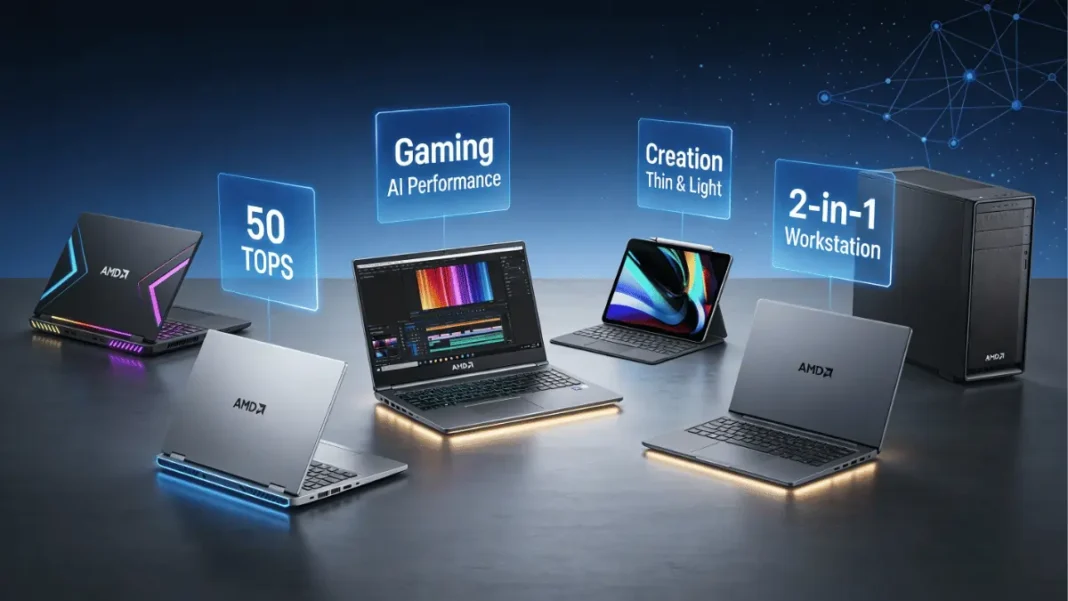
AMD categorizes its 150+ AI PC models into six use-case buckets, each optimized for different workflows. This isn’t arbitrary marketing; the categories reflect genuine hardware differences in cooling, GPU pairing, and form factor.
Gaming Laptops (Ryzen AI + Discrete GPU)
Gaming-focused AMD AI PCs pair Ryzen AI processors with Nvidia RTX 40-series or AMD Radeon RX GPUs. The Razer Blade 16 (2025) combines a Ryzen AI 9 HX 370 with an RTX 5090, delivering strong general performance and vivid OLED visuals. The AI features here are secondary; the NPU accelerates background tasks like Discord noise suppression, freeing CPU/GPU resources for frame rates.
Productivity & Entertainment (Copilot+ PCs)
This category targets mainstream users who want Copilot+ features Recall (activity snapshots), Click to Do (contextual actions), and Live Captions. The Asus Zenbook 14 OLED with Ryzen AI 7 340 offers 11 hours of battery life and sub-$1,000 pricing, making it AdwaitX’s pick for budget-conscious buyers. These laptops typically use 15W to 28W TDP chips, prioritizing efficiency over peak performance.
Content Creation Powerhouses
Creator-focused models like the Asus ProArt with Ryzen AI 9 HX 370 and RTX 4070 scored 15,286 on Geekbench 6 multicore 38% higher than Intel competitors. AMD’s AI acceleration shines in Premiere Pro (AI-powered auto-reframe), DaVinci Resolve (noise reduction), and Photoshop (generative fill). The 50 TOPS NPU specifically handles these AI tasks, while the discrete GPU manages rendering and effects.
Thin & Light Ultraportables
Premium portable systems like the Asus Zenbook S16 (UM5606) deliver 11 hours of battery life with a Ryzen AI 9 HX 370. These laptops rely on integrated Radeon 890M graphics, which handle casual gaming (League of Legends, Valorant) and 1080p video editing surprisingly well. The NPU enables battery-saving AI features Windows can handle video calls and transcription without waking the power-hungry CPU.
2-in-1 Convertibles
Convertible laptops combine touchscreen flexibility with AI PC capabilities. The Asus ROG Flow Z13 pairs tablet portability with Ryzen AI Max chips capable of running 70-billion-parameter LLMs locally. These models prioritize pen input and NPU-accelerated handwriting recognition, appealing to designers and note-takers.
Professional Workstations & Desktops
HP’s ZBook Ultra G1a and Z2 Mini G1a workstations use Ryzen AI Max Pro chips with up to 128GB unified memory. AMD claims these systems can run massive LLMs 2.2x faster than Nvidia RTX 4090 GPUs thanks to unified memory architecture that eliminates GPU VRAM bottlenecks. Desktop all-in-one systems target professionals needing stationary power with AI acceleration.

Ryzen AI Processor Lineup Decoded
AMD’s AI chip stack is confusing; here’s the hierarchy from budget to flagship.
Ryzen AI 300 Series (Mainstream Copilot+)
The Ryzen AI 7 350 and AI 5 340 are mainstream chips with 8 cores, 16 threads, and 15W to 54W TDP. Both hit 50 TOPS NPU performance, qualifying for full Copilot+ features. These appear in over 150 notebooks in 2025 from Acer, Lenovo, HP, and Dell. Pricing starts around $700-$900 for complete laptops.
Ryzen AI Max & Max+ (Performance Champions)
The AI Max 395 and AI Max+ chips deliver up to 128GB unified memory and outperform Apple’s M4 Pro by 15% in multi-threaded workloads. The Max+ variant achieved world-record Cinebench scores and runs 70B-parameter LLMs locally. These chips target creators and developers willing to pay $2,500+ for portable workstation power.
Ryzen AI 200 Series (Budget Entry Point)
The Ryzen 5 220 and Ryzen 3 210 are budget AI chips with lower core counts but still include 50 TOPS NPUs. These enable entry-level Copilot+ PCs under $600, democratizing AI features. However, AMD excludes some low-end models (Ryzen 5 8540U, Ryzen 3 8440U) from the “Ryzen AI” branding due to weaker NPUs.
Comparison Table: Which Chip for Which User
| Processor | TOPS | Cores | Target User | Typical Price | Key Strength |
|---|---|---|---|---|---|
| Ryzen AI 5 340 | 50 | 8C/16T | Students, office workers | $700-$900 | Battery + affordability |
| Ryzen AI 7 350 | 50 | 8C/16T | Professionals, multitaskers | $900-$1,200 | Balanced performance |
| Ryzen AI 9 HX 370 | 50 | 12C/24T | Creators, gamers | $1,200-$1,800 | High CPU + GPU power |
| Ryzen AI Max 395 | 50 | High-end | Developers, ML engineers | $2,500+ | 128GB unified memory |
| Ryzen AI 200 Series | 50 | 4-6C | Budget buyers | $500-$700 | Entry-level AI access |
AMD vs Intel vs Qualcomm Spec Shootout
| Feature | AMD Ryzen AI 300 | Intel Core Ultra 200V | Qualcomm Snapdragon X Elite |
|---|---|---|---|
| NPU TOPS | 50 | 48 | 45 |
| Battery Life | 11-15 hours | 21 hours | 22+ hours |
| App Compatibility | x86 native (100%) | x86 native (100%) | Arm (emulation required) |
| Integrated GPU | Radeon 890M (strong) | Iris Xe (moderate) | Adreno (weak for gaming) |
| Typical Price | $700-$1,800 | $900-$1,600 | $1,000-$1,400 |
| Copilot+ Support | Yes | Yes | Yes (priority updates) |
| Best For | Creators, gamers | Business travelers | Office productivity |
Technical Specs Section
AMD Ryzen AI 300 Series Core Specifications:
- Architecture: Zen 5 cores + XDNA 2 NPU
- Process Node: TSMC 4nm
- Core Count: 8 cores / 16 threads (AI 5 & AI 7)
- NPU Performance: 50 TOPS (INT8)
- Integrated GPU: Radeon 890M (12 CUs, RDNA 3.5)
- TDP Range: 15W to 54W (configurable)
- Memory Support: LPDDR5X-7500, DDR5-5600
- Copilot+ Qualified: Yes
AMD Ryzen AI Max/Max+ Series:
- Core Count: Up to 16 cores (details TBD)
- Unified Memory: Up to 128GB
- NPU Performance: 50 TOPS
- LLM Performance: 70B parameters at 2.2x RTX 4090 speed
- Target Systems: HP ZBook Ultra, Asus ROG Flow Z13
Compatibility Notes:
- Excludes Ryzen 5 7540U, 8540U, Ryzen 3 7440U, 8440U (insufficient NPU)
- Excludes desktop Ryzen 5 8500G/GE, Ryzen 3 8300G/GE
- Requires OEM enablement for full Copilot+ feature set
AMD vs Intel vs Qualcomm: The Real Differences
The AI PC market is a three-way battle AMD, Intel, and Qualcomm each claim advantages.
NPU Performance Shootout (50 vs 48 vs 45 TOPS)
AMD’s 50 TOPS beats Intel’s Core Ultra 200V (48 TOPS) and Qualcomm’s Snapdragon X Elite (45 TOPS) on paper. However, real-world AI performance depends on software optimization. In Topaz Labs testing, AMD’s Ryzen AI 9 HX 370 significantly outperformed Intel’s Core Ultra 7 155H, while Snapdragon couldn’t run the app at all. For Adobe Creative Suite, all three platforms perform similarly; the CPU and GPU matter more than NPU differences.
Battery Life Reality Check
Intel’s Lunar Lake chips deliver around 21 hours of battery life slightly behind Qualcomm’s 22+ hours but ahead of AMD’s typical 11-15 hours. However, AMD’s Ryzen AI 9 HX 370 offers stronger CPU performance when plugged in, making it better for creator workflows that alternate between portable and docked use. Qualcomm excels at sipping power during light tasks but struggles with sustained workloads.
App Compatibility & Windows 11 Integration
Intel and AMD run all Windows apps natively on x86 architecture no emulation required. Qualcomm’s Arm-based Snapdragon chips require emulation for many apps, causing compatibility headaches and performance penalties. Developers are slowly compiling Arm-native versions, but Intel and AMD maintain a decisive advantage for users running legacy software or specialized tools.
Testing Insights: Where AMD AI Excels (and Stumbles)
Independent benchmarks reveal AMD’s strengths and weaknesses against competitors.
Content Creation Benchmarks
The Asus ProArt with Ryzen AI 9 HX 370 crushed Geekbench 6 with a 15,286 multicore score well ahead of Intel’s Lenovo Yoga Pro 9i (12,141) and Acer Swift X 14 (13,114). In Premiere Pro, AMD’s AI-accelerated auto-reframe and noise reduction outpaced Intel’s implementation, though both trailed Nvidia’s discrete GPU acceleration.
Gaming Performance with Integrated Graphics
AMD’s Radeon 890M integrated graphics deliver playable frame rates in esports titles: 60+ FPS in Valorant, 50+ FPS in League of Legends at 1080p medium settings. This beats Intel’s Iris Xe graphics and makes discrete GPUs optional for casual gamers. However, AAA titles like Cyberpunk 2077 require discrete Nvidia or AMD GPUs integrated graphics max out around 30 FPS at low settings.
AI Workload Acceleration (LLMs, Image Gen)
AMD’s Ryzen AI Max claims to run 70-billion-parameter LLMs 2.2x faster than Nvidia RTX 4090 thanks to 128GB unified memory. This is a niche advantage most users won’t run local LLMs but it’s transformative for ML engineers and developers testing models offline. For image generation (Stable Diffusion), the NPU offloads preprocessing, but the GPU still handles the heavy lifting.
How to Choose Your AMD AI Laptop
Matching hardware to your workflow prevents buyer’s remorse and wasted budget.
Match Your Workflow to the Right Category
If you edit 4K video daily, prioritize Ryzen AI 9 HX 370 + discrete GPU (RTX 4060 minimum). Office workers and students save money with Ryzen AI 5 340 + integrated graphics. Developers running local AI models need Ryzen AI Max with 128GB memory. Gamers should pair any Ryzen AI chip with an RTX 4070+ discrete GPU; the NPU is a bonus, not the priority.
Key Specs Beyond the NPU
Don’t fixate on TOPS numbers check RAM (16GB minimum, 32GB for creators), storage (512GB SSD minimum), and display quality (OLED preferred for content work). Battery capacity matters more than NPU efficiency for road warriors looking for 75Wh+ batteries. Port selection (Thunderbolt 4, USB-A, HDMI 2.1) determines peripheral compatibility.
Price Ranges & Availability by Country
Budget Ryzen AI 200 laptops start at $500-$700 globally. Mainstream AI 300 models cost $900-$1,200. Premium AI Max workstations exceed $2,500. AMD’s official retailer list (updated monthly) shows availability by country; models arrive in the U.S. and Europe first, then Asia-Pacific. Indian buyers face 18% GST plus import duties, inflating prices 20-25% above U.S. MSRP.
The Copilot+ PC Experience on AMD
Microsoft’s Copilot+ features are AMD AI PCs’ biggest selling point but they’re still maturing.
What Features You Actually Get
Ryzen AI 300 and AI Max chips unlock Recall (activity snapshots you can search), Click to Do (contextual actions based on screen content), Live Captions (real-time translation in 40+ languages), and Windows Studio Effects (background blur, eye contact correction). These require Windows 11 24H2 or later and at least 16GB RAM.
Recall, Click to Do, Live Captions Explained
Recall takes periodic screenshots, analyzes them with the NPU, and lets you search “that Slack message about the budget” without remembering which app or window. Click to Do detects objects in screenshots and suggests actions “Email this image,” “Search for this product”. Live Captions transcribes audio system-wide, translating foreign-language videos on the fly. Privacy-conscious users can disable Recall entirely.
Third-Party AI App Support
Developers are slowly releasing NPU-optimized apps Topaz Labs, DaVinci Resolve, and Zoom support AMD’s XDNA 2 architecture. However, many AI features still run on the GPU or CPU because NPU drivers are immature. Adobe’s generative AI tools use the NPU for preprocessing but rely on the GPU for actual generation.
150+ Models: Sample Recommendations
AMD’s portfolio is overwhelming; here are AdwaitX’s top picks based on use cases.
Best Overall: Asus Zenbook S16 (UM5606)
The Zenbook S16 pairs a Ryzen AI 9 HX 370, stunning OLED display, 11-hour battery life, and strong integrated graphics in a unique design. It scores 15,286 on Geekbench 6 multicore and handles 1080p video editing, casual gaming, and Copilot+ features effortlessly. Price: $1,400-$1,600.
Best Budget: Asus Zenbook 14 OLED
For under $1,000 (often discounted to $800), the Zenbook 14 delivers a gorgeous OLED panel, Ryzen AI 7 340, and 11 hours of battery life. It’s ideal for students and office workers who prioritize portability and don’t need discrete graphics.
Best for Creators: Asus ProArt + AI 9 HX 370
The ProArt’s Ryzen AI 9 HX 370 + RTX 4070 + 32GB RAM crushes rendering, color grading, and AI-accelerated editing. Its 15,286 Geekbench score beats Intel competitors by 26%. Price: $2,200-$2,500.
Limitations & Considerations
AMD AI PCs aren’t perfect understand these constraints before buying.
What AMD AI PCs Can’t Do Yet
NPU acceleration is limited to specific apps; most software still uses CPU/GPU. Gaming sees zero NPU benefit unless you enable background AI features like noise suppression. Battery life trails Intel’s Lunar Lake by 30-50% in identical workloads. Thunderbolt 4 support is OEM-dependent; some AMD laptops lack it entirely.
OEM & ISV Dependency
AMD’s official disclaimer warns: “OEM and ISV enablement is required, and certain AI features may not yet be optimized for Ryzen AI processors”. Translation: AMD can’t force laptop makers or software developers to optimize features. Some Copilot+ features arrive on Qualcomm first, then Intel, then AMD due to Microsoft’s partnership priorities.
Future-Proofing Concerns
AI PC requirements will escalate Microsoft’s current 40 TOPS minimum could jump to 100 TOPS by 2027. AMD’s 50 TOPS provides a 25% cushion but won’t age as gracefully as Nvidia’s 988 TOPS discrete GPUs. Buy for today’s needs, not speculative 2028 features.
Frequently Asked Questions (FAQs)
Do AMD AI PCs run ChatGPT faster than regular laptops?
No. ChatGPT runs on OpenAI’s servers your laptop only sends/receives text. Local AI models (Stable Diffusion, Whisper) benefit from the NPU, but cloud services don’t.
Can I upgrade the NPU later like a GPU?
No. The NPU is integrated into the CPU die and can’t be upgraded. You’re locked into 50 TOPS for the laptop’s lifespan.
Will my Adobe Creative Cloud subscription cost less on an AI PC?
No. Adobe charges the same subscription fee regardless of hardware. You get faster AI feature performance, not pricing discounts.
Are AMD AI PCs good for gaming?
Only with a discrete GPU. Integrated Radeon 890M handles esports titles but struggles with AAA games. Pair Ryzen AI with RTX 4060+ for serious gaming.
How long before AI features become mandatory in Windows?
Unknown, but Microsoft is pushing hard Windows 12 (rumored 2025) may require NPUs for installation. Budget an NPU-equipped laptop now to avoid obsolescence.
Does AMD’s 50 TOPS beat Apple’s M4 chip?
Apples to oranges. M4’s Neural Engine delivers 38 TOPS but integrates tighter with macOS. AMD wins on raw TOPS and Windows compatibility; Apple wins on ecosystem and battery life.
Can I disable AI features if I don’t want them?
Yes. Windows lets you disable Recall, Copilot, and NPU acceleration entirely. The hardware remains, but it won’t process data without your consent.
Which AMD AI laptop has the best battery life?
Lenovo ThinkPad T14s Gen 6 delivers 21+ hours on Intel chips; AMD equivalents max out around 15 hours. For AMD specifically, the Asus Zenbook 14 OLED hits 11 hours.

Featured Snippet Boxes
What is an AMD AI PC?
An AMD AI PC combines a Ryzen CPU, Radeon GPU, and XDNA 2 Neural Processing Unit (NPU) delivering 50 TOPS of AI performance. This architecture enables Microsoft Copilot+ features like Recall, Live Captions, and AI-accelerated photo editing without draining battery life.
AMD AI PC vs Intel Copilot+ PC: Key Differences
AMD Ryzen AI delivers 50 TOPS NPU performance vs Intel’s 48 TOPS. AMD wins in multi-core CPU benchmarks (15,286 vs 12,141 Geekbench 6) and integrated graphics performance. Intel wins in battery life (21 hours vs 11 hours) and ecosystem partnerships.
How much does an AMD AI PC cost in 2025?
Budget Ryzen AI 200 laptops start at $500-$700, mainstream AI 300 models cost $900-$1,200, and premium AI Max workstations exceed $2,500. Over 150 models ensure options for every budget.
What does 50 TOPS mean on AMD AI PCs?
50 TOPS (trillions of operations per second) measures the NPU’s AI processing power. It exceeds Microsoft’s 40 TOPS Copilot+ requirement by 25%, enabling local AI models, real-time transcription, and on-device image generation.
Which AMD AI PC is best for content creators?
Asus ProArt with Ryzen AI 9 HX 370 + RTX 4070 scores 15,286 on Geekbench 6 multicore and accelerates Premiere Pro, DaVinci Resolve, and Photoshop AI features. Price: $2,200-$2,500.
What can’t AMD AI PCs do yet?
AMD AI PCs can’t upgrade the NPU, don’t accelerate cloud AI services like ChatGPT, and trail Intel in battery life by 30-50%. Many third-party apps haven’t been optimized for AMD’s XDNA 2 NPU.

