

Key Takeaways
- Google auto-activates new vignette triggers March 9, 2026 unless publishers opt out
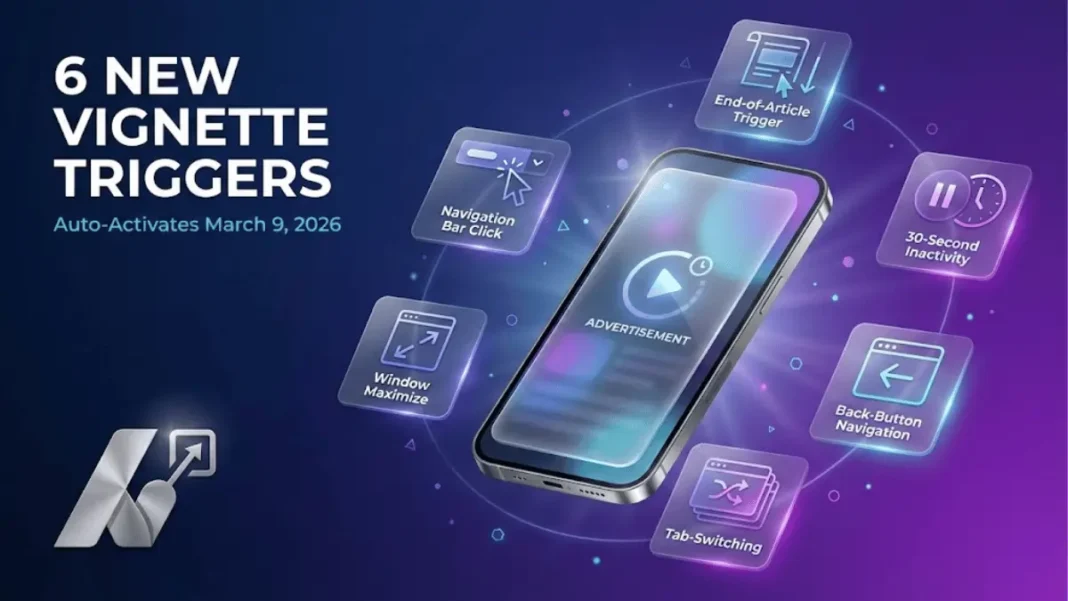
- Three new triggers target end-of-article behavior, inactivity periods, and back-button navigation
- Publishers retain existing frequency cap controls to prevent ad overload
- Disabling the new control also turns off existing tab-switching and window-unhiding triggers
Google AdSense rolled out additional vignette ad triggers on February 9, 2026, fundamentally changing how full-screen overlay ads appear to website visitors. Publishers now face a March 9 deadline to decide whether these interaction-based triggers align with their monetization strategy. The update introduces three new behavioral triggers while consolidating control over existing ones under a single toggle setting.
What Changed in Google’s Vignette Ad System
Google added a new control called “Allow additional triggers for vignette ads” in Auto ads settings. This single toggle manages both newly introduced and previously existing vignette triggers, replacing the fragmented control system publishers used before February 2026.
The change shifts vignette ads from page-navigation-only appearances to interaction-based displays. Google designed these triggers to identify what they call “high-value impression opportunities” moments when users pause, re-engage, or complete content consumption.

The Three New Vignette Triggers
End-of-Article Trigger
Vignette ads now appear when users reach the end of a page’s main article element and either scroll back up or remain idle for 5 seconds on mobile or 10 seconds on desktop. This targets the post-reading moment when users decide their next action.
Inactivity-Followed-by-Interaction Trigger
After 30 seconds of user inactivity, the next interaction (scroll, click, or tap) triggers a vignette ad. The 30-second timer resets with each user action, preventing ads during active browsing sessions.
Back-Button Navigation Trigger
Users navigating backward via browser back buttons on Chrome, Edge, and Opera now encounter vignette ads. This trigger currently excludes Firefox and Safari due to browser-specific limitations.
Existing Triggers Now Under Unified Control
Tab and Window Management Triggers
Vignette ads continue appearing when users unhide tabs or windows after switching away, unlock device screens, or maximize minimized windows. These triggers have existed since vignette ads launched but now fall under the new unified control.
Desktop Navigation Bar Trigger
Clicking the browser’s navigation bar on desktop devices remains an active trigger. This desktop-only trigger applies when users interact with the URL address field.
New-Tab-Switch Trigger
Opening a page within the same site in a new browser tab and switching to that tab continues triggering vignette ads. This cross-tab behavior tracking persists from the original vignette system.
Critical Dates Publishers Cannot Miss
February 9, 2026: Setting Appears
The “Allow additional triggers for vignette ads” toggle appeared in publisher accounts as enabled. Google provided a one-month review period before the triggers become active.
March 9, 2026: Automatic Activation
Unless publishers actively opt out, all new triggers automatically activate on March 9, 2026. Google positioned this auto-activation as an opt-out system rather than opt-in.
One-Month Review Window
Publishers received 30 days between announcement and activation to review the settings and make informed decisions. This buffer period ends at midnight on March 8, 2026.
How Frequency Caps Work With New Triggers
Existing Frequency Controls Remain Active
Google confirmed that existing minimum time gaps between vignette ads still apply regardless of how many triggers are active. A site set to 10-minute intervals will not show vignettes more frequently even if multiple triggers fire within that window.
The new triggers add additional opportunities for vignette ad displays but operate within the publisher’s chosen frequency constraints. This design prevents ad overload while potentially increasing impression opportunities during eligible moments.
How to Opt Out of Additional Vignette Triggers
Critical Warning: Opting Out Disables All Triggers
Unchecking “Allow additional triggers for vignette ads” turns off both new and existing triggers, including tab-switching and window-unhiding behaviors. This represents a significant departure from previous AdSense controls where publishers could disable individual trigger types.
Step-by-Step Opt-Out Process
- Sign in to your Google AdSense account at google.com/adsense
- Navigate to the “Ads” section from the left sidebar
- Locate your site in the table and click the “Edit” icon next to the site name
- Select “Overlay formats” from the ad settings preview panel
- Click “Advanced settings” to expand hidden controls
- Uncheck “Allow additional triggers for vignette ads”
- Click “Apply to site” to save changes immediately
Changes take effect within a short period after applying the new setting. Publishers should monitor ad impressions for the following 24 hours to confirm the opt-out registered correctly.
Strategic Considerations for Different Publisher Types
Content-Heavy Sites
Sites with long-form articles exceeding 1,500 words may benefit from the end-of-article trigger. Users who finish articles demonstrate high engagement, making post-reading moments potential opportunities for ad impressions without interrupting consumption.
High-Exit-Rate Sites
The back-button trigger converts navigating visitors into ad impressions before they leave. This monetizes moments that previously generated no further page views or ad revenue.
Mobile-First Publishers
The 5-second end-of-article delay on mobile (compared to 10 seconds on desktop) accelerates vignette appearances on smartphones. Publishers should consider their mobile traffic percentage when evaluating this trigger’s impact.
E-commerce and Interactive Sites
The 30-second inactivity trigger appears after users pause for extended periods. Sites where users frequently pause to read product details or compare options should evaluate whether this trigger aligns with their user experience goals.
Technical Requirements and Browser Compatibility
The back-button trigger currently supports Chrome, Edge, and Opera browsers exclusively. Firefox and Safari users will not see vignettes from back-button navigation due to browser-specific limitations.
Publishers with significant Firefox or Safari traffic should account for this limitation when projecting potential impact. Google has not announced plans to expand browser support beyond the current three.
What Happens If You Do Nothing
Taking no action results in automatic activation of all new triggers on March 9, 2026. Google designed the rollout as opt-out specifically to enable the triggers by default for all publishers.
Publishers who remain uncertain can allow automatic activation and monitor their AdSense reports after March 9 to assess actual impact. The opt-out option remains available at any time if adjustments are needed.
Monitoring Post-Activation Performance
Publishers should establish baseline metrics before March 9 to accurately measure impact:
- Vignette ad impressions per session
- Session revenue metrics
- Average session duration
- Bounce rate by traffic source
- Pages per session
Compare these metrics across equivalent time periods (before and after March 9) to isolate the impact of new triggers from normal traffic fluctuations. Google AdSense reports will show vignette ad performance data that can be tracked over time.
What the Back-Button Trigger Means for Publishers
The back-button trigger displays vignette ads when users navigate backward using browser back buttons on Chrome, Edge, and Opera. This trigger captures moments when users leave pages, creating ad impression opportunities during exits that previously generated no monetization.

Frequently Asked Questions (FAQs)
What happens if I disable additional vignette triggers?
Disabling the “Allow additional triggers for vignette ads” control turns off both new triggers (end-of-article, inactivity, back-button) and existing triggers (tab-switching, window-unhiding). All vignette ad revenue from these triggers stops if you opt out.
Can I enable only some of the new triggers?
No. Google provides a single toggle controlling all triggers collectively. Publishers cannot selectively enable the end-of-article trigger while disabling the inactivity trigger. The control operates as all-or-nothing.
Will the new triggers increase ad frequency beyond my current settings?
No. Google confirmed that existing frequency cap settings remain enforced regardless of active triggers. If your frequency is set to 10 minutes, vignettes will not appear more than once per 10 minutes even if multiple triggers fire.
Which browsers support the back-button vignette trigger?
Chrome, Edge, and Opera currently support back-button navigation triggers. Firefox and Safari do not support this trigger due to browser-specific limitations. Google has not announced expansion to additional browsers.
Can I opt out after March 9 if I want to disable the triggers later?
Yes. The opt-out option remains available indefinitely after auto-activation. Publishers can disable triggers at any time through AdSense Auto ads settings by unchecking the “Allow additional triggers for vignette ads” control.
How does the 30-second inactivity timer work?
The timer starts after the last user interaction such as scrolling, clicking, or tapping. If 30 seconds pass without any activity, the next interaction triggers a vignette ad. The timer resets with each user action, preventing ads during active browsing.
When exactly do the new triggers activate?
The new triggers automatically activate on March 9, 2026 unless publishers opt out before that date. Publishers who take no action will have the triggers enabled by default starting March 9.
Do frequency caps still work with multiple active triggers?
Yes. The frequency cap you set in your AdSense settings applies across all triggers. Multiple triggers firing within your frequency window will not result in more frequent vignette displays than your chosen time interval allows.

