

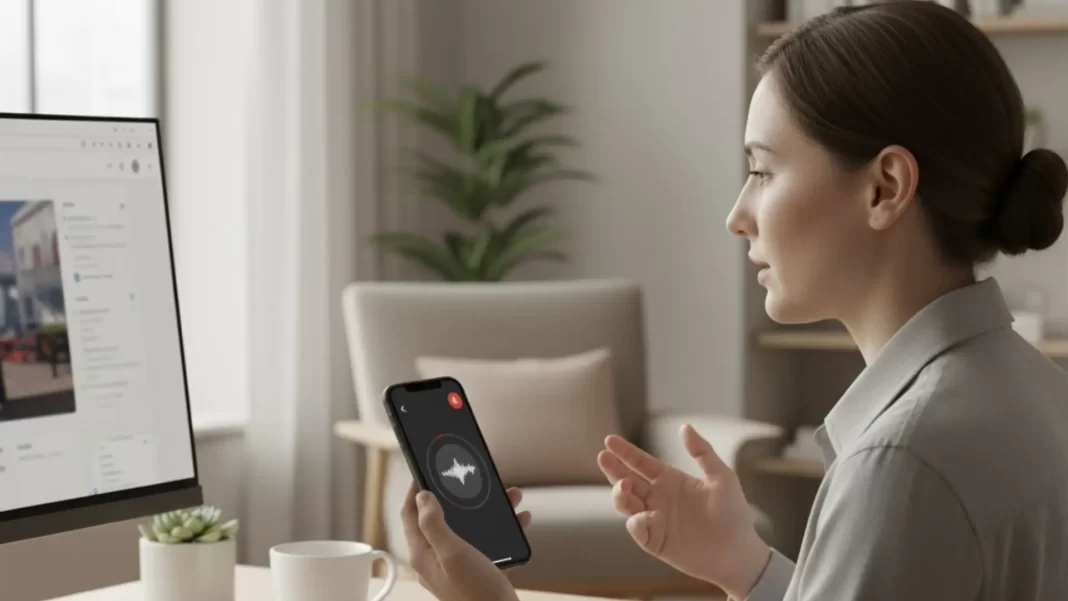
Using ChatGPT by voice is fast and natural, but most people never get past “tap and talk.” This guide shows you how to set up ChatGPT voice properly, fix mic issues, and use 27 practical tips that actually save time. You will see real examples for work, study, travel, and daily life. We keep it simple and tested.
Short answer: ChatGPT Voice lets you talk and listen on web, iPhone, and Android. Turn it on, pick a voice, grant microphone access, then use short, clear prompts. If the mic fails, check browser and OS permissions. In 2025, OpenAI is unifying voice under one experience as Standard Voice retires on Sep 9.
What ChatGPT Voice is in 2025
ChatGPT Voice supports live spoken conversations and Read Aloud for spoken playback of text replies. That means you can ask questions without typing, interrupt mid-answer, and get responses you can hear while you cook, commute, or take notes. Voice launched in 2023 and keeps evolving, with OpenAI bringing more expressive, faster responses.
What changed this year: OpenAI is retiring Standard Voice Mode on September 9, 2025, and unifying users on ChatGPT Voice with broader access per day and improved flow. If you still see references to “Standard” versus “Advanced,” know that OpenAI is consolidating the experience.
Quick start: enable ChatGPT Voice on web, iPhone, and Android
On the web (Chrome is easiest):
- Open chat.openai.com and sign in.
- Click the microphone icon to start speaking.
- If the browser asks, allow microphone access. In Chrome you can manage this in Settings → Privacy and security → Site settings → Microphone, then pick your input device.
On iPhone and Android:
- Open the ChatGPT app, sign in, and tap the headphones icon to start a voice chat. You can also use Read Aloud to have ChatGPT speak a written answer back to you.
Change the voice:
In the voice conversation, open the customization menu or settings to switch voices. Voices are set per conversation. If you change voices mid-session, ChatGPT may prompt you to start a new chat.
Pro move for iPhone: map your Action button to start a ChatGPT voice conversation in one press. Settings → Action Button → Shortcut → ChatGPT → “Start voice conversation.”
27 practical ChatGPT voice tips
Sound better without buying gear
- Face the mic and keep it 15–25 cm from your mouth.
- Quiet the room: turn off a fan, move away from windows, close one curtain to damp echoes.
- Reduce plosives: speak slightly across the mic, not straight into it.
- Lower input gain until the loudest word does not spike or distort.
- Use wired earbuds if possible. Bluetooth latency can cause awkward over-talking.
Set up permissions once, avoid headaches
- Chrome: set your default mic and allow chat.openai.com. Settings → Privacy and security → Site settings → Microphone.
- Windows 10/11: Privacy & security → Microphone → allow apps, then allow your browser.
- Android Chrome: Settings → Site settings → Microphone → Allow, then re-launch the tab.
- iOS: Settings → Privacy & Security → Microphone → allow ChatGPT; for Safari you may also grant mic per site.
Talk in crisp chunks
- Keep prompts tight: one task, one constraint, one time frame.
- Say the format up front: “Give me 3 bullets, 10 words each.”
- Use interrupt-and-refine: stop it mid-answer, then say “shorter,” “add a cost range,” or “translate to Spanish.”
Prompt patterns that work
- Daily brief: “Give me a 90-second briefing on [topic], top 5 facts, say dates.”
- Hands-free how-to: “Walk me through replacing a sink trap, 8 steps, pause after each step and wait for ‘next’.”
- Language coach: “Quiz me in Italian A2, 6 questions, correct me after each one with a natural example.”
- Writing partner: “Brainstorm 5 headlines about [X], then ask me 3 questions before drafting.”
- Trip scout: “For a 3-day Kyoto trip, build a morning-afternoon-evening plan with travel times and prices. Read it aloud at the end.”
- Focus buddy: “Run a 25-minute work sprint, remind me of the goal at minute 10 and 20, then summarize progress.”
Use Read Aloud when you only need playback
- If you typed the prompt but want audio, tap Read Aloud to hear the response. This is useful for long answers you want to listen to while moving.
Speed and flow
- Ask for shorter sentences when driving or cooking.
- Ask for confirmations: “Repeat the action list back to me in under 20 seconds.”
- Set a style: “Speak like a calm coach,” or pick a voice you prefer in settings.
Protect your privacy in public
- Avoid sensitive data in public spaces. Save numbers, passwords, and addresses for private sessions.
- Review app mic access on your device monthly and revoke what you do not use.
Platform-specific boosters
- iPhone Action button to launch voice instantly.
- Desktop quick switch: select the correct input device in your OS sound panel before opening ChatGPT.
- Know the limits: voice access and behavior can change as OpenAI unifies modes and updates capacity. If you see odd behavior, check the Voice Mode FAQ for the latest.
Troubleshooting: when ChatGPT Voice won’t hear you
Web mic not detected
- In Chrome, confirm the site is allowed and the correct mic is selected. Settings → Privacy and security → Site settings → Microphone. Reopen the tab after changes.
- In Windows, turn on “Allow apps to access your microphone,” then allow your browser.
- On Android, allow mic in Chrome’s Site settings.
- On iPhone, allow mic for ChatGPT in Settings → Privacy & Security → Microphone. Safari uses per-site permissions as well.
Voice modes and access changed?
OpenAI is shifting users to a unified ChatGPT Voice experience and retiring Standard Voice Mode on Sep 9, 2025. If options look different, that is expected. Check the official Voice FAQ for current details and limits.
Privacy and safety basics
- You control microphone access at the OS level on iOS, Android, and Windows. Review these settings if you share your device or switch browsers.
- Avoid sharing personal identifiers in crowded places.
- For sensitive topics, use text with masking, or wait until you are in a private setting.
Limitations note: ChatGPT Voice can mishear in noisy rooms, struggle with overlapping speakers, and may be subject to capacity limits that change as OpenAI updates Voice. Always verify anything high-stakes.
Pros and Cons
- Pros: natural flow, interruptions, multi-device, Read Aloud playback.
- Cons: can mishear in noisy rooms, access may change with updates, occasional latency on poor networks.
Mini playbooks
To-do coach in 2 minutes
Prompt: “Help me plan the next 2 hours. Ask me what my top outcome is, turn it into 3 micro-tasks with time boxes, then keep time and check in at each milestone.”
Why it works: time-boxed focus plus spoken accountability.
Variation: ask for a spoken recap at the end.
Language partner
Prompt: “Speak to me in Spanish at A2 level for a café scenario. Ask a question, wait for my answer, then correct me with a short example.”
Why it works: quick repetitions, gentle correction, no typing.
Meeting notes capture
Prompt: “While I talk, capture bullet points. After each topic, read back the bullets and ask what to keep. At the end, create a to-do list.”
Why it works: real-time structure and a final summary.
Cooking or repair assistant
Prompt: “Guide me through [recipe or fix], one instruction at a time. Wait for ‘next’ before moving on.”
Why it works: hands-free pacing with pause control.
Commuter study
Prompt: “Teach me the 5 most testable facts about [topic]. Ask one question after each fact.”
Why it works: short segments fit travel windows.
Turn on ChatGPT Voice, grant mic access, pick a voice. Use short prompts, interrupt to refine, and lean on playbooks for real tasks. If the mic fails, fix browser and OS permissions. Voice is unifying in 2025, so menus may change.
ChatGPT Voice vs alternatives
| Assistant | Natural conversation | Interruptions | Real-time guidance | Cross-device | Notes |
|---|---|---|---|---|---|
| ChatGPT Voice | High, improving | Yes | Yes | Web, iOS, Android | Voice modes are unifying in 2025; Read Aloud for playback. |
| Gemini Live | High | Yes | Adds visual guidance features | Android, iOS, web | Rapid updates; good screen-level guidance. |
| Siri/Google Assistant | Good for device control | Limited depth | Basic | Deep OS hooks | Great for timers and device tasks; less flexible in long reasoning chats. |
FAQ
Is ChatGPT Voice free?
A free account can access a wide range of features, with access levels subject to change as Voice unifies. For the latest allowances and tier details see OpenAI’s Free Tier FAQ and Voice FAQ.
How do I change the ChatGPT voice?
Open the voice chat, then use the customization menu or settings to pick a different voice. Voices are set per conversation.
Why can’t ChatGPT hear me on the web?
Check Chrome → Settings → Privacy and security → Site settings → Microphone, pick the correct input, then reload the tab. Also confirm OS-level mic permissions.
Can I have ChatGPT read text replies out loud without a full voice chat?
Yes. Use Read Aloud to play the answer.
Is Standard Voice Mode still available?
OpenAI is retiring Standard Voice Mode on Sep 9, 2025 while unifying users on ChatGPT Voice.
How do I start voice faster on iPhone?
Map the Action button to “Start voice conversation” for ChatGPT.
Featured Snippet Boxes (Q → A)
How do I enable ChatGPT voice?
Open ChatGPT on web or mobile, tap the mic or headphones icon, then allow microphone access. On web, pick the correct mic in Chrome’s Site settings. Choose a voice in settings if you like, then speak clearly in short prompts.
How do I change the ChatGPT voice?
In a voice chat, open the customization or settings menu and select a different voice. Changes may start a new chat because voice is set per conversation.
Why isn’t my mic working with ChatGPT?
Fix permissions first. In Chrome, allow the site and choose your mic. In Windows, turn on app mic access. On iOS or Android, enable mic for the app in settings. Reload the app or tab.
What’s new with ChatGPT Voice in 2025?
OpenAI is unifying voice into a single experience, phasing out Standard Voice Mode on Sep 9, 2025, and increasing daily access with faster, more expressive replies.
Source: Apple Support | OpenAI Help Center |

