

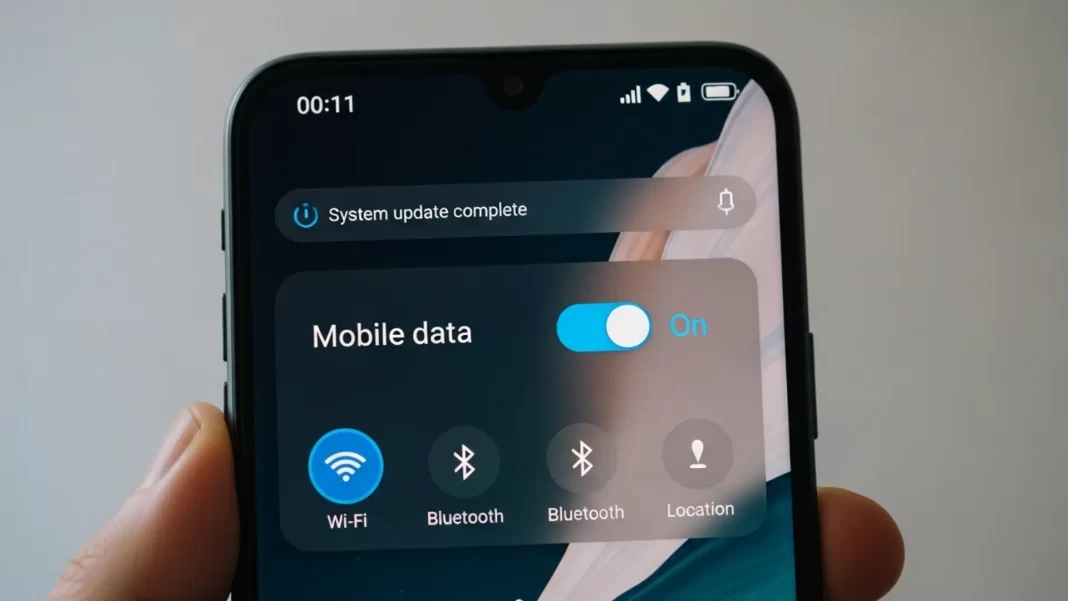
Quick fixes in 60 seconds:
Turn Airplane mode on, wait 10 seconds, turn it off. Make sure Mobile data is enabled, then reboot the phone. If it still fails, Reset Mobile Network Settings and re-add your APN (JioNet/Airtel/Vi). Check your plan for data cap or throttling, and switch Preferred network to 4G temporarily. If nothing works, contact your carrier.
Why Android updates break mobile data
Updates can swap radio firmware, change default APN lists, or flip a network toggle you rarely touch. Sometimes the carrier pushes settings that don’t fully apply to your device, especially with dual-SIM phones. In other cases, everything is fine but your plan hit a speed cap, so pages “feel offline” even though data is on.
Common post update triggers
- APN reset or missing APN
- Preferred network set to an unstable 5G band in your area
- Carrier throttling after you reached a high-speed quota
- Old cache in Carrier Services or network stack
- SIM not seated well after a restart or case change
- Roaming off during travel
Step-by-step fixes (start here)
1) Toggle Airplane mode and mobile data
Settings → Network & internet → Airplane mode. Turn it on for ~10 seconds, then off. Also toggle Mobile data off and on. This forces a fresh attach to the network.
2) Reboot and check both SIMs
A quick restart resets the modem. If you’re dual-SIM, try disabling the secondary SIM for a minute. Swap SIM slots or reseat the SIM to rule out poor contact.
3) Confirm data is enabled and you’re not capped
Make sure Mobile data is on, Data saver is off, and background data is allowed for your browser. Check your carrier app for usage. If you exceeded the cap, speeds can drop to near-dial-up, which looks like “no internet.” If you travel, enable Data roaming if your plan includes it.
4) Check network mode and roaming settings
After updates, some phones switch to 5G preferred. In weak 5G areas, force 4G/LTE to stabilize. On many devices: Settings → Network & internet → Internet → tap the SIM gear → Preferred network type. If you don’t see it on Android 14/15, it may be moved under the SIM’s settings page; OEMs hide it in different spots.
Where is Preferred network type on Android 14?
Go to Settings → Network & internet → Internet → [SIM] → look for Preferred network type. On some devices it’s inside the SIM details page. If missing, your carrier or OEM may manage it automatically.
5) Reset or re-add APN (Jio/Airtel/Vi)
If your APN is blank or wrong, mobile data will fail even with full bars.
- Jio: APN name JioNet. Settings → Mobile Network → Access Point Names → Reset to default or Add new and set APN = JioNet.
- Vi (Vodafone Idea): APN often www. You can also text ALL to 199 to receive settings.
- Airtel: Follow the carrier’s APN instructions in your region; if you recently switched SIMs or bands, re-adding the official APN usually fixes it.
Path: Settings → Network & internet → Mobile network → Access Point Names → add or select the correct APN, save, then reboot.
If you’re roaming internationally, install the APN SMS when prompted.
What is APN and why does it break after updates?
APN tells your phone how to connect to your carrier’s data network. Updates can reset or change it. If mobile data stops, re-select or re-add your operator’s APN (JioNet for Jio, “www” for Vi, Airtel per region), save, and reboot.
6) Update or clear Carrier Services
Carrier Services helps Android talk to your operator. If it’s glitching, clear its cache/data or update it in Play Store. If it isn’t installed, installing it can help certain phones re-provision correctly. Steps vary by OEM; the idea is to refresh carrier configs. (Community reports suggest this resolves post-update attach issues for some users.)
7) Reset Mobile Network Settings
This is safe for your personal data. It wipes saved APNs, paired Bluetooth devices, and Wi-Fi networks, then rebuilds the network stack.
Path (Pixel example): Settings → System → Reset options → Reset Mobile Network Settings or Reset Wi-Fi, mobile & Bluetooth. Reboot after.
Does network settings reset delete my photos or apps?
No. It resets Wi-Fi, Bluetooth, and cellular settings only. You’ll re-enter Wi-Fi passwords and APNs. Personal files and apps stay.
8) Test in Safe Mode for app conflicts
A VPN, firewall, or “data saver” app can block connectivity. Boot into Safe Mode and test a webpage. If it works there, uninstall the last few network-related apps and reboot.
9) Contact your carrier or wait for a patch
If data still fails, it could be a local outage, provisioning issue, or a firmware bug that needs a small update. Check usage and cap status, ask about outages in your area, and request an APN push. Consider switching temporarily to 4G if 5G is unstable in your location.
India-specific APN quick reference
- Jio: APN JioNet. Re-add or reset to default in APN menu.
- Vi: APN www; SMS ALL to 199 to receive settings.
- Airtel: Follow carrier guide; re-adding the official APN after updates helps restore data.
After editing APN, reboot to apply changes.
Mini case studies
Case 1: Android 14 update, LTE stuck
A community report after Android 14 showed data would only connect at EDGE. Re-checking APN with the carrier and resetting network settings restored LTE/5G. This aligns with OEM forum guidance to reset network settings after major updates.
Case 2: No data after Wi-Fi disconnects
Some users found mobile data wouldn’t re-attach after leaving Wi-Fi. Clearing or installing Carrier Services and rebooting solved repeat failures.
Case 3: “Internet is slow, looks like no internet”
User hit a plan’s high-speed cap. Pages timed out while messaging worked. Switching from 5G to LTE and buying a small top-up fixed it. Always check plan status before deep resets.
Table: which reset does what?
| Action | What it does | What you lose | When to use |
|---|---|---|---|
| Toggle Airplane mode | Forces fresh network attach | Nothing | First step after an update hiccup |
| Reboot | Reloads modem firmware and caches | Nothing | If toggling didn’t work |
| Change Preferred network | Moves from 5G to LTE or vice-versa | Nothing | Poor 5G area or unstable handoffs |
| Re-add APN | Restores correct data routing | Custom APNs | APN missing/wrong after update |
| Reset Mobile Network Settings | Rebuilds cellular stack | Saved Wi-Fi, APNs, BT pairs | When basic steps fail |
| Factory reset | Wipes device | Everything not backed up | Only if carrier/OEM confirm a software fault |
When to factory reset, and how to prep
If your carrier confirms provisioning is correct and a network reset didn’t help, a clean factory reset might clear a corrupt setting left by the update. Back up photos to Google Photos and files to Drive first. Only do this after ruling out throttling, bad APN, and SIM faults. (Follow your OEM’s official factory reset steps.)
FAQs
Why is my mobile data not working after an Android update?
Updates can change APN, network mode, or modem behavior. Start with airplane mode toggle, reboot, verify data is enabled, then re-add APN and reset network settings. Check for caps or throttling with your carrier.
How do I reset APN on Android?
Settings → Network & internet → Mobile network → Access Point Names → Reset to default or Add new. Jio uses JioNet; Vi often www. Save and reboot.
Where is “Preferred network type” on Android 14/15?
Go to Settings → Network & internet → Internet → [SIM], then look for Preferred network type. Some OEMs move or hide it. Try LTE if 5G is unstable.
Will network settings reset delete my photos?
No. It only resets Wi-Fi, Bluetooth, and mobile settings. You’ll re-enter Wi-Fi passwords and APNs.
How do I know if my carrier throttled me?
Check usage in your carrier app. If you hit a cap, speeds may drop to near-unusable. Contact support or buy a top-up, or force LTE if 5G is flaky where you are.
Does Jio/Airtel/Vi require different APNs?
Yes. Jio commonly uses JioNet; Vi often www. Airtel follows its own APN profile by region. Always prefer the operator’s official APN.
5-Minute “get me back online” checklist
- Airplane mode on 10 seconds → off.
- Reboot phone; confirm Mobile data ON.
- Switch Preferred network to LTE/4G for stability.
- Reset/Add APN (JioNet / Vi “www” / Airtel per region). Reboot.
- Reset Mobile Network Settings and test again.
- Check carrier app for data cap or outage; contact support.

Featured Snippet Boxes
1. Quick fix:
Turn on Airplane mode for 10 seconds, turn it off, reboot, then reset Mobile Network Settings and re-add your carrier APN (JioNet/Airtel/Vi). If speeds are capped, contact your carrier or switch to LTE temporarily.
2. APN reset steps:
Settings → Network & internet → Mobile network → Access Point Names → Reset to default or Add new. Set JioNet for Jio, www for Vi, save, and reboot.
3. Reset network settings:
Settings → System → Reset options → Reset Mobile Network Settings (or Reset Wi-Fi, mobile & Bluetooth). This doesn’t delete photos or apps.
4. Preferred network type:
Settings → Network & internet → Internet → [SIM] → Preferred network type. Use LTE if 5G is unstable after the update.

Comparison table what to try and when
| Situation | Likely cause | Try this first |
|---|---|---|
| Full bars, no internet right after update | APN reset, attach failure | Airplane toggle → Reboot → Re-add APN → Network reset |
| Data works on Wi-Fi only | Throttling or wrong network mode | Check cap in carrier app, switch to LTE, enable roaming if traveling |
| Only EDGE connects | Band mismatch / weak 5G | Force LTE and re-check APN |
| Works in Safe Mode | App conflict (VPN/firewall) | Remove the culprit app |
| Traveling abroad | Missing roaming APN | Install operator APN SMS or add manually (e.g., JioNet) |
Source: Google | Jio | Android Central | Airtel

