

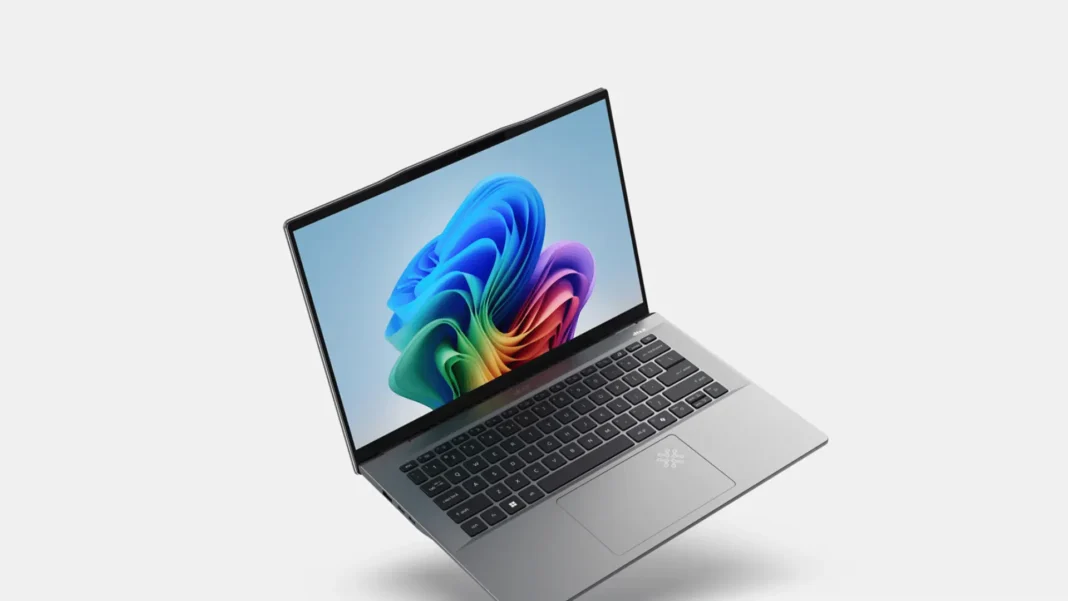
Acer has two 14-inch thin-and-light lines that look similar on shelves but behave differently in real life: the Intel-based Swift Go 14 and the ARM-based Swift 14 AI / Swift Go 14 AI with Snapdragon X Plus. If you’re unsure which one fits your work, travel, or studies, this guide narrows it down with clear configs, price bands, and simple rules—no benchmarks, no lab talk.
Swift Go 14 (Intel) or Swift 14 AI (Snapdragon X Plus)? Quick Guide
If you want maximum app compatibility and easy plug-and-play with any dock/monitor, pick Swift Go 14 (Core Ultra 5/7). If you value battery life and always-on responsiveness with modern Windows AI features, and your apps are mainstream (Office, Chrome, Teams, Photoshop beta, CapCut, etc.), Swift 14 AI / Swift Go 14 AI (Snapdragon X Plus) can be the better everyday machine. For esports or GPU work, neither is ideal consider a light RTX notebook instead. (Ports differ: Intel model includes HDMI 2.1; Snapdragon model relies on USB-C/USB4 and often ships with a USB-C→HDMI dongle.)
Swift Go 14 (Intel) vs Swift 14 AI (Snapdragon X): Specs Explained
Understanding CPU/NPU Choices
Swift Go 14 (SFG14-72/73, Intel Core Ultra 5/7/9): x86 apps “just work,” Intel Arc iGPU, Intel NPU for on-device AI; widely compatible with docks and peripherals.
Swift 14 AI / Swift Go 14 AI (SF14-11 / SFG14-01, Snapdragon X Plus): ARM Windows with very good battery life, Wi-Fi 7, and strong everyday performance; some niche or legacy apps may still rely on emulation.
Plain-English read: If you use specialized Windows tools or drivers, lean Intel. If you mostly live in the browser, Office, calls, and photo edits and want longer unplugged time ARM may feel nicer day-to-day.
Acer Swift Go 14 vs Swift 14 AI: Which Display Is Better?
Intel Swift Go 14: FHD+ IPS 60 Hz or 2.8K OLED 90 Hz options. OLED looks richer and is great for content work; IPS is more affordable.
Snapdragon Swift 14 AI / Go 14 AI: commonly 14.5″ 2560×1600 120 Hz IPS; some regions list OLED options for Go 14 AI.
RAM and Storage Explained
RAM is LPDDR5X and not user-replaceable on both lines. Storage is M.2 NVMe, and Intel Swift Go 14 can have two M.2 slots in many configs (nice for future expansion).
Battery Life and Charging
Snapdragon Swift 14 AI is sold with ~75 Wh class batteries in many SKUs and prioritizes endurance; Intel Swift Go 14 typically ranges 50–65 Wh depending on SKU. Chargers are USB-C (65–100 W). Expect the ARM model to last longer in light office use.
Acer Swift Go 14 vs Swift 14 AI: Ports and Wireless Compared
Intel Swift Go 14: 2× USB-C (USB4/TB4), 2× USB-A, HDMI 2.1, audio jack; Wi-Fi 6E. Great for external displays without adapters.
Swift 14 AI (Snapdragon X Plus): 2× USB4 (Type-C), 2× USB-A, 3.5 mm; no built-in HDMI on many SKUs but Acer often includes a USB-C→HDMI adapter; Wi-Fi 7 + BT 5.4.
Price and Configurations (USA/India)
Entry (US ~$799–$999 | India ₹80k–₹1.0L): Core Ultra 5 with IPS display or Snapdragon X Plus with 16/512 and 2.5K IPS 120 Hz. Good for school/office.
Mid (US ~$1,049–$1,199 | India ₹1.0L–₹1.25L): Core Ultra 7 or Snapdragon X Plus with 16/1TB; OLED on Intel side or better panels on ARM side.
Upper (US $1,299+ | India ₹1.3L+): 32GB RAM or OLED 90/120 Hz panels, 1–2TB SSDs. Frequent promos drop US street prices below MSRP.
Prices vary by retailer and week. MSRPs are guide rails; watch seasonal sales (Diwali/Big Billion Days in India; Black Friday/Back-to-School in the US).
Which Acer Swift 14 Should You Buy for Work or Study?
Pick: Core Ultra 5 + IPS (cheapest) or Snapdragon X Plus + 16/512.
Why: Both are quiet and light. Intel wins for absolute compatibility; Snapdragon wins for unplugged time.
Memory: 16GB is fine for docs and 20+ browser tabs; step to 32GB only if you keep many heavy apps open.
Travel & Battery Guide: Swift Go 14 vs Swift 14 AI
Pick: Snapdragon X Plus (Swift 14 AI / Go 14 AI) with 16/1TB, 2.5K 120 Hz.
Why: Consistently long battery and instant-on feel; Wi-Fi 7 for crowded airports and offices.
Swift 14 AI vs Swift Go 14: Which Works Better for Creative Tasks?
Pick: Swift Go 14 with 2.8K OLED; upgrade storage to 1TB.
Why: Better perceived contrast and color; Intel apps/plugins tend to be more predictable. Intel model’s dual-SSD potential is handy for scratch/media.
Coding/CS students
- Pick: Intel Core Ultra 5/7 Swift Go 14, 16/1TB.
- Why: Fewer surprises with compilers, virtualization, drivers. Add a USB-C dock later for dual 4K monitors via TB4.
Swift Go 14 vs Swift 14 AI: Gaming and GPU Performance Compared
Reality check: These iGPUs are fine for light/older titles only. If esports matters, look at a 14-inch RTX system (e.g., Predator Helios Neo 14) and accept the extra weight and fan noise.

Best Alternatives to Acer Swift Go 14 and Swift 14 AI
Lenovo Yoga Slim 7i / 7 14-inch: often better keyboard/audio; similar weight; Intel/AMD options.
ASUS Zenbook S 14: super light with OLED, premium finish; fewer legacy ports.
LG Gram 14: lightest, huge battery feel; build flex may not suit everyone.
(Use these if a specific feature—keyboard feel, weight, or OLED matters more than price.)
What You Can (and Can’t) Upgrade
RAM is soldered decide 16GB vs 32GB now.
Storage: Intel Swift Go 14 commonly has two M.2 slots (nice future upgrade path). ARM models usually have one.
Video out: If you need HDMI on the laptop, the Intel Swift Go 14 includes HDMI 2.1; the Snapdragon Swift 14 AI leans on USB-C/USB4 with an adapter.
Which Display Is Better for You?
- IPS vs OLED vs 120 Hz IPS:
- IPS 60 Hz: cheapest, fine for docs and browsing.
- OLED 2.8K 90 Hz (Intel model): richer colors/contrast; slight risk of image retention with static UIs over years keep auto-hide taskbars and vary content.
- 2.5K/2.8K 120 Hz IPS (ARM model): smoother scrolling and pen feel (if touch SKU). Check brightness if you work outdoors.
Battery & charging expectations
- Snapdragon X Plus models regularly post “full workday plus flights” usage in reviews. Intel Swift Go 14 typically covers a full day of mixed office with IPS, a bit less with OLED. Both charge over USB-C; 65–100 W adapters are common.
Warranty Terms in the USA and India
- Standard: 1-year limited warranty; accidental damage and on-site/Pick-up upgrades vary by region. Check retailer return windows (often 7–30 days India; 14–30 days US).
Where to buy & timing tips
US: Acer Store, Amazon, Best Buy watch weekend promos and holiday sales. Swift 14 AI (X Plus) frequently discounts to $799–$899.
India: In India, availability can lag by a few weeks. Check official country pages and major e-commerce partners. Prefer sellers that offer easy pickup or returns for DOA panels or keyboard issues.

What to Confirm Before You Order
- Target weight ≤ 1.3–1.35 kg if you carry daily.
- Decide Intel (compatibility) vs Snapdragon (battery/longevity).
- RAM: 16GB minimum; 32GB if you run many heavy apps.
- Storage: Aim for 1TB; check if Intel SKU has dual M.2.
- Display: IPS for value, OLED 2.8K 90 Hz for creators, 2.5K 120 Hz for smooth scrolling.
- Ports: Need native HDMI? Choose Intel Swift Go 14.
- Wireless: Wi-Fi 7 is a plus for future-proofing on ARM SKUs.
- Power: Confirm USB-C PD and charger wattage.
- Warranty/returns: Verify pickup/return policy in your region.
Comparison
| Buyer job | Recommended model | CPU/GPU | Display | RAM/Storage | Why this pick | Caveats |
|---|---|---|---|---|---|---|
| Office + study | Swift Go 14 (Intel) | Core Ultra 5 + Arc | FHD+ IPS 60 Hz | 16/512 or 16/1TB | Compatibility, HDMI 2.1, TB4 | Battery not as long as ARM |
| Travel first | Swift 14 AI (Snapdragon X Plus) | X Plus + Adreno | 2.5K 120 Hz IPS | 16/1TB | Long endurance, Wi-Fi 7 | No native HDMI on many SKUs |
| Light photo/video | Swift Go 14 (Intel) | Core Ultra 7 | 2.8K OLED 90 Hz | 16–32/1TB | Color/contrast, dual-SSD potential | Watch for OLED comfort settings |
| CS student | Swift Go 14 (Intel) | Core Ultra 5/7 | IPS | 16/1TB | Toolchain/VM simplicity | Fans may ramp under heavy loads |
| Esports casual | Consider RTX alt (Helios Neo 14) | Intel + RTX | 165 Hz IPS | 16/1TB | Real GPU | Heavier, louder, pricier |
Featured Snippet Boxes
Which Acer 14-inch should I buy: Swift Go 14 or Swift 14 AI?
Choose Swift Go 14 (Intel) for maximum app and dock compatibility, or Swift 14 AI (Snapdragon X Plus) if longer battery life and modern AI features matter more. Creators may prefer Intel with OLED; travelers often prefer Snapdragon for endurance.
Is 16GB RAM enough for Acer Swift Go/Swift 14 AI?
Yes for study, office, and light creative work. If you keep many heavy apps open or large projects, pick 32GB memory is soldered and can’t be upgraded later.
Do Snapdragon X Plus laptops support HDMI?
Many Swift 14 AI SKUs lack a built-in HDMI port but include 2× USB-C/USB4 and often a USB-C→HDMI adapter in the box. Intel Swift Go 14 has native HDMI 2.1.
OLED vs IPS on Swift Go 14 what should I pick?
OLED (2.8K/90 Hz) looks richer for photos/video and dark-room viewing. IPS (FHD+) costs less and is fine for office tasks. If you’re outdoors a lot, check brightness and reflections on any panel.
FAQ Section: Acer Swift Go 14 vs Swift 14 AI
Does Swift 14 AI run all Windows apps?
Most mainstream apps run; some niche/legacy tools may rely on emulation. If you depend on specialized drivers or plugins, lean Intel.
Can I add more RAM later?
No. RAM is soldered on both lines. Choose 16GB or 32GB upfront.
How many SSD slots do I get?
Intel Swift Go 14 commonly offers two M.2 slots; ARM models usually one. Check your exact SKU page before buying.
Do these charge over USB-C?
Yes. Expect 65–100 W USB-C PD chargers depending on configuration.
Is Wi-Fi 7 supported?
Swift 14 AI SKUs list Wi-Fi 7; Intel Swift Go 14 is Wi-Fi 6E in most configs.
Weight and thickness?
Around 1.3 kg / 2.9 lb and ~15–18 mm for both families, varying slightly by display and battery size.

