

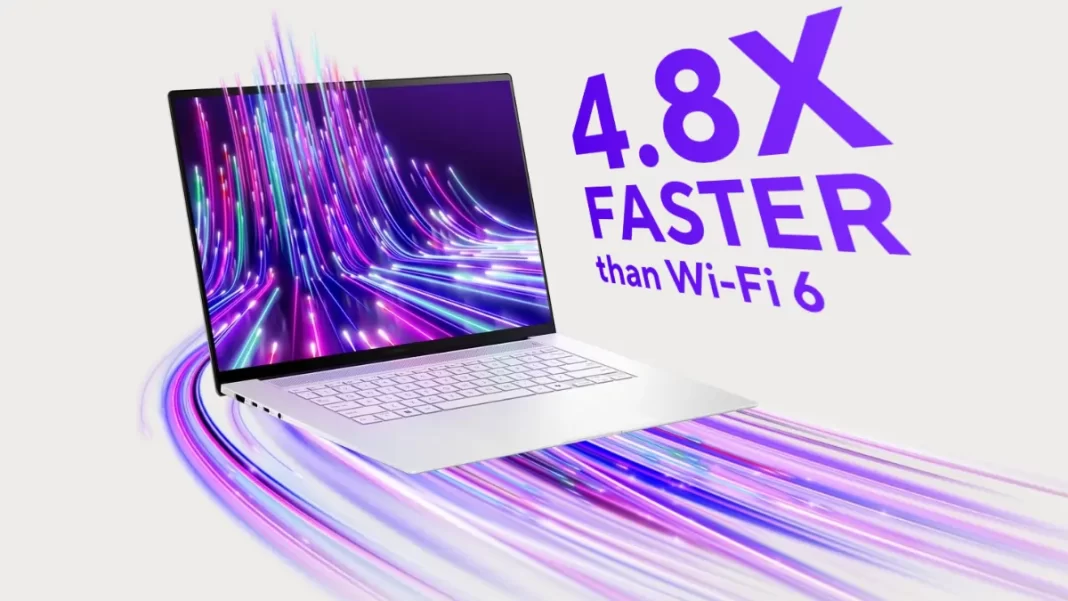
Short Answer: If you want a thin 16-inch Windows laptop with a great OLED screen and real muscle, the Asus Zenbook S 16 UM5606-RK333W sits near the top of the list. It’s light, powerful enough for everyday creation, and has a calmer fan profile than many rivals. The question is whether this exact SKU and its price fits your work. We’ll break that down.
Table of Contents
Key Takeaway
The Zenbook S 16 UM5606-RK333W pairs a 16-inch 3K/120Hz OLED with AMD’s Ryzen AI 9 HX 370 and Radeon 890M iGPU, in a 1.1–1.3 cm, ~1.5 kg chassis. It’s excellent for coding, photo work, and travel-friendly creation; less ideal for heavy 3D or upgrade needs.
Specs at a Glance
- CPU: AMD Ryzen AI 9 HX 370 (NPU up to ~50 TOPS)
- GPU: AMD Radeon 890M (integrated)
- RAM: 32GB LPDDR5X-7500 (soldered)
- Storage: up to 1TB PCIe 4.0 SSD (varies by region/SKU)
- Display: 16-inch 3K (2880×1800) OLED, 120Hz, touch, PANTONE Validated
- Wireless: Wi-Fi 7, BT 5.x
- Audio: 6-speaker system
- Dimensions/Weight: ~1.1–1.3 cm; ~1.5 kg
- Battery: 78 Wh
- Materials: “Ceraluminum” lid (ceramic-aluminum composite)
- Model note: UM5606-RK333W is a HX 370 + 32GB SKU (region-specific).
What’s unique about “Ceraluminum”?
Asus uses a ceramic-aluminum composite that feels matte, resists fingerprints, and keeps weight down. It’s mostly a touch/finish story—it doesn’t change raw performance but it does improve daily handling.
Performance & Thermals (real-world view)
In short tasks and typical office/creative bursts, HX 370 is fast and responsive. Under sustained multi-core loads, it tends to hold ~28 W, which is solid for a 1.5 kg chassis, though you’ll hear the fans and see temps climb during long renders. Expect quiet to moderate acoustics in Balanced and more hiss in Performance.
Ryzen AI 9 HX 370 vs Ryzen AI 9 365
Both are Zen 5 parts; HX 370 clocks higher and carries stronger integrated graphics. If your workflows include Lightroom exports, light Resolve timelines, or running local AI models, the HX 370 SKU (like RK333W) is the safer pick; the 365 saves money but trims headroom.
Radeon 890M: light gaming & creator tasks
The 890M iGPU is the best in its class for thin-and-lights. Think indie games and older AAA at 1080p/Medium (FSR helps), and smooth GPU-accelerated creator apps. If you need heavy 3D or Blender cycles, a dGPU system is still better.
Display & Audio
The 16-inch 3K/120Hz OLED looks fantastic: inky blacks, wide DCI-P3, quick response, and touch input. Peak brightness is advertised at ~400–500 nits depending on HDR spec; color accuracy is validated. Movies and SDR desktop both pop, and the six-speaker array fills a room better than most 16-inch ultrabooks.
Build, Size & Ports
At roughly 1.1–1.3 cm thin and ~1.5 kg, it feels closer to a 14-inch machine in a backpack. The keyboard has a steady feel, and the glass touchpad is roomy and accurate. Ports vary slightly by market, but you typically get USB4 Type-C, USB-A, HDMI, audio combo, and microSD.
Battery Life & Charging
The 78 Wh pack is good for a full workday if you keep the screen at ~150–200 nits and stick to productivity (10–12 hours is realistic). OLED + high refresh eats more during media or dev builds; fast-charging helps for top-ups. Reviews range from “very good” to “not class-leading,” which matches real-world mixed loads.
AI & NPU: what it actually helps with
The XDNA NPU (up to ~50 TOPS) offloads tasks like transcription, background blur, and some local AI assistants. It won’t magically speed up every app, but it can lower CPU/GPU load and extend battery in supported workflows. Expect more value as on-device AI features roll out.
Upgradability & Serviceability
RAM is soldered (plan your capacity now). Storage is typically single-slot; you can replace the SSD. The bottom panel is manageable but not “easy”—this is an ultrabook, not a workstation.
Pricing & Best Configs (US/India)
- India: HX 370 / 32GB / 1TB variants have retailed around ₹1,49,990 (promo dependent). Availability fluctuates.
- USA: Retailers list 365 and 370 configs from ~$1,599–$1,799; occasional promo bundles dip slightly. Check SKU codes; some white models pair AI 9 365 + 24GB.
Best value: If you can swing it, choose the HX 370 + 32GB (RK333W-class). If your work is mostly office + light photo, the AI 9 365 config costs less and still feels fast.
Who Should Buy
- You want a 16-inch OLED that travels like a 14-inch.
- You do code, photo, light video, or run emerging on-device AI tools.
- You prefer premium materials and quiet-leaning acoustics most of the time.
Who Shouldn’t
- You need a dGPU for heavy 3D or AAA gaming.
- You want user-replaceable RAM or multiple SSD bays.
- You demand 15-plus hours daily with the screen at high brightness.

Comparison Table (Zenbook S 16 picks)
| Config | CPU | RAM | Storage | Est. Price | Best for |
|---|---|---|---|---|---|
| UM5606 (AI 9 365) | Ryzen AI 9 365 | 24GB | 1TB | ~$1,599 US | Students, office, light creation |
| UM5606-RK333W | Ryzen AI 9 HX 370 | 32GB | 1TB | ₹1,49,990 IN (promo) | Creators, devs, travel pros |
Alternatives to Consider (quick compare)
| Model | Why pick it | Trade-offs |
|---|---|---|
| MacBook Air 15 (M3) | Long battery, silent, great apps | No OLED, macOS only |
| MSI Stealth A16 AI+ | Thin with dGPU options | Hotter/louder; higher price |
| Yoga Pro 7 14 | Lighter/cheaper LCD configs | Smaller screen, weaker iGPU |
Mini Case Studies
- Developer on the road: VS Code + Docker + light local LLM (7B) while traveling—HX 370 manages smoothly with the NPU taking background tasks; fans pick up under multi-container builds but settle quickly.
- Photographer editing RAWs: Lightroom Classic with GPU acceleration: 16-inch OLED improves culling; exports are faster on HX 370; 78 Wh lasts a full shoot day with two short charges.
- Student-creator: DaVinci cut-page edits are fine; color page with noise reduction pushes thermals—manageable, but not workstation-grade.
Featured Snippet Boxes
Is the Asus Zenbook S 16 UM5606-RK333W good for creators?
Yes, for photo, light video, and design work. The HX 370 CPU and 890M iGPU handle GPU-accelerated tasks well, and the 3K/120Hz OLED is color-accurate. For heavy 3D or long 4K timelines, consider a dGPU laptop.
How much does the Zenbook S 16 UM5606 cost?
In the US, expect ~$1,599–$1,799 depending on CPU/RAM. In India, HX 370/32GB/1TB configs have listed around ₹1,49,990 during promos. Prices vary by retailer and season.
Is RAM upgradable on the UM5606?
No. Memory is LPDDR5X and soldered. Choose 32GB if you multitask heavily or plan to keep the laptop for 3–5 years.
How long does the battery last?
Plan on 10–12 hours of mixed use at moderate brightness; less during creative workloads or 120Hz. Reviews report good but not class-leading endurance.
Frequently Asked Questions (FAQs)
- Does it overheat under load?
Sustained CPU loads push temps up and fans get audible; behavior is typical for a 1.5 kg chassis and manageable with Performance/Balanced modes. - What ports does it have?
Varies by region, but commonly USB4-C, USB-A, HDMI, audio combo, microSD. Check your SKU page before buying. - Is the display PWM-free?
Asus’s OLEDs include eye-care tuning and certifications; specifics depend on panel revision. If PWM sensitivity is critical, test in-store. - Does it support Wi-Fi 7?
Yes, select UM5606 configs list Wi-Fi 7 (802.11be). - HX 370 vs 365—worth it?
If you do creator tasks or local AI, HX 370’s higher clocks and stronger iGPU are worth the premium; for office work, 365 is fine. - Can I add a second SSD?
Generally no; expect one M.2 slot. You can replace the drive, not add another. - How bright is the screen?
Specs cite ~400–500-nit peaks (mode-dependent) with HDR capability and PANTONE validation. - Does it support pen input?
Yes, touch with stylus support on OLED variants.

