

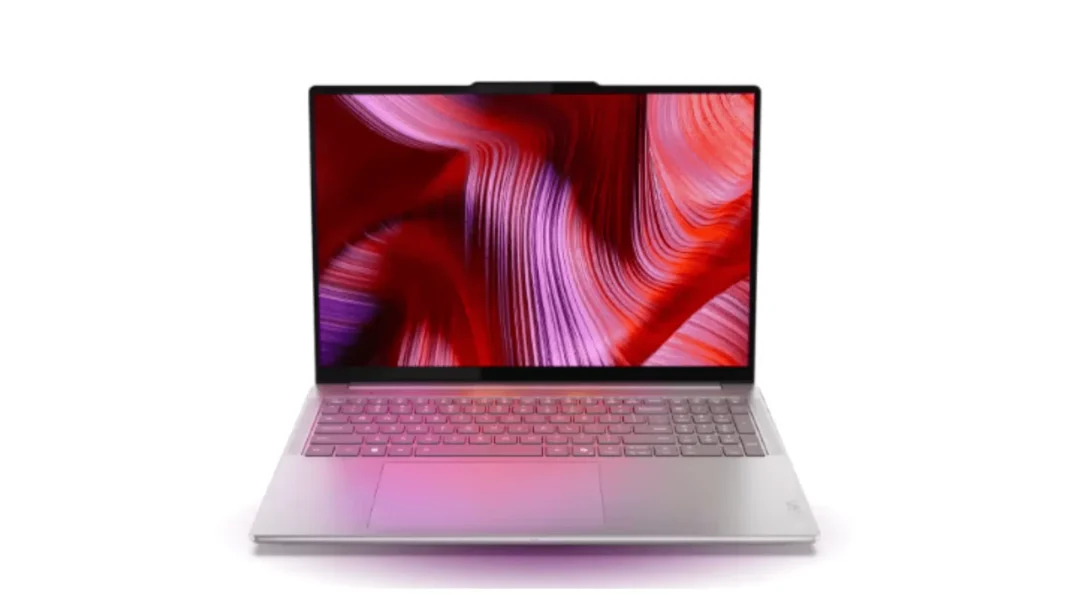
Short Answer: The Yoga Pro 9 16 Gen 10 with RTX 5060 is a sweet spot 16-inch creator laptop: bright 3.2K OLED or mini-LED, strong CPU, and practical ports. It’s ideal for 4K timeline edits, Lightroom, coding, and light-to-mid 3D. If you render daily or need VRAM headroom, consider an RTX 5070 SKU.
Table of Contents
Model names, SKUs, and what “16IAH10 / Aura Edition” means
Lenovo’s 2025 lineup calls this machine Yoga Pro 9i 16 Gen 10 (Aura Edition) in many regions. PSREF lists the platform as Yoga Pro 9 16IAH10—that “10” maps to Gen 10; “16” is the screen size; “IAH” signals Intel H-class chips. Retailers may shorten it to “Yoga Pro 9i 16 (RTX 5060).” Expect 32GB LPDDR5X (soldered) and 1TB NVMe by default in most SKUs.
Why it matters: mixing Gen 9 and Gen 10 posts is common on the web. Gen 10 brings RTX 5060 options and refreshed Core Ultra chips. If a page says “RTX 4060” and “Ultra 9 185H,” you’re probably looking at a Gen 9 SKU.
Upgrades: RAM is not user-replaceable. Storage is standard M.2 and replaceable. If you’ll keep lots of 4K footage locally, start at 2TB or plan to swap the SSD on day one.

Displays explained: 3.2K OLED vs 3.2K mini-LED vs IPS
You’ll see three panels across regions:
- 3.2K OLED (3200×2000, 120–165Hz): Inky blacks, instant response, excellent HDR pop. Great for video and photo work. Battery may run shorter on bright or static UIs.
- 3.2K mini-LED (165Hz): Very bright SDR/HDR, less risk of image retention, slightly different contrast handling than OLED; strong all-rounder for bright rooms.
- IPS 3.2K: The practical choice on budget SKUs. Color and contrast are fine for coding and office; creators should prefer OLED or mini-LED.
Color & brightness: OLED and mini-LED configs are the creator picks. OLED “tandem” implementations on Gen 10 units can hit high peak brightness; mini-LED stays very usable in sunlit rooms. If PWM sensitivity worries you, mini-LED tends to feel easier on some eyes.
Which to buy:
- Video editors and photographers: OLED for grading and contrast, or mini-LED if you work long hours in bright studios.
- Coders and students: IPS is fine if you’re budget-capped; otherwise OLED will spoil you.
- If burn-in concerns you: use dark mode, vary UIs, and enable the panel care tools in Lenovo Vantage.
Picking CPU/GPU for your work
Most Gen 10 16-inch SKUs pair Intel Core Ultra 9 285H with RTX 5060 (8GB GDDR7). That combo handles 4K H.264/H.265 timelines with effects, big Lightroom catalogs, Unreal previews, and Stable Diffusion with modest batch sizes. If your projects push heavy geometry or 8K RAW, step up to an RTX 5070 configuration where available.
Quick presets:
- You edit 4K mirrorless with light color: RTX 5060 is fine; enable NVDEC/NVENC in your NLE.
- You render Blender cycles daily: Prefer RTX 5070 for more cores and thermal headroom.
- You code, run Docker, light ML: RTX 5060 is ample; max out storage instead.
- You game after work: 3.2K native is demanding. Use 1600p or DLSS for smooth 60–100 fps depending on title.
Ports, Wi-Fi, webcam, and weight
This is where the Yoga Pro 9 wins practical points. You typically get HDMI 2.1, two Thunderbolt 4, two USB-A, SD card reader, and a headphone jack. For creators, that means one cable to a Thunderbolt dock plus direct SD ingest without a dongle. The 16-inch chassis remains backpack-friendly; the power brick is the main weight penalty.
External monitor notes: You can run up to three external displays plus the laptop panel, with 8K support via TB4/HDMI when configured correctly. Driving 8K consumes display pipes, so simultaneous outputs may drop by one at that resolution. For a dead-simple dual 4K setup, HDMI + one TB4 is painless.
Thermals & noise
Under sustained loads, you’ll hear the fans but the tone is clean and not whiny. Keyboard and wrist rest temperatures stay reasonable in “Balanced.” For long renders, switch to “Performance,” lift the rear slightly, and keep rear exhausts clear. Expect mid-40s °C skin temps during exports and higher GPU temps under gaming loads—normal for a 16-inch creator chassis.
Battery life & travel tips
Plan for ~4.5–7 hours mixed work on creator configs depending on panel and workload. OLED at high brightness with heavy Chrome tabs will shorten that. For travel, a slim USB-C PD charger can trickle or lightly run office tasks, but you’ll want the bundled high-wattage brick for GPU work.
Travel tips: cap refresh rate to 60–90Hz on battery, use Battery Saver, and keep external drives on a self-powered hub.
Best configurations (good/better/best)
Good (students, devs): Core Ultra 7/9 + RTX 5060, 32GB RAM, 1TB SSD, IPS or OLED if on sale.
Better (creators): Core Ultra 9 + RTX 5060, 32GB, 2TB SSD, OLED 3.2K.
Best (3D/video heavy): Core Ultra 9 + RTX 5070, 32–64GB equivalent (if region-available), 2TB SSD, mini-LED for bright studios.
Alternatives: when a MacBook Pro 16 or XPS 16 is smarter
- MacBook Pro 16 (M4 Pro/Max): unbeatable battery, stellar color-managed workflows in Final Cut/Logic. If your apps are Apple-centric, it’s the simpler choice.
- Dell XPS 16: gorgeous OLED, slimmer look, fewer legacy ports. If you dock 24/7, that’s fine; on-the-go shooters will miss the SD slot and HDMI.
Pricing, warranties, and where to buy
Street pricing moves fast. In the US, Gen 10 OLED/RTX 5060 builds have shown up on Best Buy and Lenovo.com. Expect mid-to-high four figures for creator-ready SKUs at launch, with frequent promos later. Consider Lenovo’s on-site warranties if you rely on the machine for paid work.
Limitations and what we’re watching
- 8GB VRAM on RTX 5060 is the ceiling; large 3D scenes may need pruning or out-of-core strategies.
- Soldered RAM means you must buy the right capacity up front.
- Charger weight is non-trivial; budget backpack space.
- Panel variance: confirm panel type and refresh rate before checkout.
Comparison Table
| Use case | Recommended config | Why |
|---|---|---|
| 4K video, DSLR/mirrorless | Ultra 9 + RTX 5060, 32GB, 2TB, OLED | NVENC/Quick Sync help; OLED for grading pop |
| 3D/Blender heavy | Ultra 9 + RTX 5070, 32GB+, 2TB, mini-LED | More GPU cores/VRAM headroom; bright studios |
| Developers/data | Ultra 9 + RTX 5060, 32GB, 1–2TB, IPS/OLED | CPU threads + VRAM for occasional CUDA |
| Students/mobile | Ultra 7/9 + RTX 5060, 32GB, 1TB, IPS | Good battery/price balance |
Frequently Asked Questions (FAQs)
Is the RTX 5060 enough for 4K editing?
Yes for typical mirrorless codecs with effects; heavy RAW and multi-cam benefit from the 5070.
Can I add RAM later?
No, it’s soldered. Choose 32GB now.
Which display is best for creators?
OLED for grading; mini-LED for bright rooms and long sessions.
Does it have HDMI 2.1 and SD?
Yes on most Gen 10 16-inch SKUs.
How many external monitors?
Up to three, with caveats at 8K.
Is battery life good?
Fine for a 16-inch creator laptop; plan on the charger for GPU work.
Checklist (print-ready)
- Decide: OLED vs mini-LED
- Lock 32GB RAM; pick 2TB SSD if you edit
- Choose RTX 5060 (general) or 5070 (heavy)
- Verify ports you need (HDMI, SD, TB4)
- Add dock + fast SD reader (if your card needs UHS-II)
- Calibrate display on day one

Featured Answer Boxes
What is the Lenovo Yoga Pro 9 16IAH G10 with RTX 5060?
A 16-inch creator-class Windows laptop (Gen 10 “Aura Edition”) pairing Intel Core Ultra processors with NVIDIA RTX 5060 graphics. It offers 3.2K OLED or mini-LED displays, practical ports (HDMI, dual TB4, SD), and 32GB LPDDR5X memory for video, photo, coding, and light 3D work.
Is RTX 5060 (8GB) good for creators?
Yes for 4K timelines, Lightroom, Unreal previews, and Stable Diffusion at moderate batch sizes. If you render daily in Blender or need more VRAM, step up to RTX 5070. RTX 5060 laptop availability and specs vary by region.
Which display should I choose: OLED or mini-LED?
OLED gives perfect blacks and HDR punch great for grading and photo. Mini-LED is brighter in harsh lighting and reduces retention anxiety during long sessions. Both beat IPS for color-critical work; battery life varies by panel and brightness. (Panel options vary by SKU.)
Glossary
PSREF: Lenovo’s official Product Specifications Reference.
TB4: Thunderbolt 4; 40Gbps port for docks and fast storage.
NVENC/NVDEC: NVIDIA encode/decode blocks that speed up video work.

