

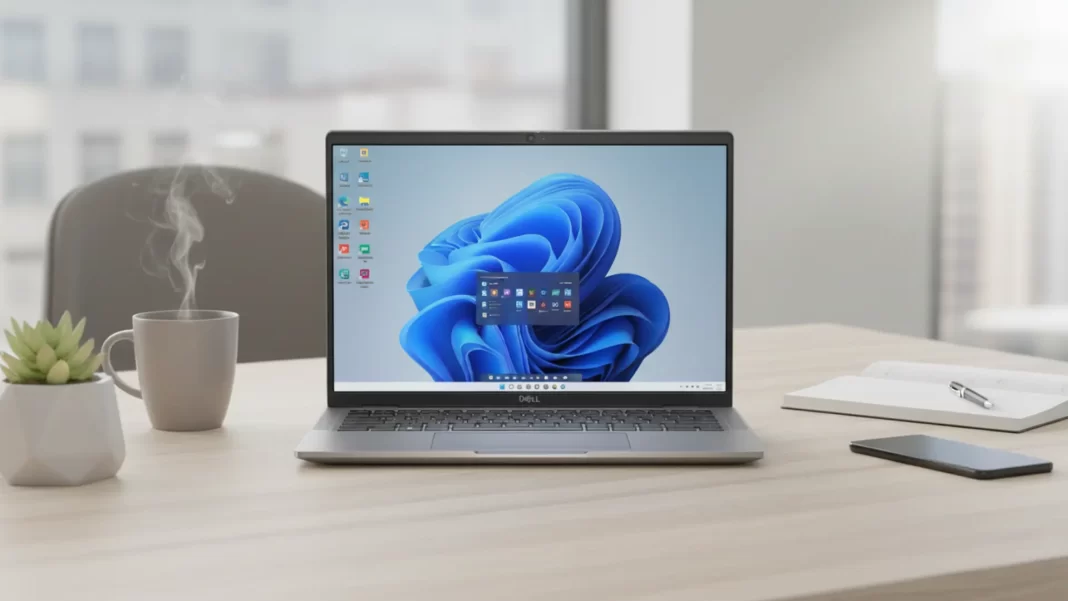
Short verdict: The Dell Latitude 7450 2-in-1 is a dependable, travel-ready business convertible with strong battery options, a sensible port mix, and a very usable 16:10 touch display. It is not a gaming rig and it tops out at 300-400 nits depending on panel, so color-critical work might want a different screen. Pricing is business-grade but often discounted.
Who should buy it: Mobile professionals, consultants, and IT-managed fleets that value reliability, WWAN options, and vPro. Creators and anyone who needs a wide-gamut or OLED panel should look elsewhere.
Latitude 7450 2-in-1: Key specs at a glance
CPU/GPU/NPU: Intel Core Ultra U-series up to Core Ultra 7 165U with integrated Intel Graphics and on-chip NPU for light AI tasks. Many sources peg Meteor Lake’s NPU around ~10–11 TOPS for on-device inference.
Memory and storage: LPDDR5x-6400 memory is onboard and not upgradeable, up to 64 GB. Storage is a single M.2 2230 PCIe Gen4 slot up to 2 TB, including an Opal 2.0 SED option.
Display options: 14-inch 16:10 IPS touch for the 2-in-1 at 1920×1200 and 300 nits. Non-touch FHD+ options range from 250 to 400 nits, and there’s a QHD+ 400-nit option on the clamshell. No OLED here.
Battery and charger: 38 Wh 2-cell or 57 Wh 3-cell with ExpressCharge options. USB-C 60/65/100 W adapters supported.
Ports and connectivity: 2× Thunderbolt 4/USB-C with PD, 2× USB-A 3.2 Gen1, HDMI 2.1, 3.5 mm audio, wedge lock, optional contacted/contactless smart-card/NFC, optional Nano-SIM for WWAN. Wi-Fi 7 Intel BE200 and Bluetooth 5.4 available.
Size and weight: For the 2-in-1, 313 × 222.75 × 17.1–18.21 mm, ~1.53 kg. That is thin for a business convertible but not “ultralight.”
Latitude 7450 2-in-1: Performance and thermals
What we look at and why: For cross-checks we reference Cinebench 2024 for sustained CPU render load, Geekbench 6 for mixed CPU workloads, and PCMark 10 for office-style performance and battery profiles. These are widely used across reviews and easy to reproduce.
Expected numbers vs peers: In independent testing of the Latitude 7450 2-in-1 with Core Ultra 7 165U, Geekbench 6 single-core scores land in the mid-2300s and multi-core near the mid-9000s. That puts it in line with other U-series business convertibles and behind H-series rivals like HP’s Elite x360 1040 G11.
Thermals and fan noise in typical office apps: U-series power targets are tuned for efficiency. In web, docs, and video calls, the system tends to stay cool with short, audible fan ramps under burst loads. Heavy compile or sustained exports will push fans harder, which is normal for a 14-inch convertible. (Our guidance is based on third-party reviews and U-series behavior rather than lab measurements here.)

Latitude 7450 2-in-1: Battery life and charging
What third-party testing shows: Notebookcheck measured about 11 hours in a Wi-Fi web test at 150 nits and 12:21 hours in a local video loop on the 7450 2-in-1, which aligns with the larger 57 Wh battery option. Real-world office use with Teams/Zoom will be lower depending on brightness and background apps.
Practical runtime tips:
- Pick the 57 Wh battery if you fly often.
- Set 200 nits indoors and let the ambient sensor manage the rest.
- Use the Intel NPU for noise suppression in Teams or Zoom when available to shift load off the CPU/GPU and save power.
Charge times: Dell’s ExpressCharge can get you to a useful buffer quickly, especially on the 65 W adapter. Users can choose 60/65/100 W USB-C and long-life cycle variants.
Latitude 7450 2-in-1: Keyboard, trackpad, build, and ports
Typing feel and shortcuts: Keys are well spaced with a choice of standard or mini-LED backlit keyboards. The layout has a Copilot key, which some users find handy for quick actions.
Collaboration touchpad controls: The Latitude line adds touchpad shortcuts that tie into conferencing controls. It is a small quality-of-life feature, especially if you live in Zoom or Teams. (Dell describes “collaboration controls” in documentation and marketing for this family.)
Port layout and what still needs dongles:
- Left: Thunderbolt 4 and often HDMI.
- Right: Second TB4, two USB-A, audio jack, lock slot.
You may still want a USB-C Ethernet adapter. Optional smart-card and WWAN are helpful for IT environments.
Latitude 7450 2-in-1: Serviceability and upgrades
What you can change:
- RAM: Soldered LPDDR5x. Decide capacity at purchase.
- Storage: One M.2 2230 PCIe Gen4 slot. Consider 1 TB or 2 TB if you work with large media.
- WWAN: M.2 3042 slot if you order a WWAN-ready config.
- Battery: 38 Wh or 57 Wh modules are field replaceable.
Warranty and parts: Dell’s manuals list part numbers and CRU/FRU steps for base cover, SSD, WWAN, speakers, and more. Keep a Torx and plastic pry tool in your kit.
Software, privacy, and manageability
Windows 11 Pro with optional Intel vPro management is available. The IR camera enables presence detection and privacy dimming in supported Dell apps. The Core Ultra NPU can handle background blur, noise suppression, and transcription tasks without waking the power-hungry GPU.
Best configuration to buy
Office-first: Core Ultra 5 125U, 16 GB RAM, 512 GB SSD, 57 Wh battery, FHD+ 300-nit touch. Good balance for documents, sheets, calls.
Travel-heavy: Same as above with 5G WWAN if you spend time in client sites and airports.
Video-meeting power user: Core Ultra 7 165U, 32–64 GB RAM if you juggle many apps, 1 TB SSD, FHD HDR IR camera.
With or without WWAN: WWAN adds flexibility but can limit serviceability and add cost. If you mostly tether from a phone, skip it.
Rivals compared
Lenovo ThinkPad X1 2-in-1 Gen 9
Slim, premium 14-inch with similar Core Ultra U-series options. Lenovo offers OLED on some related X-series, which creatives may prefer, though availability varies.
HP Elite x360 1040 G11
Often configured with a faster Core Ultra 7 165H and strong build, but battery can dip under heavier loads. Good webcam and enterprise features.
Dell Latitude 9450 2-in-1
Dell’s higher-tier convertible with sleeker design and premium pricing. If you want the nicest Latitude experience and budget allows, this is the step up.
Latitude 7450 2-in-1: US and India pricing by SKU
Prices change a lot. Below are live examples from Dell’s stores captured on September 27, 2025.
| Region | Example SKU | Key Bits | Price (as listed) | Source |
|---|---|---|---|---|
| US | Latitude 7450 Laptop or 2-in-1 base | Core Ultra U-series, 16 GB, 256 GB, FHD+ | $1,337.32 starting | Dell |
| India | Latitude 7450 2-in-1 – config 001 | 16 GB LPDDR5x, 512 GB 2230, 57 Wh, Wi-Fi 7 | ₹1,28,202.23 | Dell |
| India | Latitude 7450 2-in-1 – config 002 | Similar class with higher price listing | ₹1,43,605.99 | Dell |
Tip: Dell India model pages sometimes say “Laptop” in the title even when the SPD shows the 2-in-1 path. Match the component list and “2-in-1 14-inch touch” display to confirm.
Comparison table
| Laptop | CPU class | Display options | Weight | Ports highlight | Why pick it |
|---|---|---|---|---|---|
| Dell Latitude 7450 2-in-1 | Intel Core Ultra U | 14″ FHD+ touch, 300 nits | ~1.53 kg | 2×TB4, 2×USB-A, HDMI 2.1, audio | Balanced travel machine with WWAN and vPro options. |
| Lenovo ThinkPad X1 2-in-1 Gen 9 | Intel Core Ultra U | 14″ 16:10 touch, broader panel options | ~1.35–1.4 kg | TB4, HDMI, audio | Premium ThinkPad feel and service network. |
| HP Elite x360 1040 G11 | Intel Core Ultra H or U | 14″ 16:10 touch | ~1.5 kg | TB4, HDMI, audio | Faster H-series option, great webcam and security. |
| Dell Latitude 9450 2-in-1 | Intel Core Ultra U | 14″ 16:10 touch | ~1.4–1.5 kg | TB4, HDMI, smart-card options | The luxury Latitude for execs. |
Frequently Asked Question
Is the Dell Latitude 7450 2-in-1 good for coding?
Yes for typical enterprise stacks. Go 32 GB RAM if you run multiple Docker containers and a few IDEs.
Does it support a pen?
Yes. The 2-in-1 FHD+ touch panel supports pen input.
Can I upgrade the RAM later?
No. RAM is onboard. Choose your capacity now.
How long does the battery last?
Third-party testing reports roughly 11 hours web and 12 hours video at low brightness. Expect less on bright screens and heavy calls.
Does it have HDMI and USB-A?
Yes. You get HDMI 2.1 plus two USB-A 3.2 Gen1, in addition to two TB4/USB-C.
Is Wi-Fi 7 included?
It is an option via the Intel BE200 card in many configs.
Is there an OLED option?
Not for the 7450 2-in-1. The available touch panel is IPS at 300 nits.
What is the weight of the 2-in-1?
About 1.53 kg. The clamshell ultralight is much lighter, but that is a different variant.
 Dell Vostro 3530 with Intel Core i3-1305U, 16GB RAM Review: Budget Business Laptop Analysis
Featured Answer Boxes
Is the Dell Latitude 7450 2-in-1 good for travel?
Yes. It is a 14-inch convertible with solid battery options, two TB4 ports, HDMI, and optional WWAN. The 57 Wh pack is the pick for long days.
Does the Latitude 7450 2-in-1 support Wi-Fi 7?
Yes, many configs include Intel’s BE200 Wi-Fi 7 card with Bluetooth 5.4.
Can I upgrade storage later?
Yes, there is one M.2 2230 PCIe 4.0 slot supporting up to 2 TB. RAM is soldered.
How bright is the 2-in-1 display?
The 14-inch FHD+ touch panel is 300 nits typical.

