

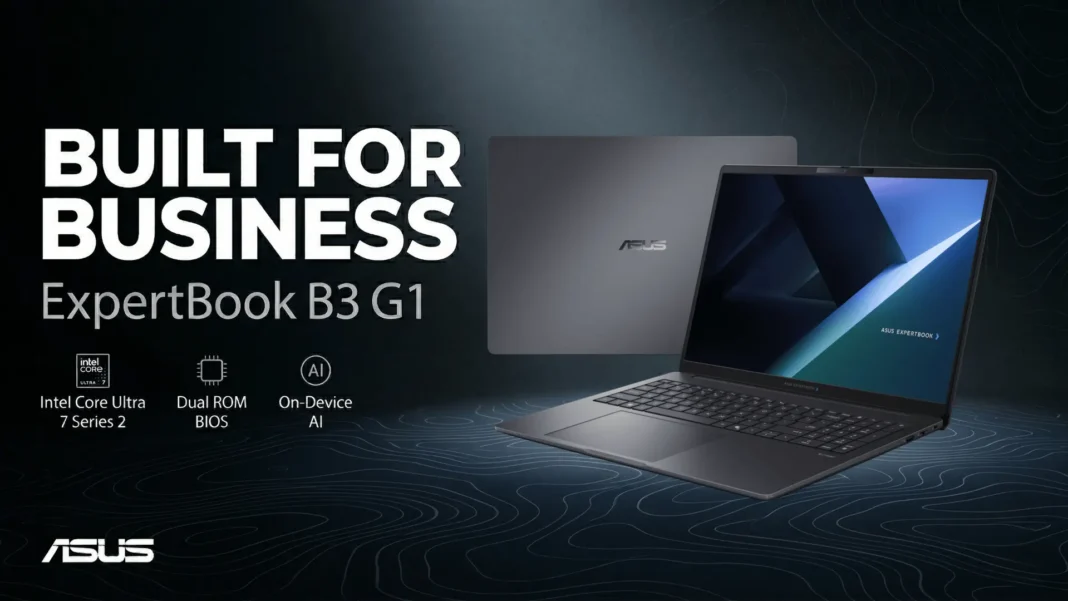
Key Takeaways
- Starts at 1.44kg for the 14-inch model; the 16-inch B3606CCA begins at 1.78kg despite fitting significantly more screen
- Preconfigured max RAM is 64GB DDR5; 96GB requires user self-upgrade with compatible SO-DIMM modules
- ASUS MyExpert delivers on-device document summarization, meeting transcription, translation, and file search availability varies by region and model
- ExpertGuardian combines NIST SP 800-193-compliant BIOS, dual ROM recovery, TPM 2.0, and a dedicated Security Processor Unit on a single platform
Most business laptops announce “enterprise-grade security” and deliver a fingerprint reader. The ExpertBook B3 G1 builds differently: NIST SP 800-193-compliant BIOS protection backed by hardware-isolated dual ROM recovery, not a software layer sitting on top of a standard firmware stack. That architectural distinction matters more than most enterprise procurement checklists acknowledge.
Announced March 27, 2026, the B3 G1 ships in 14-inch (B3406CCA) and 16-inch (B3606CCA) variants, both running Intel Core Ultra Series 2 processors with up to 13 TOPS of NPU acceleration. Four CPU configurations cover the range from entry-level professional to vPro-managed enterprise deployment.
Why the 13 TOPS NPU Changes Daily Workflows
The Core Ultra 7 265H (vPro) reaches 5.3GHz across 16 cores but the specification that reshapes actual working conditions is the dedicated NPU running ASUS AI Noise-Canceling independently of the main processor. Competing machines that route noise suppression through CPU cores create a measurable load conflict during simultaneous heavy compute tasks. The B3 G1’s architecture separates those functions at the hardware level.
All four CPU options carry the same 13 TOPS NPU ceiling: the Core Ultra 7 265H (vPro), Core Ultra 5 235H (vPro), Core Ultra 7 255H, and Core Ultra 5 225H. The vPro SKUs add Intel’s hardware manageability layer for remote IT administration, which changes procurement logic for organizations running centralized device management. Non-vPro configurations share identical NPU, display, and storage options at a lower cost point.
The Core Ultra 5 225H entry configuration runs at 1.7GHz base with a 4.9GHz boost across 14 cores. For standard office workloads video calls, documents, browser-heavy research the performance gap between the 225H and 265H narrows considerably outside sustained compute tasks.

ExpertGuardian: Hardware-Level Security Without IT Intervention
Dual ROM recovery stores a factory-clean BIOS image on a physically separate ROM chip. If the primary BIOS corrupts through a failed update, ransomware targeting firmware, or hardware fault the system falls back to the secondary ROM automatically, without requiring an IT technician on-site. For distributed enterprise deployments, that capability cuts recovery time from hours to minutes.
ASUS commits to five years of BIOS and driver updates for every B3 G1 unit. That horizon aligns with typical enterprise hardware refresh cycles of four to five years, which means organizations won’t manage a security update gap in the machine’s operational lifespan. Most consumer laptops stop receiving firmware updates within two to three years of release.
Additional security layers include a dedicated Security Processor Unit, chassis-intrusion detection, and cloud recovery alongside the core TPM 2.0 encryption. These aren’t feature-list additions. Each addresses a distinct attack surface: physical access, remote compromise, and supply-chain firmware tampering respectively.
Display Options: A Decision That Locks In at Purchase
The 14-inch B3406CCA offers two panel choices. The base panel runs 1920×1200 at 300 nits with no touch. The top-tier panel reaches 2560×1600 at 400 nits with sRGB 100% coverage and a 144Hz refresh rate. Both are 16:10, which adds roughly 11% more vertical screen space over a same-diagonal 16:9 panel, a measurable difference during document review or multi-window layouts.
On the 16-inch B3606CCA, a third panel option appears: the touchscreen variant. But it’s available exclusively on the aluminum-lid model and runs at 120Hz with 1920×1200 resolution and 400 nits. Buyers selecting the standard non-touch 16-inch get either 300 nits at 60Hz (base) or 400 nits at 144Hz and 2560×1600 (top tier). These distinctions collapse during rapid procurement and deserve careful confirmation before finalizing orders.
And the base 16-inch panel at 300 nits and 60Hz is a meaningful step down from the aluminum-lid touchscreen option in both brightness and fluidity on the same model family, at potentially overlapping price points.
ASUS MyExpert: What the AI Suite Actually Covers
ASUS MyExpert handles four distinct workflow categories natively: document summarization and translation, writing refinement, integrated local and cloud file search, and meeting intelligence that generates transcripts, translations, summaries, and follow-up to-do lists. These functions run on the laptop directly, without routing audio or document content through external cloud servers, a critical distinction for regulated industries.
ASUS explicitly notes that MyExpert is exclusive to Expert-series devices from 2026 onward, availability varies by country and model, and some features remain in beta with functionality subject to change as updates roll out. Enterprise buyers should confirm regional feature availability with ASUS B2B representatives before basing procurement decisions on specific MyExpert capabilities.
Microsoft Copilot integration ships alongside MyExpert on the B3 G1. The two suites target different use cases: MyExpert handles device-local productivity tasks, while Copilot connects to Microsoft 365 workflows. Organizations already on Microsoft 365 get both tools without additional licensing at the hardware level.
Where It Falls Short
The 65W USB-C charging adapter is the same wattage across both the 14-inch and 16-inch models. Under sustained Core Ultra 7 H-series compute loads, 65W replenishment may not match draw rate, meaning battery level can decline even while plugged in during peak workloads. This is a known constraint of H-series processors paired with sub-100W adapters.
WiFi 7 is an optional add-on, not included by default. The standard connectivity configuration ships with WiFi 6E. For organizations planning 802.11be network upgrades in 2026 or 2027, this SKU selection needs to be confirmed explicitly at order time; it can’t be added post-purchase.
Storage and RAM maxima are only achievable through self-upgrade, not factory configuration. Preconfigured units ship with a maximum of 64GB RAM (32GB+32GB) and a maximum of 512GB+512GB or a single 2TB SSD. The 96GB RAM and 6TB storage figures require user-installed upgrades. IT departments without on-site hardware capability need to factor this into total deployment cost.

ExpertBook B3 G1 Specifications at a Glance
| Specification | B3406CCA (14-inch) | B3606CCA (16-inch) |
|---|---|---|
| Processor options | Core Ultra 7 265H, 5 235H, 7 255H, 5 225H | Core Ultra 7 265H, 5 235H, 7 255H, 5 225H |
| NPU | Up to 13 TOPS | Up to 13 TOPS |
| Max RAM (preconfigured) | 64GB DDR5-5600 | 64GB DDR5-5600 |
| Max RAM (self-upgrade) | 96GB | 96GB |
| Max storage (preconfigured) | 512GB+512GB or single 2TB | 512GB+512GB or single 2TB |
| Max storage (self-upgrade) | 6TB (4TB+2TB) | 6TB (4TB+2TB) |
| Top display | 2560×1600, 144Hz, 400 nits, sRGB 100% | 2560×1600, 144Hz, 400 nits, sRGB 100% |
| Touchscreen option | Not available | Aluminum-lid model only (120Hz, 1920×1200) |
| Battery | 50Wh or 70Wh | 50Wh or 70Wh |
| Weight (starting) | 1.44kg | 1.78kg |
| WiFi 7 | Optional | Optional |
| MIL-STD-810H | 24 procedures | 24 procedures |

