

Essential Points
- Xcode 26.4 (build 17E192 RC) ships with Swift 6.3 and updated SDKs for iOS, iPadOS, tvOS, macOS, and visionOS 26.4
- Instruments gains Run Comparison, Top Functions mode, and Power Profiler CPU core breakdown in a single update
- Address Sanitizer and Thread Sanitizer hang on OS 26.4 when used with Xcode 26.3 or older; upgrading to 26.4 resolves this immediately
- String Catalog editor adds cut, copy, paste, language removal, and pre-fill translation support, cutting localization workflow steps significantly
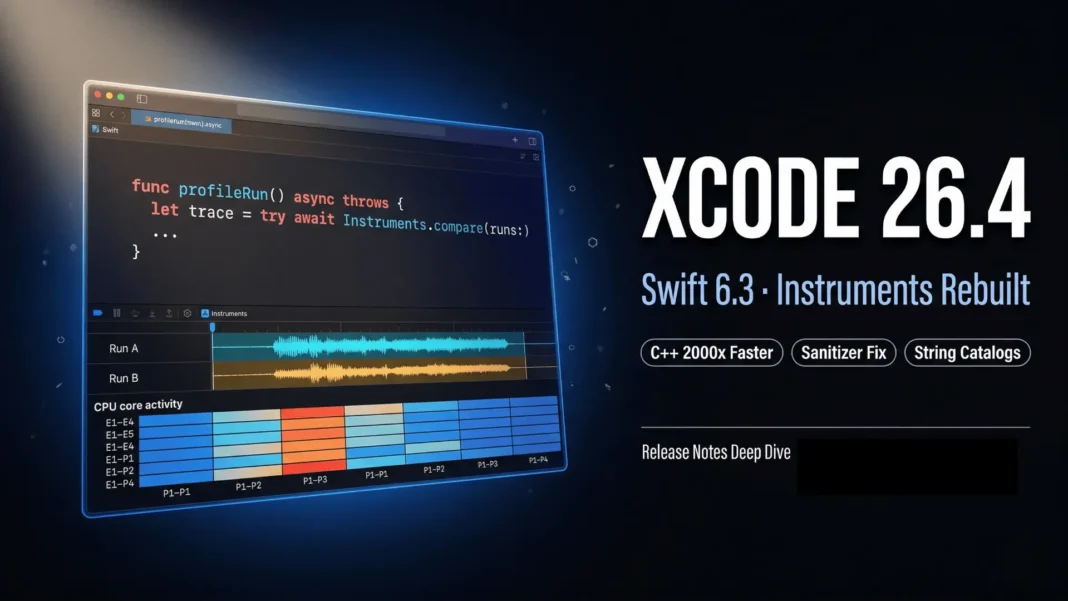
Apple made Xcode 26.4 (17E192) publicly available on March 24, 2026, as a Release Candidate build. It bundles Swift 6.3 alongside the largest single-update expansion of Instruments in the Xcode 26 cycle, plus substantial testing, localization, and C++ standard library improvements that affect every active Apple platform project. If your team still runs Xcode 26.3, a mandatory sanitizer regression makes this update urgent, not optional.
What Xcode 26.4 Requires to Run
Xcode 26.4 requires a Mac running macOS Tahoe 26.2 or later. It supports on-device debugging for iOS 15 and later, tvOS 15 and later, watchOS 8 and later, and visionOS. The requirement ceiling applies only to the host Mac; debugging older iOS and tvOS targets remains fully supported.
The build number is 17E192 and it is available through the Apple Developer portal at developer.apple.com/download/applications.
Instruments Gets Its Biggest Upgrade in the Xcode 26 Cycle
The most immediately useful additions in Xcode 26.4 land inside Instruments. The new Run Comparison feature lets you compare call trees across multiple profiling sessions using View > Detail Area > Compare With, or the swap button in the jump bar. After selecting a run, the comparison view shows which functions took more or less time between sessions, and Call Tree filtering operations like “Charge to callers” let you focus on functions that changed most.
Top Functions is a new top-level Call Tree mode that surfaces the most expensive functions across an entire trace, regardless of where they appear in the call stack. Power Profiler traces captured on device now include a per-CPU-core activity breakdown, giving iOS and macOS developers granular visibility into workload distribution across cores.
Additional Instruments improvements include:
- Run import via File > Import As Run, with each imported file appearing as a separate run in the sidebar
xctrace importgains--append-runto batch-import multiple files into one trace document- A new “Hide Inlined Functions” Call Tree option charges inlined function samples to their parent, decluttering noisy traces
- A new Call Tree summary appears in the bottom right corner, updating based on the current sort parameter
- Flame graph fixes address node selection, context menus, automatic resizing, source viewer sorting, and color contrast issues
- When a dSYM is applied, Instruments now resymbolicates all recorded runs, not just the currently selected one
- The “Compress Run Data” setting is removed; trace files now always compress automatically
Swift 6.3 and C++ Standard Library Performance Improvements
Xcode 26.4 ships Swift 6.3 alongside a C++ Standard Library update with significant performance gains. The std::ranges::copy, copy_n, copy_backward, move, move_backward, and rotate algorithms are optimized for std::vector::iterator, with Apple reporting up to 2000x performance improvement in applicable workloads. The std::ranges::equal algorithm improves up to 188x, and std::ranges::swap_ranges improves up to 611x for the same iterator type.
std::stable_sort now uses radix sort for floating-point types, improving performance up to 10x depending on element distribution. bitset::to_string is up to 8.3x faster for uniform distributions, up to 13.5x for sparse bitsets, and up to 16.1x for dense bitsets. The num_put::do_put integral overloads improve up to 2.4x, and ctype::tolower and ctype::toupper improve 2x.
Five new C++26 language features are implemented in the Apple Clang compiler:
- Structured Bindings can introduce a Pack (P1061R10)
- Structured binding declaration as a condition (P0963R3)
- Variadic Friends (P2893R3)
constexprplacement new (P2747R2)- The Oxford variadic comma (P3176R1)
The C++ Standard Library also implements 14 additional C++ papers in this release, including std::flat_set (P1222R4), views::join_with (P2441R2), constexpr Stable Sorting (P2562R1), and an update of the formatting library to Unicode 16.0.0.
The Sanitizer Issue You Cannot Ignore
Address Sanitizer and Thread Sanitizer hang on macOS 26.4, iOS 26.4, tvOS 26.4, watchOS 26.4, and visionOS 26.4 when building with Xcode 26.3 or any older version. Apple classifies this as a known issue with a single workaround: use Xcode 26.4. Teams running continuous integration pipelines on OS 26.4 devices that have not yet upgraded their Xcode version will encounter silent hangs rather than clean test failures, which is especially dangerous in automated environments where a hanging job can block pipelines without clear error output.
Localization Workflow Overhaul
Xcode 26.4 ships seven distinct localization improvements that collectively close workflow gaps requiring manual workarounds in earlier versions. The String Catalog editor now supports cut, copy, paste, and duplicate operations on strings, both within a catalog and across catalogs. When pasting, you choose between adding a new key with all translations or applying translations to an existing key.
Language removal is now a one-click operation directly from the String Catalog editor. You choose between removing a language from just that catalog or from the entire project. When adding a new supported language in Project Settings, Xcode can now pre-fill translations from an existing language, providing a working baseline instead of empty catalogs.
The new BUILD_ONLY_KNOWN_LOCALIZATIONS build setting limits compiled localized content to the languages listed in the Project Editor. Excluded languages display less prominently in String Catalogs when this setting is enabled. Strings are also no longer extracted from code comments by default; to re-enable this behavior, set LOCALIZED_STRING_CODE_COMMENTS to YES.
One known issue remains: removing a language from a String Catalog inside a Swift Package can cause it to reappear.
Testing Improvements in Xcode 26.4
Swift Testing adds direct image attachment support for CGImage, NSImage, UIImage, and CIImage instances. Severity levels are now supported when recording an Issue in Swift Testing, allowing teams to classify failures with specific severity.
XCTest interoperability with Swift Testing is no longer enabled by default. Teams using this experimental feature must now explicitly set the SWIFT_TESTING_XCTEST_INTEROP_MODE environment variable to limited in their test plan. This is a breaking change for any CI configuration that relied on implicit interoperability.
A critical XCTest fix resolves an issue where unwaited notification expectations could fire in unrelated tests. This was a silent source of flaky test behavior that affected projects creating expectations without waiting for them within the same test method.
Build System and Package Manager Updates
Setting SKIP_MERGEABLE_LIBRARY_BUNDLE_HOOK to YES on mergeable libraries that do not access resources through standard Bundle APIs avoids extra launch time overhead. Swift Package Manager fixes swift test to correctly apply sanitizers when using --sanitize together with --filter for specific test selection.
Source editor tab retention now handles external programs like git removing and adding files while Xcode is running. The ability to enable package traits on dependencies directly from the Package Dependencies view is also new in this release.
Coding Intelligence Fixes
Two Coding Intelligence issues are resolved in Xcode 26.4. Externally configured MCP servers were previously being overwritten during Codex initialization; this is now fixed. Multiple “Allow Connection?” dialogs appearing during normal usage when external development tools connected to Xcode are also resolved.
Limitations and Considerations
A developer-reported regression in Coding Intelligence features was filed on the Apple Developer Forums on the day of release. Instances of UIImage cannot be attached to tests when testing a Mac Catalyst app; the workaround is to use UIImage.cgImage to get the underlying CGImage. When an XCTest class has continueAfterFailure set to false, a failure in an async test method, setUp, or tearDown will skip any remaining retries for the current test; the workaround is to set “Relaunch Tests for Each Repetition” to on in the test plan. When using Xcode for Apple silicon, Swift Testing tests may crash at launch on Rosetta run destinations; use Xcode Universal to avoid this.

Frequently Asked Questions (FAQs)
What is included in Xcode 26.4 (17E192)?
Xcode 26.4 includes Swift 6.3 and updated SDKs for iOS 26.4, iPadOS 26.4, tvOS 26.4, macOS 26.4, and visionOS 26.4. The build number is 17E192 and it was released on March 24, 2026. New capabilities span Instruments profiling, String Catalog localization, Swift Testing image attachments, and C++ standard library performance improvements.
What macOS version does Xcode 26.4 require?
Xcode 26.4 requires macOS Tahoe 26.2 or later to run. Older macOS versions are not supported as the host operating system for this Xcode release. On-device debugging support for iOS 15 and later, tvOS 15 and later, and watchOS 8 and later remains available regardless of the minimum OS requirement.
Does Xcode 26.4 fix the Address Sanitizer hang on iOS 26.4?
Yes. Address Sanitizer and Thread Sanitizer hang on iOS 26.4, macOS 26.4, tvOS 26.4, watchOS 26.4, and visionOS 26.4 when used with Xcode 26.3 or older. Apple’s documented workaround is to upgrade to Xcode 26.4. This fix is essential for any CI pipeline targeting OS 26.4 devices.
What are the new Instruments features in Xcode 26.4?
Xcode 26.4 adds Run Comparison for comparing call trees across profiling sessions, Top Functions mode for identifying the most expensive functions in a trace regardless of call depth, and per-CPU-core breakdown in Power Profiler. File import via xctrace --append-run and a new “Hide Inlined Functions” option are also included.
What localization improvements does Xcode 26.4 add?
Xcode 26.4 adds cut, copy, paste, and duplicate support in the String Catalog editor. You can now remove languages in one click from the editor, pre-fill translations from an existing language when adding a new one, and use BUILD_ONLY_KNOWN_LOCALIZATIONS to limit compiled output to specific markets. Strings are no longer extracted from code comments by default.
Is Swift Testing’s XCTest interoperability still on by default in Xcode 26.4?
No. XCTest interoperability with Swift Testing is disabled by default in Xcode 26.4. Developers who need this experimental feature must set SWIFT_TESTING_XCTEST_INTEROP_MODE to limited in their test plan. This is a breaking change from earlier Xcode 26.x behavior and requires explicit action to re-enable.
Does Xcode 26.4 have any known issues?
Yes. Removing a language from a String Catalog in a Swift Package can cause it to reappear. UIImage cannot be attached in Mac Catalyst test targets; use UIImage.cgImage as a workaround. Swift Testing tests may crash on Rosetta run destinations on Apple silicon Macs; use Xcode Universal. A developer-reported regression in Intelligence features was filed on the release date.
How much faster is the C++ standard library in Xcode 26.4?
Apple reports up to 2000x performance improvement for std::ranges::copy and related algorithms on std::vector::iterator. std::ranges::equal improves up to 188x, and std::ranges::swap_ranges up to 611x. std::stable_sort for floating-point types improves up to 10x using radix sort. All figures are Apple’s reported best-case values and depend on workload size and type.

