

Essential Points
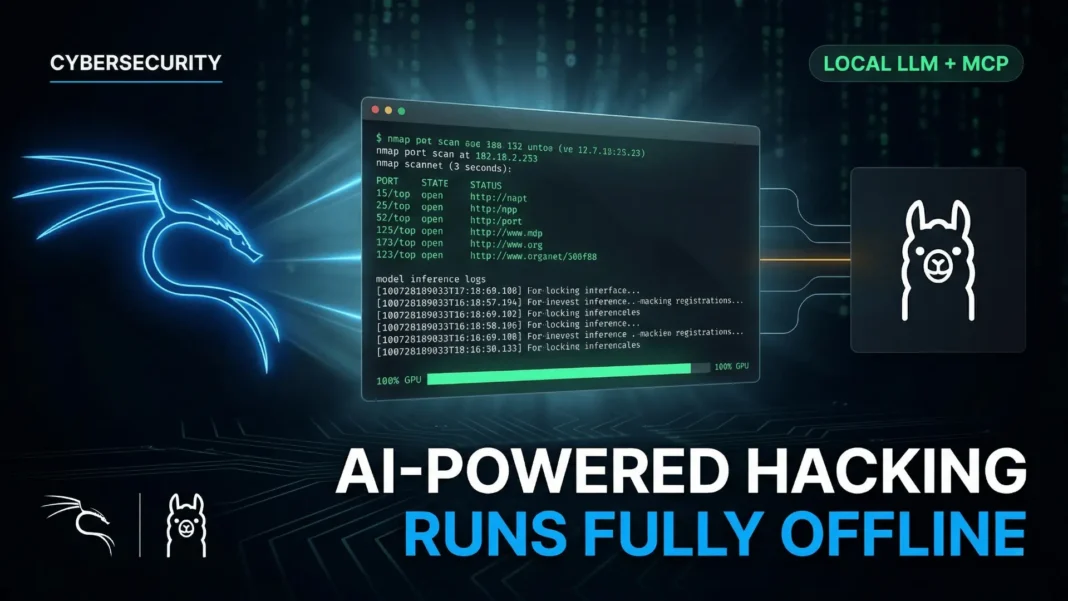
- Kali Linux’s LLM stack runs entirely on local hardware using Ollama v0.15.2 and 5ire v0.15.3, with zero cloud dependency
- Three tool-calling models fit within 6 GB VRAM:
llama3.1:8bat 4.9 GB,llama3.2:3bat 2.0 GB, andqwen3:4bat 2.5 GB mcp-kali-serverbridges the LLM to tools including nmap, gobuster, nikto, hydra, sqlmap, and metasploit via a local Flask API on port 5000- End-to-end validation confirmed natural language port scanning of
scanme.nmap.orgwith 100% GPU processing confirmed viaollama ps
Cloud-dependent AI tools have been a liability in sensitive penetration testing environments. The Kali Linux team’s January 2026 guide eliminates that risk entirely by building a fully self-hosted AI stack where the LLM, the model context server, and the GUI client run on your own hardware. This guide walks through exactly how the stack works, what hardware it requires, and what each component contributes.
Why Local LLM Matters for Security Work
Every cloud-connected AI assistant is a potential data exfiltration risk during active penetration testing engagements. Client environments, target IP ranges, discovered credentials, and scan results all flow through the AI layer. Running that layer locally eliminates the risk of sensitive operational data leaving the machine.
The Kali Linux team frames this as a cost trade-off: the expense shifts from recurring subscription fees to a one-time hardware investment. A mid-range consumer GPU like the NVIDIA GeForce GTX 1060 6 GB is sufficient to run the full stack. For red teams working on Hack The Box, TryHackMe, or contracted engagements with strict data handling requirements, the offline stack is production-viable as of early 2026.
The Hardware Requirement You Cannot Skip
The stack requires an NVIDIA GPU with CUDA support. The open-source nouveau driver does not provide CUDA compute capability, making NVIDIA’s proprietary non-free driver mandatory. Using a different GPU manufacturer such as AMD or Intel is out of scope for this configuration.
The reference hardware used in Kali’s official guide is an NVIDIA GeForce GTX 1060 with 6 GB VRAM, running Driver Version 550.163.01 and CUDA Version 12.4. After driver installation and reboot, lsmod confirms nvidia is active and nouveau is absent. Running nvidia-smi verifies the driver version and confirms the GPU is ready for compute workloads.
How Ollama Works as the Local LLM Engine
Ollama is a wrapper around llama.cpp that simplifies loading and serving open-weight language models locally. It installs as a systemd service, starts on boot, and exposes a local API for model interaction. Notably, 5ire supports Ollama but does not support llama.cpp directly, making Ollama the required abstraction layer in this stack.
The Kali guide installs Ollama v0.15.2 via manual tarball extraction rather than the curl | bash method, which is the more transparent approach for security-conscious users. A dedicated ollama system user is created and the current user is added to the ollama group. The service file is written manually to /etc/systemd/system/ollama.service before being enabled with systemctl.
Three models are pulled for testing, all selected specifically because they support tool calling, which is a hard requirement for MCP integration:
llama3.1:8bat 4.9 GBllama3.2:3bat 2.0 GBqwen3:4bat 2.5 GB
Tool calling allows the LLM to invoke external functions rather than generating text alone. Without it, the MCP layer has nothing to act on.
What mcp-kali-server Actually Does
The mcp-kali-server package is available in Kali’s official repositories and installs alongside the security tools it exposes. The full install command includes: mcp-kali-server, dirb, gobuster, nikto, nmap, enum4linux-ng, hydra, john, metasploit-framework, sqlmap, wpscan, and wordlists.
On startup, kali-server-mcp launches a Flask API server on 127.0.0.1:5000. Running mcp-server separately connects to this API, verifies each tool is present via which [tool] commands, and confirms server health status is healthy before the MCP stack becomes available to the client.
The mcp-server binary acts as the bridge between 5ire and the tool execution layer. When the LLM decides to run nmap, the request flows from 5ire to mcp-server to kali-server-mcp to the terminal. The entire chain stays on local hardware. Long-term background management via a tmux session or systemd unit is possible but is outside the scope of the official guide.
Why 5ire Closes the Architecture Gap
Ollama does not natively support MCP. This creates a missing link: the LLM can reason about tools, but it has no standardized way to invoke them through MCP. 5ire, described as “A Sleek AI Assistant and MCP Client,” fills exactly this gap.
5ire v0.15.3 installs as a Linux AppImage placed in /opt/5ire/ and symlinked to /usr/local/bin/5ire for terminal access. A desktop entry is created at ~/.local/share/applications/5ire.desktop for GUI access via the application menu. The libfuse2t64 package is required for AppImage execution on modern Kali installations.
How to Configure 5ire for Ollama and MCP
Configuration requires three steps inside 5ire’s GUI after opening the app:
- Navigate to Workspace > Providers > Ollama
- Toggle Default to enable Ollama as the active provider
- Select each pulled model individually, toggle both Tools and Enabled to on, then save; repeat for each model
For MCP setup, navigate to Tools > Local and create a new entry with the following values:
- Name:
mcp-kali-server - Description:
MCP Kali Server - Command:
/usr/bin/mcp-server - Approval Policy: user’s choice
Enable the tool after saving. Browsing the tool list confirms the available security tools exposed by mcp-kali-server are visible inside 5ire.
The Full Stack in Action: Natural Language Port Scanning
With Ollama, mcp-kali-server, and 5ire all configured, the validation test uses a single natural language prompt in a new 5ire chat set to Ollama:
Can you please do a port scan on scanme.nmap.org, looking for TCP 80, 443, 21, 22?
The qwen3:4b model interprets the request, determines nmap is the correct tool, constructs the command, passes it through the MCP chain to kali-server-mcp, executes it locally, and returns structured results. Running ollama ps during execution confirms the model is at 3.5 GB in memory with 100% GPU processing, and no cloud calls are made.
Full Stack Architecture at a Glance
| Component | Tool | Version | Role |
|---|---|---|---|
| LLM Engine | Ollama | 0.15.2 | Loads and serves local models via GPU |
| Language Models | qwen3:4b, llama3.1:8b, llama3.2:3b |
Jan 2026 | Tool-calling AI inference |
| MCP API Server | kali-server-mcp | Kali repo | Exposes security tools via Flask on port 5000 |
| MCP Bridge | mcp-server binary | Bundled | Connects AI client to kali-server-mcp |
| GUI Client | 5ire | 0.15.3 | AI assistant and MCP client interface |
| GPU Driver | NVIDIA non-free | 550.163.01 / CUDA 12.4 | Hardware acceleration for local inference |
Considerations and Limitations
This stack requires a dedicated NVIDIA GPU with CUDA support. Systems without a compatible GPU cannot run this configuration as documented. AMD and Intel GPUs are explicitly out of scope for this guide. Model quality and response speed are directly tied to available VRAM: the 6 GB GTX 1060 reference hardware handles sub-8B parameter models but will bottleneck larger models. CPU-only inference is possible via Ollama but is not demonstrated in the official guide and would be significantly slower for real-time tool invocation.
Frequently Asked Questions (FAQs)
What is the minimum GPU required to run Ollama on Kali Linux for this stack?
The official Kali Linux guide uses an NVIDIA GeForce GTX 1060 with 6 GB VRAM as the reference hardware. Any NVIDIA GPU with CUDA support and sufficient VRAM for your chosen model will work. AMD and Intel GPUs are explicitly out of scope for this configuration.
Why does the LLM need tool calling support for MCP integration?
Tool calling allows the LLM to invoke external functions rather than generating text responses alone. Without it, the model cannot pass commands through the MCP layer to execute security tools. All three models tested, llama3.1:8b, llama3.2:3b, and qwen3:4b, include native tool calling support.
What security tools does mcp-kali-server expose to the AI?
The mcp-kali-server package exposes nmap, gobuster, dirb, nikto, enum4linux-ng, hydra, john, metasploit-framework, sqlmap, and wpscan. On startup, mcp-server verifies each tool is installed via which [tool] commands before making them available to the MCP client.
Can this Kali LLM stack work without an internet connection?
Yes. Once Ollama, the LLM models, mcp-kali-server, and 5ire are installed and configured, the entire stack operates offline. No data leaves the local machine. This is the explicit design goal of the configuration, addressing privacy concerns in sensitive testing environments.
What is 5ire and why is it needed in this stack?
5ire is an open-source cross-platform AI assistant and MCP client. Ollama does not natively support MCP, so 5ire bridges the gap by acting as the interface layer between the local LLM and the MCP server. It handles model selection, tool approval policies, and routes natural language inputs through to the security tool layer.
Which model was used for end-to-end validation in the Kali guide?
The official Kali guide uses qwen3:4b for its end-to-end validation test, successfully interpreting a natural language port scan request and invoking nmap through the MCP chain. At 2.5 GB pulled size and 3.5 GB loaded in memory, it fits within a 6 GB VRAM budget while maintaining reliable tool calling performance.
Is this setup legal to use for penetration testing?
The stack itself is a neutral tool. Legality depends entirely on whether you have explicit written authorization to test the target systems. The Kali guide uses scanme.nmap.org, which is publicly authorized for scanning tests. Never run scans or security tools against systems you do not have permission to test.

