

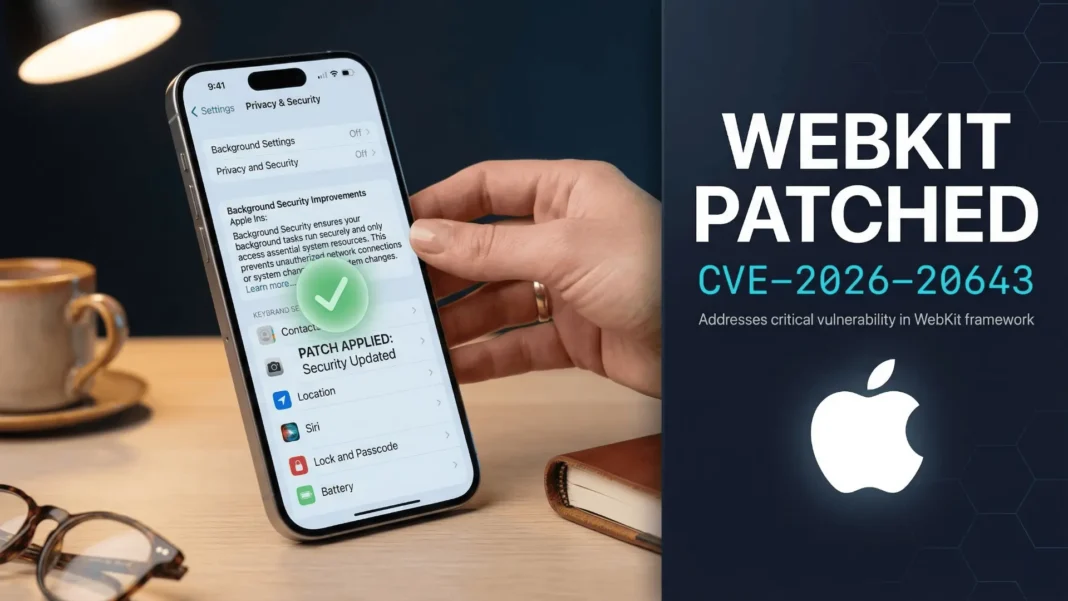
What You Need to Know
- Apple released its first-ever Background Security Improvements update on March 17, 2026, patching CVE-2026-20643 in WebKit
- The flaw allowed malicious web content to bypass the browser’s Same Origin Policy via a cross-origin issue in the Navigation API
- This update applies to iOS 26.3.1, iPadOS 26.3.1, macOS 26.3.1, and macOS 26.3.2 without requiring a device restart
- Uninstalling this update removes all incremental background patches and reverts your device to its baseline security level
Apple just changed how it protects your iPhone, iPad, and Mac from security threats. On March 17, 2026, the company delivered its first-ever Background Security Improvement, a lightweight, out-of-band patch that fixed a WebKit vulnerability without requiring a full OS update or a device restart.
This is a structural shift in how Apple handles rapid threat response, and if you are running iOS 26.3.1, iPadOS 26.3.1, macOS 26.3.1, or macOS 26.3.2, this patch already applies to your device. Understanding what changed, why WebKit is a high-priority target, and how to verify the update is in place takes under five minutes.
What Is Apple’s Background Security Improvements Feature
Background Security Improvements is a delivery mechanism Apple introduced in iOS 26.1, iPadOS 26.1, and macOS 26.1 specifically to push small, targeted security fixes between full software releases. Unlike standard updates that require downloading a full OS build and restarting the device, these patches apply silently in the background to specific components, primarily the Safari browser, the WebKit framework stack, and other system libraries that require frequent security attention.
Apple describes the system as designed for “components that benefit from smaller, ongoing security patches between software updates.” The March 17, 2026 patch marks the first public use of this feature, confirming it is now an active part of Apple’s security infrastructure rather than a capability held in reserve.

The Vulnerability: CVE-2026-20643 Explained
The flaw patched in this first Background Security Improvement is tracked as CVE-2026-20643 and was discovered by security researcher Thomas Espach. It existed within the Navigation API in WebKit and created a cross-origin issue that malicious web content could exploit to bypass the browser’s Same Origin Policy.
The Same Origin Policy is one of the web’s foundational security rules. It prevents a website from accessing cookies, saved sessions, or sensitive data belonging to a different site. A successful exploitation of this flaw could allow a harmful webpage to interact with data from another open site, undermining data isolation that users rely on every time they browse.
Apple resolved the vulnerability by implementing improved input validation within the Navigation API. The company has not disclosed whether CVE-2026-20643 was actively exploited in real-world attacks prior to the patch.
Why WebKit Is Apple’s Highest-Priority Patch Target
WebKit is not limited to Safari. It serves as the underlying browser engine for all third-party browsers on iOS and iPadOS, as well as all in-app web views across Apple devices. Every time an application loads a webpage inside the app itself, such as a news feed, a login screen, or an embedded browser, it runs through WebKit.
This broad exposure makes WebKit a consistently high-value target for attackers. Cross-origin vulnerabilities are particularly dangerous because they directly attack the mechanism that keeps websites isolated from each other. The Background Security Improvements system was built precisely to reduce the window between identifying such flaws and getting fixes onto user devices.
How to Verify the Patch Is Installed on Your Device
The Background Security Improvements update does not appear in the standard Software Update section. It has its own location in Privacy and Security settings.
On iPhone or iPad:
- Open Settings
- Tap Privacy and Security
- Select Background Security Improvements to view installed patches
On Mac:
- Open System Settings from the Apple menu
- Click Privacy and Security
- Select Background Security Improvements to confirm status
Apple also links these updates to your automatic update preferences. Enabling “Security Responses and System Files” under automatic updates allows the system to install background patches without any manual action required.
What Happens If You Remove a Background Security Improvement
Apple explicitly warns that uninstalling a Background Security Improvement is strongly discouraged unless it causes a specific compatibility problem on your device.
Removing the update does not simply undo the most recent patch. It reverts the device to its baseline OS security level, removing all incremental background patches that were applied since the last full OS update. This means the device loses all rapid-response protections delivered through this feature until the patches are reapplied or folded into a future full software update.
In rare cases where a Background Security Improvement causes a compatibility issue, Apple may temporarily remove it and include an enhanced version in the next standard update.
Background Security Improvements vs. Standard iOS Updates
| Feature | Background Security Improvements | Standard iOS Update |
|---|---|---|
| Delivery method | Silent, background installation | Manual download and install |
| Device restart required | No | Yes |
| Scope | Targeted components (WebKit, Safari, system libraries) | Full OS |
| Location in Settings | Privacy and Security | General > Software Update |
| Removal option | Available but not recommended | Not applicable |
| First available | iOS 26.1, iPadOS 26.1, macOS 26.1 | All iOS versions |
Limitations and Considerations
Background Security Improvements are available only on devices running the latest OS versions. Users on older iOS or macOS releases do not receive these patches and must wait for a full update that includes the fix. Additionally, removing a background patch reverts all incremental protections applied since the baseline OS install, not just the most recent one. Apple has not confirmed a timeline for integrating CVE-2026-20643’s fix into a permanent full update.

Frequently Asked Questions (FAQs)
What is Apple’s Background Security Improvements feature?
Background Security Improvements is a system Apple introduced in iOS 26.1 to deliver small, targeted security patches for components like WebKit and Safari between full OS updates. It installs silently in the background without requiring a device restart or manual user action.
What does CVE-2026-20643 affect?
CVE-2026-20643 is a cross-origin vulnerability in WebKit’s Navigation API that could allow malicious web content to bypass the Same Origin Policy. Apple patched it via improved input validation on March 17, 2026. The flaw affects iOS 26.3.1, iPadOS 26.3.1, macOS 26.3.1, and macOS 26.3.2.
Do I need to manually install the Background Security Improvement?
Not if you have “Security Responses and System Files” enabled in your automatic update settings. The patch installs in the background automatically. You can confirm it is installed by checking Settings > Privacy and Security > Background Security Improvements on iPhone or iPad.
Is it safe to remove a Background Security Improvement?
Apple strongly advises against it. Removing the update reverts your device to its baseline OS security level and removes all incremental background patches applied since the last full OS update. Only remove it if a specific compatibility issue requires it.
Was CVE-2026-20643 actively exploited before the patch?
Apple has not disclosed whether CVE-2026-20643 was exploited in active attacks prior to the March 17, 2026 patch. As a standard practice, Apple does not confirm active exploitation unless it is directly relevant to user action required.
Which devices received the March 17, 2026 Background Security Improvement?
The patch applies to devices running iOS 26.3.1, iPadOS 26.3.1, macOS 26.3.1, and macOS 26.3.2. Devices on older OS versions are not eligible for Background Security Improvements and must receive fixes through full OS updates.
Where does Background Security Improvements appear on my Mac?
On a Mac, open System Settings, click Privacy and Security, and scroll to Background Security Improvements. This section shows installed patches and provides the option to remove them. It does not appear in the Software Update section.

