


Quick Brief
- macOS 26.3.2 (build 25D2140) released March 10, 2026, exclusively for the new MacBook Neo
- Apple’s release notes confirm it includes both bug fixes and security updates, not just bug fixes
- macOS 26.4 beta is already compatible with MacBook Neo and new M5 Pro and M5 Max MacBook Pro models
- MacBook Neo launched March 11, 2026, at $599, and customers likely encountered this update during first setup
Apple released a day-one software update for its most affordable Mac before the device reached a single customer. macOS 26.3.2 arrived on March 10, 2026, one day before MacBook Neo went on sale, ensuring every unit shipped with a ready patch available at first boot. This breakdown covers exactly what changed, what the broader 26.3 branch fixed, and what comes next for macOS Tahoe.
What Is macOS 26.3.2 and Who Gets It
macOS 26.3.2 carries build number 25D2140 and is exclusive to the MacBook Neo, Apple’s $599 entry-level laptop that launched on March 11, 2026. Apple’s release notes state the update includes bug fixes and security updates for the new Mac.
The update does not appear in Software Update on any other Mac, including M5 MacBook Air or M5 Pro and M5 Max MacBook Pro models. That hardware-specific scope confirms this patch addresses issues tied directly to the MacBook Neo’s hardware configuration.
Why Apple Shipped a Day-One Patch
Day-one patches reflect Apple’s shift toward pre-emptive quality management on new hardware introductions. MacRumors reported on March 10, 2026, that Apple will likely require the software to be installed during the MacBook Neo setup process itself, meaning buyers encounter the fix before they ever reach the home screen.
The M5 MacBook Air and M5 Pro and M5 Max MacBook Pro launched on the same day but did not receive a dedicated update, reinforcing that this patch is Neo-specific.
What macOS 26.3 Fixed Before This Update
macOS 26.3 launched February 11, 2026, and addressed notable issues across the Liquid Glass interface that had lingered since macOS Tahoe 26.0 shipped in September 2025. Apple fixed the Finder column view, restoring the ability to resize columns correctly.
The update also improved the Reduced Transparency accessibility setting. With Reduce Transparency enabled, the sidebar header in System Settings became opaque, cleaning up visual clutter introduced by Liquid Glass in earlier builds. Apple also patched approximately 52 security vulnerabilities in 26.3, including one it reported had been exploited in a sophisticated attack against an older iOS version.
Significant app and system component updates shipped inside macOS 26.3 as well:
- Freeform updated from version 4.2 to 4.3
- Music updated from 1.6.2 to 1.6.3
- Passwords updated from 2.2 to 2.3
- Safari updated from 26.2 to 26.3
- APFS updated from version 2632.40.17 to 2632.80.1
- Two new Thunderbolt kexts added: AppleThunderboltUSBType2DownAdapter and AppleThunderboltUSBType2UpAdapter
The two new Thunderbolt kexts suggest Apple was already preparing the system for hardware features in future M5 models at the time of the 26.3 release.
The Window Resize Bug: Still Not Fully Fixed
One widely reported issue deserves a clear correction. Apple initially listed a window resize fix in its macOS 26.3 release notes, stating that window resize areas would now follow the corner radius of windows rather than using square regions. However, Apple later revised its own release notes, reclassifying the window resize behavior as a known issue rather than a confirmed fix. The Finder column view fix was confirmed; the window resize problem remained unresolved as of 26.3.
macOS 26.3.1 and the M5 Super Core Rename
macOS 26.3.1, released March 4, 2026, handled two separate items ahead of the MacBook Neo launch. It added support for the 2026 Studio Display and Studio Display XDR that Apple unveiled alongside the MacBook Neo, and it renamed M5 performance cores to “Super” cores in both Activity Monitor and System Information.
The “Super” core label applies to all M5 chip variants including the standard M5, not just the Pro and Max models. macOS 26.3.1 shipped as the baseline software on the M5 MacBook Air and M5 Pro and M5 Max MacBook Pro.
macOS 26.4 Is Already in Beta
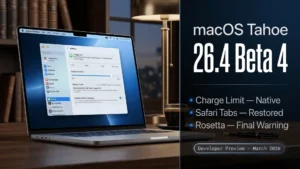
Apple is actively developing macOS 26.4. As of March 9, 2026, beta 4 is in testing and includes new emoji characters alongside other changes. MacRumors confirmed that a version of the macOS 26.4 beta already runs on MacBook Neo and the new M5 Pro and M5 Max MacBook Pro models.
New emoji confirmed for 26.4 include trombone, treasure chest, distorted face, hairy creature, fight cloud, and orca, among others.
Limitations and Considerations
macOS 26.3.2 provides no new features and covers only the MacBook Neo. Apple has not detailed the specific bugs being patched beyond the general statement of bug fixes and security updates. Users on all other Mac models, including M5 MacBook Air and M5 Pro MacBook Pro, receive no update from this release and should expect next meaningful changes from macOS 26.4.
macOS Tahoe 26 Version History
| Version | Release Date | Key Change |
|---|---|---|
| macOS 26.3 | Feb 11, 2026 | 52 security fixes, Finder column view fix, Reduced Transparency improvement |
| macOS 26.3.1 | Mar 4, 2026 | 2026 Studio Display support, M5 “Super” core rename |
| macOS 26.3.2 | Mar 10, 2026 | MacBook Neo-exclusive bug fixes and security updates |
Should You Install macOS 26.3.2
If you have a MacBook Neo, install it. Apple made this update available before the device shipped and will likely prompt installation during initial setup. If you are on any other Mac, the update will not appear in Software Update and you are already on the correct software branch for your hardware.
For all Mac users looking for next meaningful feature additions, macOS 26.4 is the version to monitor. Its beta cycle is progressing as of March 2026, with new emoji and further refinements already confirmed.

Frequently Asked Questions (FAQs)
What is macOS 26.3.2 build 25D2140?
macOS 26.3.2 with build number 25D2140 is a software update released by Apple on March 10, 2026, exclusively for the MacBook Neo. Apple’s release notes confirm it delivers bug fixes and security updates. It is not available for any other Mac model.
Can I install macOS 26.3.2 on my M5 MacBook Air?
No. macOS 26.3.2 is restricted to the MacBook Neo and will not appear in Software Update on M5 MacBook Air, M5 Pro MacBook Pro, or any other Mac. The M5 MacBook Air shipped with macOS 26.3.1 as its baseline system software.
What did macOS 26.3 fix?
macOS 26.3 addressed approximately 52 security vulnerabilities, fixed Finder column view resizing, and improved the Reduced Transparency accessibility setting within System Settings. The window resize area issue, initially listed as fixed, was later reclassified by Apple as a known issue.
What is the M5 “Super” core rename in macOS 26.3.1?
macOS 26.3.1 updated Activity Monitor and System Information to display M5 performance cores as “Super” cores, matching Apple’s new branding for the M5 chip family. The change applies to the standard M5 and all Pro and Max variants.
When will macOS 26.4 release?
macOS 26.4 is in beta 4 as of March 9, 2026. It already runs on MacBook Neo and new M5 Pro and M5 Max MacBook Pro models. New emoji characters are confirmed for the update. A public release date has not been announced.
Does macOS 26.3.2 include security fixes?
Yes. Apple’s release notes for macOS 26.3.2 explicitly state the update includes both bug fixes and security updates for MacBook Neo, unlike earlier reports that described it as bug fixes only.
What new emoji are coming in macOS 26.4?
macOS 26.4 beta 4 (March 9, 2026) adds new emoji including trombone, treasure chest, distorted face, hairy creature, fight cloud, and orca. Additional characters may arrive in later beta builds before the final release.
Why did MacBook Neo need a day-one update?
MacBook Neo uses a hardware configuration distinct from other M5 Macs. Apple resolved device-specific issues before the machine launched on March 11, 2026, and will likely require the update to be installed during first-time setup, ensuring no buyer receives an unfixed unit.

