

Quick Brief
- visionOS 26.4 beta 4 (build 23O5235a) released March 9, 2026, replacing build 23O5225f
- Foveated streaming support for apps and games was introduced in beta 2 and continues in beta 4
- All six Apple platform betas (iOS, iPadOS, watchOS, tvOS, visionOS, macOS Tahoe) dropped simultaneously
- visionOS 26.4 is a developer-only beta; no public beta track exists for this platform
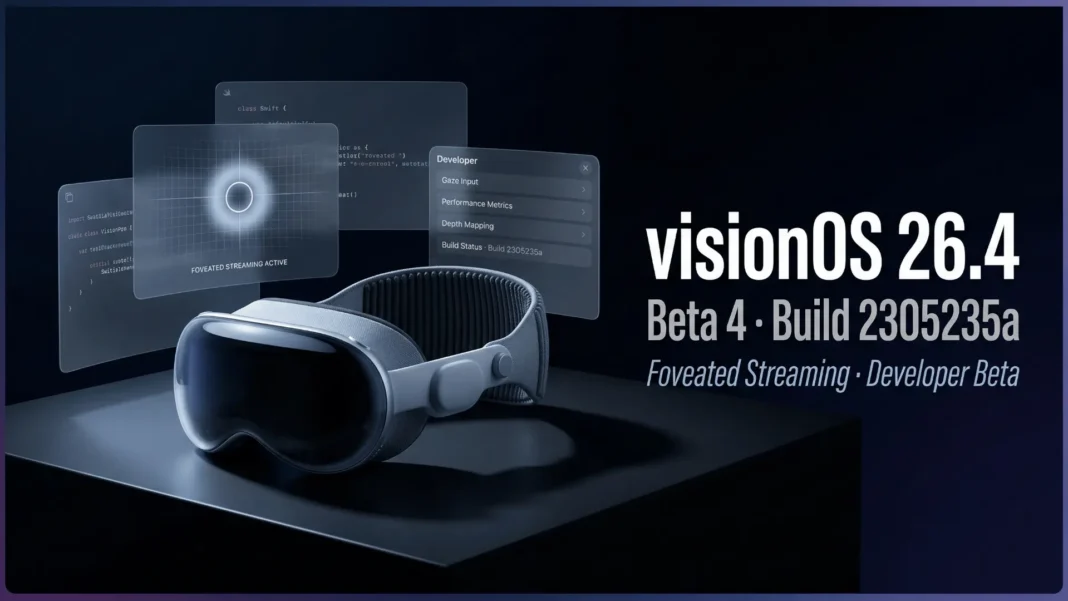
Apple delivered visionOS 26.4 beta 4 on March 9, 2026, and the build number 23O5235a is now the most current software available for Apple Vision Pro developers. This is the fourth beta in a cycle that began February 16, compressing steadily toward what Apple typically ships as a stable release once the beta cadence tightens. The headlining developer feature, foveated streaming, has been maturing since beta 2, and this build gives developers their fourth and likely near-final window to test against it.
Confirmed Build Numbers Across All Platforms
Apple released beta 4 for all six platforms simultaneously on March 9, 2026. This synchronized push mirrors Apple’s standard practice of aligning all OS updates before a stable release. Here are the confirmed build numbers:
| Platform | Beta 4 Build | Replaces |
|---|---|---|
| iOS 26.4 | 23E5234a | 23E5223f |
| iPadOS 26.4 | 23E5234a | 23E5223f |
| watchOS 26.4 | 23T5236a | 23T5226e |
| visionOS 26.4 | 23O5235a | 23O5225f |
| tvOS 26.4 | 23L5234a | 23L5224d |
| macOS Tahoe 26.4 | 25E5233c | 25E5223i |
Complete Beta Timeline for visionOS 26.4
The beta cycle for visionOS 26.4 has run on a weekly cadence since mid-February:
- Beta 1: February 16, 2026
- Beta 2: February 23, 2026 (introduced foveated streaming)
- Beta 3: March 2, 2026
- Beta 4: March 9, 2026 (current build: 23O5235a)
What Foveated Streaming Actually Does
Foveated streaming is the primary new developer capability in visionOS 26.4, first introduced in beta 2 and stable-tested through beta 4. The API allows video to stream at full resolution precisely to the area where a Vision Pro user is looking, while compressing the surrounding peripheral view. The outcome is higher visual quality and lower latency without proportionally increasing bandwidth requirements.
For app and game developers, this is a direct path to richer spatial experiences. A game rendering a detailed environment, or an immersive video app streaming cinematic content, can now deliver sharper imagery where the user’s gaze is focused, and reduce processing demands at the edges simultaneously. Implementing this requires explicit developer adoption; existing apps do not receive foveated streaming passively.
What Else Changed Earlier in the Beta Cycle
While beta 4 focuses on stabilization, earlier builds introduced features now present in the current build. Beta 1 brought changes to Apple Podcasts, Apple Music, end-to-end encryption for RCS, and Stolen Device Protection activation on iOS, which ships alongside visionOS in the unified release. A notable lower-level change also emerged: Apple renamed the iPhone bootloader from iBoot to mBoot, discovered in beta 2.
These changes affect the broader Apple ecosystem that visionOS developers build within, particularly apps that span iPhone and Vision Pro.
Who Can Install Beta 4
visionOS 26.4 beta 4 is available exclusively to registered Apple developers. Unlike iOS and macOS, which receive public beta tracks, visionOS has no public beta program. The software is available through the Settings app on Apple Vision Pro with a free developer account.
Apple and AppleInsider both strongly advise against installing beta software on primary-use or mission-critical hardware. Maintain full device backups before installation. The stable release of visionOS 26.4 will be the first version accessible to all Apple Vision Pro owners.
Considerations Before Installing Beta 4
Beta software carries real risks: instability, app incompatibilities, and data loss are all possible. visionOS is a single-device platform for most users, meaning there is no easy “secondary device” option as there is with iPhone or Mac. Developers should weigh the testing value against the disruption to their primary Vision Pro workflow before installing. If the foveated streaming API is not relevant to your current development cycle, waiting for the stable release is the lower-risk path.
Frequently Asked Questions (FAQs)
What is the build number for visionOS 26.4 beta 4?
visionOS 26.4 beta 4 carries build number 23O5235a. It replaced the previous beta 3 build 23O5225f. Apple released this build on March 9, 2026, alongside beta 4 builds for iOS, iPadOS, watchOS, tvOS, and macOS Tahoe.
What is foveated streaming in visionOS 26.4?
Foveated streaming allows video to be streamed at full resolution to exactly where a Vision Pro user is looking, while compressing peripheral areas. This improves visual quality and reduces latency. Apple introduced the feature for apps and games in visionOS 26.4 beta 2 on February 23, 2026.
When did the visionOS 26.4 beta cycle start?
The visionOS 26.4 beta cycle began on February 16, 2026 with beta 1. Beta 2 followed on February 23, beta 3 on March 2, and beta 4 on March 9. The cadence points to a stable release in mid-to-late March 2026, though Apple has not confirmed a date.
Is visionOS 26.4 beta 4 available to the public?
No. visionOS 26.4 beta 4 is available only to registered Apple developers. Unlike iOS or macOS, visionOS does not have a public beta program. The stable release will be the first version available to all Vision Pro owners without a developer account.
Do I need to do anything to enable foveated streaming in my app?
Yes. Foveated streaming requires explicit implementation by the developer. It does not activate automatically for existing visionOS apps. Developers should review Apple’s foveated streaming documentation and test their implementation before the stable visionOS 26.4 release.
What other Apple platforms received beta 4 on March 9, 2026?
Apple released beta 4 simultaneously for iOS 26.4, iPadOS 26.4, watchOS 26.4, tvOS 26.4, visionOS 26.4, and macOS Tahoe 26.4. All six platforms dropped on the same day as part of Apple’s synchronized testing strategy ahead of a coordinated stable release.
Should I install visionOS 26.4 beta 4 on my primary Vision Pro?
Apple and independent tech media strongly advise against installing beta software on primary-use devices. Maintain full backups before any beta installation. If foveated streaming testing is central to your current development work, a controlled test environment is recommended over primary device installation.

