

Essential Points
- Xcode 26.4 beta 3 (build 17E5179g) released March 9, 2026, alongside iOS, macOS, tvOS, watchOS, and visionOS 26.4 beta 4
- Swift Testing gains image attachment support for CGImage, NSImage, UIImage, and CIImage types
- Instruments adds a Run Comparison feature and new Top Functions mode for faster performance profiling
- String Catalog editor now supports cut, copy, paste, duplicate, language removal, and pre-fill from existing translations
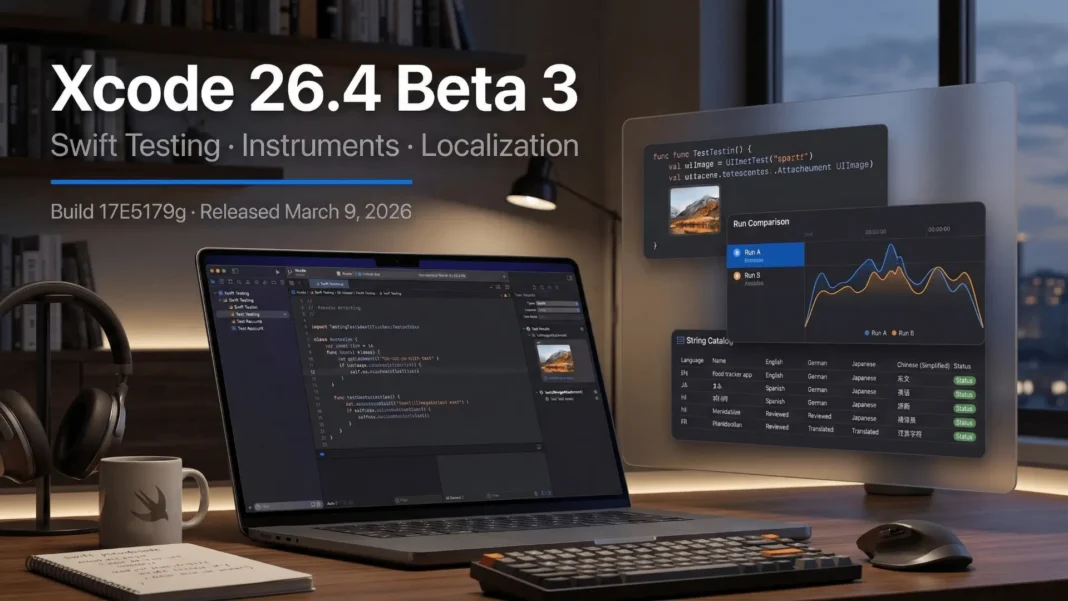
Apple shipped Xcode 26.4 beta 3 on March 9, 2026, targeting iOS, macOS, tvOS, watchOS, and visionOS 26.4 compatibility testing. Unlike Xcode 26.3, which introduced agentic coding with Claude Agent and OpenAI Codex via MCP, version 26.4 focuses entirely on workflow refinement. The changes are spread across three core areas: Swift Testing, Instruments, and localization.
Swift Testing Gains Visual Failure Output
The most practical upgrade for iOS and macOS developers is Swift Testing image attachment support.
You can now attach the following image types directly to test reports:
- CGImage
- NSImage
- UIImage
- CIImage
When a render or Vision framework test fails, you see the actual visual output rather than a string of coordinates. This removes a layer of guesswork that previously required manually inspecting derived data.
Swift Testing in Xcode 26.4 also adds severity specification when recording an issue. Teams using Swift Testing in CI pipelines can now distinguish between critical failures and lower-severity flags, preventing minor issues from blocking builds unnecessarily.
There is also a fix for error handling during attachment saving. If an error occurs while Xcode saves an attachment from either XCTest or Swift Testing into a test report, Xcode now reports that error as a runtime issue immediately rather than failing silently.
 Apple Re-Released iOS & iPadOS 26.4 Beta 3 v.2 With a New Build. Here Is What Actually Changed.
Instruments Gets Run Comparison and Top Functions
Xcode 26.4 ships two high-value additions to Instruments that directly address time spent diagnosing performance regressions.
The new Run Comparison feature lets you compare call trees between runs using View, then Detail Area, then Compare With, or the swap button in the jump bar. After selecting a reference run, the comparison view shows which functions took more or less time. Call tree filtering, including “Charge to callers,” lets you isolate the functions that changed between runs.
Top Functions is a new top-level mode inside the Call Tree view. Select the rightmost button in the Call Tree navigation bar to access it. It surfaces the most expensive functions in a trace regardless of where they are called from, removing the need to manually trace call chains to find bottlenecks.
A new “Hide Inlined Functions” option in the Call Tree menu hides inlined functions and charges their samples to the calling function. This produces cleaner call trees in release builds where inlining is aggressive.
String Catalog Localization Is Now Fully Editable
String Catalogs arrived in Xcode 15 but the editor has lacked basic editing operations since launch. Xcode 26.4 closes four gaps at once.
Language removal: Remove a language from the String Catalog editor with the option to remove it from just that catalog or from the entire project.
Pre-fill translations: When adding a new supported language in Project Settings, Xcode can now pre-populate String Catalogs with translations from an existing language. This accelerates regional variant creation and external vendor handoffs.
Cut, copy, paste, and duplicate: String Catalog editing now supports full clipboard operations on strings within the same catalog file or between different catalogs. When pasting, you choose between adding the string as a new key with all its translations, or applying translations onto an existing key.
Static library string export: Strings extracted from code inside static libraries and executables are now marked as translate=”no” since those targets do not have resource bundles to store strings. This prevents localization vendors from translating strings that can never ship.
BUILD_ONLY_KNOWN_LOCALIZATIONS setting: A new build setting lets teams limit built localized content to the localizations listed in the Project Editor. Excluded languages display less prominently in String Catalogs.
How Xcode 26.4 Compares to Xcode 26.3
| Feature Area | Xcode 26.3 (17C529) | Xcode 26.4 Beta 3 (17E5179g) |
|---|---|---|
| AI/Agentic Coding | Introduced Claude Agent and OpenAI Codex via MCP | No new additions |
| Swift Testing | No image attachment support | CGImage, NSImage, UIImage, CIImage attachments; severity levels |
| Instruments | No Run Comparison feature | Run Comparison, Top Functions, Hide Inlined Functions |
| Localization | Limited String Catalog editing | Language removal, pre-fill, cut/copy/paste/duplicate, static library fix |
| SDK Coverage | iOS/macOS 26.3 SDKs | Full 26.4 SDK suite: iOS, iPadOS, macOS, tvOS, watchOS, visionOS |
| Release Date | February 26, 2026 | Beta 3: March 9, 2026 |
Companion OS Releases on March 9, 2026
Xcode 26.4 beta 3 shipped alongside the following beta 4 releases on March 9, 2026:
- iOS 26.4 beta 4 (23E5234a)
- iPadOS 26.4 beta 4 (23E5234a)
- macOS Tahoe 26.4 beta 4 (25E5233c)
- tvOS 26.4 beta 4 (23L5234a)
- watchOS 26.4 beta 4 (23T5236a)
- visionOS 26.4 beta 4 (23O5235a)
Developers targeting any of these platforms should build against the Xcode 26.4 beta 3 SDKs before the stable release window.
Considerations Before Installing
Xcode 26.4 beta 3 is not suitable for production builds. Apple recommends beta installs specifically for app compatibility testing against upcoming OS releases, not for shipping code. Keep Xcode 26.3 stable (17C529, released February 26, 2026) as your primary production IDE and run 26.4 beta in a separate environment.
Who Should Install Xcode 26.4 Beta 3 Now
Install now if any of these apply:
- Your app uses Swift Testing and you need visual failure output for image-rendering or Vision framework tests
- You profile app performance regularly in Instruments and want run-over-run regression detection
- You maintain a localized app and manage String Catalogs across multiple languages
- You plan to ship for any of the 26.4 OS targets and need early SDK compatibility data
Wait for stable release if your project has a deadline within the next 30 days and your test suite passes cleanly on Xcode 26.3.
Frequently Asked Questions (FAQs)
What is the build number for Xcode 26.4 beta 3?
Xcode 26.4 beta 3 carries build identifier 17E5179g. Apple released it on March 9, 2026. Download it through the Apple Developer portal at developer.apple.com/download/applications using an active Apple Developer Program membership. The provided link requires JavaScript and may not be accessible without it, so ensure your browser settings allow JavaScript to view the page.
What image types can Swift Testing attach in Xcode 26.4?
Swift Testing in Xcode 26.4 supports attaching CGImage, NSImage, UIImage, and CIImage instances directly to test reports. This enables visual verification for snapshot tests, rendering pipelines, and Vision framework outputs instead of text-only failure logs.
What is the Run Comparison feature in Xcode 26.4 Instruments?
Run Comparison lets you select any previous Instruments run and compare its call tree against the current run. Functions that took more or less time are highlighted. Combined with call tree filters like “Charge to callers,” it helps isolate where regressions occurred between builds.
What localization improvements does Xcode 26.4 add to String Catalogs?
Xcode 26.4 adds five localization improvements: language removal per catalog or project-wide, pre-fill of new language catalogs from an existing language, cut/copy/paste/duplicate operations on strings, automatic translate=”no” marking for static library strings, and the new BUILD_ONLY_KNOWN_LOCALIZATIONS build setting.
What platforms does Xcode 26.4 beta 3 ship SDKs for?
Xcode 26.4 beta 3 ships updated SDKs for iOS 26.4, iPadOS 26.4, macOS Tahoe 26.4, tvOS 26.4, watchOS 26.4, and visionOS 26.4. All six companion OS platforms also released their own beta 4 builds on the same date, March 9, 2026.
Is Xcode 26.4 beta 3 safe for production development?
No. Beta builds are intended for compatibility testing against upcoming OS versions, not for shipping code. Maintain Xcode 26.3 stable (build 17C529, released February 26, 2026) as your production IDE while running 26.4 beta in a parallel, isolated environment.
How does Xcode 26.4 differ from Xcode 26.3?
Xcode 26.3 introduced agentic coding with Anthropic Claude Agent and OpenAI Codex via the Model Context Protocol. Xcode 26.4 contains no new AI features. It focuses on Swift Testing image attachments, Instruments performance profiling tools, and String Catalog localization improvements.
When will Xcode 26.4 reach stable release?
Apple has not announced a specific stable release date. Based on the beta cycle (beta 1 mid-February 2026, beta 3 March 9, 2026), and the pattern of companion OS releases following 4 to 6 beta iterations, a stable release is expected in spring 2026 alongside the final iOS and macOS 26.4 public release.

