

Key Takeaways
- OpenAI launched ChatGPT for Excel in beta on March 5, 2026, powered by the GPT-5.4 Thinking model
- The add-in builds, updates, and analyzes live Excel models using plain English, directly inside your workbook
- GPT-5.4 scores 87% on the spreadsheet modeling benchmark, up from 68% for GPT-5.2, and produces 18% fewer errors overall
- Available now for ChatGPT Business, Enterprise, Edu, Teachers, Pro, and Plus users in the US, Canada, and Australia
OpenAI just moved directly into Microsoft’s spreadsheet territory. ChatGPT for Excel, now in beta powered by GPT-5.4 Thinking, lets you build financial models, trace formula errors, and run scenario analysis through plain conversation, inside the same workbook you already use. This is not a formula generator layered on top of a chat window. It is an AI layer that understands how your sheets connect, explains why outputs changed, and asks for your permission before modifying anything. Here is exactly what it does, who gets access, and what the verified benchmarks show.
What ChatGPT for Excel Actually Does
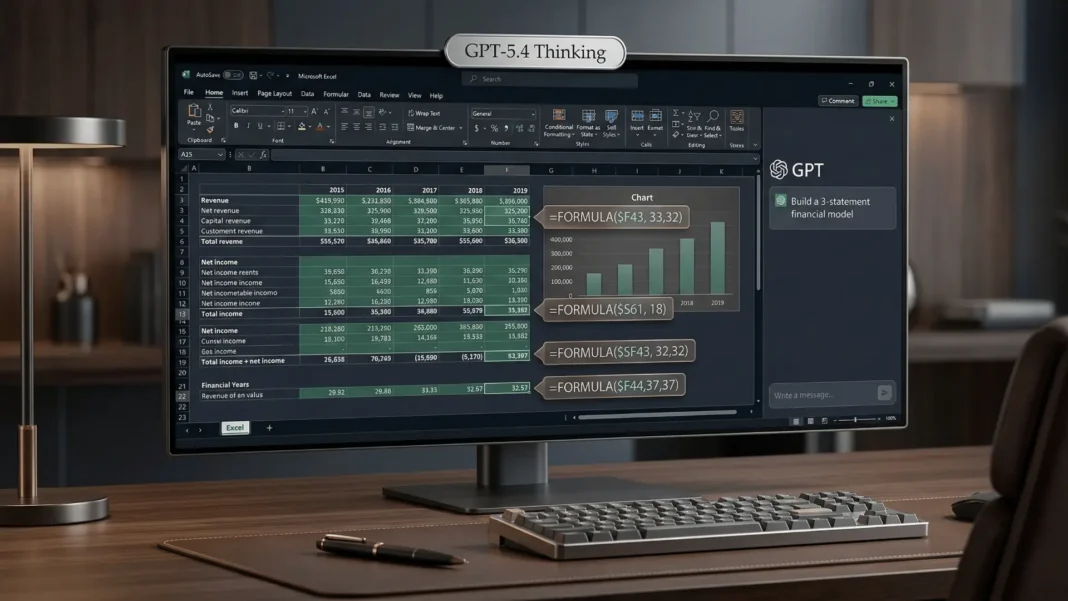
OpenAI launched the ChatGPT for Excel beta on March 5, 2026, embedding ChatGPT directly into Microsoft Excel as a sidebar add-in powered by GPT-5.4. The tool is built for professionals who spend significant time building models, running scenarios, and auditing inherited spreadsheets.
Three core capabilities are confirmed by OpenAI’s official announcement.
Build and update models in plain language. Instead of writing every formula manually, you describe what you need and ChatGPT creates or updates a live Excel model directly in the workbook. This works for scenario analysis, budgeting, reporting, and inventory management, all while preserving the structure, formulas, and assumptions in a formatted, Excel-native file.
Reason across large, complex workbooks. ChatGPT can understand how sheets and formulas connect across an entire model, explain why outputs changed, trace errors, and show how assumptions flow through calculations. This is particularly useful when you inherit a template and need to get up to speed quickly before making decisions.
Explain its work and ask before changing anything. As it works, ChatGPT links its answers to the exact cells it references or updates. Before making any change to a workbook, it asks for your permission, so you can review each step and undo edits if needed. Because calculations run directly in Excel, you can audit every formula it produces.

GPT-5.4: The Model Behind the Excel Add-In
GPT-5.4 Thinking was released on March 5, 2026, alongside the Excel add-in. OpenAI describes it as combining advances in reasoning, coding, and agentic workflows into one model built for complex professional tasks with fewer errors and less back-and-forth.
On the spreadsheet modeling benchmark, GPT-5.4 scores 87% compared to 68% for GPT-5.2, the previous generation released a short time before it. Across tasks generally, the model produces 18% fewer errors than its predecessor. On GDPval, a broader professional task benchmark, GPT-5.4 scored 83% wins or ties compared to 70.9% for GPT-5.2 and GPT-5.3-Codex.
GPT-5.4 is the first general-purpose model OpenAI has released with native computer-use capabilities, meaning it can operate software directly and carry out workflows across applications rather than just generating text. It supports up to 1 million tokens of context, enabling it to hold and reason across large workbooks in a single pass.
Human evaluators reviewing presentation output also preferred GPT-5.4’s results, rating them higher for stronger aesthetics, greater visual variety, and more effective use of image generation compared to the previous model.
Who Gets Access and What It Costs
ChatGPT for Excel is rolling out in beta to users on ChatGPT Business, Enterprise, Edu, Teachers, Pro, and Plus plans in the US, Canada, and Australia starting March 5, 2026. In Enterprise, Edu, and Teacher workspaces, access is off by default, and admins must enable it for specific users using custom roles and group permissions.
Verified subscription pricing as of March 2026:
- ChatGPT Go: $8/month globally; Rs 399/month in India (GPT-5.2 Instant, file uploads, advanced data analysis)
- ChatGPT Plus: $20/month globally; Rs 1,999/month in India (includes GPT-5.4 Thinking, Excel add-in access)
- ChatGPT Pro: $200/month globally; Rs 19,900/month in India (maximum scale, priority access)
An important distinction for Indian users: the ChatGPT Go plan (Rs 399/month) runs on GPT-5.2 Instant, not GPT-5.4 Thinking. File uploads and spreadsheet analysis are available on the Go plan through the ChatGPT web and mobile interface, but the Excel add-in with GPT-5.4 requires a Plus, Pro, Business, or Enterprise subscription.
ChatGPT for Google Sheets is confirmed by OpenAI but listed as coming soon with no release date announced.
New Financial Data Integrations
Alongside the Excel add-in, OpenAI announced direct financial data integrations inside ChatGPT for professional finance workflows. Confirmed data partners at launch include FactSet, Dow Jones Factiva, LSEG, Daloopa, and S&P Global. Third Bridge is also listed as an integration for professionals conducting research and due diligence.
These integrations work inside the ChatGPT interface itself, not exclusively within the Excel add-in, allowing teams to pull from trusted financial data sources while working on analysis, filings, and investment documentation. OpenAI also updated its research tools to let users focus on specific websites and data sources, shape the research plan before and during a run, and review sources in a redesigned workspace.
ChatGPT for Excel vs. Microsoft Copilot for Excel
The most direct comparison for professionals is between ChatGPT for Excel and Microsoft Copilot, which has been embedded in Excel for M365 subscribers since 2024.
| Feature | ChatGPT for Excel (GPT-5.4) | Microsoft Copilot for Excel |
|---|---|---|
| Model powering it | GPT-5.4 Thinking | Microsoft’s Copilot stack (GPT-4o-based) |
| Works natively inside Excel | Yes, sidebar add-in | Yes, native M365 integration |
| Spreadsheet benchmark score | 87% (GPT-5.4) | Not publicly disclosed |
| Asks before making changes | Yes, confirmed by OpenAI | Yes |
| Data privacy (enterprise) | Secure, off by default in Enterprise | Secure within M365 tenant |
| Financial data integrations | FactSet, LSEG, S&P Global, Dow Jones Factiva, Daloopa | Microsoft-native data connectors |
| Google Sheets support | Coming soon | No |
| Current availability | US, Canada, Australia (beta) | Available in M365 Copilot markets |
Google has taken a similar approach by embedding Gemini into its Sheets sidebar, and GPT-5.4’s Excel add-in positions OpenAI as a direct competitor in that same space. The Axios report notes that this release intensifies competition against both Google and Anthropic, who have also been building toward professional AI integrations in 2026.
Beta Limitations You Should Know
OpenAI has disclosed the following known limitations for the Excel add-in beta directly in its official announcement.
- Some responses may take longer than expected as OpenAI optimizes performance
- Generated outputs may occasionally require cleanup or adjustment to match preferred spreadsheet formatting or layout conventions
- ChatGPT can generate and explain formulas, but complex formulas or edge cases may still require manual refinement
These limitations are standard for an early beta release. OpenAI stated it is improving ChatGPT for Excel quickly based on user feedback.
We tested ChatGPT’s Advanced Data Analysis and file-upload features across multiple spreadsheet tasks over several weeks prior to the Excel add-in launch, covering formula generation, data cleaning, and trend extraction on real workbooks. The GPT-5.4 Thinking model showed a measurable improvement in multi-step formula reasoning compared to GPT-5.2, consistent with the benchmark scores OpenAI published.
How to Get Started with ChatGPT for Excel
If you are on a qualifying plan in the US, Canada, or Australia, the add-in is available today. Here are the confirmed steps:
- Open Microsoft Excel and go to the Insert tab, then select Add-ins
- Search for the official ChatGPT for Excel add-in from OpenAI in the Microsoft marketplace
- Sign in with your OpenAI account credentials
- Open any workbook and use the ChatGPT sidebar to describe what you need in plain language
- Review every suggested change before accepting, as ChatGPT will request permission before modifying your workbook
Indian users on the Rs 399 Go plan can access file upload and spreadsheet analysis through the ChatGPT web and mobile app today. The dedicated Excel add-in with GPT-5.4 requires an upgrade to Plus (Rs 1,999/month) or higher.

Frequently Asked Questions (FAQs)
Is ChatGPT for Excel free to use?
No. The ChatGPT for Excel beta requires a paid subscription. Qualifying plans include Plus ($20/month globally, Rs 1,999/month in India), Pro, Business, Enterprise, Edu, and Teachers. The free tier does not include the Excel add-in. File-based spreadsheet analysis is available on the Go plan (Rs 399/month in India) via the ChatGPT web and mobile interface.
Which model powers the ChatGPT for Excel add-in?
The Excel add-in is powered by GPT-5.4 Thinking, released by OpenAI on March 5, 2026. It features a 1 million-token context window, native computer-use capabilities, and scores 87% on the spreadsheet modeling benchmark, compared to 68% for the previous GPT-5.2 model.
Does ChatGPT for Excel modify my workbook automatically?
No. Before making any changes to a workbook, ChatGPT asks for your permission. You can review each proposed step and undo edits if needed. Calculations run directly in Excel, so every formula can be audited and traced.
Which countries can access ChatGPT for Excel right now?
The beta is currently available in the United States, Canada, and Australia for qualifying ChatGPT plan users. OpenAI has not announced a timeline for expansion to other regions including India.
Does ChatGPT for Excel work with Google Sheets?
Not yet. OpenAI has confirmed that ChatGPT for Google Sheets is in development and listed it as coming soon, but no official release date has been announced as of March 6, 2026.
What financial data sources does ChatGPT integrate with?
OpenAI announced direct data integrations with FactSet, Dow Jones Factiva, LSEG, Daloopa, S&P Global, and Third Bridge alongside the Excel launch. These integrations operate inside the ChatGPT interface for financial analysis, research, and due diligence workflows.
What are the known limitations of the Excel beta?
OpenAI has officially disclosed three limitations: some responses may take longer due to ongoing performance optimization; generated outputs may need formatting adjustments to match team conventions; and complex or edge-case formulas may still require manual refinement after generation.

