

Essential Points
- KB5078883 begins distributing updated Secure Boot certificates to prevent boot security failures when current certificates expire in June 2026
- GPU stability patches reduce crashes during intensive gaming and 3D rendering sessions on affected configurations
- File History now correctly backs up files containing Chinese characters and Unicode Private Use Area characters
- Windows System Image Manager gains reliability improvements when selecting trusted catalog files, including a new confirmation warning dialog
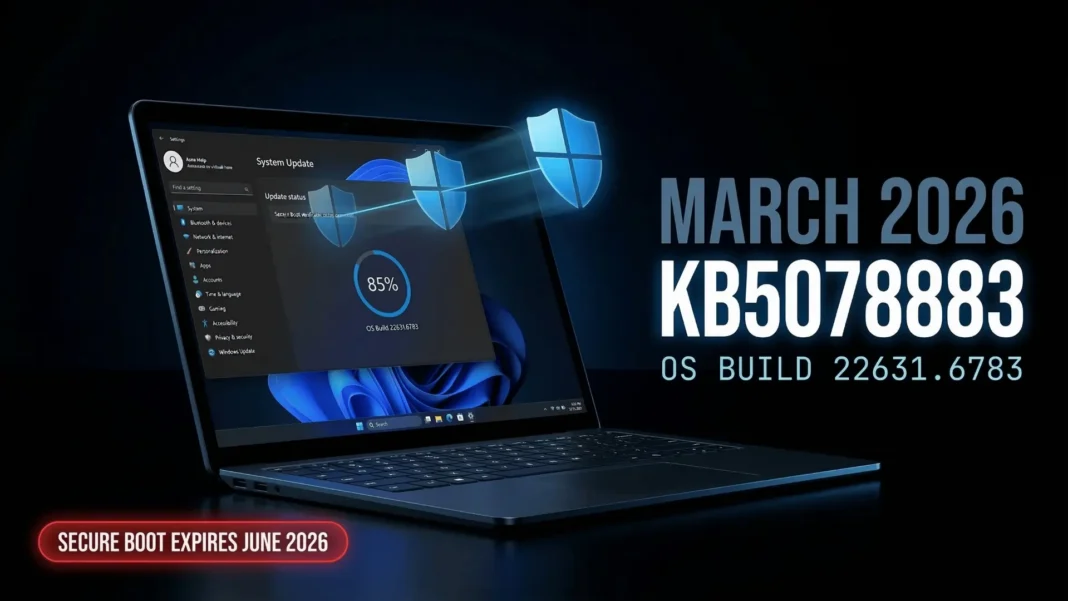
Microsoft’s March 10, 2026 Patch Tuesday update carries a warning most Windows 11 users have not read: your device’s Secure Boot certificates start expiring in June 2026, and this update begins the fix. KB5078883 (OS Build 22631.6783) targets Windows 11 version 23H2, delivering security patches alongside six concrete reliability improvements that address real daily-use friction points. If your machine runs Build 22631 or earlier, this update directly affects how your device boots, backs up files, and handles graphics.
What KB5078883 Actually Changes on Your PC
This cumulative update bundles all fixes from February’s KB5075941 (released February 10, 2026) and adds new improvements on top. Microsoft describes the scope as a security-focused release with targeted quality improvements, not a feature overhaul. That means no interface redesigns, but six fixes that will be felt by specific user groups immediately.
The six core improvement areas are:
- Secure Boot certificate rollout: Windows now automatically delivers updated certificates to eligible devices, determined by high-confidence device readiness signals and a phased rollout process
- PowerShell Secure Boot tools: Two new cmdlets,
Get-SecureBootUEFI -DecodedandGet-SecureBootSVN, allow IT admins to audit Secure Boot key states and firmware compliance directly from the command line - File History reliability: Files with names that include Chinese characters and Unicode Private Use Area characters now back up successfully in Control Panel’s File History
- GPU shutdown stability: Specific GPU configurations that caused unreliable shutdowns during intensive 3D and gaming workloads receive a targeted stability fix
- GPU gaming reliability: Games and 3D applications run more reliably during intensive graphics use on affected configurations
- Saudi Riyal currency symbol: Windows fonts now render the official SAR symbol correctly across applications and system UI
- Windows System Image Manager: Reliability improves when selecting trusted catalog files, and a new warning dialog confirms whether files come from a trusted source
The Secure Boot Deadline You Cannot Ignore
The most consequential part of KB5078883 is what it prepares for, not what it fixes today. Secure Boot certificates built into Windows devices begin expiring in June 2026. The underlying cause is the BlackLotus UEFI bootkit vulnerability (CVE-2023-24932), which exposed weaknesses in the existing certificate chain that Microsoft must now remediate at scale. Without updated certificates, affected devices face three specific risks after that deadline.
- Loss of ability to install Secure Boot security updates after June 2026
- Inability to trust third-party software signed with new certificates
- No security fixes for the Windows Boot Manager after October 2026
KB5078883 starts the certificate replacement process automatically for devices that meet Microsoft’s eligibility criteria. The rollout uses “high-confidence device targeting data,” meaning not every device receives the new certificate in this wave. Microsoft and OEM partners are coordinating firmware updates in parallel to extend coverage. Notably, Copilot+ PCs released in 2025 are not affected by the Secure Boot certificate expiration issue.
If you manage enterprise devices, the new Get-SecureBootSVN cmdlet lets you verify each machine’s current Secure Boot Security Version Number against the latest policy baseline. The Get-SecureBootUEFI -Decoded cmdlet provides a decoded view of Secure Boot UEFI variables for deeper firmware auditing.
GPU Fixes: Shutdown and Gaming Stability
The graphics stability improvements in KB5078883 address two separate failure modes. First, certain GPU configurations caused Windows to hang or fail during shutdown. Second, games and 3D applications experienced reliability drops under sustained graphics load on the same affected hardware.
Microsoft has not published a specific list of affected GPU models or drivers in the official release notes. Users who experienced intermittent crashes during gaming sessions or abnormal shutdown behavior should apply this update and monitor for improvement over several restart cycles.
File History: Chinese Characters and Unicode PUA Fixed
File History in Windows 11’s Control Panel has struggled with non-Latin filenames. The KB5078883 fix specifically addresses backup failures for files whose names include Chinese characters and Unicode Private Use Area (PUA) characters. This affects users who store documents, media, or project files with names written in Chinese, certain Japanese kanji combinations, or files generated by software that uses PUA encoding in filenames.
No configuration change is required after the update installs. File History will resume backing up previously skipped files in the next scheduled backup cycle automatically.
Windows System Image Manager Trusted Catalog Fix
IT administrators and enterprise deployment teams benefit from a specific fix in Windows System Image Manager (Windows SIM). The tool now operates more reliably when selecting trusted catalog files during image customization workflows. A new warning dialog has been added to confirm whether the selected catalog file comes from a trusted source before proceeding, reducing the risk of applying untrusted configurations to deployment images.
How to Install KB5078883
Installing this update requires no manual steps for most users. Windows Update delivers it automatically to all eligible Windows 11 version 23H2 devices as of March 10, 2026.
For manual installation or enterprise deployment:
- Open Settings > Windows Update and select Check for updates
- Download the standalone package from the Microsoft Update Catalog using KB5078883
- Deploy via Windows Server Update Services (WSUS) for managed enterprise environments
- Verify installation by checking Settings > Windows Update > Update history for Build 22631.6783
The update also bundles Servicing Stack Update KB5079275 (Build 22621.6773), which improves the update installation component itself. The SSU cannot be removed from the system after installation, and Microsoft does not support its removal.
Upgrading from Windows 11 22H2 to 23H2
Users on Windows 11 version 22H2 can use the enablement package KB5027397 to upgrade to version 23H2 and receive KB5078883. Windows 11 23H2 remains in support and continues to receive cumulative security updates on the monthly Patch Tuesday cadence.
Considerations
Windows 11 23H2 receives fewer feature additions each cycle as Microsoft’s development focus shifts toward 24H2 and 25H2. Some older OEM firmware configurations may not receive automatic Secure Boot certificate updates through Windows Update alone, requiring manual OEM firmware intervention before the June 2026 deadline. Enterprise administrators should begin auditing device Secure Boot readiness now using the new PowerShell cmdlets included in this update.
Frequently Asked Questions (FAQs)
What is KB5078883 and which Windows version does it apply to?
KB5078883 is the March 10, 2026 cumulative security update for Windows 11 version 23H2, updating the OS to Build 22631.6783. It bundles all fixes from February 2026’s KB5075941 alongside six new targeted improvements covering Secure Boot, GPU stability, File History, and Windows System Image Manager.
Will KB5078883 fix my PC’s Secure Boot automatically?
Not necessarily for all devices. The update uses a phased rollout based on high-confidence device readiness signals. Eligible devices receive new Secure Boot certificates automatically through Windows Update. Enterprise admins can verify device status using the new Get-SecureBootSVN PowerShell cmdlet included in this update.
Why are Secure Boot certificates expiring in June 2026?
The expiration stems from the BlackLotus UEFI bootkit vulnerability (CVE-2023-24932), which exposed weaknesses in the existing Secure Boot certificate chain. Microsoft must replace all three certificates covering the KEK, UEFI CA, and Windows bootloader before the June 2026 deadline to maintain boot security protections.
Are Copilot+ PCs affected by the Secure Boot certificate expiration?
No. Copilot+ PCs released in 2025 are explicitly listed as not affected by the Secure Boot certificate expiration issue. The problem primarily targets older devices built on certificate infrastructure issued before the Copilot+ platform generation.
Does this update affect Windows 11 24H2 or 25H2 users?
No. KB5078883 specifically targets Windows 11 version 23H2 (OS Build 22631 series). Windows 11 24H2 and 25H2 users receive separate cumulative updates with different KB numbers on the same Patch Tuesday cycle.
How do I verify KB5078883 installed successfully?
Go to Settings, then Windows Update, then Update History. Look for KB5078883 in the list. Your OS build should read 22631.6783 under Settings, then System, then About. If the update failed, rerun Windows Update or download the standalone installer from the Microsoft Update Catalog using the KB number.
Can I uninstall KB5078883 after installing it?
You can attempt to remove the cumulative update portion. However, the bundled Servicing Stack Update KB5079275 (Build 22621.6773) cannot be removed after installation. Microsoft explicitly states this SSU removal is not supported.
What happens if I skip this update before June 2026?
Devices that do not receive the new Secure Boot certificates will lose the ability to install Secure Boot security updates after June 2026, lose trust for software signed with new certificates, and receive no Windows Boot Manager security fixes after October 2026. Boot functionality is not immediately broken, but security protections degrade progressively without the updated certificates.

