

Quick Brief
- tvOS 26.4 beta 3 (build 23L5224d) released March 2, 2026 to registered developers
- Subtitle style controls move from buried Accessibility settings into the native video player
- Continuous Audio Connection option addresses audio format issues with older receivers
- Standalone iTunes Movies and TV Shows apps removed permanently in this update
Apple shipped something quietly useful. tvOS 26.4 beta 3 does not chase headlines, but its three targeted changes solve real friction points that Apple TV 4K users have tolerated for years. Here is exactly what changed, why it matters, and what you should do before the final release lands next month.
Subtitle Customization Moves Into the Video Player
For years, changing subtitle appearance on Apple TV required navigating deep into Accessibility settings, a workflow that interrupted viewing and discouraged most users from customizing at all. tvOS 26.4 fixes this directly.
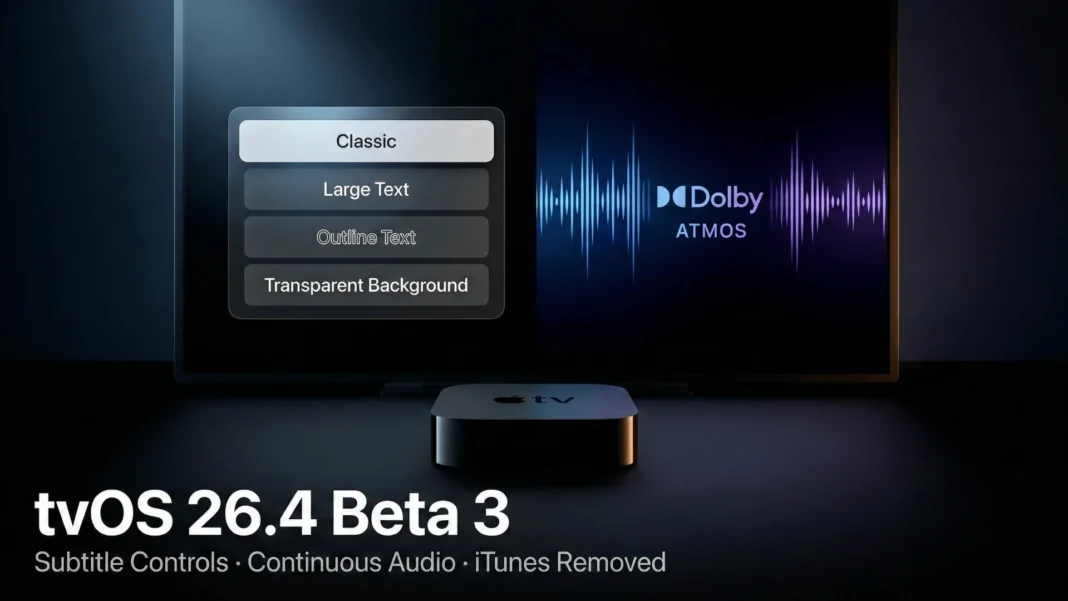
When subtitles are active in the Apple TV app, a new Style menu now appears inside the native video player itself. Users can choose from four preset styles:
- Classic
- Large Text
- Outline Text
- Transparent Background
A Manage Styles button inside that same menu links directly to Accessibility settings, where custom styles remain available for users who want granular control. The limitation worth noting: this applies only to apps that use tvOS’s default video player. Many major streaming services build their own players, so the Apple TV app is where most users will experience this change first.
What this means for you: if you watch content through the Apple TV app, subtitle readability just became a one-tap decision rather than a settings detour.
Continuous Audio Connection Targets Receiver Compatibility
Audio dropouts and incorrect format flags have been a persistent complaint among Apple TV users with certain audio setups. tvOS 26.4 introduces a new Continuous Audio Connection toggle to address this.
The setting lives under Settings > Video and Audio > Audio Format, in the HDMI Output section. Apple describes the feature this way: “Apple TV uses a Dolby MAT connection for seamless transitions across formats. Older receivers might indicate Atmos, but the original audio will play as intended.”
9to5Mac notes the feature may have been added to improve compatibility with Sonos speakers, though its impact is expected to be broader than that single use case. If you have encountered issues with your Apple TV audio setup, enabling this toggle is the first thing to try after updating.
iTunes Movies and TV Shows Apps Removed in tvOS 26.4
Apple completes a long-running consolidation with tvOS 26.4 by permanently removing the standalone iTunes Movies and TV Shows apps. Nearly all functionality from those apps has been available inside the TV app for years, making this a cleanup rather than a loss.
One detail demands attention before the update ships. Apple recently began notifying iTunes users that the Wish List feature is being discontinued. Apple’s recommended solution is to save those Wish List items to the TV app’s Watchlist. The Watchlist is not identical in function to an iTunes Wish List, and if you still have saved items, transitioning them now is the right move before tvOS 26.4 launches.
tvOS 26.4 in the Broader 26.4 Update Wave
tvOS 26.4 is part of Apple’s wider 26.4 OS cycle, covering iOS, iPadOS, watchOS, and visionOS simultaneously. The headline addition in the iOS 26.4 series is End-to-End Encrypted RCS Messaging between iPhone and Android, which Apple enabled in beta 2.
The tvOS 26.4 changes are narrower in scope but address usability gaps that did not make the original tvOS 26 feature set. Notably, the revamped Siri with deeper app controls, originally expected in the 26.4 cycle, has been delayed again. Bloomberg’s Mark Gurman reported that key features are now expected to slip to iOS 26.5 or possibly iOS 27 following internal testing issues.
For developers, tvOS 26.4 beta 3 carries build identifier 23L5224d, released through Apple’s Developer portal on March 1, 2026. Apple is expected to release further betas weekly as it approaches final release, currently targeted for next month based on the beta cadence.
tvOS 26.4 Feature Changes at a Glance
| Feature | Before tvOS 26.4 | With tvOS 26.4 |
|---|---|---|
| Subtitle Customization | Accessibility settings only | Native video player access |
| Audio Connection | Standard HDMI handshake | Continuous Audio Connection option |
| iTunes Standalone Apps | Movies + TV Shows apps present | Removed permanently |
| iTunes Wish List | Active feature | Discontinued; migrate to Watchlist |
Limitations and Considerations
The subtitle style feature works only within apps that use Apple’s default tvOS video player. Netflix, Disney+, and most major streaming services use proprietary players, meaning this feature will not apply to them at launch. Apple has not announced plans to require third-party apps to adopt the new subtitle API. Users on those platforms will continue relying on each app’s native subtitle controls.

Frequently Asked Questions (FAQs)
When will tvOS 26.4 release publicly?
tvOS 26.4 is currently in beta testing as of March 2026, with a public launch expected next month, placing it in April 2026. Apple has not confirmed an official date. Beta 3 released March 2, 2026, with further betas expected weekly before the final build.
What is the tvOS 26.4 beta 3 build number?
tvOS 26.4 beta 3 carries the official build identifier 23L5224d. Apple released it to registered developers on March 1, 2026, approximately one week after the second developer beta.
How do I install tvOS 26.4 beta 3?
You need a registered Apple Developer account. Go to Settings > General > Software Update > Beta Updates on your Apple TV and select Developer Beta. Note that beta software is not stable and is intended for testing only.
How do I access subtitle styles in tvOS 26.4?
Open any video in the Apple TV app, enable subtitles, and tap the new Style option that appears in the player controls. Choose from Classic, Large Text, Outline Text, or Transparent Background. Use the Manage Styles button to reach Accessibility settings for custom styles.
What is the Continuous Audio Connection feature in tvOS 26.4?
Continuous Audio Connection maintains a Dolby MAT stream to ensure seamless audio format transitions. It prevents older receivers from incorrectly flagging non-Atmos content as Atmos while still playing the original audio correctly. Find it under Settings > Video and Audio > Audio Format > HDMI Output.
Will I lose my iTunes Wish List after tvOS 26.4?
Yes. The Wish List feature is being discontinued alongside the removal of iTunes Movies and TV Shows apps in tvOS 26.4. Apple recommends transferring saved Wish List items to the TV app’s Watchlist before the public update launches. The two features are similar but not functionally identical.
Does tvOS 26.4 include the revamped Siri with deeper app controls?
No. Bloomberg’s Mark Gurman reported that the revamped Siri features faced delays after internal testing issues. These capabilities are now expected to arrive in iOS 26.5 or possibly iOS 27, not in the 26.4 update cycle.
Will the subtitle style feature work in Netflix or Disney+ on Apple TV?
Not at launch. The subtitle style menu only appears in apps that use Apple’s default tvOS video player. Netflix, Disney+, and most major streaming services use their own video players, so this feature will not affect those apps until they individually adopt Apple’s native player API.

