

Quick Brief
- macOS Tahoe 26.4 Beta 4 (build 25E5233c) released to developers on March 9, 2026
- Charge Limit lets MacBook users cap battery charging between 80% and 100% natively
- Safari’s compact tab bar returns after Apple removed it with the original macOS Tahoe 26 launch
- Macs running Rosetta-dependent apps now receive warnings ahead of Apple’s planned Rosetta phase-out
Apple shipped macOS Tahoe 26.4 Beta 4 on March 9, 2026, and it is not a routine update. Four substantive changes land in this build that affect MacBook battery health, browser usability, a persistent UI bug, and the long-term fate of Intel-era apps on every Mac. This article covers each change, explains what it means for everyday users, and walks through how to install the beta safely.
What Is macOS Tahoe 26.4 Beta 4?
macOS Tahoe 26.4 Beta 4 carries build number 25E5233c and was seeded to registered Apple developers one week after Beta 3. Apple releases these incremental point updates, typically in the spring, to deliver targeted fixes and features between major macOS versions.
This beta is available exclusively through the Apple Developer Program, with a free developer account required to access it. The public release of macOS Tahoe 26.4 is expected in spring 2026 after several more weeks of beta testing.

Charge Limit Finally Arrives on Mac
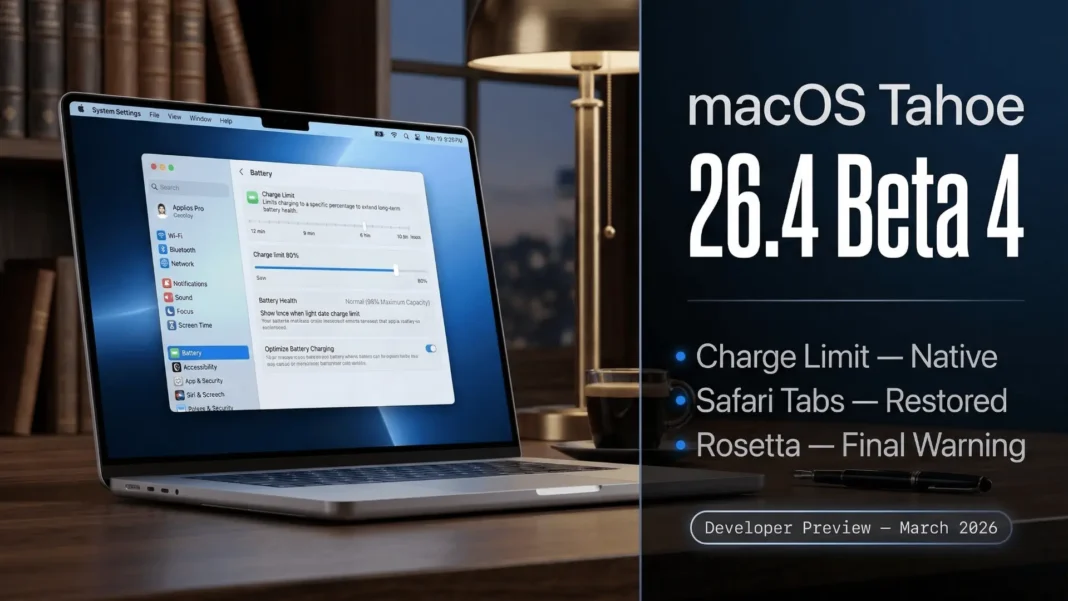
The headline feature of macOS 26.4 is Battery Charge Limit, a setting that lets users choose a maximum charge ceiling anywhere between 80% and 100%. iPhone and iPad users have had this option for years; Mac users have until now depended on third-party tools to achieve the same result.
Keeping a lithium battery consistently at full charge accelerates chemical degradation over time. Capping charge at 80% in conditions where your MacBook sits plugged in most of the day, such as at a desk or workstation, can meaningfully extend battery lifespan over months and years.
The setting is accessible inside System Settings under Battery. No third-party app, no terminal command; Apple now handles this natively.
Who Benefits Most From This Setting?
- MacBook users who leave their laptops plugged in overnight or at a permanent desk setup
- Students and professionals using MacBook Air or MacBook Pro as a primary stationary workstation
- Anyone who has noticed battery health declining faster than expected within the first year of ownership
Safari Gets Its Compact Tab Bar Back
Apple removed the compact tab bar option when macOS Tahoe 26 launched in 2025, replacing it with the new floating Liquid Glass-style tab design. For users who preferred a denser, more traditional tab layout, this was a noticeable regression.
macOS 26.4 restores the compact tab layout as an option in Safari. Users can now switch between the new floating tab design and the compact view based on personal preference.
This reversal follows a broader pattern in macOS Tahoe 26.x updates, where user feedback has driven Apple to restore layout choices removed in the initial release.
Window Resize Pointer Bug Fixed
A persistent UI issue tracked through multiple betas has been resolved in macOS 26.4. The window resize pointer was not following the curved corner radius of macOS Tahoe’s windows, causing a visible mismatch between the cursor position and the actual window edge.
Apple had previously marked this issue as fixed in macOS 26.3, then reclassified it as a known issue before addressing it again in the 26.4 cycle. Build 25E5233c brings the fix forward as a confirmed resolution.
Rosetta Warnings: What They Mean for Mac Users
Starting with macOS 26.4, Apple Silicon Macs display a warning whenever a user opens an app that still relies on Rosetta. The message informs users that Apple plans to phase out Rosetta support after macOS Tahoe, and all apps will need native updates before that transition completes.
Rosetta 2 has served as a translation layer since Apple introduced Apple Silicon chips in 2020. Its planned end-of-life is not a surprise, but these in-context warnings make the timeline visible to everyday users for the first time.
If you rely on apps that have not been updated for Apple Silicon, now is the right time to contact developers for native builds or identify alternative software.
How to Check If Your Apps Use Rosetta
- Open Activity Monitor on your Mac
- Click the CPU tab
- Look at the “Kind” column for each process
- Any app listed as “Intel” requires a native Apple Silicon update before Rosetta support ends
How to Install macOS 26.4 Beta 4
A free Apple Developer account is required, and a backup should always precede any beta installation.
- Back up your Mac using Time Machine or an external drive
- Open System Settings
- Navigate to General, then Software Update
- Click the “i” icon next to Beta Updates
- Select macOS Developer Tahoe Beta from the dropdown menu
- Tap Done and allow the update to download
Beta software is not recommended for primary work machines due to potential instability. Test on a secondary device or a separate APFS volume where possible.
macOS Tahoe 26.4 Key Changes at a Glance
| Feature | Status in Beta 4 | User Impact |
|---|---|---|
| Battery Charge Limit | New, range of 80% to 100% | Helps preserve long-term MacBook battery health |
| Safari Compact Tab Bar | Restored as an option | Returns denser layout for users who preferred it |
| Window Resize Pointer Fix | Resolved (previously reclassified from 26.3 fix to known issue) | Corrects cursor alignment with Liquid Glass window corners |
| Rosetta Deprecation Warnings | New alert on Rosetta-dependent app launch | Signals upcoming end of Rosetta support after macOS Tahoe |
Limitations and Considerations
macOS 26.4 Beta 4 is a developer build and carries real risk for daily-driver use. Apple has not confirmed a specific public release date beyond “spring 2026.” The Rosetta warnings currently appear on Apple Silicon Macs only; the precise timing and scope of Rosetta’s phase-out have not been detailed in official documentation beyond the in-beta alerts.
Frequently Asked Questions (FAQs)
What is the build number for macOS Tahoe 26.4 Beta 4?
macOS Tahoe 26.4 Beta 4 carries build number 25E5233c. Apple seeded it to registered developers on March 9, 2026, one week after the third beta. It is the fourth developer preview in the macOS 26.4 testing cycle.
How does the macOS 26.4 Charge Limit feature work?
The Charge Limit feature lets MacBook users set a maximum battery charge between 80% and 100% directly inside System Settings under Battery. Limiting charge below 100% reduces stress on lithium cells and can slow long-term battery capacity loss.
Will Rosetta support end after macOS Tahoe?
Apple has confirmed through the macOS 26.4 beta that Rosetta support will be phased out after macOS Tahoe. Apps that still rely on Rosetta will need to be updated to native Apple Silicon builds before that transition. No further timeline has been specified officially.
Why did Apple restore Safari’s compact tab bar in macOS 26.4?
Apple removed the compact tab bar when macOS Tahoe 26 launched in 2025 as part of its Liquid Glass redesign. Following user demand for the denser layout, Apple restored it as an optional setting in the macOS 26.4 beta cycle.
When will macOS Tahoe 26.4 release to the public?
Apple has confirmed a spring 2026 public release for macOS Tahoe 26.4. No specific date has been announced. The update is currently available to developers through System Settings with a free Apple Developer account.
Is it safe to install macOS 26.4 Beta 4 on a primary Mac?
Beta builds carry stability risks and are not recommended for primary work machines. Apple advises installing developer betas on secondary devices or separate APFS volumes. Always complete a full Time Machine backup before installing any pre-release software.
What does the window resize pointer fix in macOS 26.4 address?
The fix corrects a bug where the cursor did not align with the curved corners of macOS Tahoe’s windows during resize operations. Apple had marked this issue as resolved in macOS 26.3, then reclassified it as a known issue before fully addressing it in the 26.4 beta.

