

Quick Brief
- macOS 26.4 beta 1 launched February 16, 2026 with Rosetta 2 discontinuation notifications
- Users see alerts when launching Intel-based apps requiring translation layer
- Apple set hard deadline of fall 2027 (macOS 28) for most Rosetta 2 functionality
- Developers have 18-month window to recompile apps for Apple silicon architecture
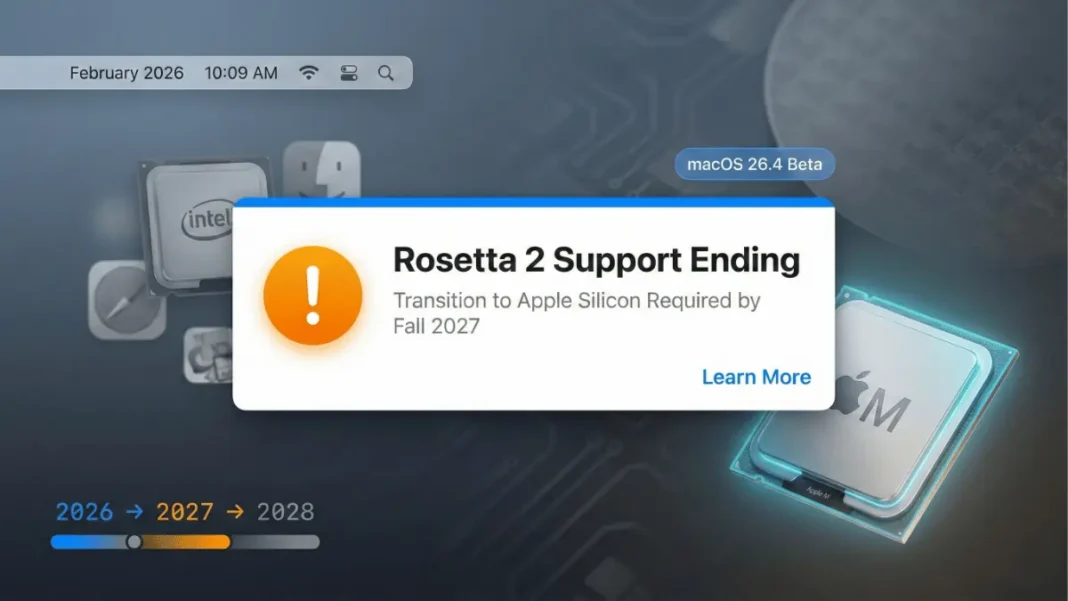
Apple has initiated the final phase of its Intel-to-ARM transition and macOS 26.4 makes that shift unavoidable. The first developer beta, released February 16, 2026, introduces a notification system that alerts users every time they launch an app requiring Rosetta 2, Apple’s Intel-to-ARM translation layer. This marks the beginning of the end for Intel compatibility, with full discontinuation set for macOS 28 in fall 2027.
Rosetta 2 Notification System Explained
What Users Will See
Starting with macOS 26.4 beta 1, every launch of an Intel-based app triggers a system notification informing users that Rosetta 2 support will end. The alert serves dual purposes: it pushes users to seek native Apple silicon versions and reminds developers to update legacy applications.
According to Apple’s announcement at WWDC25, Rosetta 2 will receive full support through macOS 27. Starting with macOS 28, Apple will discontinue Rosetta 2 entirely except for “a subset of Rosetta functionality aimed at supporting older unmaintained gaming titles“.
This 18-month warning window from February 2026 to fall 2027 gives developers substantial lead time to recompile applications for ARM architecture. Users running Intel-dependent software, particularly professional tools, niche utilities, or older games face a hard deadline to find alternatives or upgrades.
Technical Implementation
The notification appears as a system-level alert each time an Intel-based application launches. While the exact wording has not been disclosed, the notification clearly communicates the upcoming discontinuation timeline and encourages users to contact developers for Apple silicon-native versions.
Apple’s Silicon Transition Timeline
The Complete Roadmap
Apple established a clear discontinuation schedule at WWDC25:
- macOS 26.4 (February 2026): Rosetta 2 warning notifications begin appearing
- macOS 27 (Fall 2026): Full Rosetta 2 support maintained throughout this version
- macOS 28 (Fall 2027): Rosetta 2 largely discontinued; limited gaming exception only
This staged approach provides developers 18 months from the first warning to complete ARM transitions. The gaming exception indicates Apple recognizes certain legacy titles may never receive updates but remain valuable to users.
Why Apple Is Ending Rosetta 2
Rosetta 2 was introduced in 2020 as a temporary bridge during Apple’s transition from Intel processors to custom Apple silicon chips. Six years later, the translation layer has served its purpose. Discontinuing Rosetta 2 allows Apple to:
- Reduce system complexity and maintenance overhead
- Improve overall performance by eliminating translation layers
- Encourage full adoption of ARM-optimized code
- Simplify future macOS development without legacy compatibility constraints
Integration With macOS Tahoe
Liquid Glass Design Continuity
macOS 26.4 continues the Liquid Glass interface introduced in macOS 26 Tahoe at its September 2025 launch. This design overhaul, the first major aesthetic shift since 2013 creates reflective, glossy windows and menus with dynamic depth. The visual language includes subtle tints for folders and redesigned icons for Macintosh HD, Preview, and Finder.
Recent Updates
The macOS 26.3 update released February 11, 2026, focused on bug fixes and security updates rather than new features. macOS Tahoe represents the final version supporting Intel-based Macs, with exclusive Apple silicon features underscoring the company’s silicon commitment.
Impact on App Ecosystem
Developers Face Critical Deadline
The Rosetta 2 notification system addresses a critical transition milestone. Developers must evaluate their update strategy now:
Immediate Actions Required:
- Audit existing apps for Intel dependencies
- Recompile codebases for ARM architecture
- Test universal binaries across M1, M2, M3, and M4 chip generations
- Update App Store listings to specify Apple silicon compatibility
Apps not recompiled for ARM by fall 2027 will function poorly or not at all, except for specific gaming titles Apple preserves under limited Rosetta functionality.
User Considerations
Users relying on Intel-compiled software must evaluate their toolchain immediately:
- Check if essential apps have Apple silicon versions available on developer websites
- Contact developers of unmaintained or niche software for update roadmaps
- Identify alternatives for tools unlikely to receive ARM builds
- Plan hardware upgrades if still using Intel-based Macs
System Requirements and Compatibility
Hardware Requirements
macOS Tahoe 26.4 requires Mac computers with M1 chips or later for new features. Intel-based Macs can run macOS Tahoe through version 26.x, but future releases (macOS 27 and beyond) will phase out Intel support entirely.
Checking App Architecture
Users can verify if their apps are Intel-based or Apple silicon-native:
- Open Activity Monitor (Applications > Utilities)
- Select the running application
- Click the Info (i) button
- Under “Kind,” the system displays:
- “Apple” for native Apple silicon apps
- “Intel” for apps requiring Rosetta 2
Comparison: macOS 26 Update History
| Version | Release Date | Key Features | Rosetta 2 Status |
|---|---|---|---|
| macOS 26.0 (Tahoe) | September 2025 | Liquid Glass interface debut | Full support, no warnings |
| macOS 26.3 | February 11, 2026 | Bug fixes and security updates | Full support, no warnings |
| macOS 26.4 Beta | February 16, 2026 | Rosetta 2 discontinuation alerts | Full support with notifications |
Developer Access to macOS 26.4 Beta
How to Download
Developers can access macOS Tahoe 26.4 beta by following these steps:
- Open System Settings
- Select General > Software Update
- Enable Beta Updates
- Sign in with Apple Developer account (free account sufficient)
- Download and install macOS 26.4 beta
The beta arrived just five days after macOS 26.3’s public release on February 11, 2026, indicating rapid iteration cycles as Apple approaches major feature releases.
Beta Testing Timeline
Public beta access typically follows developer beta by 2-4 weeks based on historical patterns. However, Apple has not announced an official public beta date for macOS 26.4 as of February 17, 2026.
What Happens After macOS 28
Limited Gaming Support
Apple’s WWDC25 announcement specified that “a subset of Rosetta functionality aimed at supporting older unmaintained gaming titles” would continue after macOS 28’s launch in fall 2027. This exception acknowledges that certain legacy games may never receive developer updates but retain cultural or entertainment value.
The exact scope of this limited support remains undefined. Apple has not clarified which games qualify or how long this reduced functionality will persist.
Complete ARM Ecosystem
By fall 2027, Apple’s Mac ecosystem will be fully ARM-native for all practical applications except preserved gaming titles. This represents the completion of a seven-year transition that began with the M1 chip announcement in November 2020.
Frequently Asked Questions (FAQs)
What is Rosetta 2 and why is Apple discontinuing it?
Rosetta 2 is Apple’s translation layer that allows Intel-based applications to run on Apple silicon Macs. Apple is discontinuing it to fully transition its ecosystem to ARM architecture, improving performance and energy efficiency while reducing system maintenance complexity.
Will my Intel-based apps stop working immediately?
No. Applications requiring Rosetta 2 will continue functioning with full support through macOS 27, expected in fall 2026. Starting with macOS 28 in fall 2027, most Intel apps will cease working except specific preserved gaming titles.
When will macOS 26.4 be available to the public?
Apple has not announced an official public release date as of February 17, 2026. The developer beta launched February 16, 2026. Based on historical patterns, public release typically occurs 4-6 weeks after first developer beta.
Do I need an Apple silicon Mac to run macOS 26.4?
macOS Tahoe 26.4 supports both Intel-based Macs and Apple silicon Macs. However, Intel Mac support will end with future macOS versions, and Apple silicon is required for new features introduced in macOS Tahoe.
How do I check if my apps are Intel-based or Apple silicon native?
Open Activity Monitor, select a running app, and click the Info button. Under “Kind,” it displays “Apple” for native apps or “Intel” for apps requiring Rosetta 2 translation.
Which games will continue working after macOS 28?
Apple has not specified which gaming titles will receive limited Rosetta 2 support after macOS 28. The company stated only that “older unmaintained gaming titles” would be preserved through a subset of Rosetta functionality.
Can I disable the Rosetta 2 notifications?
Apple has not documented a method to disable these notifications in macOS 26.4 beta 1. The alerts serve as critical warnings for the upcoming transition deadline.

