

Quick Brief
- Build 25E5223i resolves Mac restarts and unresponsive network connections caused by content filter extensions
- Charge Limit feature lets users set a maximum battery charge level between 80% and 100%
- Safari’s Compact tab layout returns after Apple removed it in earlier macOS Tahoe versions
- macOS Tahoe is the final macOS version to support Intel Macs; Rosetta 2 warnings now appear per app launch
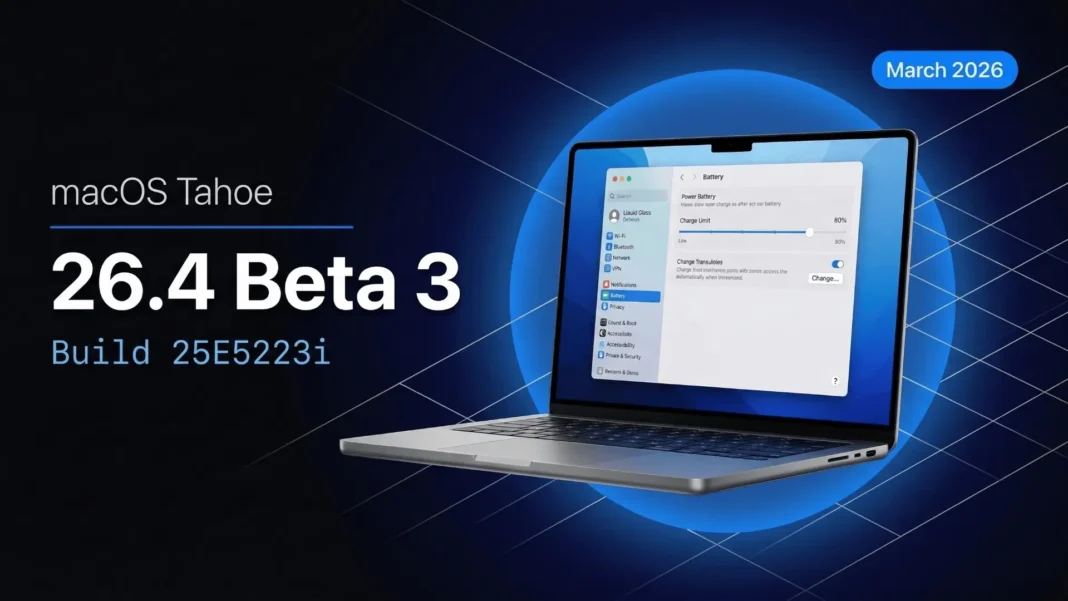
Apple shipped macOS Tahoe 26.4 Beta 3 on March 3, 2026, with build number 25E5223i, and it delivers the most significant stability improvements of the 26.4 beta cycle. This release targets real crashes and workflow blockers that developers encountered in Betas 1 and 2. If you run network security tools, manage Apple devices through MDM, or own an Intel Mac, this update directly affects your setup.
What macOS 26.4 Beta 3 Fixes
Beta 3 closes two serious network problems. Mac computers were restarting unexpectedly when network extensions were enabled, and network connections were becoming unresponsive when content filter network extensions were active. Both issues are now resolved in this build. Network shares added to favorites and then unmounted were also failing to reconnect, a persistent problem that disrupted workflows relying on NAS drives or shared office storage.
Touch ID behavior also improves in Beta 3. A bug prevented Touch ID from unlocking the screen of a standard user until an admin account had first logged in, which created a friction point on shared or managed Macs. That issue is now fixed. Additionally, Keynote, Numbers, and Pages no longer prompt users to sign in with an Apple Account when those apps are installed as managed apps through MDM.
Fixes Carried Over from Beta 2
Several resolved issues in the Beta 3 release notes trace back to Beta 2. Configured printers were being removed after a software update, breaking print setups for both home and enterprise users. Exchange syncing for Calendar, Reminders, and Notes was also failing, a regression introduced in Beta 1 that Beta 2 corrected.
Login Window settings configured by device management now correctly revert to defaults when a configuration profile is removed. Certificate renewal also improves: if a new identity certificate fails to install during MDM enrollment renewal, the original certificate is now retained to prevent accidental device unenrollment.
Charge Limit: Battery Control Built Into macOS
macOS 26.4 introduces a Charge Limit feature, accessible through System Settings under Battery. Users can set a maximum charge ceiling anywhere between 80% and 100%. The logic mirrors battery protection features on iPhone: lithium-ion cells degrade faster when held continuously at full charge. For MacBook users who keep their laptop plugged in at a desk, capping below 100% can help preserve long-term battery health.
Safari Compact Tabs Return After User Feedback
Apple removed the Compact tab layout option when macOS Tahoe launched, drawing consistent criticism from users who preferred the space-efficient design. macOS 26.4 brings it back as a selectable option in Safari settings. This is a course correction based on direct user feedback, not a new feature. It restores usability on smaller MacBook screens where the standard tab height consumes page-viewing space.
Rosetta 2 Warnings: What They Mean for You
Starting with macOS 26.4, Apple Silicon Macs display a warning popup each time a user opens an app that still relies on Rosetta 2 for Intel-to-Apple-Silicon translation. Apple has confirmed that the Rosetta translation layer will be discontinued by late 2027. The warning is designed to prompt developers and users to move to native Apple Silicon builds before that deadline.
If you see frequent warnings, the affected app has not yet shipped a Universal or native Apple Silicon build. Contact the developer or check for an updated version that removes the Rosetta dependency.
Intel Mac Users: What This Beta Means
macOS Tahoe is the final macOS version that runs on Intel-based Mac computers. Apple is no longer adding new platform features for Intel hardware. If you own an Intel Mac, macOS Tahoe 26.4 still receives updates and security patches, but the platform roadmap points entirely toward Apple Silicon. Planning a transition before Rosetta support ends in 2027 is increasingly practical for users who depend on Rosetta-translated apps.
Known Issues in Beta 3
Not everything is resolved. Two known issues remain in this build:
- Devices running a previous macOS 26.4 beta with an Endpoint Security extension enabled may fail to update to the latest build. The documented workaround is to disable Endpoint Security extensions on test devices before updating.
- Users are prompted to unlock the login keychain at login if the Mac uses a smart card or a third-party authentication plugin.
Considerations
Beta 3 does not include the major Siri AI upgrade that many anticipated for the spring 2026 cycle. Apple has pushed those features to a later release. The Endpoint Security update blocker is a real risk for developers running security tools: disabling those extensions on a production machine carries its own workflow implications, which is another reason to keep beta software on a dedicated test device.
How to Install macOS 26.4 Beta 3
A free Apple Developer account is required for the Developer Beta. Once enrolled:
- Back up your Mac using Time Machine or an external drive
- Open System Settings and go to General
- Select Software Update
- Tap the information icon next to Beta Updates
- Choose macOS Developer Tahoe Beta from the dropdown
- Select Done and follow the standard update prompts
The Public Beta arrived a day after the developer release and is available through Apple’s Beta Software Program at no cost. Do not install beta software on a primary production Mac.
 iOS 26.3.1 (23D8133): Every Confirmed Fix and Change Apple Just Shipped to Your iPhone and iPad
Frequently Asked Questions (FAQs)
What is macOS 26.4 Beta 3 build number?
macOS 26.4 Beta 3 carries the build number 25E5223i. Apple released it to developers on March 3, 2026, one day after releasing corresponding betas for iOS, iPadOS, watchOS, and visionOS. The Public Beta followed on March 4, 2026.
What does macOS 26.4 Beta 3 fix?
Beta 3 resolves unexpected Mac restarts and unresponsive network connections caused by content filter network extensions. It also fixes Touch ID unlock behavior for standard users, network share reconnection failures, and an issue where managed apps prompted unnecessary Apple Account sign-ins.
What is the Charge Limit feature in macOS 26.4?
Charge Limit lets Mac users set a maximum battery charge level between 80% and 100% through System Settings under Battery. It is designed to slow battery degradation for users who keep their MacBook connected to power for extended periods.
Is macOS Tahoe the last version for Intel Macs?
Yes. Apple has confirmed that macOS Tahoe is the final version of macOS to support Intel-based Mac computers. Rosetta 2 support ends by late 2027, and no new platform features are being added for Intel hardware.
Why is my Mac showing a Rosetta 2 warning in macOS 26.4?
Starting with macOS 26.4, Apple Silicon Macs display a warning each time an app that requires Rosetta 2 translation opens. Apple plans to discontinue Rosetta support by late 2027. The warning signals that the app you are opening does not yet have a native Apple Silicon build.
When will macOS 26.4 release publicly?
Apple has not confirmed a specific date. MacRumors reports macOS 26.4 is planned for a spring 2026 release. Based on the current three-beta cycle timeline, a late March or April 2026 public release is consistent with Apple’s typical update cadence.
Should I install macOS 26.4 Beta 3 on my primary Mac?
No. The known Endpoint Security extension issue can block future updates on affected devices. Install beta software only on a dedicated test machine with a current backup. Apple’s own documentation lists this as an active known issue without a timeline for resolution.

