

Essential Points
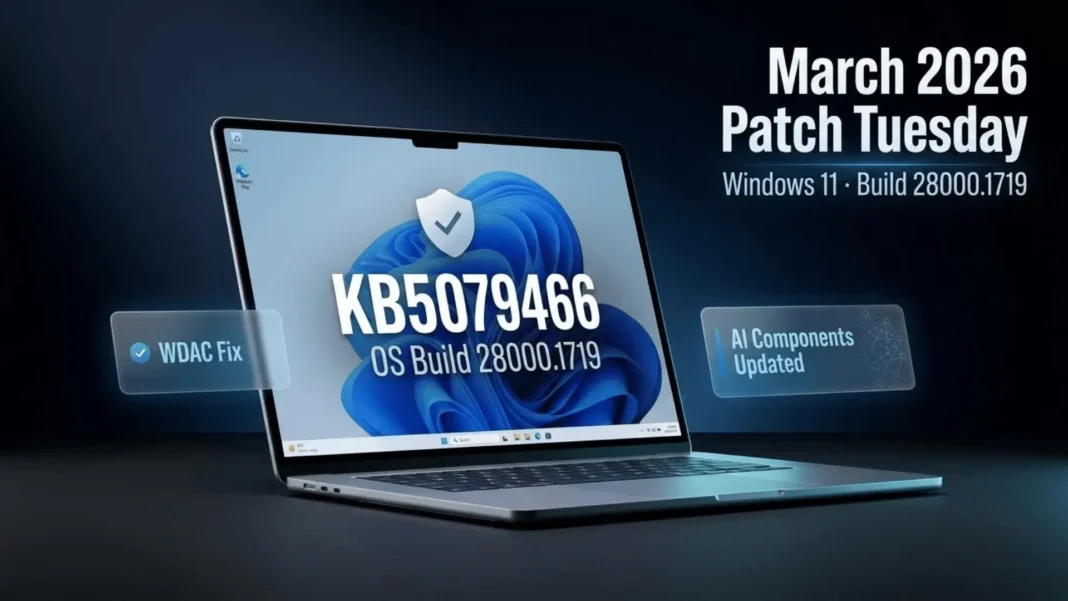
- KB5079466 fixes a WDAC bug that blocked allowed COM objects when endpoint security policy outranked the allowlisting policy
- Windows System Image Manager now shows a warning dialog when you select a trusted catalog file to confirm the source
- Four AI components update to version 1.2601.1268.0: Image Search, Content Extraction, Semantic Analysis, and Settings Model
- Microsoft reports no known issues with this update as of its March 10, 2026 release date
Microsoft released KB5079466 on March 10, 2026, as a non-security cumulative update for Windows 11 version 26H1, bringing the OS to Build 28000.1719. The update delivers two concrete bug fixes, refreshes four AI components, and includes all improvements from the February 24, 2026 optional preview release (KB5077239). If your device runs Windows 11 version 26H1, this update installs automatically through Windows Update with no manual action required.
What KB5079466 Fixes in Windows 11 26H1
The primary fix in this update addresses Windows Defender Application Control (WDAC) and how it handles COM object allowlisting. COM objects were being blocked when the endpoint security policy was ranked higher than the allowlisting policy, overriding permissions that administrators had explicitly granted. With KB5079466 installed, COM objects are allowed as expected when an allowlisting policy covers them.
For organizations that rely on WDAC to manage application control at enterprise scale, this fix closes a gap where policy intent and policy enforcement were not aligned. Admins who previously noticed COM objects blocked despite explicit allowlist entries should validate their configurations after installing this update.
Windows System Image Manager Gets a Confirmation Dialog
The second fix targets Windows System Image Manager (Windows SIM), the tool IT professionals use to build unattended Windows installation answer files. When selecting a trusted catalog file inside Windows SIM, users now see a warning dialog that asks them to confirm the selected file comes from a trusted source. This change improves reliability and reduces the risk of loading an unintended or unverified catalog file during answer file creation.
AI Components Updated in This Build
KB5079466 updates four AI components, all moving to version 1.2601.1268.0. The components updated are:
- Image Search
- Content Extraction
- Semantic Analysis
- Settings Model
These components are part of the AI infrastructure built into Windows 11 26H1 to support intelligent features across the operating system. Microsoft does not detail specific behavioral changes for each component in the release notes, but the version increment confirms active maintenance of the AI stack alongside monthly security and quality updates.
Understanding Windows 11 26H1 and This Update’s Place in It
Windows 11 version 26H1 is available only on new devices with select new silicon as they come to market starting in early 2026. Devices running earlier versions of Windows 11 will not receive an upgrade to version 26H1 through Windows Update, and the version cannot be installed as an in-place update on existing devices.
KB5079466 is the second cumulative update released for 26H1 since the branch launched with KB5077179 on February 10, 2026. The update history for Windows 11 26H1 currently lists three releases: the February 10 launch update, the February 24 optional preview (KB5077239), and this March 10 Patch Tuesday release. Installing KB5079466 also installs all fixes from KB5077239 automatically, so devices that skipped the optional preview receive the complete set of improvements in a single operation.
Servicing Stack Update: KB5078262 (Build 28000.1638)
KB5079466 bundles a servicing stack update, KB5078262, at build version 28000.1638. The servicing stack is the component responsible for reliably installing Windows updates. Microsoft packages the SSU and the cumulative update together so both install in a single operation through Windows Update or the Microsoft Update Catalog.
Because the SSU is embedded in the combined package, attempting to remove the package using wusa.exe /uninstall will not work. Only the LCU portion can be removed, using DISM /online /remove-package with the LCU package name as the argument. The SSU cannot be removed from the system after installation.
How to Install KB5079466
Windows Update and Microsoft Update install this update automatically on all eligible Windows 11 26H1 devices. For manual or offline deployment, the update is available through the Microsoft Update Catalog. You can install using one of the following methods:
- Use Windows Update Standalone Installer (
wusa.exe) with the MSU file to install the LCU directly - Place all MSU files in a single folder and use
DISM.exewith the folder path to install the combined package - Apply to a mounted offline image using
DISM /Add-Packagefrom an elevated Command Prompt or PowerShell session
WSUS environments receive this update through automatic synchronization when configured to do so. Windows Update for Business devices receive the update according to their configured deferral policies.
Considerations Before Deploying
Microsoft reports no known issues with KB5079466 as of its March 10, 2026 release date. Organizations running WDAC policies should review COM object behavior after installation, since the corrected policy evaluation logic may produce different outcomes for configurations that were previously working around the blocked-object behavior. Testing in a staging environment before broad deployment remains best practice for any update touching WDAC.
Microsoft recommends against uninstalling security updates unless a critical compatibility issue demands it. If removal becomes necessary, use DISM /online /get-packages first to locate the LCU package name, then run DISM /online /remove-package with that name.
 Windows 11 Build 26300.7939 Brings Enterprise Security and Audio Sharing You Actually Need
Frequently Asked Questions (FAQs)
What is KB5079466 and which Windows version does it apply to?
KB5079466 is the March 10, 2026 cumulative update for Windows 11 version 26H1, bringing the OS to Build 28000.1719. It fixes a WDAC COM objects allowlisting issue, adds a trusted catalog file warning in Windows SIM, updates four AI components, and includes all quality fixes from the February 2026 optional preview.
Does KB5079466 install automatically?
Yes. On devices running Windows 11 version 26H1, this update downloads and installs automatically through Windows Update and Microsoft Update. No manual steps are required for consumer and business devices connected to Windows Update.
What exactly did the WDAC fix change?
Before this update, COM objects were blocked when the endpoint security policy ranked higher than the WDAC allowlisting policy, even when the allowlisting policy explicitly permitted those objects. KB5079466 corrects the evaluation logic so COM objects are allowed as expected when covered by the allowlisting policy.
Which AI components were updated in this build?
Four AI components updated to version 1.2601.1268.0: Image Search, Content Extraction, Semantic Analysis, and the Settings Model. These are part of the AI infrastructure in Windows 11 26H1 that powers intelligent system features.
Can I install KB5079466 on a Windows 11 25H2 or 24H2 device?
No. KB5079466 applies exclusively to Windows 11 version 26H1 (OS Build 28000). Devices on Windows 11 25H2 or 24H2 receive their own separate Patch Tuesday updates and are not eligible for this package.
Can I uninstall KB5079466 after installing it?
You can remove the LCU component using DISM /online /remove-package with the correct package name. However, the bundled SSU (KB5078262) cannot be removed after installation. Running wusa.exe /uninstall on the combined package will not work.
What was included in the February optional preview that this update now delivers?
KB5079466 incorporates all fixes from KB5077239, the February 24, 2026 optional preview release for Windows 11 26H1. Full details of that preview’s contents are documented on the official KB5077239 Microsoft Support page.

