

Essential Points
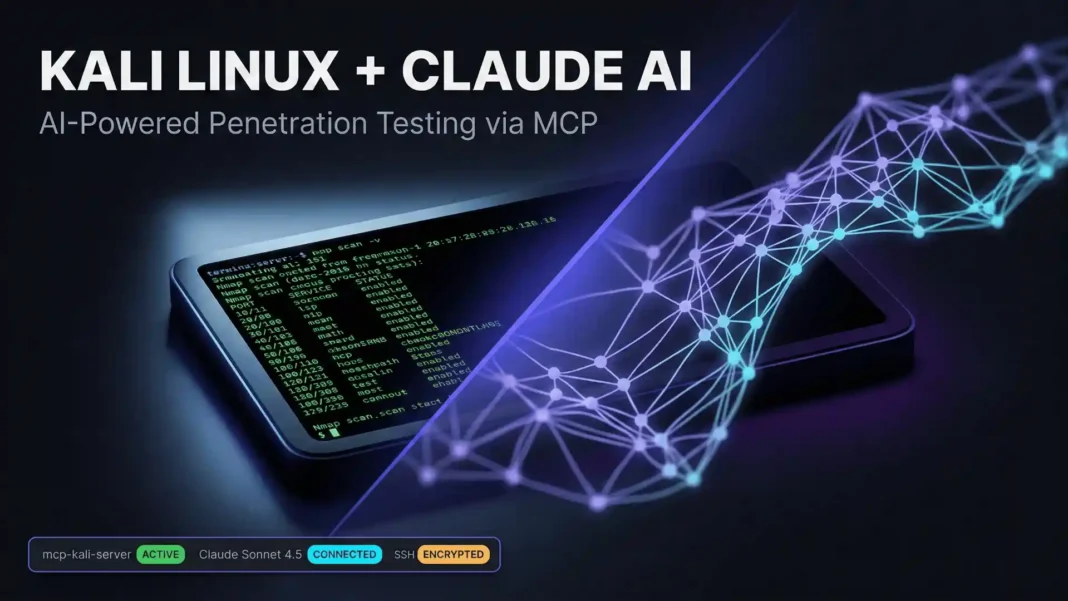
- Kali Linux now supports natural language pentest commands via Claude Desktop and the open-source mcp-kali-server package, documented January 21, 2026
- Three systems connect in sequence: Claude Desktop on macOS, a Kali Linux host, and Anthropic’s Sonnet 4.5 model running in the cloud
- Supported tools include Nmap, Gobuster, Dirb, Nikto, Hydra, John the Ripper, Metasploit Framework, SQLMap, WPScan, and Enum4linux-ng
- MCP prompt injection, tool poisoning, and over-permissioned server access are confirmed active risks in this workflow, with three CVEs already documented against Anthropic’s MCP Git server
You no longer need to memorize Nmap flag syntax or sequence five terminal windows to run structured reconnaissance. Kali Linux’s new AI-assisted workflow, documented by the Kali development team on January 21, 2026, lets you issue plain English commands that Claude translates into live terminal executions on your Kali box. This guide covers the full verified setup, what happens under the hood, and where the real risks sit.
What This Integration Actually Does
The workflow connects three distinct systems: Claude Desktop running on macOS or Windows as the user interface, a Kali Linux machine (local VM or cloud-hosted) running mcp-kali-server, and Anthropic’s Claude Sonnet 4.5 model in the cloud handling prompt reasoning. The Model Context Protocol acts as the communication layer, standardizing how the LLM sends and receives tool calls across external systems.
When you type “Port scan scanme.nmap.org and check if security.txt exists,” Claude does not guess. It first checks whether Nmap is installed, invokes it with appropriate flags, reads the structured response from mcp-kali-server’s Flask backend, reports the findings, then proactively offers the next logical step. The Kali blog documents that scanme.nmap.org returned port 80/TCP and 443/TCP as open, confirming a live web server.
This is not an official Offensive Security product. It is a community-driven implementation that the Kali development team has documented, packaged, and made available via apt.
Three-System Architecture Explained
Understanding how the three systems interact prevents misconfiguration. Each component has one distinct role:
UI Layer: Claude Desktop on macOS or Windows receives your natural language prompt and forwards it to the Claude Sonnet 4.5 model hosted in Anthropic’s cloud. Claude Desktop does not have an official Linux build as of January 2026, though community workarounds include WINE, unofficial Linux packages, and alternative MCP clients such as 5ire, AnythingLLM, Goose Desktop, and Witsy.
Protocol Layer: MCP bridges the LLM to external tools using a standardized request-response format over stdio transport. Claude Desktop acts as the MCP client; mcp-kali-server acts as the MCP server. The connection between the macOS client and Kali runs over SSH, keeping the channel encrypted.
Execution Layer: mcp-kali-server runs a Flask API that listens on localhost port 5000 on the Kali machine. When Claude requests an Nmap scan, the server executes the binary, captures the output, and returns structured results. The Flask server logs every executed command with timestamps.
Step-by-Step Setup: SSH First
SSH is the foundation of this entire setup. Claude Desktop reaches mcp-kali-server by SSH-ing into Kali and running the mcp-server binary directly over the SSH connection. Without key-based authentication configured, nothing else works.
On Kali, install and enable the SSH service:
sudo apt update
sudo apt install -y openssh-server
sudo systemctl enable --now ssh
On macOS, generate an ED25519 key pair if one does not already exist, then copy the public key to Kali:
ssh-keygen
ssh-copy-id kali@192.168.1.30
Replace 192.168.1.30 with your actual Kali IP address. Test the key-based login with a direct SSH connection before proceeding. A failed SSH connection will silently block all MCP calls later.
Installing mcp-kali-server and Required Tools
With SSH working, install the MCP server package on Kali:
sudo apt install -y mcp-kali-server
Start kali-server-mcp and read the output carefully. A minimal Kali install will show warnings for missing tools including Nmap, Gobuster, Dirb, and Nikto. Install the full recommended toolset and decompress the rockyou wordlist in one step:
sudo apt install -y mcp-kali-server dirb gobuster nikto nmap \
enum4linux-ng hydra john metasploit-framework sqlmap wpscan wordlists
sudo gunzip -v /usr/share/wordlists/rockyou.txt.gz
Run kali-server-mcp again and confirm the Flask API reports “healthy” and all tool warnings are cleared before configuring Claude Desktop.
Configuring Claude Desktop as the MCP Client
Download Claude Desktop from Anthropic’s official site. The version documented in the Kali blog post dated January 21, 2026 is v1.1.381-c2a39e on macOS. After installation, navigate to Claude Settings, then Developer, then Edit Config.
The file that opens is claude_desktop_config.json, located at:
/Users/[USERNAME]/Library/Application Support/Claude/claude_desktop_config.json
Paste the following configuration, replacing the IP with your Kali machine’s address:
{
  "mcpServers": {
    "mcp-kali-server": {
      "command": "ssh",
      "args": [
        "-i",
        "/Users/user/.ssh/id_ed25519",
        "kali@192.168.1.30",
        "mcp-server"
      ],
      "transport": "stdio"
    }
  }
}/code>
Quit and relaunch Claude Desktop for the configuration to take effect. On first use, Claude Desktop will display a trust prompt asking whether to allow MCP command execution. This confirmation step is required before any tool runs.
What a Real Prompt Execution Looks Like
The Kali blog documents the following prompt as their primary test:
“Can you please do a port scan for me on scanme.nmap.org?”
The server-side Flask log produced this trail:
[INFO] Executing command: which nmap
[INFO] Executing command: which gobuster
[INFO] Executing command: which dirb
[INFO] Executing command: which nikto
[INFO] GET /health HTTP/1.1 200
[INFO] Executing command: nmap -sV scanme.nmap.org
[INFO] POST /api/tools/nmap HTTP/1.1 200/code>
Claude confirmed scanme.nmap.org is live with port 80/TCP and 443/TCP open, identified a web server, and then proactively offered to check for /.well-known/security.txt without a second prompt from the user. This stateful, multi-step chaining across tools in a single session is the core practical value of the workflow.
Supported Tools and Capability Scope
The mcp-kali-server package supports the following tool categories:
- Reconnaissance: Nmap (network and port scanning), Enum4linux-ng (SMB enumeration)
- Web enumeration: Gobuster, Dirb (directory brute-forcing), Nikto (web server scanning)
- Exploitation: Metasploit Framework, SQLMap (SQL injection automation), WPScan (WordPress auditing)
- Credential attacks: Hydra (online brute-force), John the Ripper (offline hash cracking)
- Wordlists: rockyou.txt and other standard Kali wordlists, available after running gunzip
Claude does not have autonomous access to these tools at any time. Every execution requires the mcp-kali-server to be running on Kali, SSH connectivity to be active, and the user to have approved MCP permissions in Claude Desktop.
Claude + MCP vs. Manual Terminal Workflow
| Dimension | Claude + MCP Workflow | Manual Terminal Workflow |
|---|---|---|
| Command syntax | Natural language; no flag memorization needed | Full syntax required |
| Tool chaining | Automatic and context-aware across steps | Manual sequencing |
| Error handling | LLM interprets and explains output in plain language | Raw stderr output |
| Audit trail | Flask server logs every command with timestamps | Bash history only |
| Privacy | All prompts sent to Anthropic’s cloud | Fully local execution |
| Attack surface | Prompt injection, tool poisoning, MCP CVEs | No AI attack surface |
| Linux support | No official Claude Desktop Linux build as of January 2026 | Full Linux native |
Security Risks You Cannot Ignore
This workflow expands the execution boundary of your Kali machine in ways that require deliberate controls. Red Hat’s security analysis of MCP confirms that prompt injection becomes materially more dangerous once a model can take actions rather than only generate text. A crafted tool response, a poisoned README, or manipulated scan output can all feed instructions back into Claude’s reasoning loop.
In January 2026, three CVEs were published against Anthropic’s official Git MCP server (mcp-server-git), demonstrating how these risks materialize in real implementations:
- CVE-2025-68143: Path traversal via arbitrary path acceptance in git_init
- CVE-2025-68144: Argument injection through unsanitized git CLI args in git_diff and git_checkout
- CVE-2025-68145: Path validation weakness around repository scoping
Researchers at Invariant Labs and CyberArk have further documented “tool poisoning” dynamics, where malicious instructions embedded in tool descriptions or command output can manipulate model behavior without the user explicitly triggering the action.
Additional confirmed risks specific to this setup:
- Over-permissioned MCP server: The default mcp-kali-server exposes the full Kali toolset; scope it to only what each engagement requires
- Cloud prompt exposure: All prompts are processed by Anthropic’s cloud model; do not include client names, real IP addresses, or sensitive scope data in plaintext prompts
- SSH as an attack surface: CVE-2024-6387 (regreSSHion), a remotely triggerable signal handler race condition in OpenSSH’s sshd, is documented by NVD with mitigations including patching or adjusting LoginGraceTime. If your Kali host is internet-accessible, SSH hygiene is part of this workflow’s security posture
Limitations to Acknowledge
Claude Desktop has no official Linux support as of January 2026, limiting native deployment options for Linux-primary users. The Kali blog explicitly frames this as “a way” to work, not a universal recommendation, and notes that privacy and acceptability depend on each team’s threat model. For engagements requiring full offline operation or strict data residency controls, the cloud-dependent architecture is not suitable in its current form.
 Manus AI as Your Personal Executive Assistant: 10 Prompts That Replace Hours of Admin Work
Frequently Asked Questions (FAQs)
What is mcp-kali-server and how does it work?
mcp-kali-server is an official Kali Linux package that runs a Flask-based API on localhost port 5000, exposing penetration testing tools as callable endpoints. Claude Desktop connects over SSH and uses the Model Context Protocol via stdio transport, converting natural language prompts into live terminal commands on Kali.
Is this setup free to use?
As of January 2026, Claude Desktop’s basic tier is free and mcp-kali-server is open-source and available via apt. However, Claude Desktop requires an Anthropic account. Claude Code, an alternative interface, requires a paid API key with no free tier available at the time of writing.
Does Claude have autonomous access to my Kali machine?
No. Claude Desktop presents a trust prompt before executing any MCP command, and the user must explicitly approve it. Every tool call requires this active confirmation. This human-in-the-loop design is a core part of the setup, not an optional setting.
Can I run this setup on Linux instead of macOS or Windows?
Claude Desktop has no official Linux build as of January 2026. Community workarounds include running it under WINE or using unofficial Linux packages. Alternative MCP clients that work on Linux include 5ire, AnythingLLM, Goose Desktop, and Witsy.
What are the main security risks of this workflow?
The confirmed risks include prompt injection via crafted tool output, tool poisoning through malicious tool descriptions, over-permissioned MCP server access, and cloud exposure of prompt data. Three CVEs (CVE-2025-68143, CVE-2025-68144, CVE-2025-68145) were published in January 2026 against Anthropic’s official Git MCP server demonstrating real-world exploitation of these risks.
Which Kali tools does Claude support through MCP?
The supported toolset includes Nmap, Gobuster, Dirb, Nikto, Hydra, John the Ripper, Metasploit Framework, SQLMap, WPScan, and Enum4linux-ng. These tools must be installed on the Kali box. A minimal Kali installation will be missing several of these and will report warnings when mcp-server starts.
Does this workflow replace manual penetration testing skills?
The Kali blog explicitly calls this “a way,” not the best or only way to work. Claude orchestrates documented tools based on your prompts, but it cannot replace the judgment needed for novel findings, complex exploitation chains, or situations where tool output requires contextual interpretation.

