

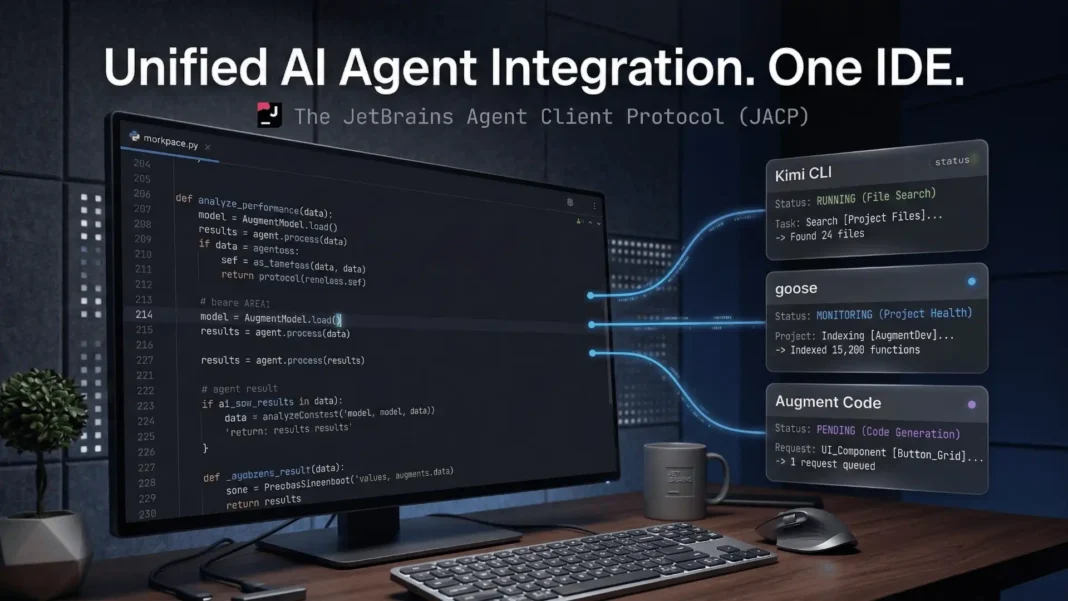
Key Takeaways
- JetBrains ACP (Agent Client Protocol) standardizes how AI coding agents connect to IntelliJ, PyCharm, and WebStorm, with no custom integration required
- Kimi CLI, goose by Block, and Augment Code are confirmed ACP-compatible agents available at launch
- The ACP Agent Registry launched January 28, 2026, enabling one-click agent installation directly inside JetBrains IDEs
- ACP was co-developed by JetBrains and Zed Industries as an open, vendor-neutral protocol
Developers have spent years making an impossible choice: keep their battle-tested JetBrains IDE or move to an AI-native editor for better coding agent support. JetBrains just made that choice unnecessary. The Agent Client Protocol (ACP) lets developers connect any compatible AI coding agent directly into IntelliJ IDEA, PyCharm, or WebStorm, with no editor switch required. This is the most significant shift in developer tooling interoperability since LSP standardized language server support across editors.
What JetBrains ACP Actually Does
ACP stands for Agent Client Protocol, a standardized communication interface between code editors and AI coding agents. Just as LSP standardized how editors communicate with language servers for features like autocomplete and error detection, ACP applies the same principle to AI agents.
Before ACP, every IDE vendor built custom integrations for every AI tool they wanted to support. Agent developers maintained IDE-specific code instead of improving their core product. ACP eliminates that duplication by defining a shared protocol both sides implement once.
JetBrains joined ACP after Zed Industries originally launched the protocol. Zed noted that JetBrains had already been working to standardize agent support across its IDEs for its own agent Junie, as well as for Codex and Gemini CLI. After discussions, JetBrains decided ACP was the right approach and joined as a co-developer. Denis Shiryaev, Product Manager at JetBrains, stated: “Going forward, your IDE will mediate access to files, the terminal, and other tools via the ACP protocol. The result is agents that are portable, powerful, and predictable inside your daily tools.”

Which AI Agents Work With ACP Right Now
At the December 2025 beta launch, JetBrains confirmed three external ACP-compatible agents:
- Kimi CLI by Moonshot AI, confirmed by Richard Chien, Kimi CLI Maintainer at Moonshot AI
- goose by Block (the company behind Cash App and Square), confirmed by Douwe Osinga, goose Open Source Lead
- Augment Code, confirmed by Chris Kelly, Product at Augment Code, who described the integration as “exactly what every developer wants”
OpenAI Codex is also natively integrated into JetBrains AI chat, available via a JetBrains AI subscription, a ChatGPT account, or an OpenAI API key.
Cursor does not currently support ACP. A Cursor team member responded to a community feature request in September 2025 stating: “We may add in the future support for ACP if there is enough interest in the community.” A separate feature request filed in March 2026 reiterated this gap, noting that Cursor requires manual integration for each new agent or model.
The ACP Agent Registry: Launched January 2026
The ACP Agent Registry went live on January 28, 2026, jointly built and maintained by JetBrains and Zed Industries. Before the registry, developers had to manually configure each agent by editing a JSON configuration file. The registry replaces that process with one-click installation directly from inside the IDE.
The registry’s purpose, as stated by JetBrains, is to ensure competition between agents happens on quality, not on who controls the integration. Agent builders who implement ACP once gain instant distribution to both JetBrains and Zed users simultaneously. Anna Zhdan, the JetBrains engineer who built the registry, described it as “a way to install coding agents with one click into your favorite IDE.”
Both JetBrains IDEs and Zed support the registry from a shared backend. Developers on either platform see the same curated agent catalog.
How to Connect an ACP Agent Manually
For agents not yet in the registry, JetBrains AI Assistant supports manual ACP configuration. The process requires three steps:
- Open the ACP configuration file inside your JetBrains IDE settings
- Add the agent’s command path, arguments, and any required environment variables (such as API keys) using the required JSON format
- Select your configured agent from the unified AI Chat interface
The configuration file also supports default_mcp_settings, which controls whether your configured MCP servers are exposed to the agent. This is set to true by default, giving agents access to your MCP toolchain without additional setup.
Why This Shifts the Cursor vs. JetBrains Conversation
The developer community has been moving toward AI-native editors like Cursor, largely because those tools offered faster access to new AI models and agents without waiting for IDE vendors to build specific integrations. ACP directly addresses that gap.
With ACP, JetBrains users gain access to new compatible agents as soon as those agents implement the protocol, with no IDE update required. Cursor users, by contrast, must wait for Cursor to manually add support for each new model or agent. A March 2026 community post described this as a structural bottleneck: “Cursor currently has to manually add support for individual agents and their models. That means we have to create a feature request and then wait until implementation is done.”
| Dimension | Cursor | JetBrains + ACP |
|---|---|---|
| Agent flexibility | Manual per-agent integration required | Open ACP registry, any compatible agent |
| IDE depth (Java/Kotlin) | VS Code-based, limited native support | Industry-leading native support |
| ACP support | Not yet implemented | Live since December 2025 |
| Agent discovery | No native registry | One-click ACP Registry since Jan 2026 |
| MCP toolchain exposure | Supported natively | Configurable via ACP config |
What JetBrains Plans Next for ACP
JetBrains has outlined four development priorities for ACP post-beta:
- Restore tailor-made IDE features that existed before ACP standardization, which temporarily regressed during protocol adoption
- Expand the ACP Agent Registry with more verified agents over time
- Enable ACP support for agents running on remote servers, not just local CLI tools
- Expose the MCP toolchain from inside the IDE to improve agent context and capabilities
The remote-server agent roadmap item is particularly relevant for enterprise teams. Organizations with cloud-hosted agents need IDE integration at scale without requiring every developer to run a local CLI.
Considerations Before Updating Your Workflow
ACP launched in the JetBrains 25.3 release candidate, meaning some beta-stage friction exists. The initial setup for manually configured agents requires editing a JSON file, which adds a step not present in tightly integrated tools.
JetBrains also acknowledges that standardizing on a protocol introduced temporary regressions for some tailor-made IDE features that existed before ACP. These are on the active remediation roadmap but may affect specific workflows during the transition period.
For developers using agents not yet listed in the ACP Registry, manual configuration remains the only path. The registry is curated, not exhaustive, and newer or less prominent agents may require manual setup indefinitely.

Frequently Asked Questions (FAQs)
What is JetBrains ACP?
ACP stands for Agent Client Protocol, an open standard co-developed by JetBrains and Zed Industries. It standardizes communication between AI coding agents and code editors, so any agent that implements the protocol connects to any ACP-compatible IDE without custom integration.
Which AI agents support ACP right now?
Confirmed ACP-compatible agents include Kimi CLI by Moonshot AI, goose by Block, and Augment Code. OpenAI Codex is also available natively inside JetBrains AI chat. The ACP Agent Registry, live since January 28, 2026, lists all verified compatible agents.
Does Cursor support ACP?
No. As of March 2026, Cursor does not support ACP. A Cursor team member stated in September 2025 that ACP support may be added in future if community interest is sufficient. Multiple feature requests asking for ACP support remain open.
What is the ACP Agent Registry?
The ACP Agent Registry is a curated marketplace of ACP-compatible coding agents, launched on January 28, 2026, by JetBrains and Zed Industries jointly. It enables developers to browse available agents and install them with one click directly inside IntelliJ, PyCharm, WebStorm, or Zed.
How do I set up an ACP agent manually in JetBrains?
Open the ACP configuration file in your JetBrains IDE settings and add your agent’s command path, startup arguments, and any required API keys in the specified JSON format. The agent then appears in your unified AI Chat interface. Agents from the registry require no manual configuration.
Where did ACP originate?
Zed Industries created ACP first. JetBrains, which had been separately working on agent standardization for Junie, Codex, and Gemini CLI, joined as a co-developer after meeting with the Zed team. Both parties agreed to converge on a single open protocol rather than maintain competing standards.
Will ACP support remote-hosted agents in the future?
Yes. JetBrains has confirmed that support for agents running on remote servers is on the ACP roadmap. The current beta only supports locally running CLI agents.
How does ACP relate to MCP?
ACP handles the communication layer between the IDE and the AI agent. MCP (Model Context Protocol) handles what tools and context the agent can access. JetBrains’ ACP configuration supports MCP settings, letting developers control whether configured MCP servers are exposed to connected agents.

