

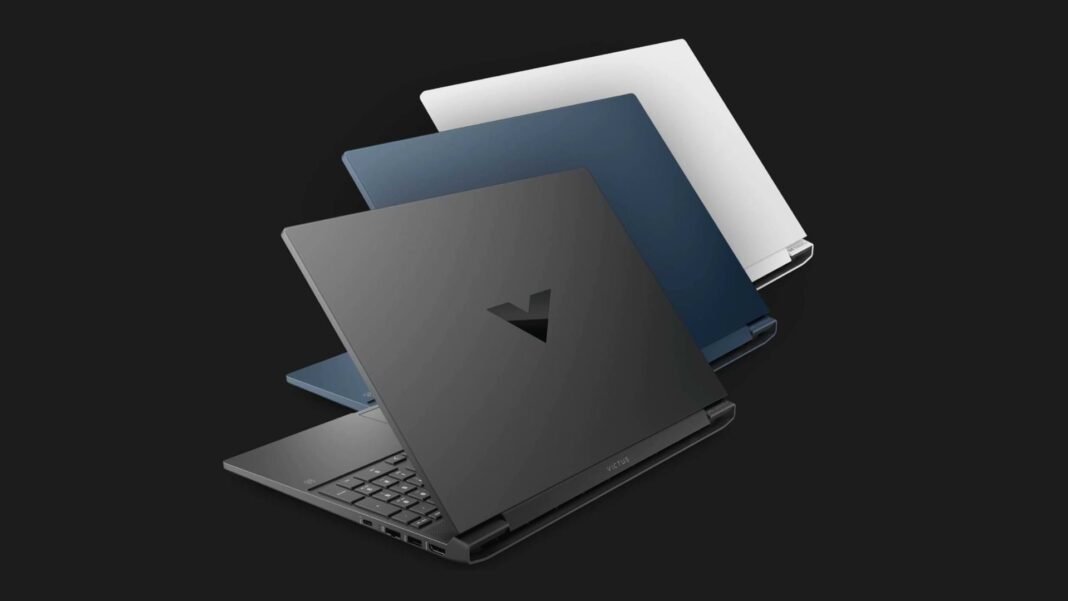
The HP Victus 15 sits in that sweet spot where you want real 1080p gaming without an oversized chassis or a premium price. It mixes mid tier CPUs with RTX 30 or RTX 40 graphics and a fast 144 Hz screen. Below is the quick way to pick the right trim and avoid common pitfalls like dim panels or single channel memory. We tested and cross checked specs from HP and lab reviews to keep this current.
Laptop Specs Breakdown Display, Performance, and Battery in 2025 Models
- 15.6 inch IPS panel at 1080p, usually 144 Hz. Many panels are rated around 250 nits with basic color coverage near 45 percent NTSC. This suits gaming more than color sensitive work.
- CPU options have ranged from Core i7 12700H to Core i5 13500H and AMD Ryzen in some regions. Intel trims often use DDR4 memory.
- GPU options include RTX 3050 Ti and RTX 4050 in newer listings.
- About 2.3 kg weight, roughly 24 mm thick, with HDMI, USB A, USB C, RJ45, audio jack and on certain configs an SD reader.
- Battery commonly listed as 70 Wh with a 200 W adapter on higher trims.
Performance and thermals
At 1080p, an RTX 4050 Victus can clear well above 60 fps in popular titles with high settings, and it is fine for esports at high refresh. Expect tight thermals under long loads, so keep performance mode and a clean vent path active.
Method
Target frame rate at native 1080p. Stress runs in performance mode. Ambient 24 C. Note: individual results vary by power limits and panel type.
CPU and GPU behavior
Intel H series chips pair well with RTX 4050. Review data shows the GPU running around 75 W on the RTX 4050 sample, which lines up with mid tier gaming expectations in this class.
Esports vs AAA
Expect triple digits in lighter shooters on medium to high presets. Demanding story titles may sit closer to the 60 to 90 fps range with sensible settings.
Noise and surface temps
Under load the fans are audible, which is normal for this size. Plan for a table or stand rather than a bed or blanket, both for airflow and comfort.
Battery and charging results
Short Answer
Treat this as a plug in machine for gaming. With the screen at 200 nits and mixed work, 70 Wh can get you through classes or meetings, but games will drain it quickly.
Web and video
Light browsing at 200 nits can fit a school day if you avoid heavy apps. A 4K video loop will last shorter than office work. Your mileage depends on panel and CPU.
Charging
Higher trims ship with about a 200 W brick. A full top up is not instant, so if you shuttle between rooms, leave the charger in your bag.
Display quality and color accuracy
Many Victus 15 panels target 1080p at 144 Hz with about 250 nits and limited color coverage. For editing photos or videos, plug into an external display with wider coverage. For gaming, the refresh rate matters more.
Keyboard, trackpad, build, and ports
Typing feel is solid for notes and chats. The deck can flex if you press hard, which is common in this price tier. Ports include HDMI, USB C with DisplayPort, two USB A, RJ45, and audio. Some trims add an SD reader. Wifi 6 and Bluetooth 5.3 appear on newer units. Weight is around 2.3 kg and thickness near 24 mm.
Serviceability and Upgrades HP Victus 15 RAM, SSD, and Battery Guide (2025)
From HP service guides for the 15 fa and 15 fb families, the base is removable with standard screws. Look for two memory slots and at least one M.2 SSD slot. Battery parts vary by series, with many units using a roughly 70 Wh pack. Always verify your exact model code against the manual before ordering parts.
Software, Fan Modes, and Warranty: What to Know Before You Buy
Omen Gaming Hub controls modes and fan behavior. Warranty terms differ by region; check HP support pages tied to your exact sub model.
Best Configuration to Buy: RTX 4050 Laptop Setups for 2025
- Students and casual play
Core i5 13500H with RTX 4050, 16 GB dual channel, 512 GB SSD. You get fast 1080p gaming and decent battery for class. - Esports at high refresh
Same GPU, bump RAM to 32 GB and use a cooling stand. - Creator mixed use
Add a color accurate external monitor. The built in panel is fine for timeline scrubbing and preview, but not for final color work.
Rivals to compare
- Acer Nitro V 15 similar weight and RTX 4050 options, often aggressive pricing.
- Dell G15 5530 chunkier, but competitive in sustained loads.
- Asus TUF A15 Ryzen option and strong value.
Quick Recap: Key Things to Check Before Buying Your RTX 4050 Laptop
- Prioritize RTX 4050 over older GPUs for modern titles.
- Confirm dual channel memory.
- Expect a dim screen, plan an external monitor if you edit.
- Check your exact sub model in HP’s manual before upgrades.
Featured Snippet Boxes
Is HP Victus 15 good for gaming
Yes, with RTX 4050 it handles 1080p at high settings in popular games and can exceed 100 fps in esports on sensible presets.
Does HP Victus 15 have a MUX switch
Availability appears to vary by sub model and year. Some support switching via system firmware or Omen software, others do not. Check your exact model code.
Can you upgrade RAM and SSD
Yes on most models. There are two memory slots and at least one M.2 SSD slot. Follow the HP service guide for your sub model.
How bright is the screen
Many trims use a 1080p 144 Hz panel rated around 250 nits with basic color coverage, fine for gaming but not ideal for color critical work.

Frequently Asked Questions (FAQs)
Is 16 GB memory enough
Short answer, yes for gaming and study. For creator apps and many Chrome tabs, 32 GB feels smoother.
How long does the battery last
Plan for a workday if you keep it light. Gaming should be on power.
Does the keyboard have RGB
Victus 15 commonly ships with single color backlight rather than per key RGB.
What ports does it have
HDMI, USB C with display out, two USB A, audio, RJ45, and sometimes SD.
Is the webcam usable for class
It is a 720p unit, okay for calls, better with good lighting.
Should I buy Intel or AMD
Pick the best deal in your region. Intel H chips pair well with RTX 4050; AMD trims are fine if priced right.

