

Quick Brief
- Grok Imagine now lets you continue any generated clip using its final frame as the starting point for the next scene
- The model generates clips up to 15 seconds long at 720p with synchronized audio, at $0.05 per second via API
- Video quality degrades visibly after multiple chained extensions, confirmed in March 2026 user testing
- The update is live on iOS, Android, and web; app update required to access extension controls
xAI just addressed the biggest friction point in AI video creation: starting over every time a clip ends. Grok Imagine now carries forward the scene context from your last frame, letting you build multi-clip sequences without manual re-stitching. This article covers exactly how the feature works, what the verified specs are, and where the tool stands against its nearest competitors in 2026.
What Grok Imagine Video Extension Does
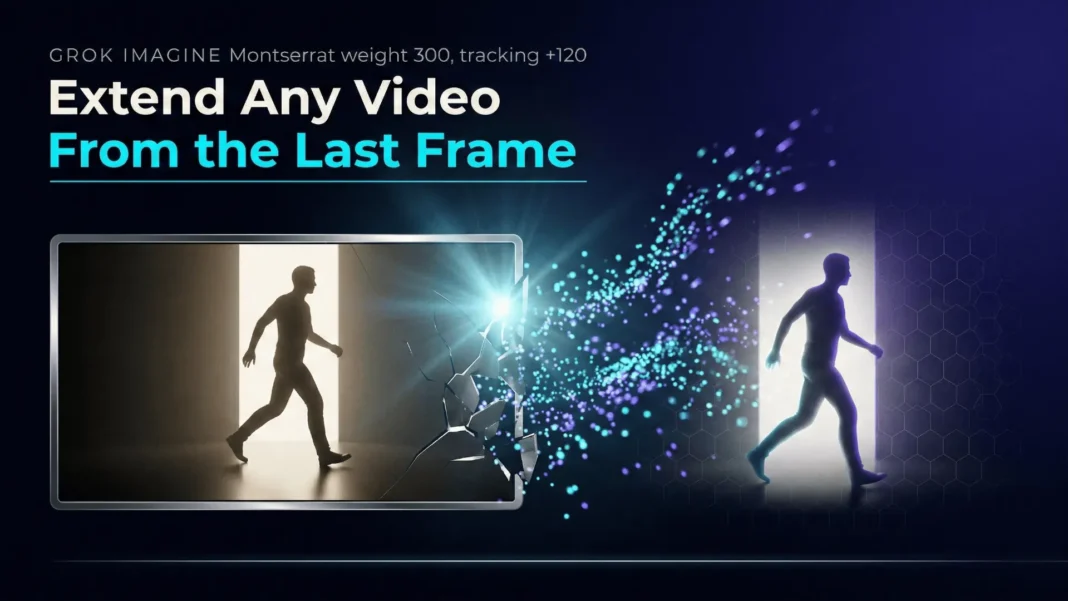
Before this update, every generation in Grok Imagine began from a blank context. If a scene ended mid-motion, the next generation had no knowledge of it. The extension feature fixes this by using the final frame of your existing clip as the visual anchor for the next generation.
You select a completed clip, click the Extend button, add a continuation prompt describing the next action, and submit. The model reads the lighting, character positioning, and motion direction from that last frame, then builds the next segment forward. Synchronized audio, including ambient sound and music, is generated natively alongside the visuals.
How to Use the Extension Feature
The workflow requires the latest version of the Grok app:
- Generate a base clip using a text prompt or an uploaded image in Grok Imagine
- When generation completes, open the clip and click the Extend or three-dot menu button
- Write a short continuation prompt describing what happens next in the scene
- Submit and wait for the continuation to generate (average generation time is approximately 30 seconds)
- Repeat from the new clip’s final frame to keep extending the sequence
Shorter extension increments and slower motion in your prompt produce tighter visual seams between clips. Fast-action scenes and complex physics interactions degrade quality faster across extensions.
What Grok Imagine Delivers in 2026
Grok Imagine Video launched in August 2025 and received a major version 1.0 update in February 2026, built on xAI’s Aurora autoregressive engine trained using 110,000 NVIDIA GB200 GPUs.
| Model | Max Duration | Max Resolution | Audio | Cost (10s, 720p with audio) |
|---|---|---|---|---|
| Grok Imagine Video | 15s | 720p | Yes | $0.50 |
| Sora 2 | 12s | 1080p | Yes | $1.00 |
| Veo 3.1 | 8s | 1080p | Yes | $4.00 |
| WAN 2.6 Flash | 15s | 1080p | Optional | $0.50 |
| Seedance 1.5 Pro | 12s | 720p | Yes | $0.52 |
| Vidu Q3 | 16s | 1080p | Yes | $1.50 |
Consumer access is available through X Premium at $8/month for basic access, with higher tiers and SuperGrok providing more daily generations and higher-quality output.
How Extension Chains Affect Quality
Video quality degrades with each successive extension, a limitation confirmed by community testing in March 2026. Users report visible resolution loss after two or three chained extensions. xAI has not confirmed a fix timeline for this.
For the best results:
- Keep extension chains to two or three clips maximum before exporting
- Export each segment individually if you notice quality loss appearing
- Combine exported clips in a mobile editor such as CapCut for final sequencing
- Use slow, controlled motion prompts rather than fast action to reduce degradation between segments
Grok Imagine vs. Key Competitors in 2026
Grok Imagine positions itself as the high-speed, budget-efficient option. Here is how it compares against the other leading models based on verified pricing and specs:
| Model | Max Duration | Max Resolution | Audio | Cost (10s, 720p with audio) |
|---|---|---|---|---|
| Grok Imagine Video | 15s | 720p | Yes | $0.50 |
| Sora 2 | 12s | 1080p | Yes | $1.00 |
| Veo 3.1 | 8s | 1080p | Yes | $4.00 |
| WAN 2.6 Flash | 15s | 1080p | Optional | $0.50 |
| Seedance 1.5 Pro | 12s | 720p | Yes | $0.52 |
| Vidu Q3 | 16s | 1080p | Yes | $1.50 |
Grok Imagine and WAN 2.6 Flash share the longest duration at 15 seconds among the top-tier models. The critical trade-off is resolution: every competitor except Seedance 1.5 Pro offers 1080p output, while Grok caps at 720p. For social media content, 720p is generally sufficient. For professional or commercial productions, the resolution ceiling is a real constraint.
On API pricing per minute of generated video, Grok costs $4.20/minute versus Sora 2 Pro at $30/minute and Veo 3.1 at $12/minute. At scale, this cost structure makes Grok highly practical for high-volume content testing workflows.
Audio: What Is Verified
Grok Imagine generates three types of audio natively alongside video: character dialogue with synchronized lip movement, background music matched to scene mood, and ambient sound effects based on on-screen content. This native audio generation removes the post-production audio step required by earlier AI video tools.
Audio quality is functional for social media and prototyping use cases, but it falls short of studio quality. For dialogue-heavy content requiring precision lip-sync or multilingual speech, Seedance 1.5 Pro outperforms Grok Imagine in this dimension.
Where Grok Imagine Performs Well and Where It Does Not
Grok Imagine is the right tool in specific scenarios and the wrong tool in others:
Best use cases:
- Social media content where 720p is acceptable
- Rapid prototyping and concept testing at scale
- Budget-conscious workflows needing flexible duration control
- Developers building AI video into applications via API
Not the right tool for:
- Professional productions requiring 1080p or 4K output
- Complex physics scenes such as sports, collisions, or liquid simulation
- Dialogue-heavy multilingual content (Seedance 1.5 Pro leads here)
- Long-form video beyond 15 seconds in a single generation
Independent benchmarking confirms that Grok Imagine, like most current AI video models, does not reliably encode physical principles such as conservation of momentum or gravity. Complex multi-object interactions and anatomical precision remain areas where Veo 3.1 and Sora 2 hold measurable quality advantages.
Content Moderation and Risk Considerations
xAI faced significant regulatory scrutiny in late 2025 and early 2026 over Grok Imagine’s “Spicy mode,” which allowed generation of content other platforms block. Investigations were opened by the UK’s Information Commissioner’s Office, France’s cybercrime unit, and California’s Attorney General.
In response, xAI restricted image editing features to paid subscribers and tightened content filters. Organizations using Grok Imagine should implement their own content review processes alongside platform-level filters. Grok Imagine does not embed visible watermarks in generated videos by default, unlike Google Veo 3.1 which uses SynthID watermarking. Teams with brand safety requirements should factor this into their workflows.
Limitations Worth Knowing Before You Start
The 720p resolution ceiling is the most significant practical constraint for professional use. Quality degradation in extended clip chains is confirmed but unquantified by xAI. The model also lacks the fine-grained motion controls offered by Runway Gen-4.5 or the keyframe guidance available in higher-tier tools. For social media and rapid iteration workflows, none of these limitations are blockers. For commercial production, they are.
 Kali Linux + Claude AI via MCP: The Penetration Testing Workflow That Changes How You Work
Frequently Asked Questions (FAQs)
How do I extend a video in Grok Imagine?
After generating a clip, click the Extend or three-dot menu on the finished video, write a continuation prompt describing the next scene action, and submit. The model reads the final frame and continues the video from that point. App update is required to see this option.
Is the Grok Imagine video extension feature free?
Basic access to Grok Imagine is available through X Premium at $8/month. Free-tier access exists but carries usage limits. SuperGrok and higher paid tiers unlock increased daily generation limits and higher-quality output. The extension feature itself is tied to your account tier.
How long can a Grok Imagine video be?
A single generation produces up to 15 seconds in 1-second increments. Extended chains can continue past that, though quality degrades visibly after two or three extensions based on March 2026 community testing. For longer final videos, creators export clips and combine them in a video editor.
Does Grok Imagine generate audio automatically?
Yes. Grok Imagine natively generates synchronized audio alongside video, including character dialogue, background music, and ambient sound effects. No separate audio generation step is required. Audio quality suits social media and prototyping; it does not replace studio production audio.
How does Grok Imagine video quality compare to Sora 2 and Veo 3.1?
Grok caps at 720p while Sora 2 and Veo 3.1 both output at 1080p. Both competitors also handle complex physics scenes more accurately. Grok’s advantages are speed (approximately 30-second generation), longer max duration (15 seconds vs. 12 seconds for Sora 2 and 8 seconds for Veo 3.1), and significantly lower cost per generation.
What does Grok Imagine video generation cost?
The API charges $0.05 per second of generated video. A 10-second clip costs $0.50. A 15-second clip costs $0.75. At per-minute scale, this is $4.20/minute versus $30/minute for Sora 2 Pro and $12/minute for Veo 3.1.
What aspect ratios does Grok Imagine support?
Grok Imagine supports seven aspect ratios: 16:9, 9:16, 4:3, 3:4, 3:2, 2:3, and 1:1, plus automatic detection from the source image. This covers YouTube, Instagram Reels, TikTok, and square social formats without needing to crop or reformat output.
Does Grok Imagine add watermarks to generated videos?
No. Grok Imagine does not embed visible watermarks by default. This differs from Google Veo 3.1, which uses SynthID invisible watermarking for AI content identification. If your platform or region requires disclosure of AI-generated content, you must label it manually.

