

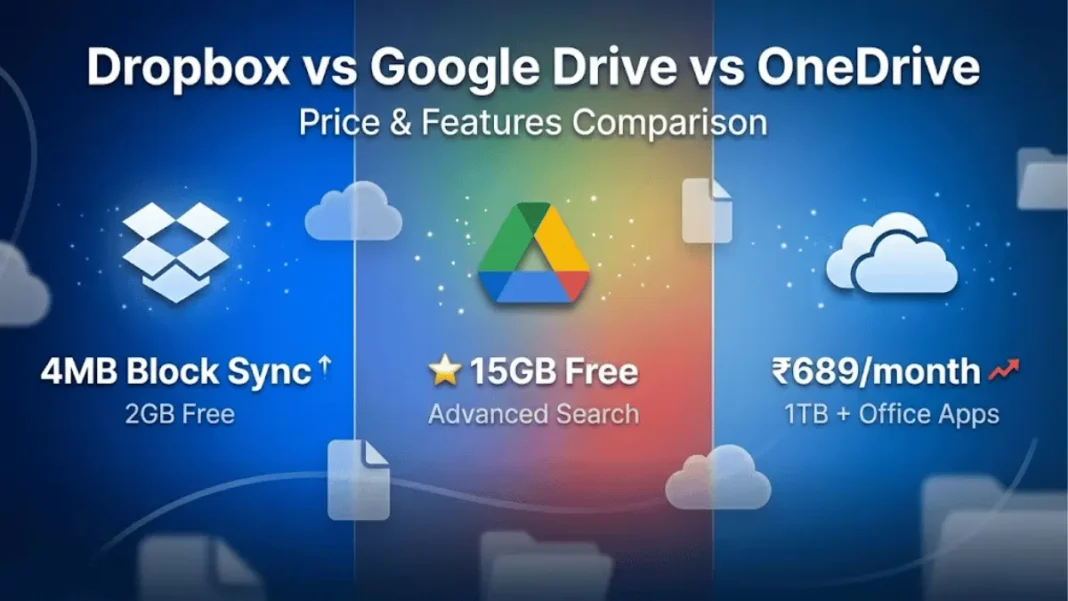
Quick Answer: Dropbox uses advanced block-level syncing technology for faster file updates. Google Drive offers the most generous free storage at 15GB and superior search capabilities. OneDrive provides seamless Microsoft 365 integration but recently increased prices from ₹489 to ₹689/month in India. Your choice depends on your ecosystem: Google users prefer Drive, Microsoft users choose OneDrive, and professionals needing fast sync prefer Dropbox.
Cloud storage services have become essential for personal and business use, but choosing between Dropbox, Google Drive, and OneDrive requires understanding each platform’s strengths. Google Drive dominates free storage and search functionality, OneDrive integrates seamlessly with Microsoft products, and Dropbox excels at file synchronization technology.
This comparison uses only verified pricing from official sources as of January 2026, including India-specific rates and recent price changes.
What Makes These Three Cloud Services Different
Storage Philosophy Comparison
Each platform approaches cloud storage differently. Dropbox treats storage as a sophisticated file synchronization system using block-level transfer algorithms that update only changed portions of files. Google Drive positions itself as a collaborative productivity suite, tightly integrating with Docs, Sheets, and Slides for real-time teamwork. OneDrive functions as an extension of the Windows operating system with tight Microsoft 365 integration.
Target Users for Each Platform
Google Drive attracts solo users, students, and teams using Google Workspace, offering 15GB free storage shared across Gmail and Google Photos. OneDrive dominates enterprise environments where Microsoft 365 is standard, now priced at ₹6,899/year for 1TB in India. Dropbox serves creative professionals and agencies who prioritize file syncing performance, starting at ₹6,500/year for 2TB.
Free Storage & Pricing Breakdown
Free Plan Comparison
Google Drive offers the most generous free storage at 15GB, shared across Gmail, Google Photos, and Drive. OneDrive provides 5GB free. Dropbox offers only 2GB free, targeting users who quickly convert to paid plans.
Personal Plans (Global Pricing)
| Plan | Dropbox | Google Drive/One | OneDrive/Microsoft 365 |
|---|---|---|---|
| Free Storage | 2GB | 15GB | 5GB |
| Entry Paid Plan | Plus: $9.99/month (2TB) | Lite: Not available in US | Basic: $1.99/month (100GB) |
| 100GB Plan | Not offered | $1.99/month | $1.99/month (includes web Office) |
| 2TB Plan | Plus: $9.99/month | Premium: $9.99/month | Personal: Not offered at 2TB |
| Microsoft 365 Personal | N/A | N/A | $6.99/month (1TB + full Office apps) |
India Pricing for Personal Use
Google One India Pricing (Verified January 2026):
- Lite 30GB: ₹59/month
- Basic 100GB: ₹130/month or ₹1,300/year
- Standard 200GB: ₹210/month or ₹2,100/year
- Premium 2TB: ₹650/month or ₹6,500/year
- Google AI Pro 2TB (with Gemini): ₹1,950/month
Microsoft 365/OneDrive India Pricing (Updated January 2026):
- Basic 100GB: ₹149/month or ₹1,499/year
- Personal 1TB (NEW PRICE): ₹689/month or ₹6,899/year
- Family 6TB (6 users, 1TB each): ₹819/month or ₹8,199/year
Dropbox India Pricing:
- Free: 2GB
- Plus 2TB: ₹650/month or ₹6,500/year
- Family 2TB (6 users): ₹890/month or ₹8,900/year
India Value Analysis: Google Drive Basic (100GB) at ₹130/month offers better value than Microsoft 365 Basic (100GB) at ₹149/month. For 2TB storage, both Google Drive Premium and Dropbox Plus cost ₹650/month. Microsoft 365 Personal at ₹689/month includes full Office apps but provides only 1TB storage.
Business Plans Comparison
Google Workspace Business Plans:
- Business Starter: $6/user/month (30GB storage)
- Business Standard: $12/user/month (2TB storage)
- Business Plus: $18/user/month (5TB storage)
Dropbox Business India Pricing:
- Standard: ₹1,200/month/user (3TB shared)
- Advanced: ₹1,800/month/user (15TB+)
Microsoft 365 Business: Pricing varies by region and plan tier, with business subscriptions requiring annual commitments.
Recent Price Changes (2025-2026)
Microsoft increased OneDrive/Microsoft 365 prices significantly in January 2026. In India, Personal plans rose from ₹489 to ₹689/month (41% increase), and Family plans increased from ₹619 to ₹819/month. These increases bundled new Copilot AI features, though Microsoft offers “Classic” plans without AI at older pricing for limited time.
Additional Microsoft 365 price increases are planned for July 2026, with some plans rising up to 16.7%.

File Syncing Technology Explained
Dropbox Block-Level Syncing
Dropbox pioneered block-level syncing, dividing files into 4MB blocks. When you edit a document, Dropbox uploads only the modified blocks rather than re-uploading the entire file. This technology makes Dropbox significantly faster for updating large files compared to competitors.
The algorithm identifies which blocks changed since the last sync and transmits only those portions. For example, editing a 1GB video file might require uploading only 50MB of changed blocks instead of the full 1GB.
Google Drive Standard Sync
Google Drive lacks block-level file copying, uploading complete file versions during each sync. For users creating content directly in Google Docs, Sheets, and Slides, this limitation becomes irrelevant since cloud-native files update instantly without file uploads. However, uploading large video files or design assets takes longer than Dropbox.
OneDrive Differential Sync
OneDrive implements differential sync technology similar to Dropbox, identifying changes since the last update and syncing only modifications. This approach provides performance advantages over Google Drive’s standard sync while maintaining tight Windows integration.
Collaboration & Real-Time Editing
Google Drive Native Document Suite
Google Drive integrates seamlessly with Docs, Sheets, and Slides through an intuitive web interface. Multiple users can edit documents simultaneously with changes appearing in real-time. Version history tracks edits automatically, allowing restoration of previous versions without manual saves. Comment threads and suggestion modes enable asynchronous collaboration.
Microsoft Office Integration with OneDrive
OneDrive excels when paired with Microsoft 365, allowing real-time co-authoring in Word, Excel, and PowerPoint. Files open directly in desktop Office apps or web versions without format conversion. The Microsoft 365 Personal plan (₹6,899/year in India) includes full desktop Office applications plus 1TB OneDrive storage.
Dropbox Paper & Third-Party Tools
Dropbox Paper provides basic document creation and collaboration but lacks the sophistication of Google Docs or Microsoft Office. Dropbox positions itself as storage infrastructure, integrating with third-party tools like Notion, Figma, and Adobe Creative Cloud.
Collaboration Winner: Google Drive for built-in productivity tools, OneDrive for Microsoft Office users, Dropbox for third-party app ecosystems.
Search & File Organization
Google Drive Advanced Search
Google Drive leverages Google’s search technology with auto-populating results as you type. Boolean operators like “AND,” “OR,” “from,” and “to” enable precise queries. The advanced search feature filters by file owner, location, modification date, and pending comment requests. Search indexes content within documents, locating files by internal text even when filenames don’t match.
OneDrive AI-Powered Search
OneDrive’s search functionality includes AI-powered tag searching for photos, identifying locations and subjects like “people,” “food,” or “dogs”. Basic Boolean operators (AND, OR, NOT) work in OneDrive, but the platform lacks Google Drive’s advanced filter options. File type and date toggles provide basic filtering.
Dropbox Folder Structure
Dropbox emphasizes clean folder hierarchies over advanced search. The dedicated Dropbox folder on Windows and macOS organizes files like traditional desktop storage. While Dropbox includes basic search, its strength lies in maintaining familiar file structures.
Search Winner: Google Drive by a significant margin for users managing hundreds of files.
Security Features Compared
Encryption Standards
All three services encrypt data in transit using TLS and at rest using AES-256 encryption. Google Cloud Storage implements multiple encryption options including customer-managed encryption keys (CMEK) for enterprise compliance.
Two-Factor Authentication
All three platforms support two-factor authentication (2FA) to protect account access. Google offers 2FA via authenticator apps, SMS, and hardware security keys. Microsoft supports similar methods plus biometric authentication on compatible devices. Dropbox provides 2FA through authenticator apps and SMS.
OneDrive Personal Vault
OneDrive’s Personal Vault requires additional verification (PIN, fingerprint, or face recognition) before accessing designated sensitive files. This extra layer protects financial documents, passwords, and confidential files even if someone gains account access.
Important Security Note: None of the three services offer zero-knowledge encryption, meaning the companies can technically access your stored data. For maximum privacy, users need third-party encryption tools or specialized zero-knowledge providers.
Integration Ecosystem
Google Drive’s Workspace Marketplace offers hundreds of native integrations including Slack, DocuSign, and Lucidchart. OneDrive integrates seamlessly with Microsoft products but offers limited third-party connections. Dropbox connects with major creative tools and business applications.
Integration Winner: Google Drive for breadth and variety, OneDrive for Microsoft-centric workflows.
Mobile Experience & Offline Access
All three platforms offer mobile apps for iOS and Android with offline access capabilities. Google Drive’s mobile app mirrors desktop functionality with easy file sharing and document editing. OneDrive mobile app integrates with Microsoft Office mobile apps for document editing on smartphones and tablets. Dropbox mobile app prioritizes file access and sharing with streamlined interfaces.
Users can designate files for offline access across all three services, syncing changes when connectivity returns.
File Sharing & Transfer Limits
Dropbox and OneDrive offer password protection and link expiration for shared files. Google Drive restricts these features to paid business accounts. Dropbox Transfer allows sharing up to 100GB of files without consuming storage quota on paid accounts.
OneDrive supports file uploads up to 250GB. Google Drive allows uploads up to 5TB but imposes stricter limits on certain file types. All three services allow users to specify whether recipients can edit or only view files.
Which Cloud Storage Should You Choose
Choose Dropbox If…
You work with large files that change frequently (video projects, CAD files, design assets) and need fast sync speeds with block-level technology. You use multiple operating systems or prefer platform-agnostic storage. You need to share files up to 100GB without consuming storage space. In India, Dropbox Plus (2TB) at ₹6,500/year matches Google Drive Premium pricing.
Choose Google Drive If…
You’re already using Gmail, Google Calendar, or Google Workspace. You need maximum free storage (15GB vs 5GB or 2GB). You frequently search for files by content or need advanced search filters. In India, Google Drive offers the best budget option with 100GB at ₹130/month compared to OneDrive’s ₹149/month. You collaborate on documents using Google Docs, Sheets, and Slides.
Choose OneDrive If…
You use Microsoft 365, Windows PCs, or Office apps daily. You already subscribe to Microsoft 365 Personal (₹6,899/year) which includes 1TB OneDrive plus full desktop Office applications. You need OneDrive Personal Vault for sensitive file protection. You prioritize seamless Windows integration and automated file organization.
Note: Microsoft recently increased prices significantly, with Personal plans rising from ₹4,899 to ₹6,899/year in India.
Pricing Comparison – Personal Plans (India)
| Feature | Dropbox | Google One | Microsoft 365/OneDrive |
|---|---|---|---|
| Free Storage | 2GB | 15GB | 5GB |
| Entry Paid Plan | Plus: ₹650/month (2TB) | Lite: ₹59/month (30GB) | Basic: ₹149/month (100GB) |
| 100GB Plan | Not offered | ₹130/month or ₹1,300/year | ₹149/month or ₹1,499/year |
| 2TB Plan | ₹650/month or ₹6,500/year | ₹650/month or ₹6,500/year | Not offered at 2TB |
| 1TB + Office Apps | N/A | N/A | ₹689/month or ₹6,899/year |
| AI Features | Not included | ₹1,950/month (Gemini) | Included with price increase |
Pricing Comparison – Personal Plans (Global/US)
| Feature | Dropbox | Google One | OneDrive |
|---|---|---|---|
| Free Storage | 2GB | 15GB | 5GB |
| 100GB Plan | Not offered | $1.99/month | $1.99/month |
| 2TB Plan | $9.99/month | $9.99/month | Not offered standalone |
| Office + 1TB | N/A | N/A | $6.99/month (Microsoft 365) |
Feature Comparison Matrix
| Feature | Dropbox | Google Drive | OneDrive |
|---|---|---|---|
| Block-Level Sync | ✓ Yes (4MB blocks) | ✗ No | ✓ Differential sync |
| Native Office Suite | Paper only | Docs/Sheets/Slides | Microsoft 365 |
| Advanced Search | Basic | Boolean + filters | AI tags |
| Third-Party Integrations | Moderate | Extensive | Limited |
| Personal Vault | ✗ No | ✗ No | ✓ Yes |
| Transfer Limit | 100GB | 5TB | 250GB |
| Encryption | AES-256 | AES-256 + CMEK | AES-256 |
Business Plan Comparison (US Pricing)
| Plan Type | Dropbox | Google Workspace | Microsoft 365 |
|---|---|---|---|
| Entry Plan Price | ₹1,200/user/month | $6/user/month | Varies by tier |
| Entry Storage | 3TB shared | 30GB per user | Varies by tier |
| Mid-Tier Plan | ₹1,800/user/month | $12/user/month | Varies by tier |
| Mid-Tier Storage | 15TB+ | 2TB per user | Varies by tier |
| Top-Tier Storage | Custom/unlimited | 5TB per user | Varies by tier |
Dropbox Pros & Cons
- Fastest sync with 4MB block-level copying technology
- Efficient updates for large files (uploads only changed blocks)
- Transfer up to 100GB without using storage quota
- Cross-platform support including Linux
- India pricing matches Google Drive for 2TB (₹6,500/year)
- Only 2GB free storage (least generous)
- No 100GB tier option
- Limited native document editing (Dropbox Paper only)
- Higher business pricing (₹1,200/user) than Google Workspace ($6/user)
- No zero-knowledge encryption
Google Drive Pros & Cons
- Most free storage at 15GB
- Best search functionality with Boolean operators
- Cheapest 100GB option in India (₹130/month)
- Native Docs/Sheets/Slides integration
- Extensive third-party app integrations
- Budget-friendly entry with 30GB Lite plan (₹59/month)
- No block-level sync for large files
- Higher business pricing ($12/user for 2TB)
- Link password protection only on business plans
- AI features cost extra ₹1,950/month
OneDrive Pros & Cons
- Seamless Microsoft 365 integration
- Personal Vault for sensitive files
- Differential sync technology
- Strong Windows integration
- Includes full Office apps with Personal plan
- Only 5GB free storage
- Significant price increases: Personal plan rose from ₹4,899 to ₹6,899/year in India (41% increase)
- More increases planned for July 2026
- Weak search functionality compared to Google Drive
- Limited third-party integrations
- No standalone 2TB option
Dropbox Technical Specifications
- Sync Technology: Block-level copying (4MB blocks)
- Encryption: AES-256 at rest, TLS in transit
- Platform Support: Windows, macOS, iOS, Android, Linux
- Transfer Service: Up to 100GB (paid plans)
- Free Storage: 2GB
- Paid Plans (India): ₹650/month (2TB), ₹890/month (Family 2TB/6 users)
Google Drive Technical Specifications
- Sync Technology: Standard file-level sync (multi-threaded)
- Encryption: AES-256 at rest, TLS in transit, CMEK option
- Platform Support: Windows, macOS, iOS, Android
- Max File Size: 5TB with restrictions
- Free Storage: 15GB shared with Gmail/Photos
- Paid Plans (India): ₹59/month (30GB), ₹130/month (100GB), ₹650/month (2TB)
- Search: Boolean operators, content indexing
OneDrive Technical Specifications
- Sync Technology: Differential block-level sync
- Encryption: AES-256 at rest, TLS in transit
- Platform Support: Windows, macOS, iOS, Android
- Max File Size: 250GB
- Free Storage: 5GB
- Paid Plans (India – NEW PRICES): ₹149/month (100GB), ₹689/month (1TB + Office)
- Personal Vault: Biometric/PIN protection

Frequently Asked Questions (FAQs)
Which cloud storage service has the fastest sync speed?
Dropbox delivers the fastest sync speeds using block-level copying technology that updates only changed file portions in 4MB blocks rather than re-uploading entire files.
How much free storage do Dropbox, Google Drive, and OneDrive offer?
Google Drive provides 15GB free storage shared across Gmail and Google Photos. OneDrive offers 5GB free. Dropbox provides only 2GB free storage.
What is the cheapest cloud storage option in India?
Google One Lite offers 30GB for ₹59/month. For 100GB, Google One Basic costs ₹130/month compared to Microsoft 365 Basic at ₹149/month.
Did Microsoft increase OneDrive prices recently?
Yes, Microsoft increased prices in January 2026. In India, Personal plans rose from ₹489 to ₹689/month (41% increase), and Family plans increased from ₹619 to ₹819/month. Further increases are planned for July 2026.
Can I use Google Drive with Microsoft Office files?
Yes, Google Drive supports uploading and storing Microsoft Office files (Word, Excel, PowerPoint). However, real-time collaboration requires converting files to Google Docs format or using Office 365 web apps, which reduces functionality compared to OneDrive’s native Office integration.
Which cloud service has better security features?
All three use AES-256 encryption at rest and TLS in transit. OneDrive’s Personal Vault provides unique protection for sensitive files with additional biometric or PIN verification. None of the three services offer zero-knowledge encryption.
Which cloud storage has the best search functionality?
Google Drive offers significantly superior search capabilities with Boolean operators, advanced filters, content indexing, and auto-populating results. Users can search by file owner, location, internal text, and pending requests.
What are the upload limits for Dropbox, Google Drive, and OneDrive?
OneDrive supports uploads up to 250GB per file. Google Drive allows uploads up to 5TB with some file type restrictions. Dropbox Transfer enables sharing up to 100GB without using storage quota on paid plans.
Free Storage Comparison
Google Drive offers 15GB free storage, OneDrive provides 5GB, and Dropbox gives 2GB. Google Drive’s generous free tier makes it ideal for personal users who don’t want immediate paid plans.
Fastest Sync Technology
Dropbox achieves the fastest sync speeds using block-level copying that divides files into 4MB blocks and uploads only changed portions. This makes updating large files significantly faster than competitors.
India Pricing Comparison (100GB)
Google One Basic: ₹130/month, Microsoft 365 Basic: ₹149/month, Dropbox: Does not offer 100GB tier. Google Drive provides best value for 100GB storage in India.
Collaboration Tools
Google Drive integrates Docs, Sheets, and Slides for real-time collaboration. OneDrive pairs with Microsoft Office for co-authoring. Dropbox focuses on file syncing with third-party tool integrations.
Search Capabilities
Google Drive uses Boolean operators, advanced filters, and content indexing to search within documents. OneDrive offers basic AI-powered tag search. Dropbox emphasizes folder organization over search.
Microsoft Price Increase Alert
Microsoft increased OneDrive/Microsoft 365 prices in January 2026. Indian Personal plans rose from ₹489 to ₹689/month (41% increase). Additional increases planned for July 2026.

