

Essential Points
- Claude Code connects to Chrome via the
--chromeflag, enabling full browser control from the CLI or VS Code - Live debugging lets Claude read console errors and DOM state, then fix the source code without switching tools
- Requires Claude Code v2.0.73+, Chrome extension v1.0.36+, and a paid direct Anthropic plan (Pro, Max, Teams, or Enterprise)
- Chrome integration is in beta and works only on Google Chrome and Microsoft Edge; Brave, Arc, and WSL are not supported
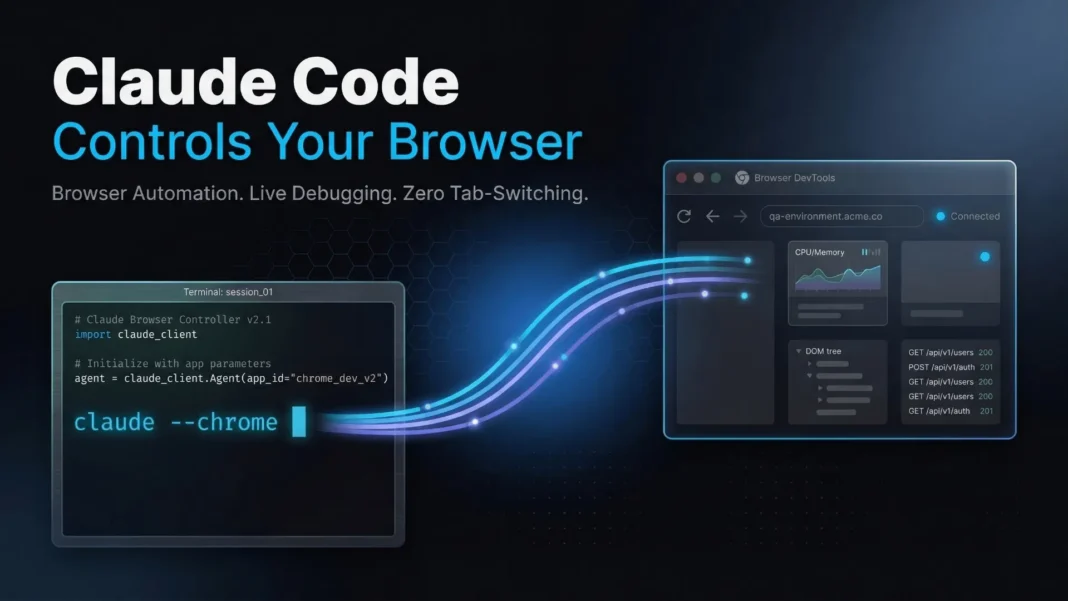
Anthropic has closed the gap between writing code and testing it. Claude Code now connects directly to your Chrome browser, letting it click buttons, read console logs, fill forms, and run multi-tab workflows without leaving your terminal. This is not a sidebar chatbot. It is a full agentic loop where your coding assistant also operates the browser.
What Claude Code Does Inside Chrome
Claude Code integrates with the Claude in Chrome browser extension to deliver browser automation capabilities from the CLI or the VS Code extension. Browser actions run in a visible Chrome window in real time, so you see every click, keystroke, and navigation as it happens.
Claude opens new tabs for browser tasks and shares your browser’s existing login state, giving it access to any site you are already signed into. When Claude encounters a login page or CAPTCHA, it pauses and asks you to handle it manually before continuing.
The full capability list includes:
- Live debugging: reads console errors and DOM state directly, then fixes the code that caused them
- Design verification: builds a UI from a Figma mock, then opens it in the browser to verify it matches
- Web app testing: tests form validation, checks for visual regressions, and verifies user flows
- Authenticated web apps: interacts with Google Docs, Gmail, Notion, or any app you are logged into without API connectors
- Data extraction: pulls structured information from web pages and saves it locally
- Task automation: automates repetitive browser tasks including data entry, form filling, and multi-site workflows
- Session recording: records browser interactions as GIF files to document or share what happened
How to Set Up Claude Code with Chrome
Three things must be in place before the integration works.
Prerequisites:
- Google Chrome or Microsoft Edge (not Brave, Arc, or other Chromium browsers)
- Claude in Chrome extension version 1.0.36 or higher, available in the Chrome Web Store for both browsers
- Claude Code version 2.0.73 or higher
- A direct Anthropic plan: Pro, Max, Teams, or Enterprise
Chrome integration is not available through third-party providers including Amazon Bedrock, Google Cloud Vertex AI, or Microsoft Foundry. If you access Claude exclusively through a third-party provider, you need a separate claude.ai account to use this feature.
Getting started in the CLI:
- Start Claude Code with the
--chromeflag by runningclaude --chromein your terminal - Alternatively, enable Chrome from within an existing session by running
/chrome - Issue a natural language browser command, for example: “Go to code.claude.com/docs, click on the search box, type ‘hooks’, and tell me what results appear”
- Run /chrome at any time to check connection status, manage permissions, or reconnect the extension
To avoid passing --chrome every session, run /chrome and select “Enabled by default.” In the VS Code extension, Chrome is available automatically whenever the Chrome extension is installed and no additional flag is needed.
Note: enabling Chrome by default in the CLI increases context usage since browser tools are always loaded. If you notice increased context consumption, disable this setting and use --chrome only when needed.
The Build-Test-Fix Workflow
The most direct use case is the loop between Claude Code writing code and Chrome verifying it. Ask Claude to open your local server, interact with a form, and report what it observes, all without copying error messages manually.
A concrete example from the official documentation: “I just updated the login form validation. Can you open localhost:3000, try submitting the form with invalid data, and check if the error messages appear correctly?” Claude navigates to the local server, interacts with the form, and reports back.
For console debugging, Claude reads console output and filters for specific patterns or error types. The documentation recommends telling Claude what patterns to look for rather than asking for all console output, since logs can be verbose.
Multi-Site Workflows and Authenticated Access
Because Claude Code shares your browser’s existing login state, it can access any web application you are already signed into without requiring API credentials or OAuth setup.
A documented example: “Draft a project update based on the recent commits and add it to my Google Doc at docs.google.com/document/d/abc123.” Claude opens the document, clicks into the editor, and types the content. This works with any web app you are logged into, including Gmail, Notion, and Google Sheets.
For multi-site coordination, the official documentation provides this example: “Check my calendar for meetings tomorrow, then for each meeting with an external attendee, look up their company website and add a note about what they do.” Claude works across tabs to gather information and complete the full workflow.
Data Extraction and Task Automation
Claude Code can pull structured data from web pages and save it as a local CSV file. The documented example asks Claude to go to a product listings page and extract name, price, and availability for each item into a structured format.
For repetitive data entry, a documented workflow reads from a local contacts.csv file, navigates to a CRM, and fills in the name, email, and phone fields for each row. Claude reads the local file, navigates the web interface, and enters the data record by record.
Session Recording
Claude Code can record browser interactions as GIF files for documentation or sharing. You trigger recording by asking Claude to “Record a GIF showing how to complete the checkout flow, from adding an item to the cart through to the confirmation page.” Claude records the interaction sequence and saves it as a GIF file locally.
Limitations and Considerations
Chrome integration is in beta, and several constraints affect real-world use. Brave, Arc, and all other Chromium-based browsers are excluded; only Google Chrome and Microsoft Edge are officially supported. WSL users on Windows cannot use this feature at all.
JavaScript dialogs including alerts, confirms, and prompts block browser events and prevent Claude from receiving further commands. You must dismiss these manually before Claude can continue.
On Windows, named pipe conflicts (EADDRINUSE) can occur if another Claude Code session is already using Chrome. Restarting Claude Code and closing other active sessions resolves this.
Third-party API users on Amazon Bedrock, Vertex AI, or Microsoft Foundry must maintain a separate claude.ai paid subscription to access Chrome integration.
Troubleshooting Reference
| Error Message | Cause | Fix |
|---|---|---|
| “Browser extension is not connected” | Native messaging host cannot reach the extension | Restart Chrome and Claude Code, then run /chrome to reconnect |
| “Extension not detected” | Chrome extension not installed or disabled | Install or enable in chrome://extensions |
| “No tab available” | Claude acted before a tab was ready | Ask Claude to create a new tab and retry |
| “Receiving end does not exist” | Extension service worker went idle | Run /chrome and select “Reconnect extension” |
The native messaging host configuration file installs on first use. Chrome reads this file on startup, so if the extension is not detected on your first attempt, restart Chrome to pick up the new configuration.

Frequently Asked Questions (FAQs)
Does Claude Code Chrome integration work on all Chromium browsers?
No. Claude Code’s Chrome integration currently supports only Google Chrome and Microsoft Edge. Brave, Arc, and other Chromium-based browsers are explicitly unsupported. WSL on Windows is also excluded. Anthropic has not announced a timeline for expanding browser compatibility beyond these two browsers.
What plan do I need to use Claude Code with Chrome?
You need a direct Anthropic paid plan: Pro, Max, Teams, or Enterprise. Free tier accounts are not eligible. Users accessing Claude through Amazon Bedrock, Vertex AI, or Microsoft Foundry cannot use this feature without a separate paid claude.ai subscription.
Can Claude access sites without me being logged in?
Claude uses your browser’s existing login state to access authenticated web apps. It does not log into sites independently. If Claude encounters a login page or CAPTCHA during a session, it pauses and asks you to handle authentication manually before resuming.
What versions are required for Claude Code and the Chrome extension?
You need Claude Code version 2.0.73 or higher and the Claude in Chrome extension version 1.0.36 or higher, available from the Chrome Web Store for both Chrome and Edge. Older versions will not establish the native messaging connection.
How do I fix “Chrome extension not detected” errors?
Verify the extension is installed and enabled in chrome://extensions, confirm Claude Code is updated by running claude --version, check that Chrome is running, and run /chrome then select “Reconnect extension.” If the issue persists, restart both Claude Code and Chrome.
Can I use Claude Code Chrome integration in VS Code?
Yes. In the VS Code extension, Chrome is available automatically whenever the Claude in Chrome extension is installed in your browser. No --chrome flag is needed.
What happens during connection drops in long sessions?
The Chrome extension’s service worker can go idle during extended sessions, breaking the connection. If browser tools stop working after a period of inactivity, run /chrome and select “Reconnect extension” to restore it.
What is session recording in Claude Code Chrome integration?
Session recording lets Claude capture a browser interaction sequence and save it as a GIF file. You trigger it by asking Claude to record a specific browser workflow, such as a checkout flow from cart to confirmation page. Claude saves the file locally.

