

Key Takeaways
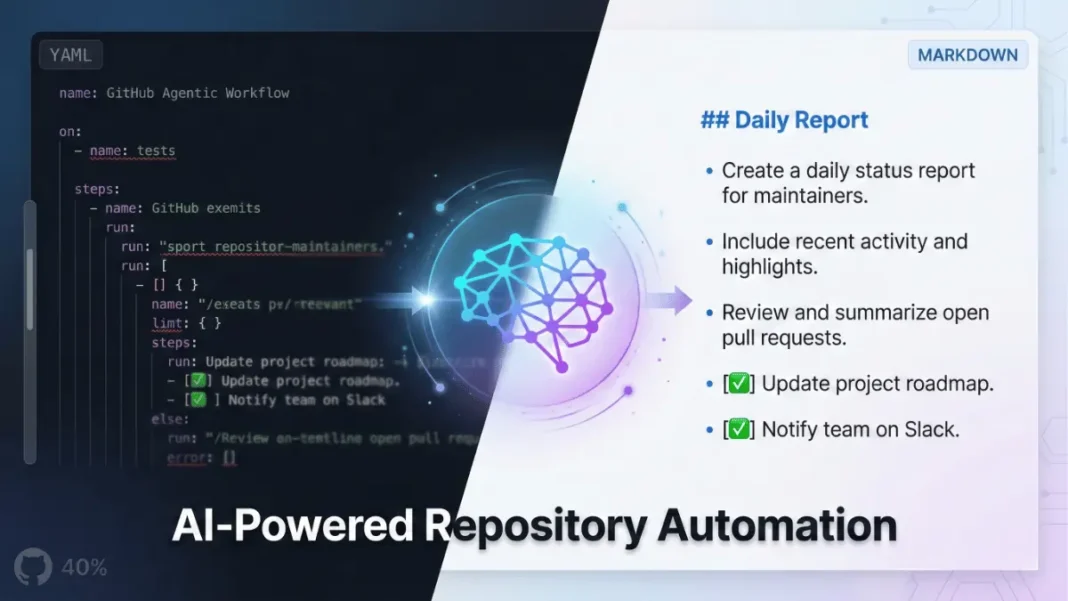
- GitHub launched Agentic Workflows in technical preview February 13, 2026 write automations in Markdown instead of YAML
- AI agents (Copilot, Claude, Codex) execute intelligent decisions for issue triage, CI failure analysis, and documentation updates
- Security-first design runs with read-only permissions by default in sandboxed GitHub Actions environments
- Open source under MIT license with CLI installation via
gh-awextension
GitHub fundamentally changed how developers automate repository workflows with its February 13, 2026 technical preview launch. GitHub Agentic Workflows eliminates complex YAML configuration files, replacing them with natural language instructions that AI agents execute within GitHub Actions. Instead of scripting every conditional branch and error handler, developers describe outcomes in Markdown and let AI handle decision-making.
What GitHub Agentic Workflows Delivers
GitHub Agentic Workflows represents a shift from deterministic CI/CD pipelines to intent-driven automation. The system runs AI coding agents GitHub Copilot, Anthropic’s Claude, or OpenAI Codex directly inside GitHub Actions infrastructure with the same security controls, logging, and secrets management developers already trust.
Workflows trigger on repository events (issues opened, pull requests created), run on schedules (daily maintenance), or execute via manual dispatch and comment commands. The AI agent reads repository context, analyzes the situation, and performs multi-step tasks like investigating CI failures, proposing fixes, and creating pull requests awaiting human review.
GitHub Next designed the system with an “Actions-first” approach, meaning workflows inherit familiar GitHub Actions concepts: repo-centric execution, team-visible logs, permissions models, and job semantics. The innovation lies in replacing rigid scripts with adaptive AI reasoning while maintaining transparency through source-controlled execution plans.

How Natural Language Replaces YAML Complexity
Traditional GitHub Actions require developers to write verbose YAML files with precise syntax, indentation rules, and explicit conditional logic. A single misplaced space breaks the entire workflow. GitHub Agentic Workflows eliminates this friction by accepting Markdown files stored in .github/workflows/ that describe automation goals in plain English.
The workflow creation process follows three steps:
- Write – Create a
.mdfile with automation instructions in natural language - Compile – Run
gh aw compileto transform it into a secure GitHub Actions workflow (.lock.yml) - Run – GitHub Actions executes the workflow automatically based on defined triggers
For example, a daily issues report workflow might contain this Markdown instruction: “Create a daily status report for maintainers. Include recent repository activity, progress tracking, goal reminders and highlights”. The AI agent interprets these instructions, queries the GitHub API, processes data, and delivers the requested output with no manual API calls or data parsing code required.
What makes Markdown-based workflows practical?
GitHub Agentic Workflows transforms high-level goals into executable actions through AI reasoning. The system determines which GitHub APIs to call, how to handle edge cases, and when to request human approval. Developers can focus on defining clear success criteria rather than crafting perfect prompts, allowing the AI agent to explore and reason within safe, intentional limits.
Security Architecture and Permission Controls
Security concerns around AI agents executing code in production environments drove GitHub’s design decisions. Workflows run with read-only repository permissions by default. Write operations creating pull requests, modifying files, posting comments require explicit approval through “safe outputs,” which are pre-approved GitHub operations that pass through sanitized validation.
The execution environment employs multiple isolation layers:
- Sandboxed containers – Agents run in isolated Docker environments with network restrictions
- Tool allowlisting – Only approved operations (GitHub API calls, file reads) are permitted
- Output sanitization – All AI-generated content passes through security filters before reaching repositories
- Audit logging – Every action records to GitHub Actions logs for team visibility
This architecture prevents scenarios where an AI agent might accidentally delete branches, expose secrets, or execute arbitrary code. GitHub emphasizes that pull requests are never merged automatically, and humans must always review and approve changes.
Supported AI Engines and GitHub Integration
GitHub Agentic Workflows operates as an engine-agnostic platform. The same Markdown workflow format works across GitHub Copilot CLI (default), Anthropic Claude, OpenAI Codex, and custom AI processors. Teams switch engines by changing a single configuration parameter and updating repository secrets.
The system integrates deeply with GitHub’s ecosystem, providing native access to:
- Repositories (code, branches, commits)
- Issues and pull requests (metadata, comments, labels)
- GitHub Actions (workflows, runs, artifacts)
- Security features (Dependabot alerts, code scanning)
- Additional tools (browser automation, web search, custom MCPs)
This integration eliminates the need for developers to write GitHub API authentication code, parse JSON responses, or handle rate limiting. The AI agent receives structured repository data and can execute approved operations through natural language commands embedded in the Markdown workflow.
Real-World Use Cases Transforming Repository Management
GitHub showcases six primary workflow categories in the official February 2026 documentation:
Continuous Triage – Automatically summarize, label, and route new issues to appropriate team members based on content analysis.
Continuous Documentation – Keep READMEs and documentation aligned with code changes, detecting when code modifications invalidate existing documentation.
Continuous Code Simplification – Repeatedly identify code improvements based on style guides and open pull requests for refactoring without manual developer intervention.
Continuous Test Improvement – Assess test coverage and add high-value tests to improve repository quality metrics.
Continuous Quality Hygiene – Proactively investigate CI failures, identify root causes, and propose targeted fixes as draft pull requests.
Continuous Reporting – Create regular reports on repository health, activity, trends, and workflow metrics without manual data compilation.
Additional capabilities include multi-repository coordination for feature sync workflows and project management automation through patterns like ChatOps, DailyOps, DataOps, IssueOps, ProjectOps, MultiRepoOps, and Orchestration.
Peli’s Agent Factory provides a guided tour through practical workflow patterns that developers can adapt, remix, and standardize across repositories.
Installation and Getting Started
The GitHub CLI extension gh-aw handles workflow creation and compilation. Installation requires an existing GitHub CLI setup:
- Install the extension:
gh extension install github/gh-aw - Configure secrets for your chosen AI engine (Copilot, Claude, or Codex)
- Create a starter workflow:
gh aw add <workflow-name> - Alternatively, use an interactive coding agent to generate workflows by describing your automation goal
Developers can also manually create workflows by writing .github/workflows/<name>.md files and compiling them with gh aw compile, which generates the corresponding .lock.yml file that GitHub Actions executes.
The workflow file consists of two parts:
- Frontmatter (YAML between
---markers) defining triggers, permissions, tools, and allowed outputs - Markdown instructions describing the job in natural language
The open-source repository at github.com/github/gh-aw contains starter templates, documentation, and community-contributed examples. GitHub accepts contributions under the MIT license.
Cost Considerations and Billing
GitHub Agentic Workflows use coding agents at runtime, which incur billing costs. When using Copilot with default settings, each workflow run typically incurs two premium requests: one for the agentic work and one for a guardrail check through safe outputs.
For other coding agents like Claude or GPT-4, teams must manage separate API billing arrangements. GitHub Actions compute minutes consume standard account limits or paid tiers based on workflow execution frequency and complexity.
Limitations and Considerations
GitHub explicitly notes that Agentic Workflows remain in early development and may change significantly. The technical preview phase requires careful attention to security considerations and human supervision, with GitHub warning that “even then things can still go wrong”.
Agentic workflows excel at repository maintenance and analysis tasks but are designed to augment existing CI/CD rather than replace it. They do not replace build, test, or release pipelines, and their use cases largely do not overlap with deterministic CI/CD workflows.
The system performs best when developers focus on goals and desired outputs rather than perfect prompts. Workflows can range from very general (“Improve the software”) to very specific (“Check that all technical documentation and error messages for this educational software are written in a style suitable for an audience of age 10 or above”).
Network isolation in sandboxed execution prevents workflows from accessing external services beyond approved MCPs. Custom integrations with third-party tools require developing MCP extensions rather than making direct HTTP requests.
Practical Guidance for Teams
GitHub provides several recommendations for teams adopting Agentic Workflows:
- Start with low-risk outputs such as comments, drafts, or reports before enabling pull request creation
- For coding tasks, begin with goal-oriented improvements such as routine refactoring, test coverage, or code simplification rather than feature work
- For reports, use instructions that are specific about what “good” looks like, including format, tone, links, and when to stop
- Humans must stay in the broader loop of forward progress through reports, issues, and pull requests
- Treat the workflow Markdown as code review changes, keep it small, and evolve it intentionally
The system enables agents to act autonomously within defined terms through an agent-only sub-loop, but humans maintain ultimate control over repository changes.
Competitive Landscape and Development Background
GitHub Agentic Workflows emerged from a collaboration between GitHub, Microsoft Research, and Azure Core Upstream. The project began at GitHub Next as an investigation into a fundamental question: what does repository automation with strong guardrails look like in the era of AI coding agents.
One alternative approach involves running coding agent CLIs (Copilot or Claude) directly inside standard GitHub Actions YAML workflows. This method often grants agents more permissions than required for specific tasks. In contrast, GitHub Agentic Workflows run coding agents with read-only access by default and rely on safe outputs for GitHub operations, providing tighter constraints, clearer review points, and stronger overall control.
Traditional CI/CD platforms like Jenkins and GitLab remain deterministic they execute predefined scripts without adaptive decision-making. Organizations seeking AI augmentation in these platforms must build custom integrations or adopt standalone agent frameworks.
The key differentiator lies in GitHub’s “Actions-first” design philosophy: rather than creating a separate agent orchestration system, the platform extends the existing CI/CD infrastructure developers already understand.

Frequently Asked Questions (FAQs)
What is GitHub Agentic Workflows?
GitHub Agentic Workflows lets developers automate repository tasks using AI agents that run within GitHub Actions. Write workflows in plain Markdown instead of complex YAML, and AI handles intelligent decision-making for issue triage, pull request reviews, CI failure analysis, and maintenance.
How does GitHub Agentic Workflows differ from traditional GitHub Actions?
Traditional GitHub Actions require scripting every step in YAML with explicit conditional logic. Agentic Workflows accept natural language Markdown instructions describing desired outcomes, and AI agents dynamically determine execution steps while respecting security guardrails.
Which AI models work with GitHub Agentic Workflows?
The system supports GitHub Copilot CLI (default), Anthropic Claude, OpenAI Codex, and custom AI processors. The same Markdown workflow format works across all engines teams switch by changing configuration and updating repository secrets.
Is GitHub Agentic Workflows secure for production repositories?
Yes. Workflows run with read-only permissions by default in sandboxed Docker containers. Write operations require explicit approval through sanitized safe outputs, with tool allowlisting and network isolation preventing unauthorized actions.
How do I install GitHub Agentic Workflows?
Install the GitHub CLI extension with gh extension install github/gh-aw, configure secrets for your AI engine, then create workflows using gh aw add <name>; or manually write Markdown files in .github/workflows/.
What are common use cases for Agentic Workflows?
Primary use cases include automated issue triage and labeling, CI failure diagnosis with fix proposals, continuous documentation updates, daily code quality improvements, test coverage assessment, and multi-repository feature synchronization.
Does GitHub Agentic Workflows cost extra?
GitHub Copilot users consume two premium requests per workflow run (one for agentic work, one for guardrail checks). External AI models like Claude or GPT-4 require separate API billing. GitHub Actions compute minutes consume standard account limits.
When does GitHub Agentic Workflows reach general availability?
The technical preview launched February 13, 2026. GitHub has not announced a general availability date and notes the system remains in early development with potential for significant changes.

