

Key Takeaways
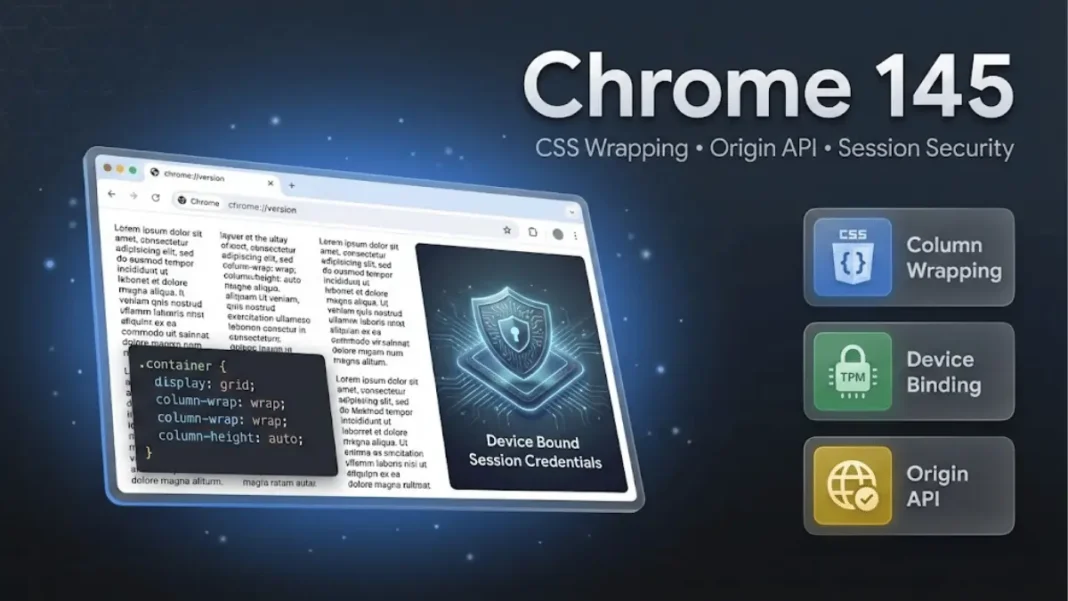
- Chrome 145 enables CSS column wrapping with
column-wrapandcolumn-heightproperties for vertical layout control - Device Bound Session Credentials binds sessions to specific devices using hardware-backed encryption
- Origin API introduces secure origin comparison methods to prevent same-origin vulnerabilities
- Released February 10, 2026 for Windows, Mac, Linux, and Android with version 145.0.7632.45
Google released Chrome 145 on February 10, 2026, version 145.0.7632.45, delivering developer-focused features that address CSS layout limitations and session security vulnerabilities. This update targets web developers building responsive layouts and enterprises managing authentication systems. The release includes changes to multicol layout behavior, cryptographic session binding, and origin handling APIs.
CSS Column Wrapping Changes Multicol Overflow Behavior
Chrome 145 implements the column-wrap and column-height properties from the CSS Multi-column Layout specification. Previously, multicol containers with restricted heights created horizontal overflow when content exceeded available space. Overflow columns appeared in the inline direction, creating horizontal scrollbars on mobile devices.
The new properties fundamentally change this default behavior. Setting column-wrap: wrap with a defined column-height value forces overflow columns into new rows in the block direction instead of horizontal scrolling. This affects how text-heavy content displays on constrained viewports.
Column Wrapping Implementation Details
Web developers control column flow using two properties working together:
column-heightsets the maximum height for each column rowcolumn-wrap: wraptriggers vertical row creation when content overflowscolumn-wrap: nowrapmaintains legacy horizontal overflow behavior (default)
When column-height is set to auto while column-wrap is wrap, Chrome 145 resolves the column height to the multicol container’s available height. The specification defines that if column-height is auto and column-wrap is nowrap, columns are balanced as before.uto and column-wrap is nowrap, columns are balanced as before.
Practical Applications
Magazine-style layouts and content management systems displaying article archives can create newspaper-like grids without JavaScript fallbacks. E-commerce platforms showing product descriptions in columns gain better mobile responsiveness. The feature eliminates the need for JavaScript-based column balancing solutions in many common scenarios.

Origin API Replaces String-Based Origin Validation
Chrome 145 introduces the Origin API with a dedicated Origin object that encapsulates origin handling. Previously, developers worked with ASCII serializations of origins through various getters. This approach created potential vulnerabilities during same-origin and same-site comparisons because string comparisons could be manipulated.
The new Origin object provides structured methods:
- Comparison methods that validate origins cryptographically rather than through string matching
- Serialization functions that prevent injection attacks during origin conversion
- Parsing utilities that sanitize user-provided origin strings
The Origin API implementation makes origin comparison operations more secure by eliminating string-based validation weaknesses. Developers can now perform origin checks with cryptographic guarantees rather than relying on ASCII string equality.
How does the Origin API improve security?
The Origin API replaces string-based origin comparisons with cryptographic validation methods. This eliminates injection risks where attackers manipulate ASCII representations of origins. The implementation provides constant-time comparison operations that prevent timing-based attacks.
Device Bound Session Credentials Prevents Cookie Theft
Device Bound Session Credentials (DBSC) represents Chrome 145’s primary security feature. This mechanism binds user authentication sessions to specific devices using hardware-backed key pairs stored in Trusted Platform Modules (TPMs) or secure enclaves. Stolen session cookies become unusable on different machines because attackers cannot access the private keys needed for session refresh.
DBSC operates through a dual-token architecture:
- Short-lived cookies that authenticate current requests
- Hardware-bound private keys that refresh the session cookie automatically
- Server-side validation that checks cryptographic proof-of-possession during each refresh
When a legitimate user’s cookie expires, the browser uses the device-bound private key to prove possession and obtain a new cookie. An attacker with a stolen cookie on a different device cannot complete this cryptographic challenge because they lack access to the hardware-protected private key.
DBSC Security Model
The W3C specification for Device Bound Session Credentials defines the technical implementation. Session cookies have limited lifespans and require cryptographic proof from the device’s hardware security module for renewal. This creates a security boundary where cookie theft alone is insufficient for account access.
Chrome 145 implements fallback mechanisms when TPM is unavailable. Enterprise administrators can configure DBSC requirements through Chrome policies, including enforcement options that block authentication on non-compliant devices.
What happens if a device lacks TPM for DBSC?
Chrome 145 implements graceful fallback when hardware security modules are unavailable. The browser uses software-based key protection or reverts to traditional cookie-only authentication. Enterprise administrators can enforce DBSC requirements through Chrome policies, blocking authentication on non-compliant devices.
Additional Developer Features in Chrome 145
Chrome 145 includes several secondary updates that enhance web application capabilities:
ECMAScript and JavaScript Enhancements:
- Upsert Methods: Map and WeakMap now support
getOrInsert,getOrInsertComputed, andgetOrInsertAsyncmethods from the Upsert proposal - Crash Reporting API:
window.crashReportallows attaching key-value pairs to crash reports for debugging
Payment and Security:
- Secure Payment Confirmation Browser Bound Keys: Adds cryptographic binding for payment instruments
- Secure Payment Confirmation UX Refresh: Updated user interface for payment confirmation dialogs
Web APIs:
- Navigation API Enhancements:
navigation.transitionnow exposes destination information - Cookie Store API
maxAge: New attribute for controlling cookie lifespan - IndexedDB SQLite Backend: Implemented for in-memory contexts
Graphics and Performance:
- WebGPU
subgroup_uniformity: Adds subgroup uniformity feature for GPU compute - Performance Timing Enhancements: New
confidencefield pluspaintTimeandpresentationTimeattributes
CSS Improvements:
- Text Justification: Implements
text-justifyCSS property for controlling justification algorithms - Percentage Values for Spacing:
letter-spacingandword-spacingnow accept percentage values - Overscroll Effects: Non-root scrollers now support overscroll behavior
Platform Features:
- Customizable Select Listbox: Extended customization for
<select>elements in listbox rendering mode - Local Network Access Split Permissions: Separates private network access into finer-grained permissions
- True Window Position on Android: Returns accurate window coordinates on Android devices
Origin Trials and Experimental Features
Chrome 145 continues several origin trials for experimental features:
- WebAudio Configurable Render Quantum: Allows custom audio processing block sizes (continuing trial)
- JPEG XL Image Format: Progressive decoding with wide color gamut and HDR support, gated behind
enable-jxl-image-formatflag
Origin trials allow developers to test features before full standardization. Sites must register for tokens to enable these experimental APIs.
Deprecations and Removals
Chrome 145 deprecates several legacy features:
- Mutation Events:
DOMSubtreeModified,DOMNodeInserted,DOMNodeRemoved, and related events are deprecated in favor of Mutation Observers - Non-standard CSS Properties: Various vendor-prefixed properties receive deprecation warnings
- Legacy Permissions Behavior: Some older permission handling patterns are being phased out
Developers should migrate away from deprecated APIs before future Chrome versions remove them completely.
Browser Compatibility and Rollout
Chrome 145 (version 145.0.7632.45) rolled out February 10, 2026 across Windows, Mac, Linux, and Android platforms. Android users receive updates through Google Play over a staged deployment period. Desktop installations receive automatic updates through Chrome’s background updater.
Enterprise deployments can delay updates using the TargetVersionPrefix policy. Google provides Extended Stable channel options for organizations requiring longer testing periods before major updates.
Implementation Guidance for Developers
For CSS Column Wrapping:
Add column-wrap: wrap and column-height: [value] to multicol containers. Test in mobile viewports to verify vertical row creation eliminates horizontal scrolling. Use Chrome DevTools to inspect computed column heights and ensure consistent spacing.
For Origin API:
Replace window.location.origin string comparisons with new Origin object methods. Import the API through const origin = new Origin(url) and use comparison methods instead of string equality checks. This provides cryptographic guarantees for same-origin validation.
For DBSC Implementation:
Server-side changes required. Follow the W3C DBSC specification to implement endpoint handlers that validate cryptographic proofs. Chrome 145 sends DBSC headers automatically when sites opt in through response headers. Test fallback behavior for devices without TPM support.
Development Tools Updates
Chrome DevTools in version 145 includes improvements for debugging new features:
- CSS column wrapping visualization in the Elements panel
- Origin API inspection in the Application panel
- DBSC session status in the Security panel
- Performance panel enhancements for new timing fields
Developers can enable experimental DevTools features through chrome://flags/#enable-devtools-experiments for early access to additional debugging capabilities.
Limitations and Considerations
Chrome 145’s column wrapping does not support dynamic height adjustment based on content reflow. Developers must set explicit column-height values or accept auto-calculated heights based on container dimensions. The Origin API requires refactoring existing security code that relies on string-based origin validation.
DBSC faces adoption challenges in environments without TPM 2.0 or equivalent secure hardware. Older devices may fall back to software key protection, reducing security benefits. Enterprise deployments should audit hardware compatibility before enforcing strict DBSC policies.
Security Fixes
Chrome 145 includes security fixes addressing vulnerabilities reported by external researchers. Google publishes detailed security information in the Chrome Releases blog. Organizations should review security bulletins to understand patched vulnerabilities relevant to their deployments.

Frequently Asked Questions (FAQs)
When was Chrome 145 released?
Chrome 145 launched February 10, 2026 for Windows, Mac, Linux, and Android platforms with version number 145.0.7632.45. Updates roll out automatically through Google’s staged deployment process over multiple days.
Does CSS column wrapping work in older Chrome versions?
No, column-wrap and column-height require Chrome 145 or later. Older browsers ignore these properties and display traditional horizontal overflow. Implement feature detection with @supports (column-wrap: wrap) for progressive enhancement.
Can websites disable Device Bound Session Credentials?
DBSC is opt-in for websites through HTTP response headers. Sites must actively implement DBSC server-side support. Users cannot disable DBSC if a website implements it, but sites control whether to enable the feature.
Is the Origin API backwards compatible?
The Origin API introduces new functionality without breaking existing code. Legacy origin getters like window.location.origin continue working. Developers should migrate to the new API gradually for improved security.
Which browsers support Chrome 145 features?
Chrome 145 features are Chrome-specific as of February 2026. Other browsers have not announced implementation timelines for these features. The Origin API and DBSC follow specifications that other browsers may adopt in future releases.
How do I test column wrapping on my website?
Update to Chrome 145 and add column-wrap: wrap with column-height to multicol containers. Use Chrome DevTools Responsive Design Mode to test various viewport sizes. Monitor for horizontal scrollbars that should no longer appear with proper configuration.
Where can I find Chrome 145 full release notes?
Google publishes complete release notes at developer.chrome.com/release-notes/145 and chromereleases.googleblog.com. Chrome DevTools updates appear in the What’s New in DevTools series on the Chrome Developers site.
What is the Upsert feature in Chrome 145?
Upsert adds methods to Map and WeakMap objects: getOrInsert, getOrInsertComputed, and getOrInsertAsync. These methods retrieve values if keys exist or insert new values atomically, simplifying common map operations.

