

Quick Brief
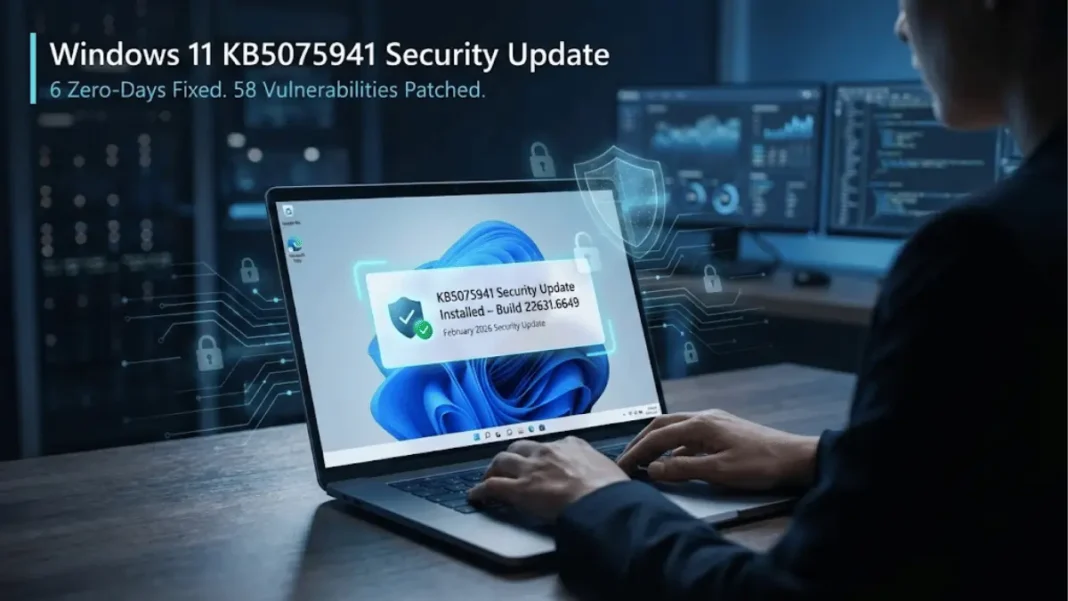
- KB5075941 patches 58 vulnerabilities including 6 actively exploited zero-days discovered in January 2026
- Windows 11 23H2 updates to Build 22631.6649 with mandatory security fixes released February 10, 2026
- Critical fixes address Secure Boot certificate deployment, DWM crashes, and Defender SmartScreen logging failures
- Includes servicing stack update KB5077457 (Build 22621.6642) for improved update reliability
Microsoft has released KB5075941, a mandatory cumulative update for Windows 11 version 23H2, addressing critical security vulnerabilities discovered throughout January 2026. The February 2026 Patch Tuesday release fixes 58 documented security flaws, including six zero-day vulnerabilities actively exploited in enterprise environments before patches became available. This update elevates Windows 11 23H2 to Build 22631.6649, integrating security enhancements with quality improvements from three previous out-of-band updates released between January 13 and January 24, 2026.
What KB5075941 Fixes: 7 Critical Security Updates
Six Actively Exploited Zero-Day Vulnerabilities Patched
KB5075941 addresses six zero-day exploits detected in production environments during January 2026, three of which were publicly disclosed before Microsoft released patches. The most severe is CVE-2026-21510, a Windows Shell security feature bypass that allows attackers to circumvent SmartScreen and Mark of the Web (MoTW) protections. Exploitation requires users to open malicious links or shortcut files, triggering attacker-controlled content without security warnings.
Microsoft Threat Intelligence Center (MSTIC), Microsoft Security Response Center (MSRC), Google Threat Intelligence Group, and anonymous researchers contributed to discovering these actively exploited vulnerabilities. The remaining five zero-days span elevation of privilege, remote code execution, and information disclosure categories attack vectors frequently chained together to achieve full system compromise.
What is CVE-2026-21510 and why does it matter?
CVE-2026-21510 is a Windows Shell security feature bypass vulnerability that allows attackers to evade SmartScreen and Mark of the Web security prompts. By exploiting improper handling in Windows Shell components, threat actors execute malicious content without triggering user warnings. Microsoft classified this as an actively exploited zero-day, meaning attacks occurred in real-world environments before patches were available.
Secure Boot Certificate Rollout With Targeted Deployment
KB5075941 introduces phased Secure Boot certificate updates, replacing 2011-signed bootmgfw.efi files with 2023-signed versions on devices containing the Windows UEFI CA 2023 certificate in their Secure Boot Signature Database (DB). Microsoft implemented targeted deployment logic that analyzes device compatibility signals before distributing new certificates, preventing “Secure Boot violation” errors during the transition.
Devices that reset their Signature Database or toggle Secure Boot settings may encounter boot failures requiring Secure Boot recovery media. The update includes targeting data identifying device readiness based on successful update installation patterns observed across Microsoft’s telemetry infrastructure.
Desktop Window Manager Crash Resolution
Microsoft fixed an issue causing the Desktop Window Manager (DWM) process to restart unexpectedly, disrupting visual rendering and window composition on affected systems. DWM handles desktop transparency, live thumbnails, and window animations its unexpected termination resulted in temporary screen flickering and application window repositioning during the crash-recovery cycle.
File Explorer Folder Renaming Restored
KB5075941 resolves a bug preventing proper folder renaming when desktop.ini files exist within directories. File Explorer ignored LocalizedResourceName settings in desktop.ini, causing custom folder names configured through this mechanism to disappear. This particularly affected enterprise environments using desktop.ini files to standardize folder naming conventions across organizational units.
Microsoft Defender SmartScreen Event Logging Fixed
The update corrects a critical flaw preventing Microsoft Defender SmartScreen Application Reputation (AppRep) events from writing to Windows Event Logs. This logging failure interrupted event tracking chains used by security operations teams for advanced threat investigations and forensic analysis. Security information and event management (SIEM) systems relying on AppRep telemetry experienced visibility gaps until this fix was deployed.
GPU Driver Stability Improvement
Microsoft addressed KERNEL_SECURITY_CHECK_FAILURE errors (related to dxgmms2.sys) occurring on specific GPU configurations. The DirectX Graphics Memory Management Subsystem fault caused system crashes during graphics-intensive operations including gaming, video rendering, and CAD applications.
Virtual Secure Mode Hibernation Issue Resolved
KB5075941 fixes a shutdown and hibernation failure affecting devices running Virtual Secure Mode (VSM), a hypervisor-based security feature protecting credentials and system integrity. Systems with VSM enabled experienced forced restarts instead of proper shutdown or hibernation sequences after installing January 13, 2026 security updates.
Vulnerability Breakdown: 58 Security Flaws By Category
Security researchers identified 58 distinct vulnerabilities across Windows components, Microsoft Office, and system-level functions in the February 2026 Patch Tuesday release. Elevation of privilege vulnerabilities dominate this update, accounting for 25 of 58 total flaws consistent with attack patterns favoring privilege escalation to convert limited access into full system control.
| Vulnerability Type | Count | Severity Examples |
|---|---|---|
| Elevation of Privilege | 25 | 3 Critical-rated flaws |
| Remote Code Execution | 12 | Exchange Server, Graphics Component |
| Spoofing | 7 | Windows NTLM authentication bypass |
| Information Disclosure | 6 | 2 Critical-rated vulnerabilities |
| Security Feature Bypass | 5 | CVE-2026-21510 (zero-day) |
| Denial of Service | 3 | Windows Remote Access Connection Manager |
The five Critical-severity vulnerabilities include three elevation of privilege exploits and two information disclosure bugs affecting core Windows authentication and graphics subsystems. Microsoft Exchange Server, Windows Remote Desktop, and Windows NTLM received patches for vulnerabilities enabling lateral movement across enterprise networks.
How many zero-days did Microsoft patch in February 2026?
Microsoft patched six actively exploited zero-day vulnerabilities in the February 2026 Patch Tuesday update, three of which were publicly disclosed before patches became available. Zero-day classification applies when exploitation occurs in production environments while no official fix exists. All six flaws received patches through KB5075941 and parallel updates for other Windows 11 versions.
How To Install KB5075941 On Windows 11 23H2
Automatic Installation Through Windows Update
KB5075941 downloads and installs automatically via Windows Update for systems with automatic updates enabled. Navigate to Start > Settings > Windows Update and select Check for Updates to trigger immediate download. The update process typically completes within 15–25 minutes depending on system performance and internet connection speed, requiring one restart to finalize installation.
After installation, verify your build number by opening Settings > System > About and confirming OS Build 22631.6649 appears under Windows specifications. The presence of this build number confirms successful KB5075941 deployment.
Manual Installation From Microsoft Update Catalog
Enterprise administrators and users preferring manual control can download KB5075941 from Microsoft Update Catalog as a standalone package. The x64-based systems installer measures 998.6 MB (1,047,157,968 bytes) and supports offline deployment across multiple machines. After downloading, execute the .msu file with administrative privileges to initiate installation.
Combined Servicing Stack Update Integration
KB5075941 includes servicing stack update (SSU) KB5077457, elevating the servicing stack to Build 22621.6642. Microsoft combined SSU and cumulative update distribution beginning with Windows 10 version 1809, ensuring update infrastructure receives enhancements before quality updates deploy. This architecture prevents update installation failures caused by outdated servicing components.
Attempting to uninstall the LCU (Latest Cumulative Update) using Windows Update Standalone Installer (wusa.exe) with the /uninstall switch fails because the combined package contains the non-removable SSU. Only DISM command-line operations with specific LCU package identifiers successfully remove the update while preserving the servicing stack.
What’s Included From Previous January 2026 Updates
KB5075941 consolidates fixes from three out-of-band updates released during January 2026, preventing users from installing multiple interim patches. The cumulative approach incorporates quality improvements and security fixes from:
- KB5073455 (January 13, 2026): Initial January 2026 security baseline addressing 23 vulnerabilities
- KB5077797 (January 17, 2026): Out-of-band update for printer driver compatibility issues
- KB5078132 (January 24, 2026): Emergency patch for Active Directory authentication failures
Users who installed these interim updates receive only incremental changes introduced specifically in KB5075941, reducing download size and installation time. Systems without January 2026 updates download the complete KB5075941 package containing all accumulated fixes from the past month.
Font Updates For GB18030-2022A Compliance
Microsoft updated Chinese fonts bundled with Windows 11 to support the GB18030-2022A standard for character coverage and display. GB18030-2022A, published by China’s Standardization Administration in August 2022, adds 1,619 Chinese characters to the mandatory encoding standard for software distributed in China.
This font update ensures proper rendering of newly standardized characters in government documents, educational materials, and business communications requiring GB18030-2022A compliance. Systems displaying Chinese-language content benefit from expanded glyph support without requiring third-party font installations.
Known Issues And Limitations
Microsoft currently reports no known issues with KB5075941 following its February 10, 2026 release. The Windows release health dashboard maintains real-time tracking of emerging compatibility problems, rollback scenarios, and device-specific conflicts discovered post-deployment.
Historically, major cumulative updates encounter issues within 48–72 hours of release as millions of diverse hardware configurations install patches. Users experiencing problems after installing KB5075941 should monitor the Windows release health dashboard for official guidance and potential workarounds.
Should You Install KB5075941 Immediately?
Critical Security Risks Require Immediate Deployment
The presence of six actively exploited zero-day vulnerabilities makes KB5075941 installation urgent for all Windows 11 23H2 users. Attackers demonstrated exploitation capability against unpatched systems throughout January 2026, meaning threat actors possess working exploits for these specific vulnerabilities. Delaying installation extends the window during which systems remain vulnerable to known attack vectors.
CVE-2026-21510’s ability to bypass SmartScreen and Mark of the Web protections removes a critical defensive layer protecting users from malicious downloads and phishing attacks. This security feature bypass enables subsequent exploitation stages without triggering user warnings that normally alert victims to suspicious activity.
Enterprise Deployment Considerations
Organizations should prioritize KB5075941 deployment following standard patch management protocols: testing on representative hardware samples, validating line-of-business application compatibility, and scheduling deployment windows minimizing operational disruption. The update’s consolidation of three previous January 2026 patches simplifies deployment planning by reducing the number of required updates.
IT administrators should verify Secure Boot configurations before mass deployment, particularly for devices that recently modified UEFI settings or restored factory firmware. Creating Secure Boot recovery media before deployment provides insurance against edge cases triggering boot failures during certificate transitions.
Frequently Asked Questions (FAQs)
What is KB5075941 and which Windows version does it support?
KB5075941 is a cumulative security update released February 10, 2026, exclusively for Windows 11 version 23H2. It updates systems to Build 22631.6649, addressing 58 security vulnerabilities including six actively exploited zero-days. The update is mandatory and contains February 2026 Patch Tuesday security fixes.
How do I check if KB5075941 installed successfully?
Open Settings > System > About and locate OS Build under Windows specifications. If it displays 22631.6649, KB5075941 installed successfully. Alternatively, check Settings > Windows Update > Update history to confirm KB5075941 appears with status “Successfully installed on [date]”.
Can I uninstall KB5075941 if it causes problems?
Yes, but with limitations. Use Settings > Windows Update > Update history > Uninstall updates to remove KB5075941. However, the combined package includes servicing stack update KB5077457, which cannot be removed. Use DISM command-line tools with specific LCU package identifiers for complete uninstallation procedures.
Does KB5075941 affect Windows 11 24H2 or 25H2 versions?
No. KB5075941 specifically targets Windows 11 version 23H2. Windows 11 versions 24H2 and 25H2 receive separate update KB5077181, which updates those versions to builds 26100.7840 and 26200.7840 respectively with similar security fixes.
What happens if I skip this update?
Skipping KB5075941 leaves your system vulnerable to six actively exploited zero-day attacks and 52 additional security flaws patched in this release. Attackers demonstrated working exploits against these vulnerabilities during January 2026, meaning threat actors can compromise unpatched systems using known techniques.
How large is the KB5075941 download?
The standalone KB5075941 installer for x64-based systems measures 998.6 MB (approximately 1 GB). Systems with recent January 2026 updates download smaller incremental packages containing only new fixes introduced in KB5075941.
Why does Microsoft release Patch Tuesday updates on the second Tuesday?
Microsoft established Patch Tuesday as a predictable monthly security update schedule allowing IT administrators to plan deployment windows, allocate testing resources, and coordinate with business operations. The second Tuesday timing provides approximately two weeks post-month-end for internal testing before release.
What is the servicing stack update included with KB5075941?
KB5077457 is the servicing stack update (SSU) bundled with KB5075941, updating the Windows Update installation infrastructure to Build 22621.6642. SSUs ensure the update mechanism remains reliable and capable of installing subsequent quality updates without failures caused by outdated servicing components.

