

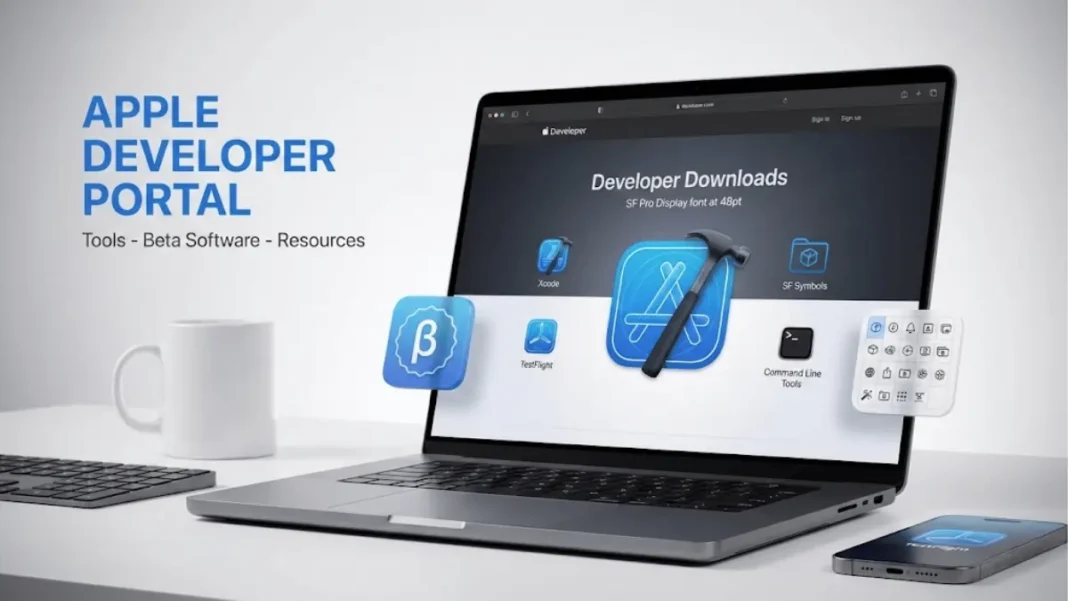
At a Glance
- Beta OS releases install directly through Software Update on compatible devices
- SF Symbols 7 and Icon Composer require macOS Sequoia 15.3 or later
- Development essentials include Xcode, Command Line Tools, and TestFlight
- Design resources provide UI templates and icon production tools
The Apple Developer download portal centralizes access to development tools, beta software, and design resources for all Apple platforms. Developers find beta releases for operating systems, applications for building and testing apps, and design assets for interface creation through this hub.
Available Beta Operating Systems
The download portal provides beta access to seven Apple platforms. Beta OS releases install directly to devices from Software Update, eliminating manual download and installation processes.
Supported Platforms:
- Xcode beta
- iOS beta
- iPadOS beta
- macOS beta
- visionOS beta
- tvOS beta
- watchOS beta
Each platform beta allows developers to test app compatibility and explore new features before public release.
Development Essentials
Xcode
Xcode delivers the complete toolkit for developing, testing, and distributing apps across all Apple platforms. The integrated development environment handles code editing, debugging, and app deployment through a unified interface.
Command Line Tools
Command Line Tools enable development directly in Terminal with the developer tool package for Xcode. This option suits developers who prefer text-based workflows or need lightweight installations without the full Xcode interface.
TestFlight
TestFlight connects developers with beta testers before App Store release. The platform facilitates user invitations and feedback collection during pre-release testing phases.
Design Resources
SF Symbols 7
SF Symbols 7 provides a comprehensive icon library for Apple platform apps. The application requires macOS Sequoia 15.3 or later. Developers access configurable symbols that integrate directly with Xcode projects.
Icon Composer
Icon Composer manages app icon creation and organization leveraging Liquid Glass depth and dimension effects. The tool requires macOS Sequoia 15.3 or later and generates icon assets for app submissions.
Apple Design Resources
Apple Design Resources supply UI design templates, icon production templates, color guides, and additional assets. These resources help developers maintain consistency with Apple’s Human Interface Guidelines across platforms.
Platform Coverage
The download portal serves developers building for Apple’s complete ecosystem. Resources span iPhone, iPad, Mac, Apple Watch, Apple TV, and Vision Pro development needs. Each platform receives dedicated tools, documentation, and beta access through the centralized hub.

Frequently Asked Questions
What platforms have beta software available?
Apple provides beta software for seven platforms: Xcode, iOS, iPadOS, macOS, visionOS, tvOS, and watchOS. Beta OS releases install through Software Update on compatible devices.
What system is required for SF Symbols 7?
SF Symbols 7 requires macOS Sequoia 15.3 or later. Earlier macOS versions cannot run this version of the application.
What does Command Line Tools include?
Command Line Tools package contains developer tools for Xcode that function in Terminal. This enables development workflows without installing the full Xcode application.
How do beta OS releases install?
Beta OS releases install directly to devices from Software Update. This method eliminates the need for manual downloads and complex installation procedures.
What is Icon Composer used for?
Icon Composer creates and manages app icons that leverage Liquid Glass depth and dimension. The tool requires macOS Sequoia 15.3 or later.
What design resources are available?
Apple Design Resources include UI design templates, icon production templates, and color guides. These assets support interface design across all Apple platforms.

