

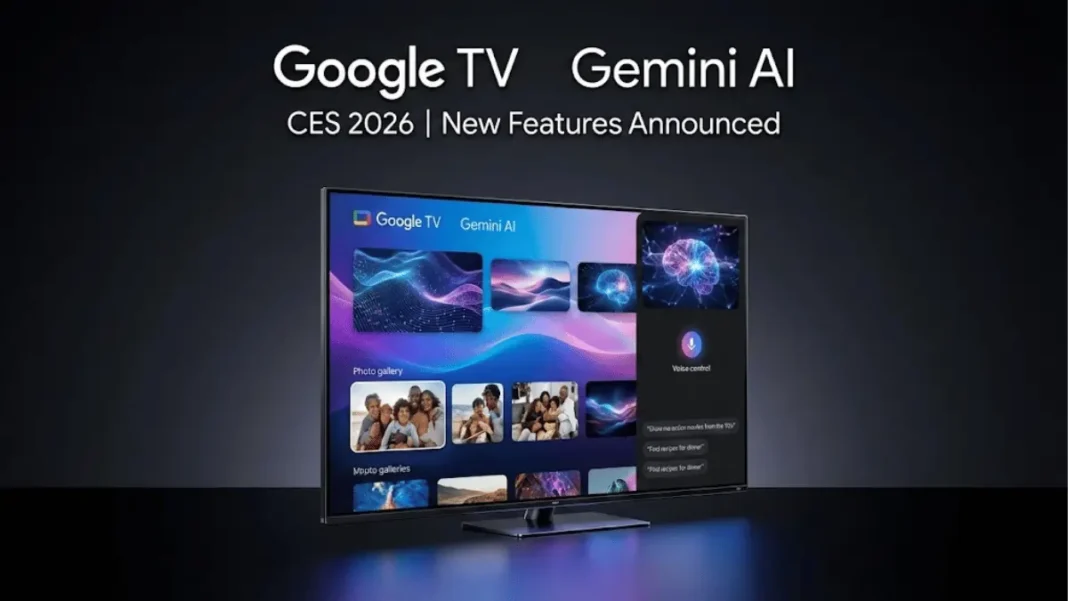
Google announced four major Gemini AI features for Google TV at CES 2026, turning televisions into interactive AI hubs capable of editing photos, optimizing settings by voice, and delivering narrated educational content. The features launch first on select TCL devices and will expand to other Google TV hardware over the coming months.
What’s New in Gemini for Google TV
Google TV now offers a visually rich framework that adapts Gemini’s responses with high-resolution imagery, video context, and real-time sports updates. Users can ask questions and receive full-screen answers designed specifically for large displays.
The standout addition is “Deep dives,” which provides narrated, interactive overviews of complex topics simplified for families. This feature transforms Google TV into an educational tool beyond entertainment.
Voice-controlled settings let users skip menu navigation entirely. Commands like “the screen is too dim” or “the dialogue is lost” automatically adjust picture and sound without pausing content.
Google Photos Integration and AI Creation Tools
Gemini now searches your Google Photos library directly from the TV, filtering by specific people or moments. Users can apply artistic styles with Photos Remix or convert memories into cinematic slideshows on the big screen.
Google integrated Nano Banana (image generation) and Veo (video generation) directly into Google TV. Users can create original media or reimagine personal photos by scanning a QR code with their phone to upload images.
Device Requirements and Rollout
The new Gemini features require Android TV OS 14 or higher, an internet connection, and a Google account. TCL devices receive first access, followed by broader rollout to other Google TV brands and projectors.
Google has not announced specific availability dates beyond “coming months”. The rollout will be staggered by device, country, and language.
Why This Matters for TV Users
These updates mark Google’s shift from basic voice commands to conversational AI on televisions. The photo editing and creation tools bring smartphone-level AI capabilities to the living room for the first time.
Voice-controlled settings address persistent pain point complex menus that disrupt viewing. Natural language adjustments keep users immersed in content while fine-tuning their experience.
Featured Snippet Boxes
What devices will get Gemini for Google TV first?
TCL devices receive priority access, with Google TV Streamer, Walmart Onn 4K Pro, and select Hisense models following later in 2026. Android TV OS 14+ is required.
Can Gemini edit photos on Google TV?
Yes. Gemini can search your Google Photos library, apply artistic styles with Photos Remix, and create cinematic slideshows directly on your TV. You can also use Nano Banana and Veo to generate or reimagine images and videos.
How does voice-controlled settings work on Google TV?
Tell Gemini commands like “the screen is too dim” or “the dialogue is lost,” and it adjusts picture and sound automatically without leaving your content. No menu navigation required.
What are Gemini deep dives on Google TV?
Deep dives are narrated, interactive overviews that simplify complex topics for family viewing. Users can ask follow-up questions to explore subjects in more detail on their TV screen.

